
The most important metric in your LinkedIn outreach campaign is Acceptance Rate.
If people don’t accept your connection requests → they will never see your follow-ups & your offering 😢
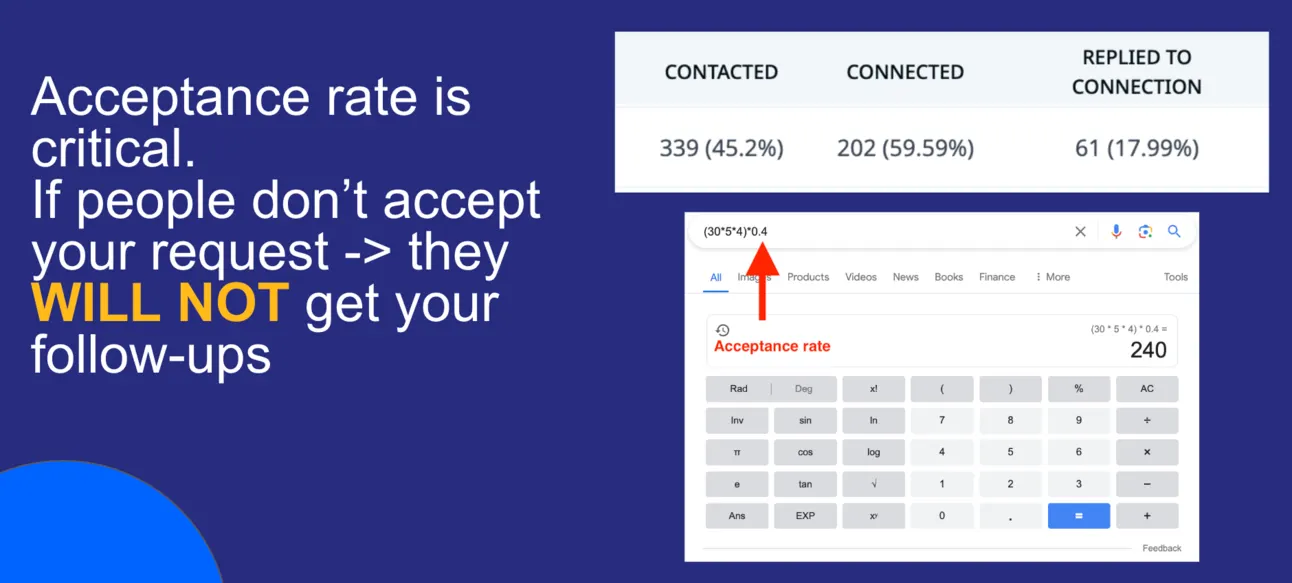
So you need to personalise your 1st connection request so more people will accept it.
Today, I’ll show you the growth hack that shows 87% acceptance rate!
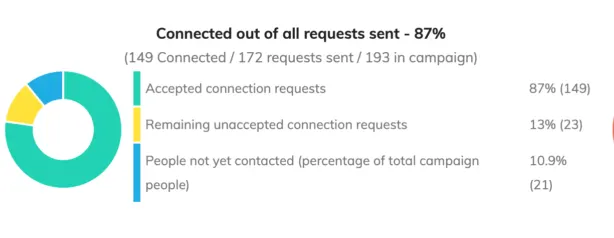
The idea is to reach out to people who fit your ICP and also write on LinkedIn and personalise your outreach strategy based on the posts they have recently shared on LinkedIn.
It means that if for example, you would reach out to me based on this post:
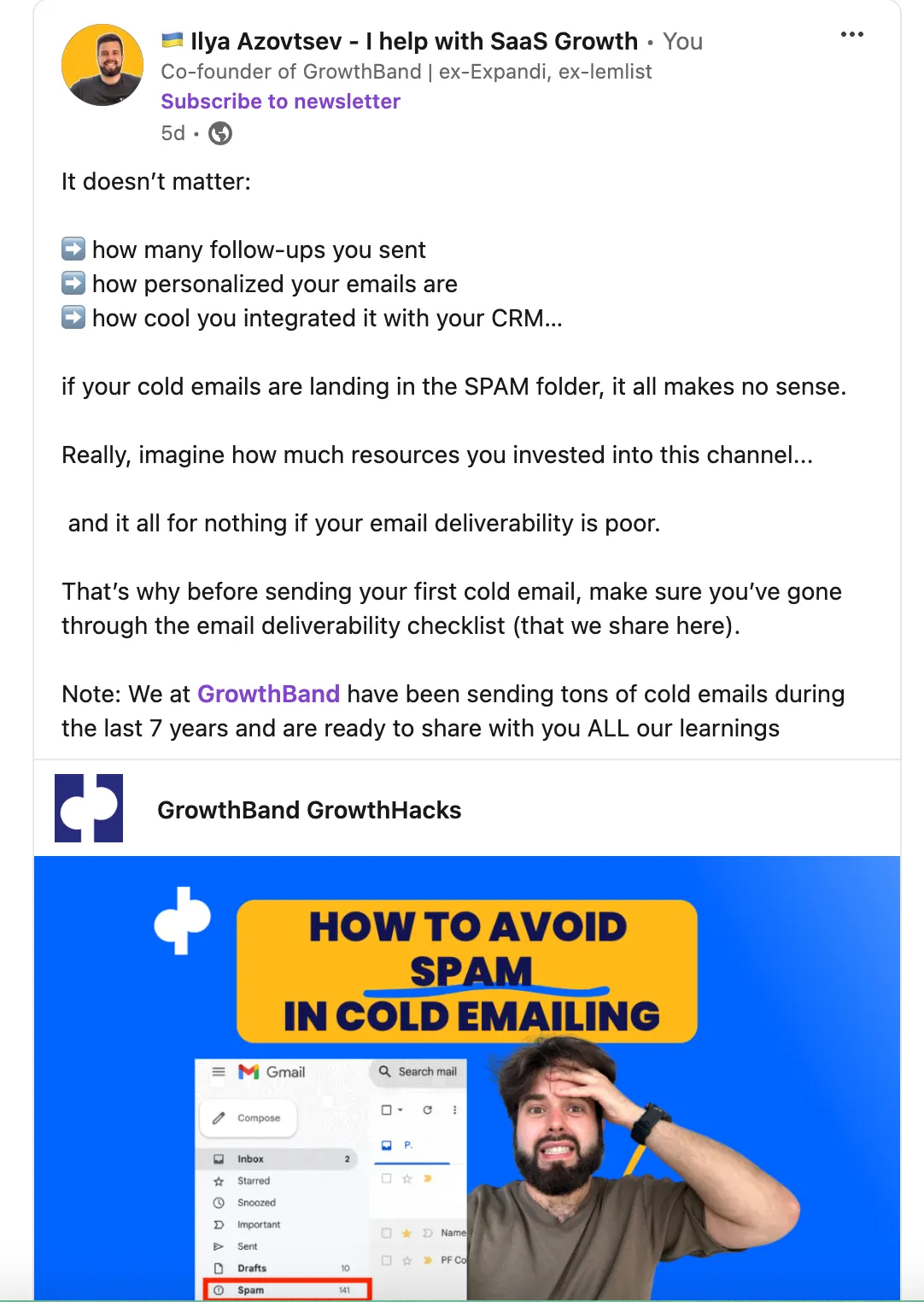
You’d write something “Heyo Ilya, saw your recent article about Cold email deliverability, pretty extensive!”.
So, I’ll show you how to automate the whole process!
Tools we’re going to use:
- Clay https://clay.com/
- Expandi https://expandi.io/
Here is the video with a step-by-step process:
Find People who recently posted
If you’re using LinkedIn Sales Navigator, it’s perfect!
Because when you’re finding people who match with your ICP:
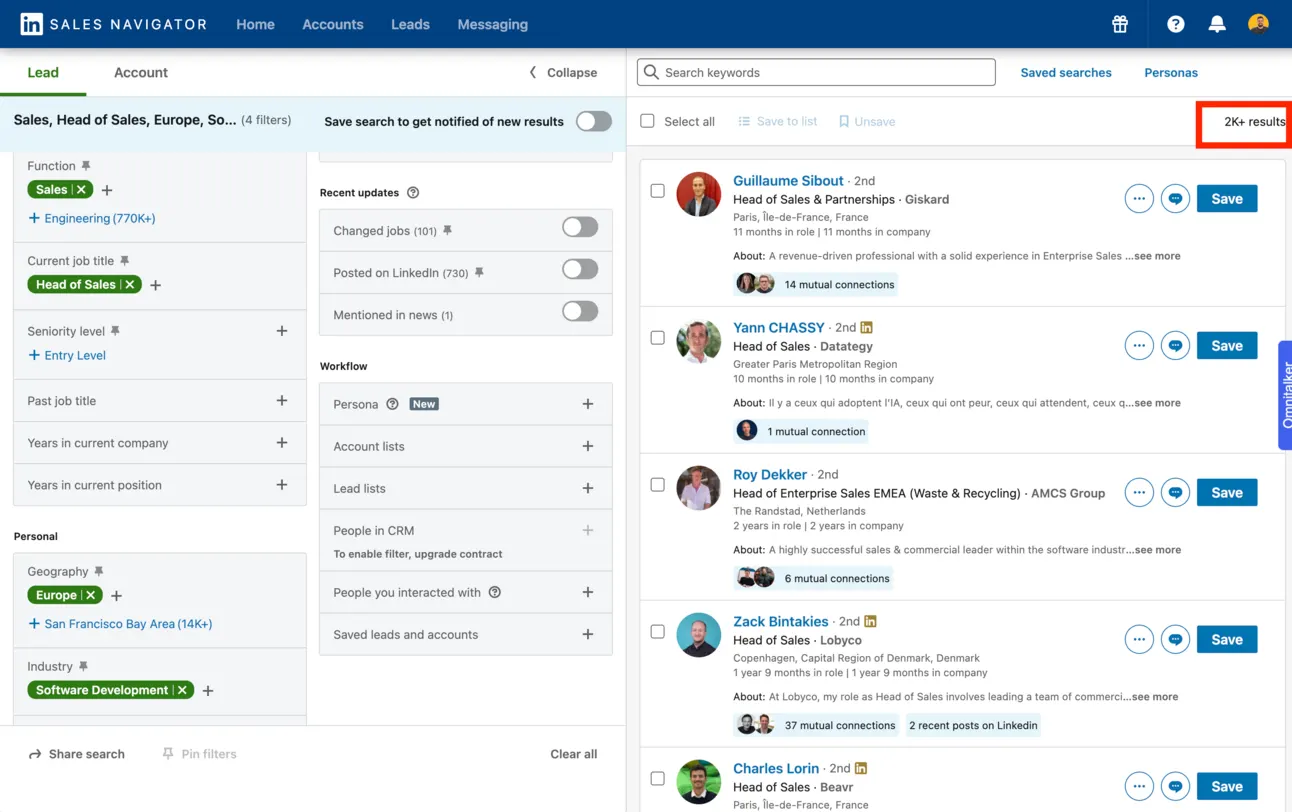
You can segment & find only people who recently posted on LinkedIn:
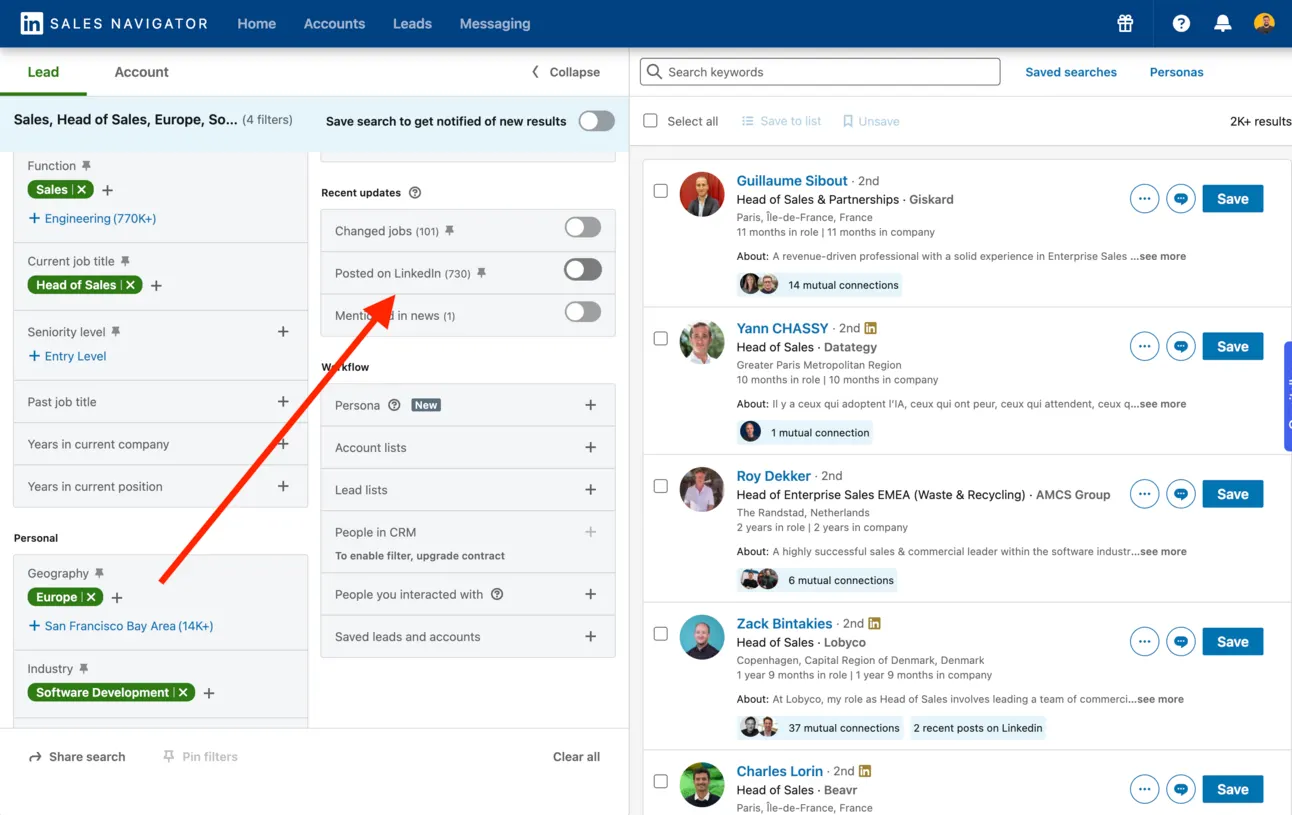
You need this for 2 reasons:
- You’re limited with the amount of LinkedIn connection requests you can send. And it’s way better to reach out to only people who are active on LinkedIn (because they recently posted). As a result, the majority of them will see your message.
- You can use the context of their recent posts to write a personalised icebreaker and increase the Acceptance & Reply rates.
Now it’s time to scrape the list of people you got.
Sign up at Expandi https://expandi.io/
Go to the Search, and click on “Add new search”
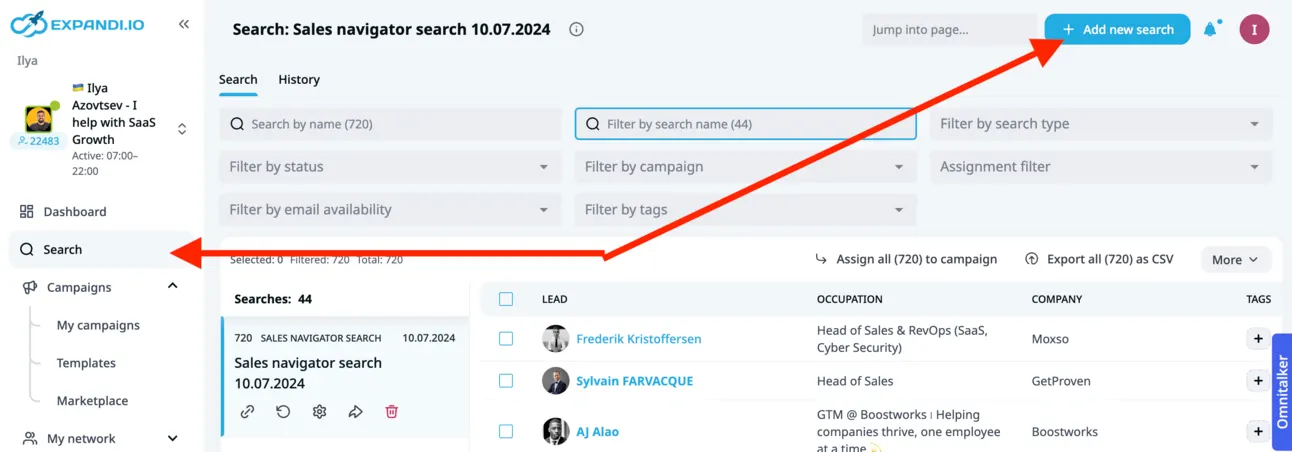
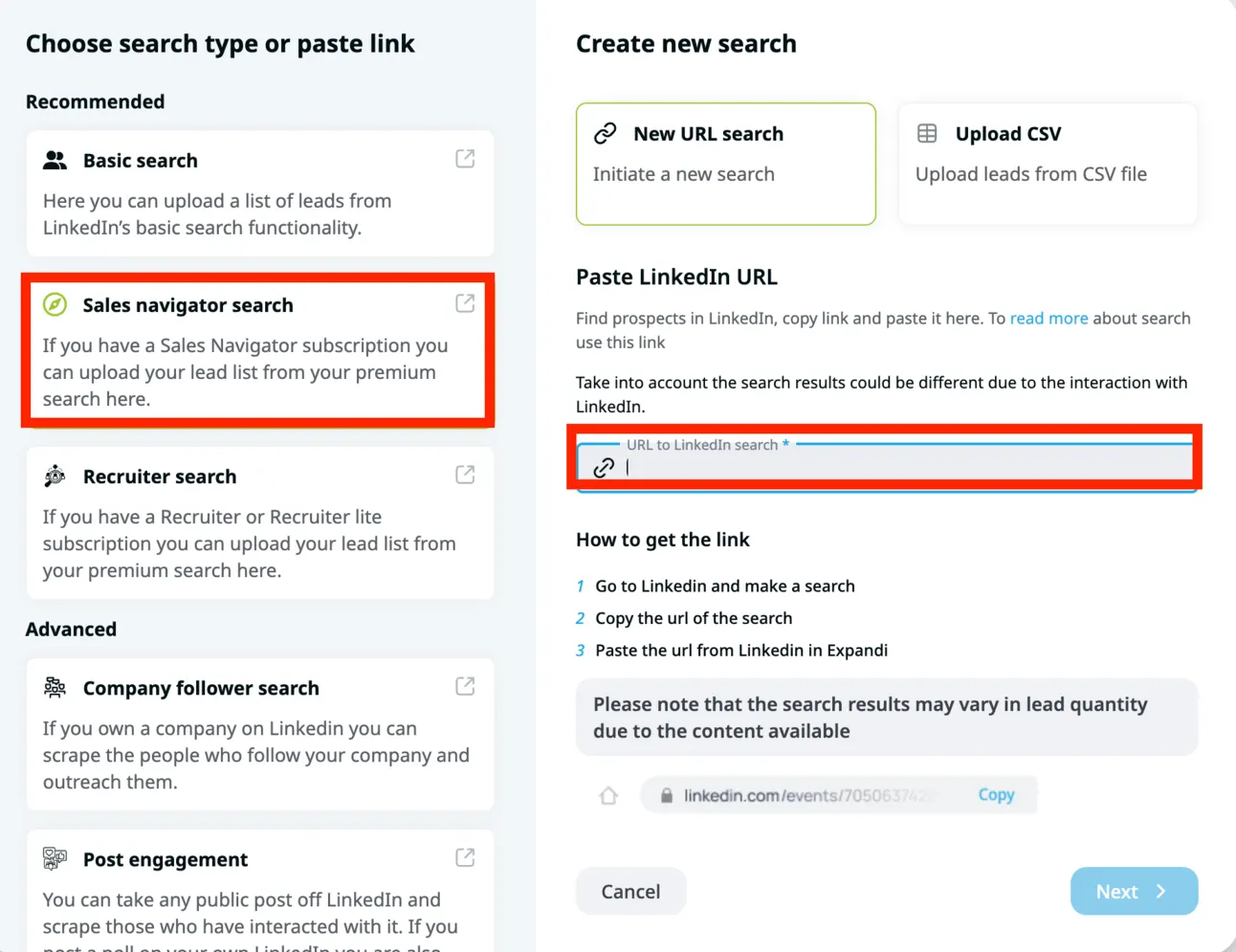
Paste your LinkedIn Sales Navigator URL with the list of people you got and start the scraping:
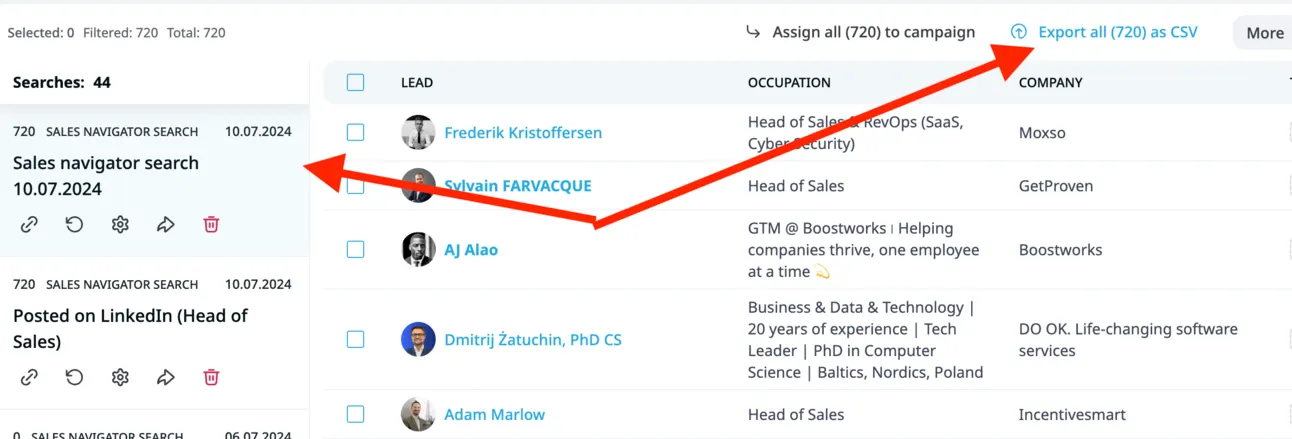
In just a few mins you’ll get the list of people. Now you need to Export this list:
It’s time to enrich the data!
Scrape their recent posts with Clay
For this we’ll use Clay - https://clay.com/
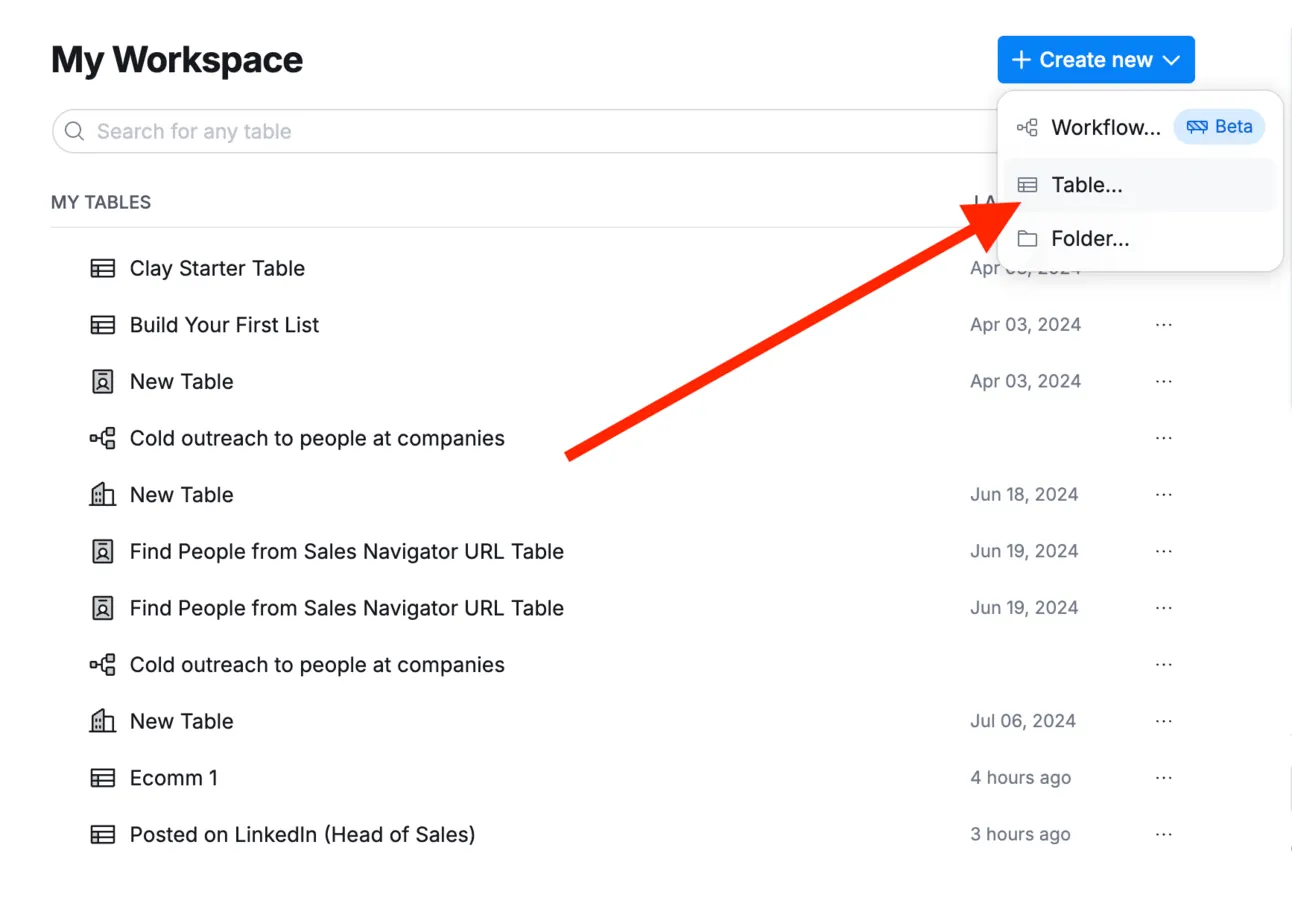
Sign up at https://clay.com/ and click “Create a new table”
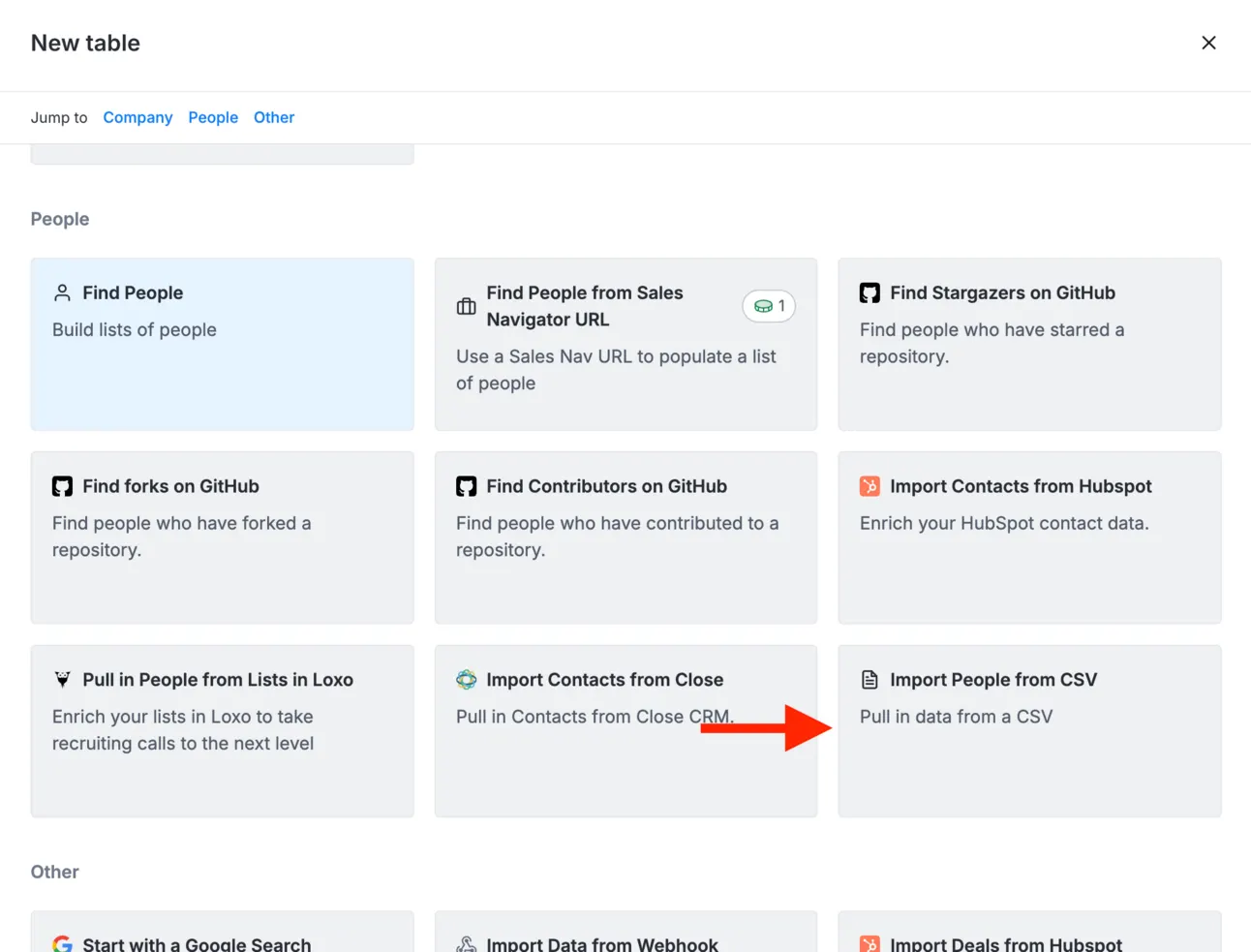
And upload a CSV file you got from Expandi https://expandi.io/
Now it’s time to scrape the recent Linkedin posts of the LinkedIn profiles you have in the table.
Click “Add enrichment” and use “Find Recent Posts by User” enrichment:
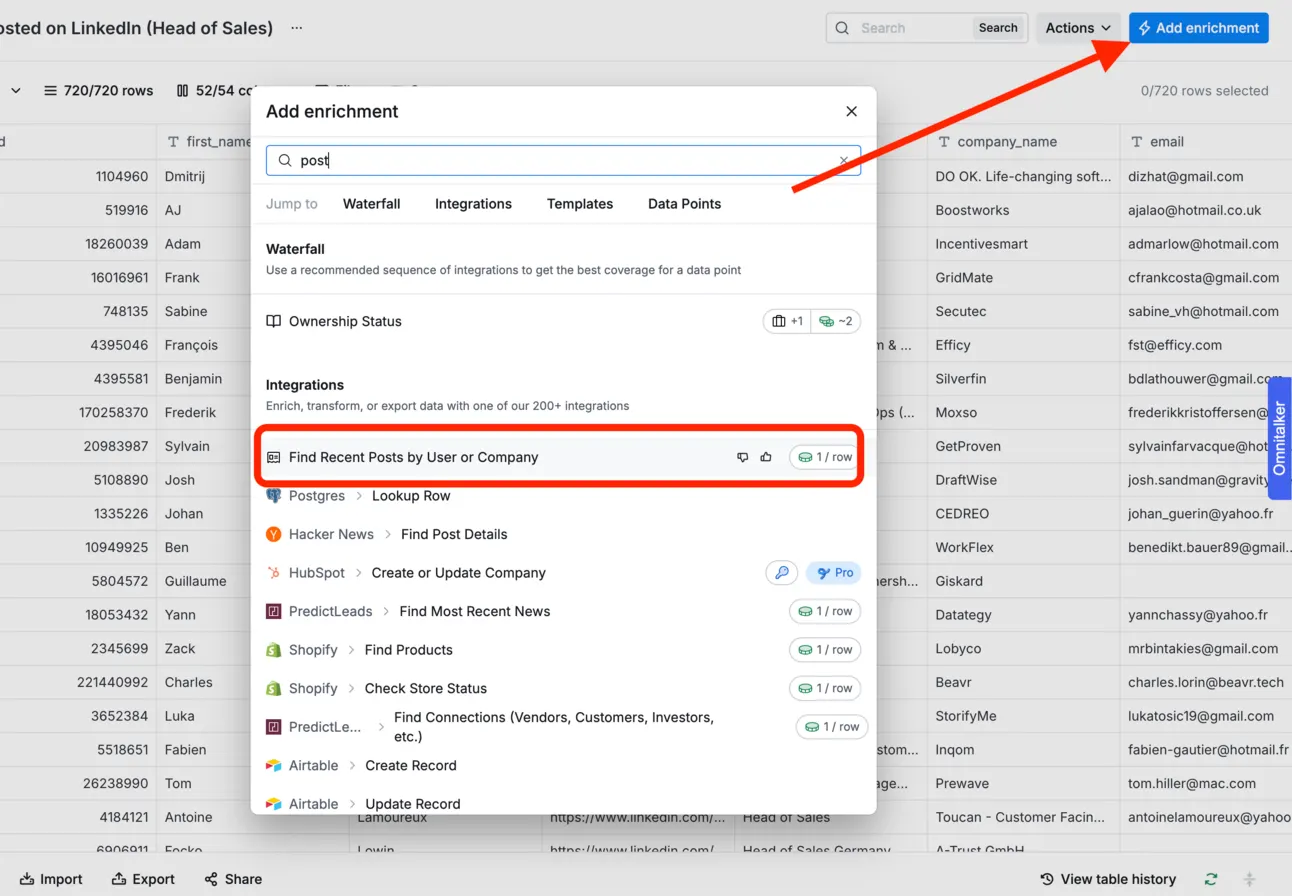
Now it’ll scrape the list of the recent posts (with the content of it) and https://clay.com/ will add it as a separate column:
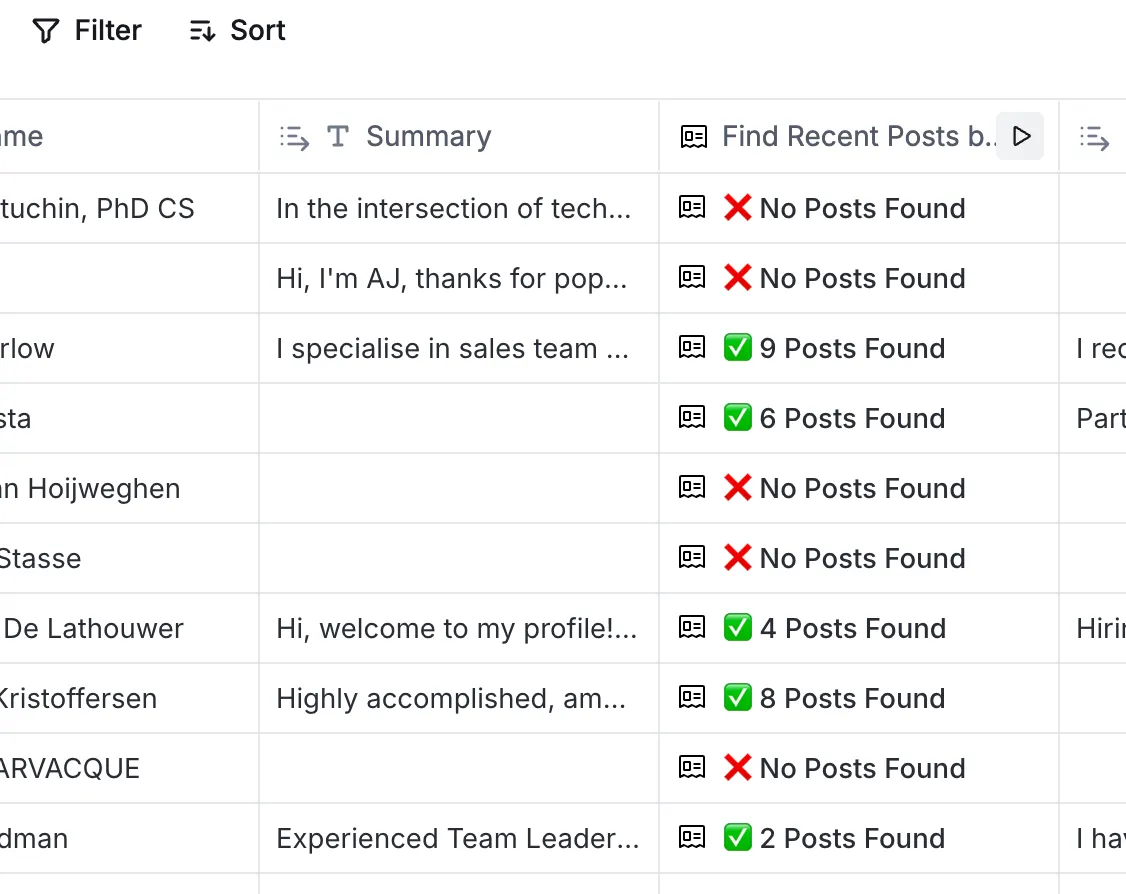
It’s time to use these posts as an icebreaker!
Generate Icebreakers
Now it’s time to use the context from recent posts to generate personalised lines you can use in your outreach. To do so, we need to click “Add enrichment” again and choose GPT → generate text.
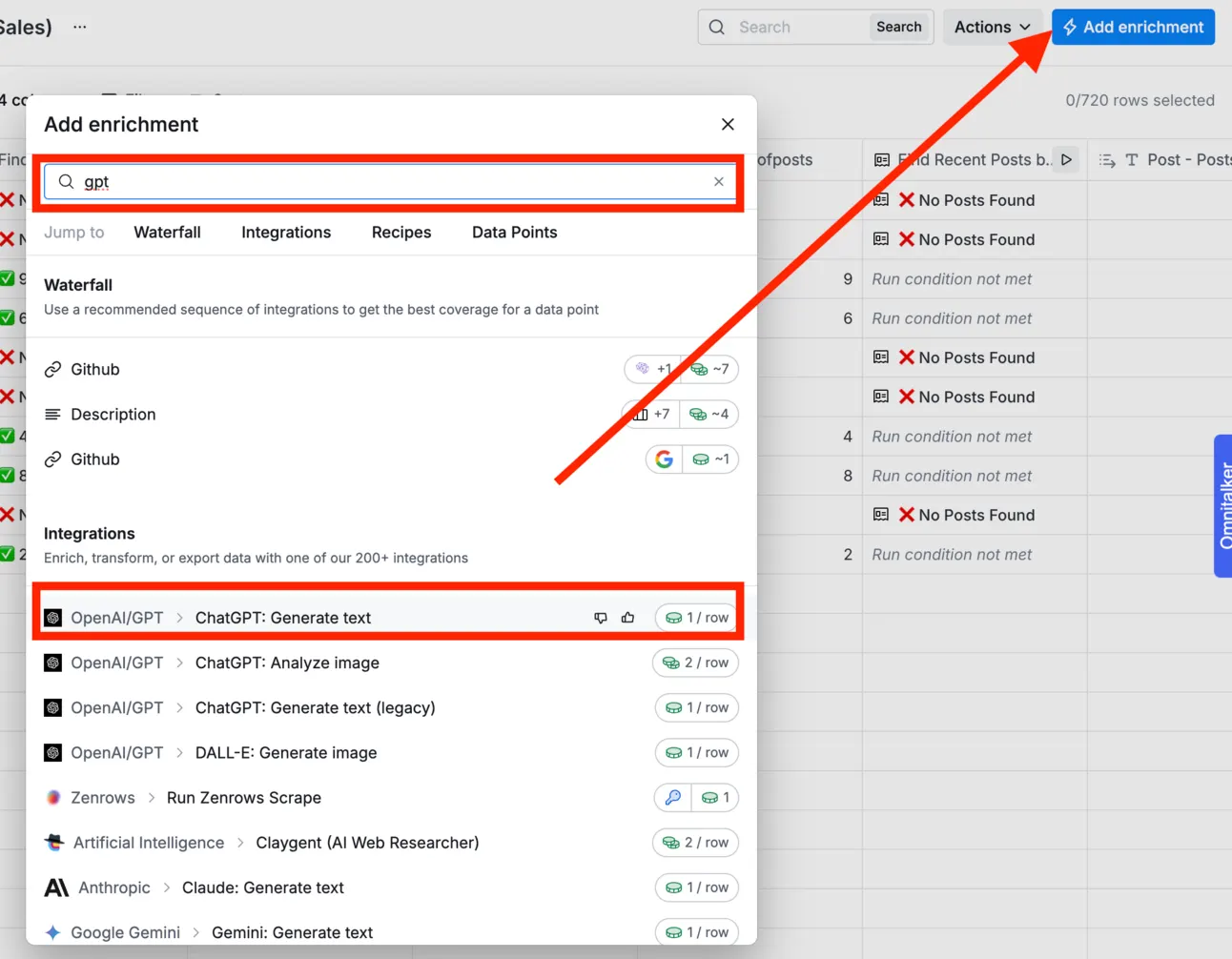
Use this prompt:
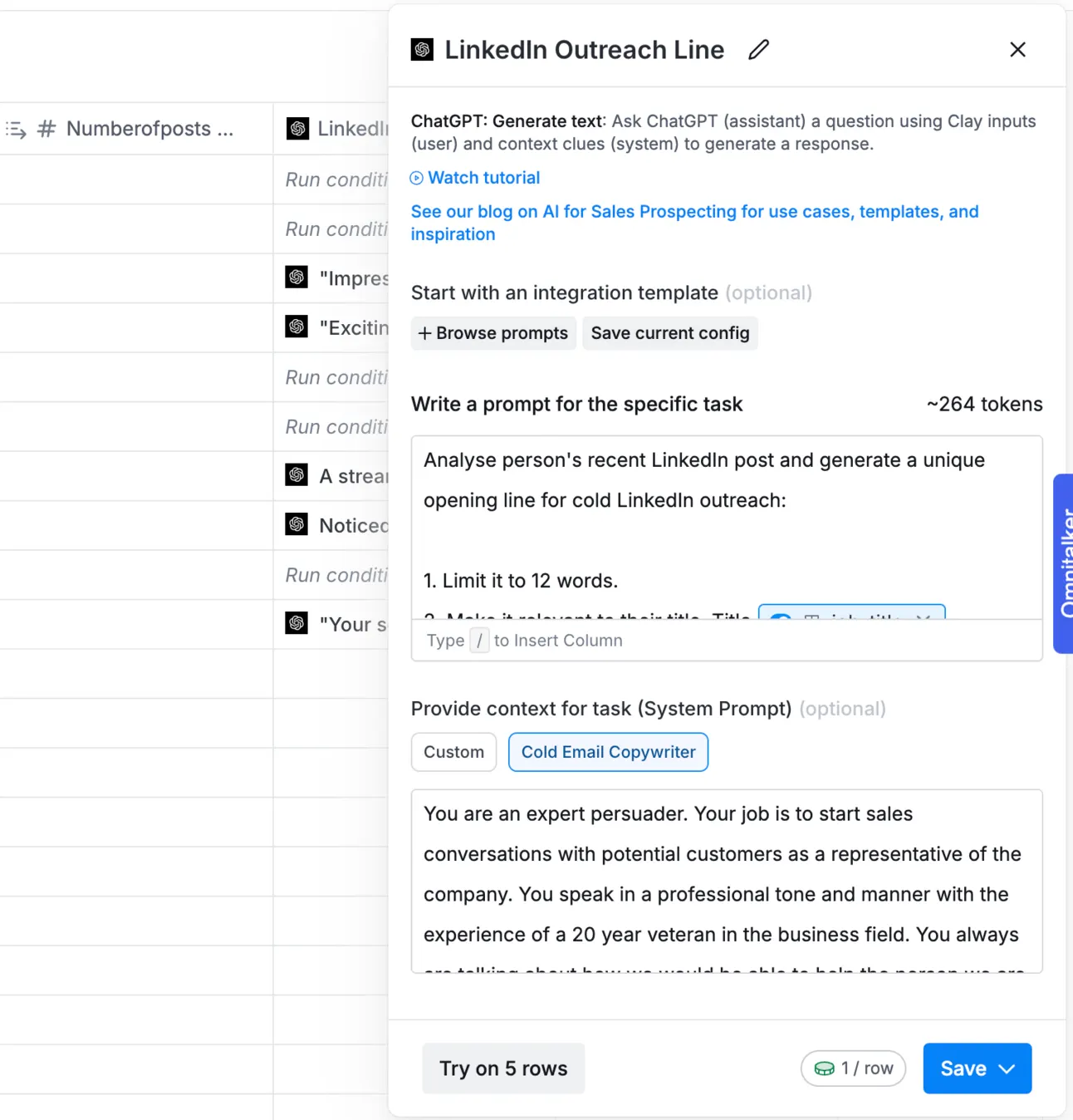
Analyse person's recent LinkedIn post and generate a unique opening line for cold LinkedIn outreach: 1. Limit it to 12 words. 2. Make it relevant to their title. Title

job_title

Post:

Post - Posts
And choose “Cold email copywriter” as a system prompt:
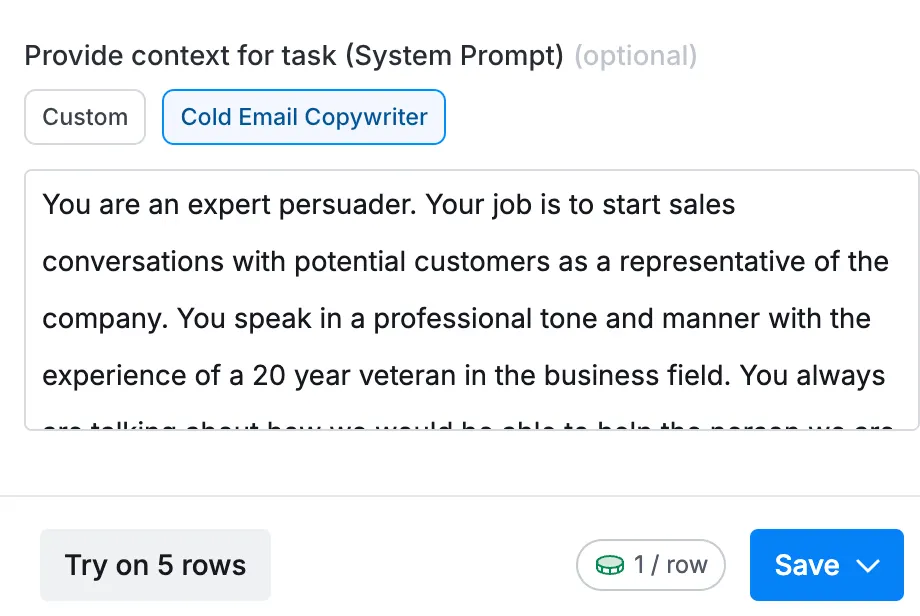
As a result https://clay.com/ will generate the list of icebreakers for us:
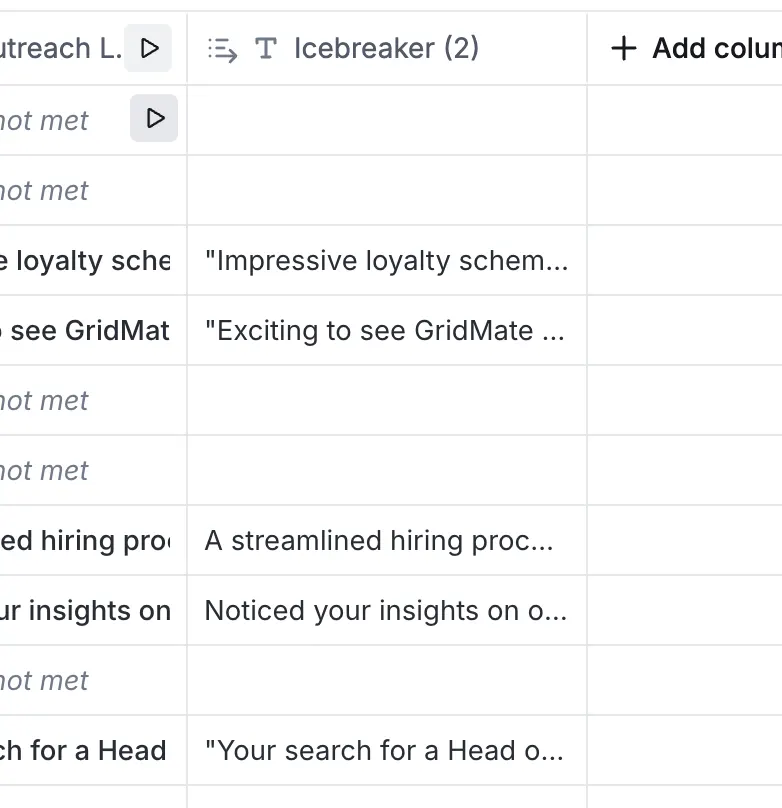
Now we need to add them to outreach system!
Reach out to them
Now we’ll use a really powerful LinkedIn automation software - Expandi https://expandi.io/
First things first, we need to create a Dynamic Placeholder to use the icebreakers https://clay.com/ generated for us.
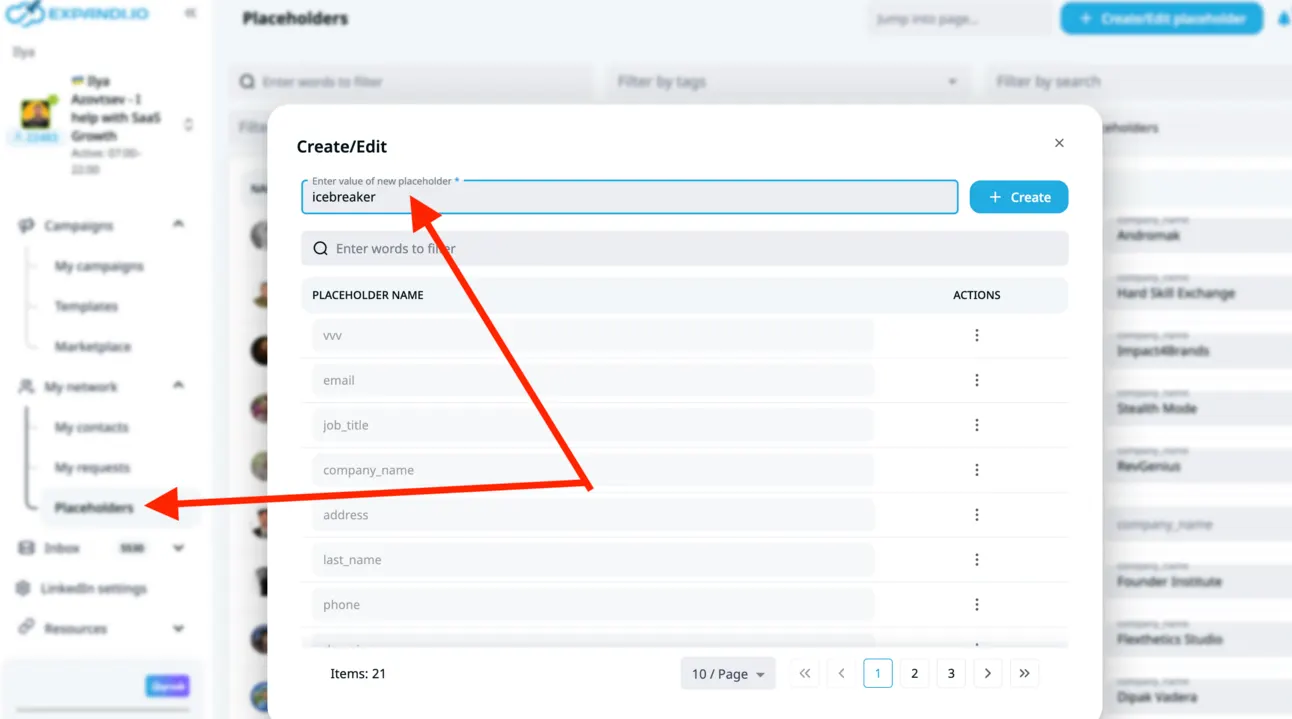
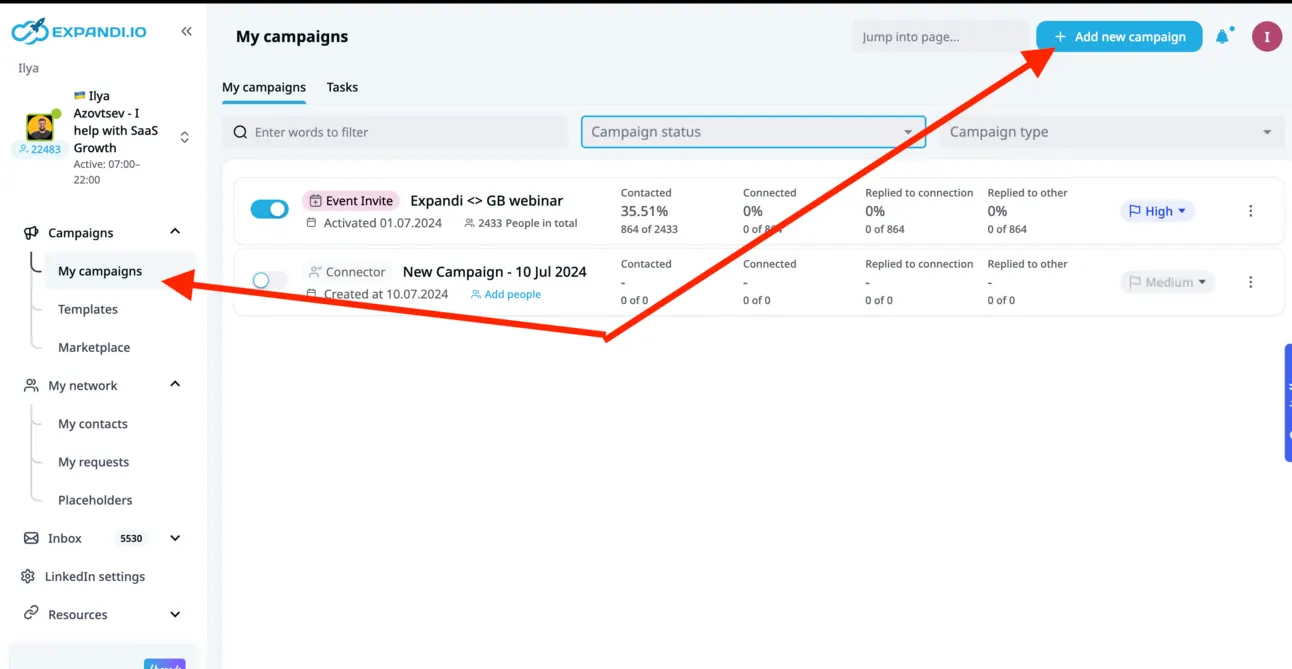
Once we do that, we can start creating a campaign:
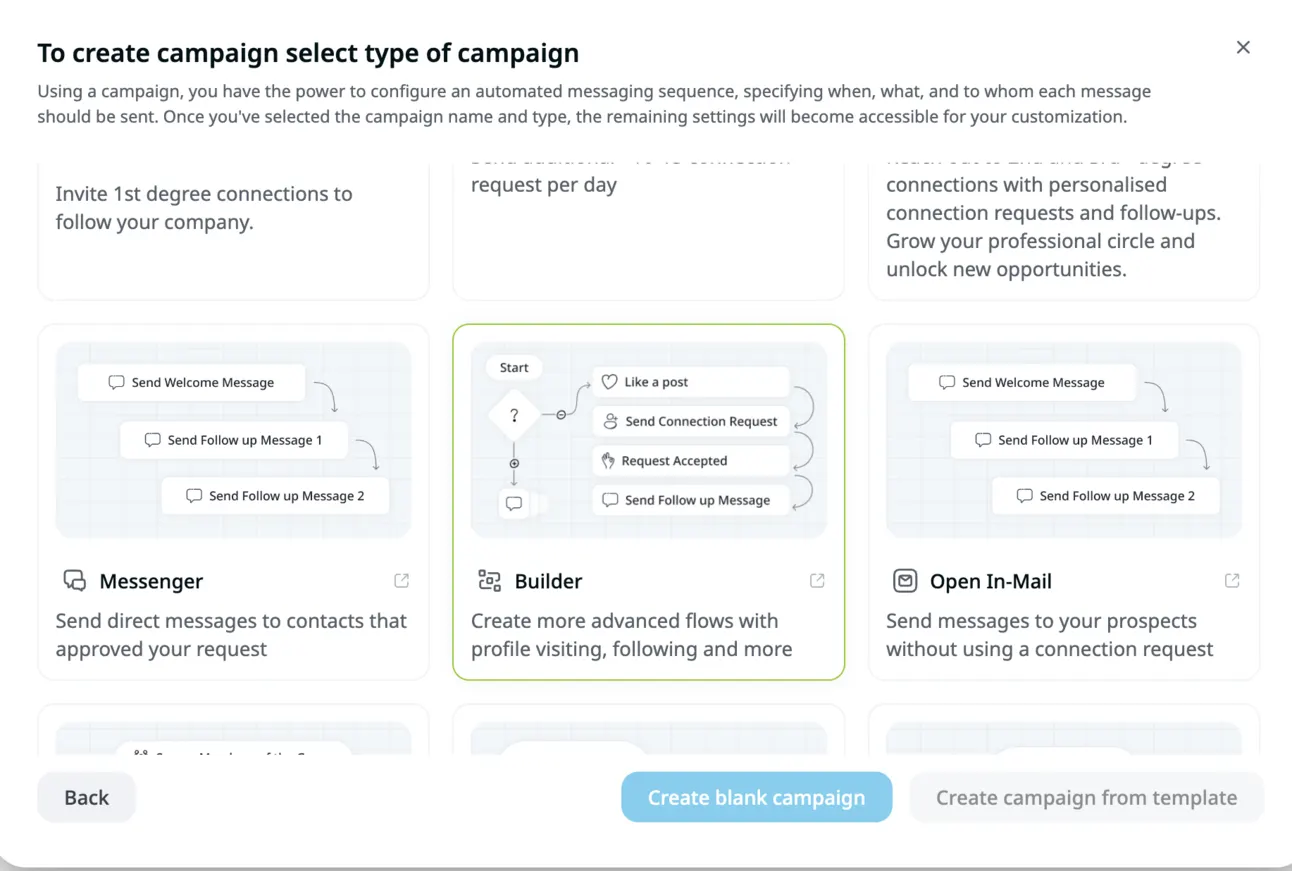
We’ll use “Builder campaign” as the most powerful one:
We need to check whether we’re connected and if not we’ll reach out to them (I’ve added the icebreaker right away):
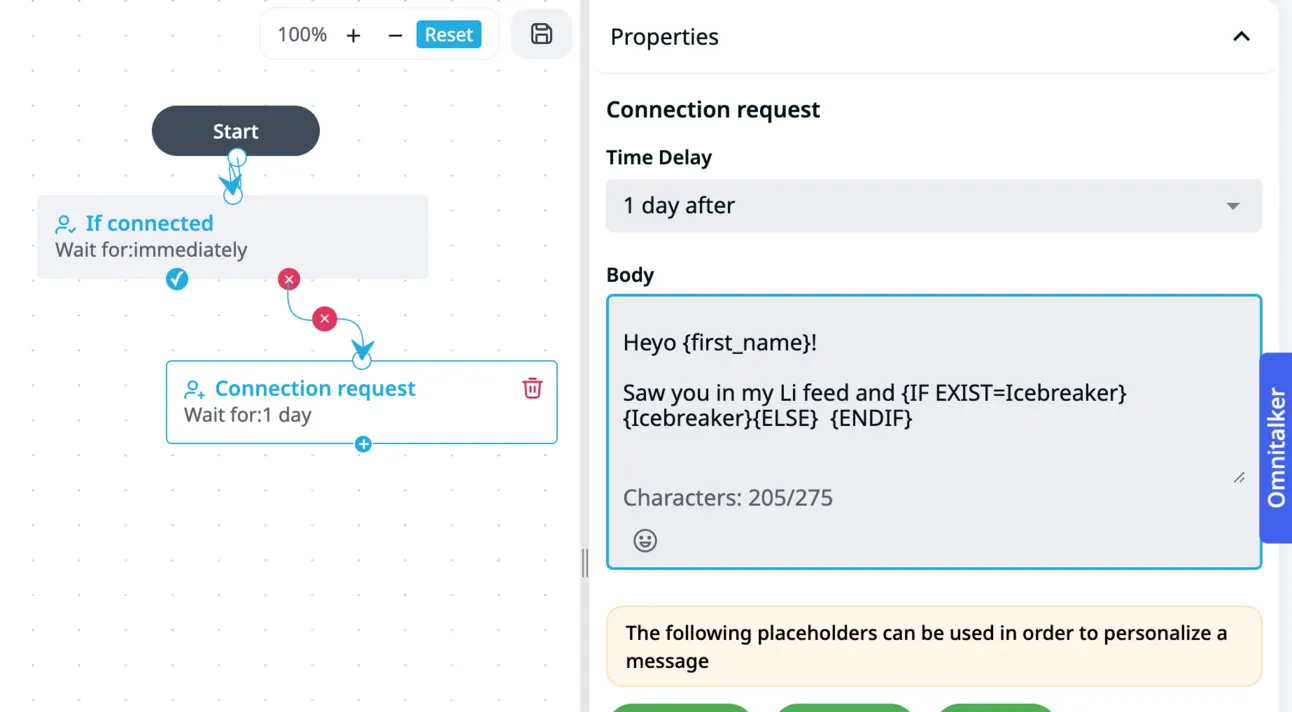
As the next step, to increase the results we can also automatically like their posts so these people will see our face in the notifications.
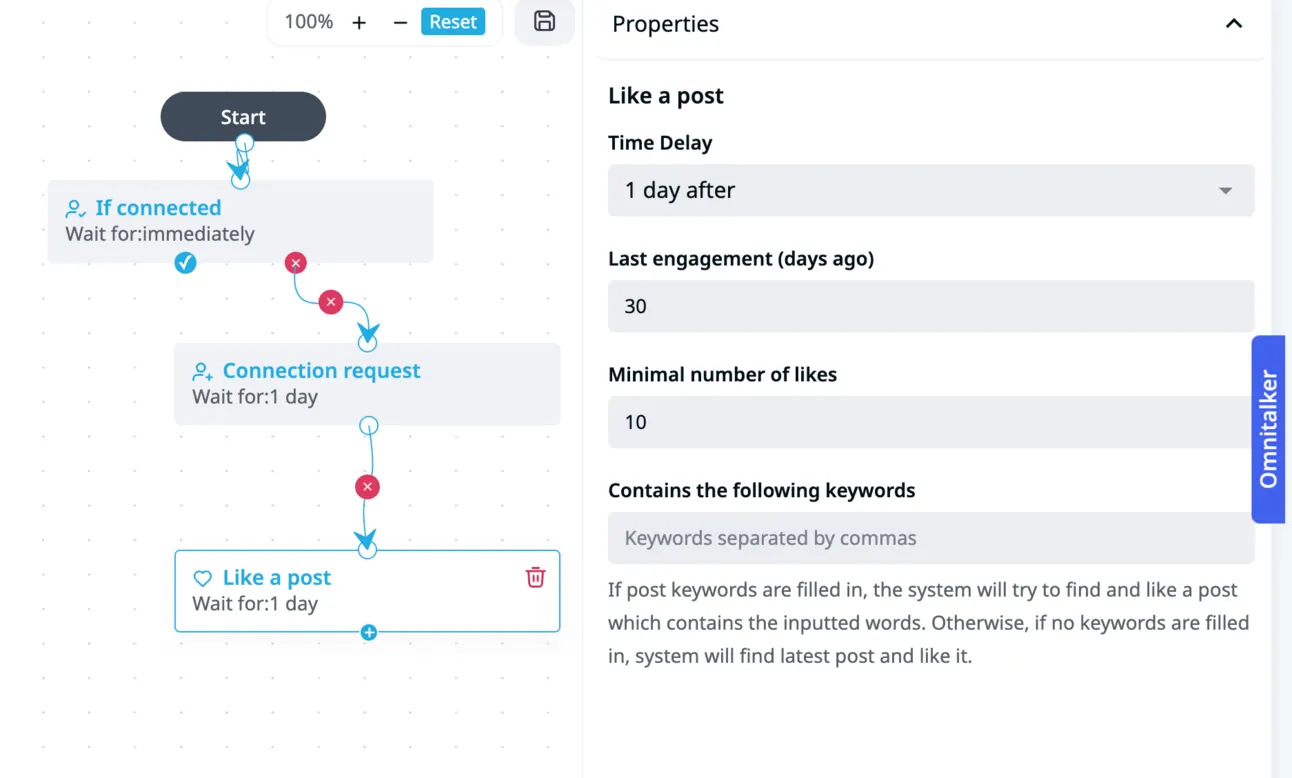
Once you set-up → upload the list of people and start the campaign!
Btw, if you like our content:
- Join Community
- Watch us on Youtube
- Let’s connect on LinkedIn (Ilya & Max)
Talk to the team that runs this every day
Book a 30-minute call. We look at your outbound and tell you what we would change first.

Ilya AzovtsevCo-founder
Co-founder of GrowthBand. Helped scale lemlist from $20k MRR to $10M ARR and built automation at Expandi; now runs the cold email infrastructure behind 32,000+ mailboxes.