Personalised cold email / or LinkedIn outreach = 🤑
We all know it!
But how to personalise your outreach, so you stand out of crowd?
2 words:
Video…
Personalisation!
Imagine, your contacts are getting personalised loom-type of the videos in their email & LinkedIn inboxes 😮
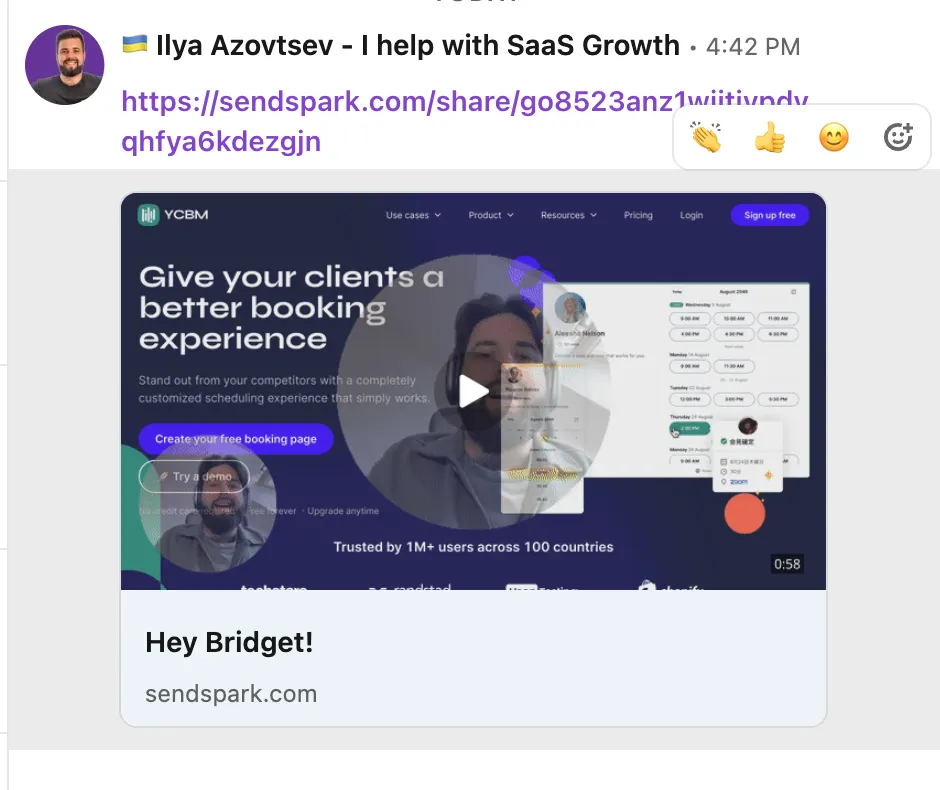
This easily increases the reply rate by 2x-3x!
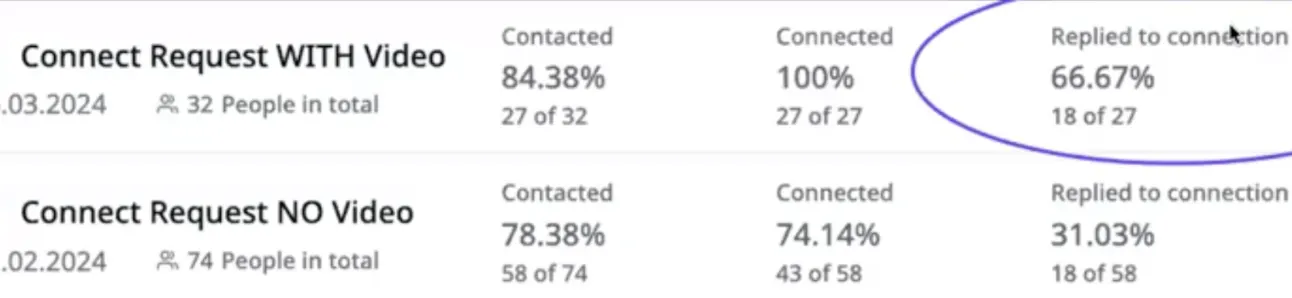
So let me share with you how to do the same!
Note: this example will be with Sendspark, but you can also do it with Response.ai (and other tools)
Step #1 Record the video
First things first.
Go to https://sendspark.com?via=leadgen and sign up (there is a Free tier, so worries).
After, go to Dynamic Videos & click “Create a new one”:
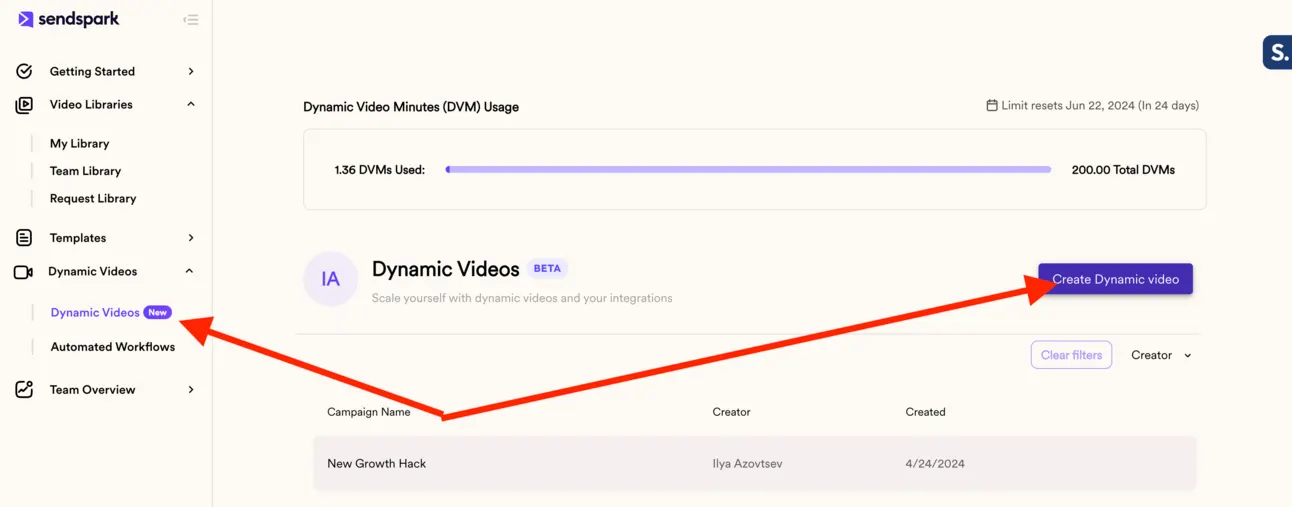
And start recording the video:
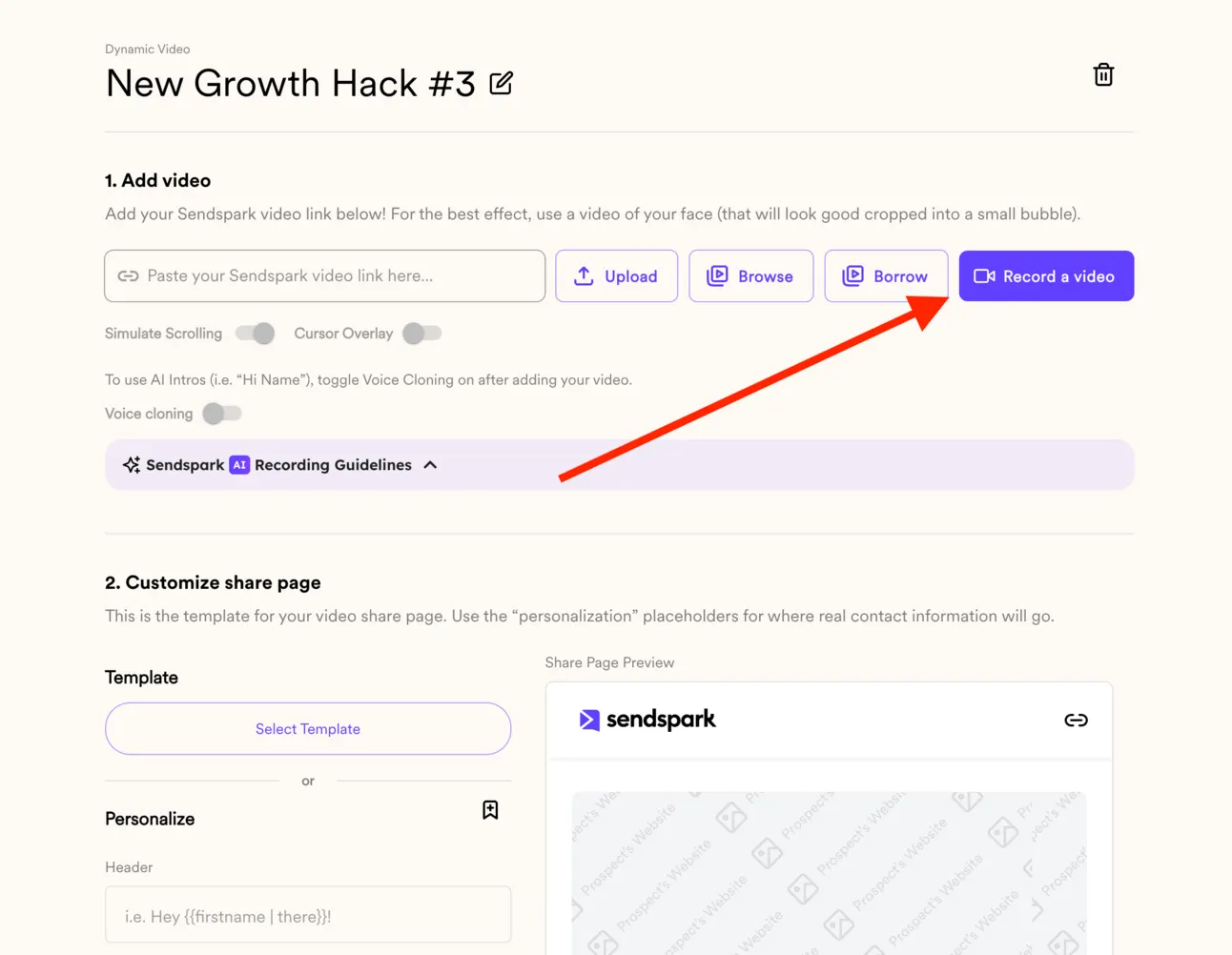
Important:
-
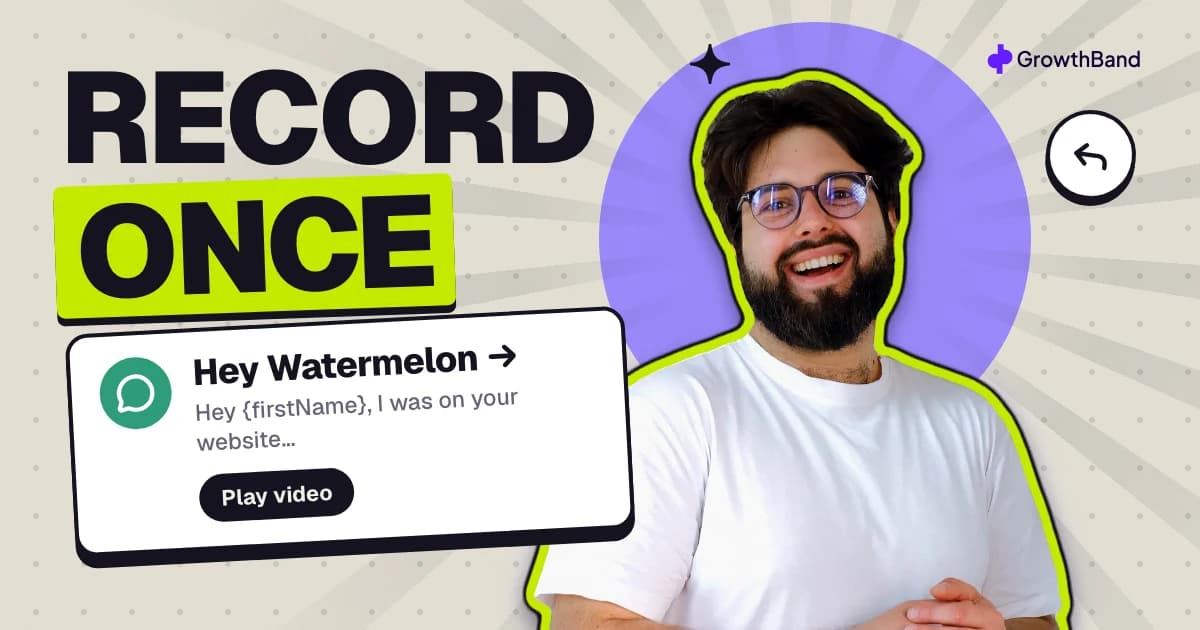
Start your video with a short greeting and the word “Watermelon.” (We’ll replace “Watermelon” with your viewer’s name).
Ex: Hey 🍉 Watermelon, I was on your website...
-
Speak for at least 10 seconds, so we get a good sample of your voice.
-
Make sure there’s no background noise or reverb. This could distort your voice! Use a high quality mic if possible.
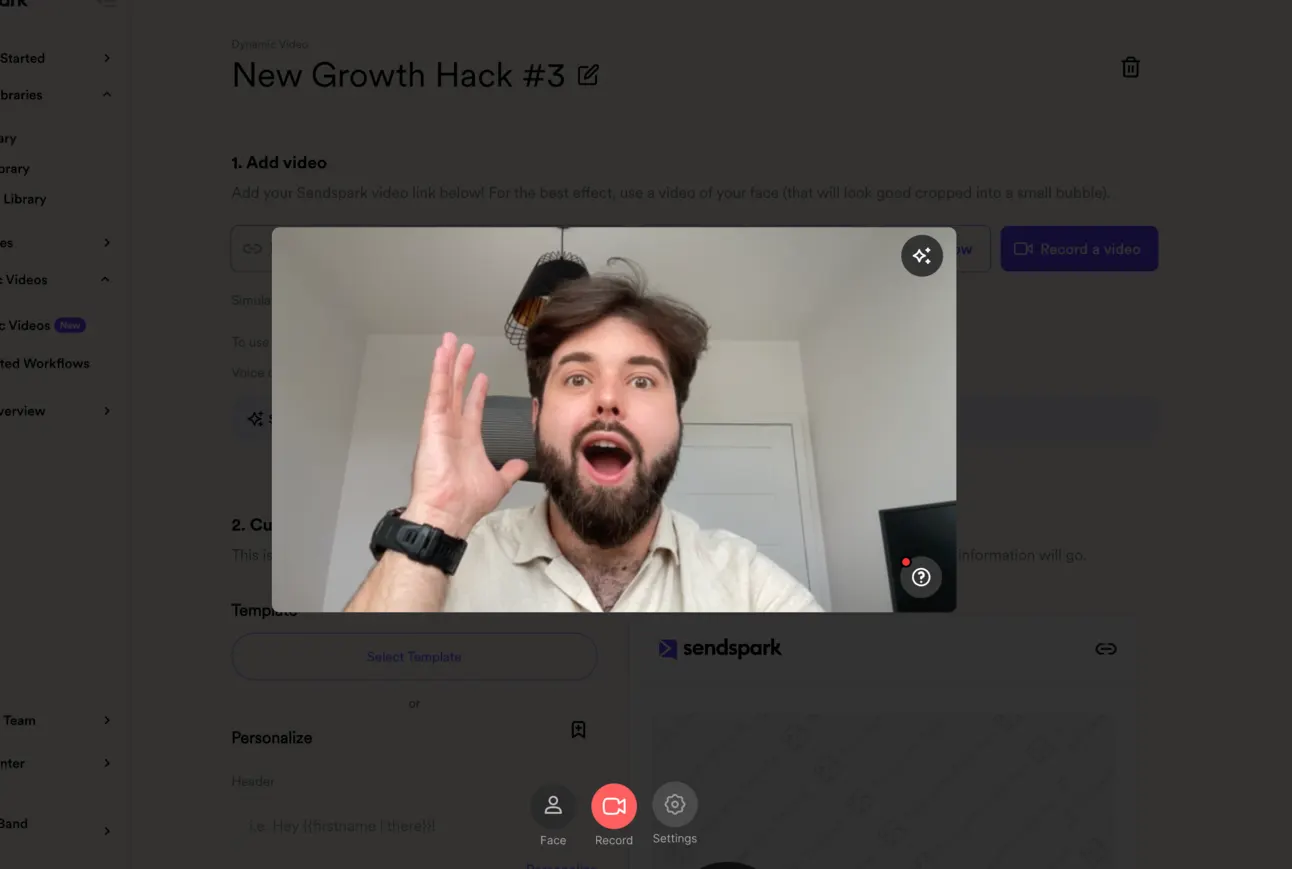
Here is a basic example of the video I’ve just recorded:
Save it!
Step #2 Customise your video
Now there is a magic that SendSpark is going to do 🧙
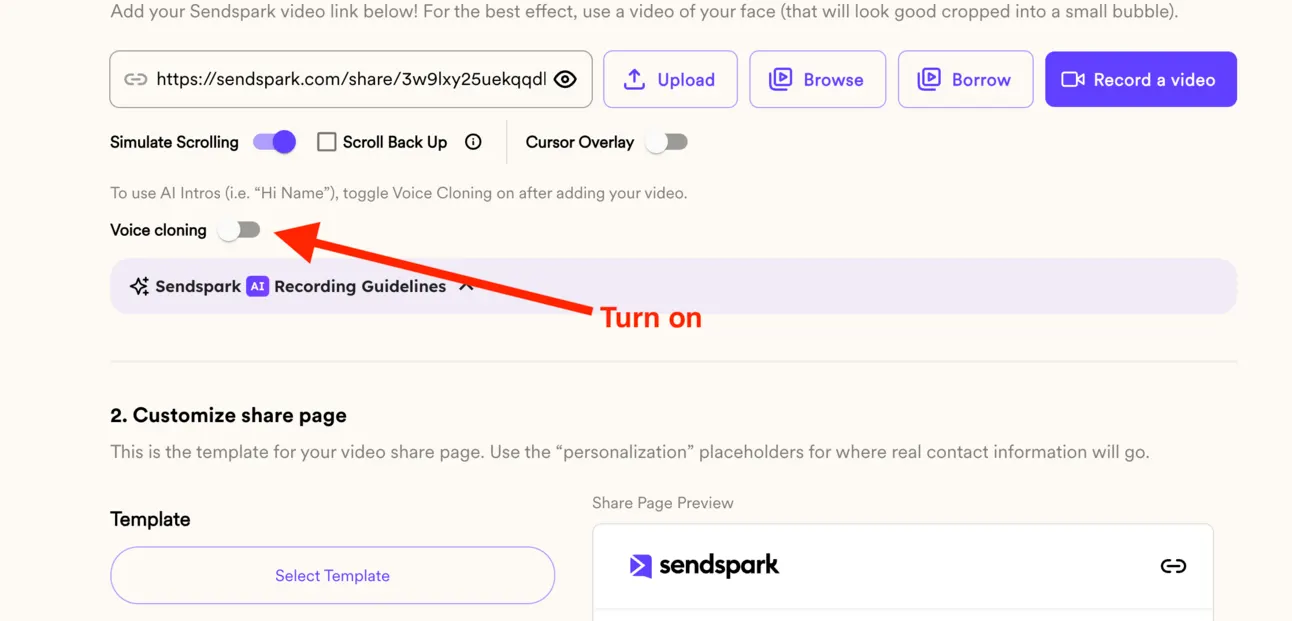
Turn on “Voice cloning” and after 5-6 mins SendSpark will be ready to automatically change “hey watermelon” on “hey {firstName}”.
Here is the example:
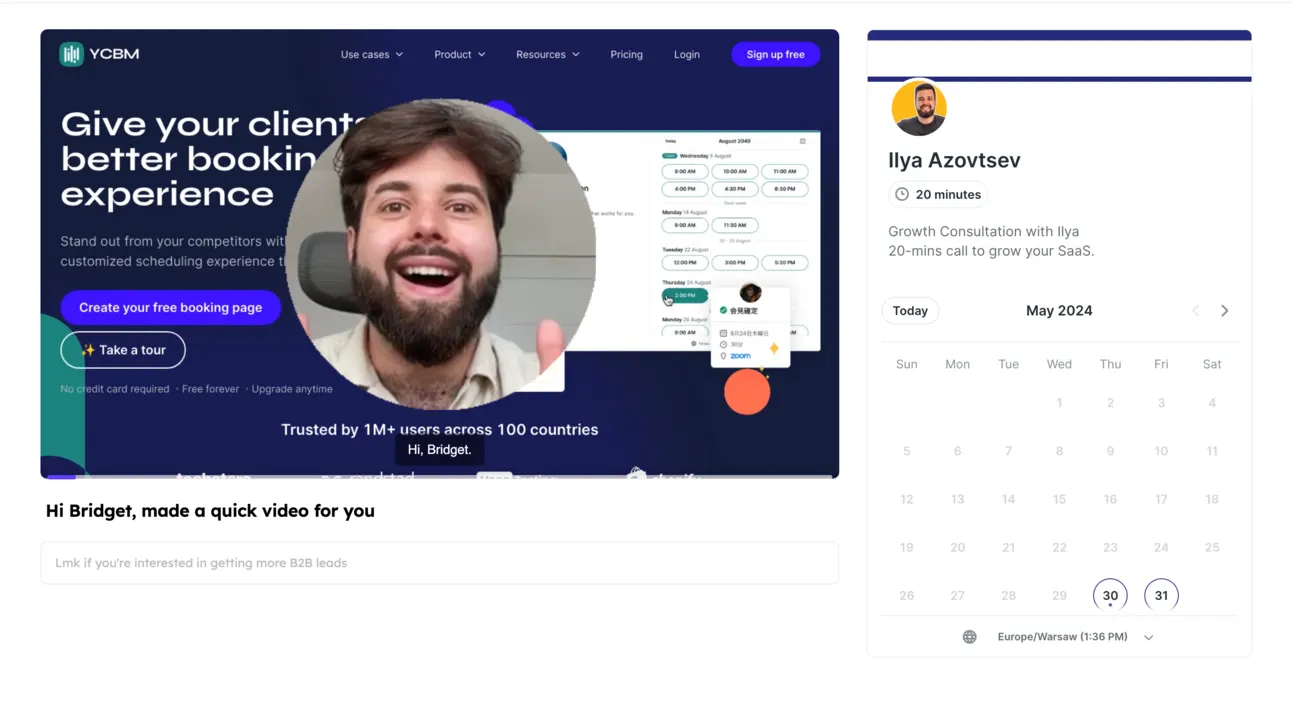
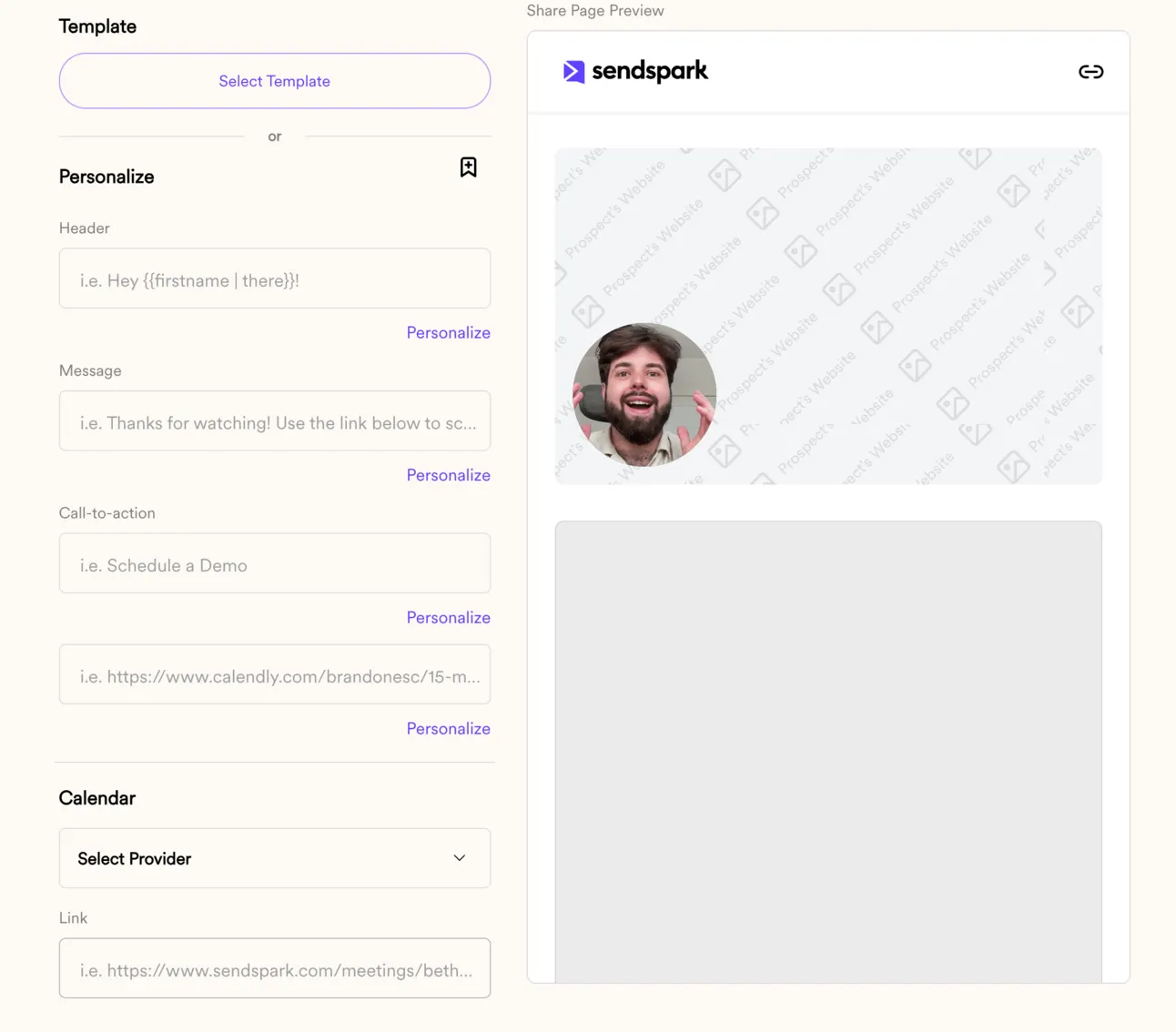
Also, just below we can customise the page for our video:
After editing it a bit (adding call to actions, and some personalisation), you page might look like this:
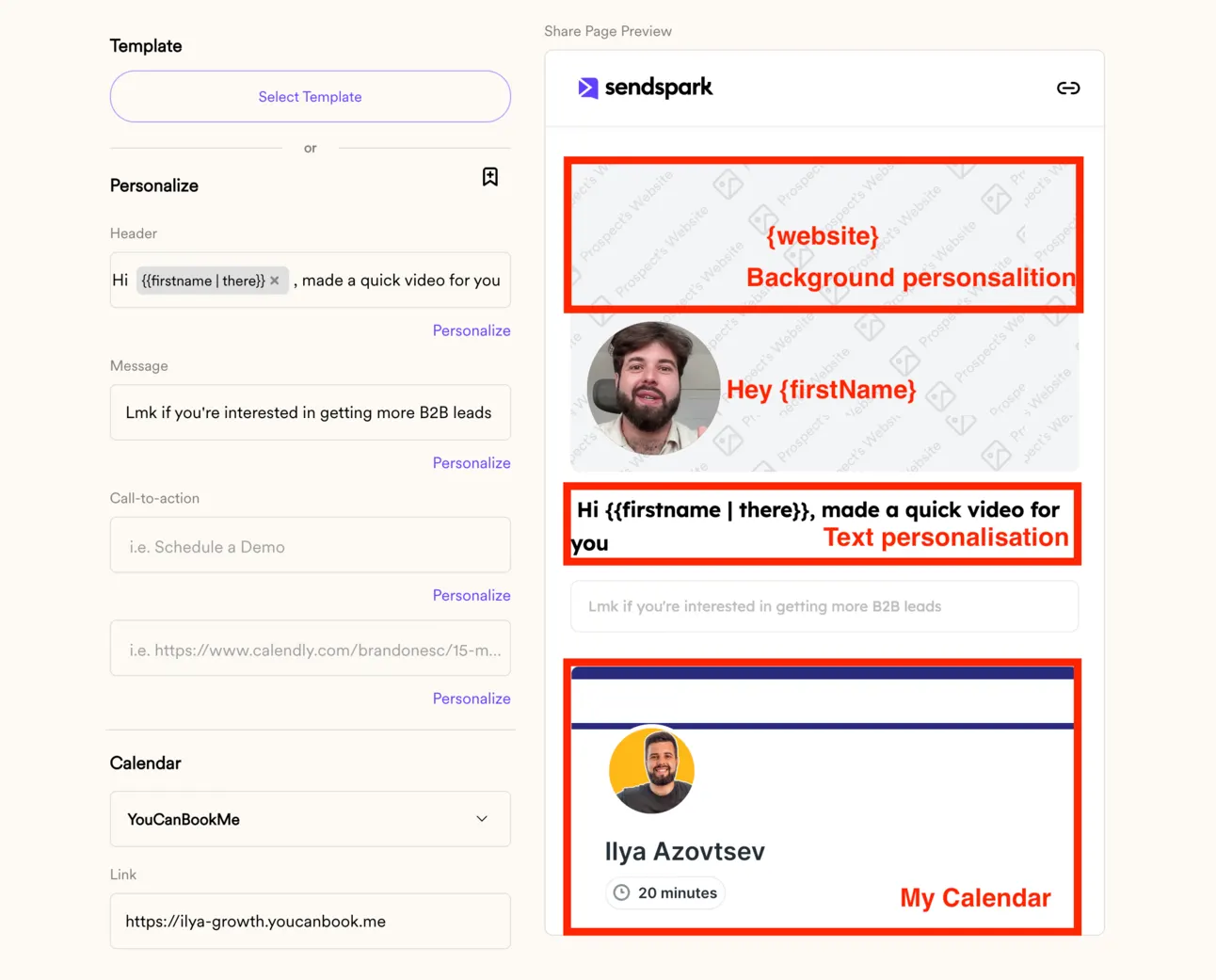
Once ready - save it.
Now we need to customise our domains, urls & branding of this video.
Go to “Manage Workspace”:
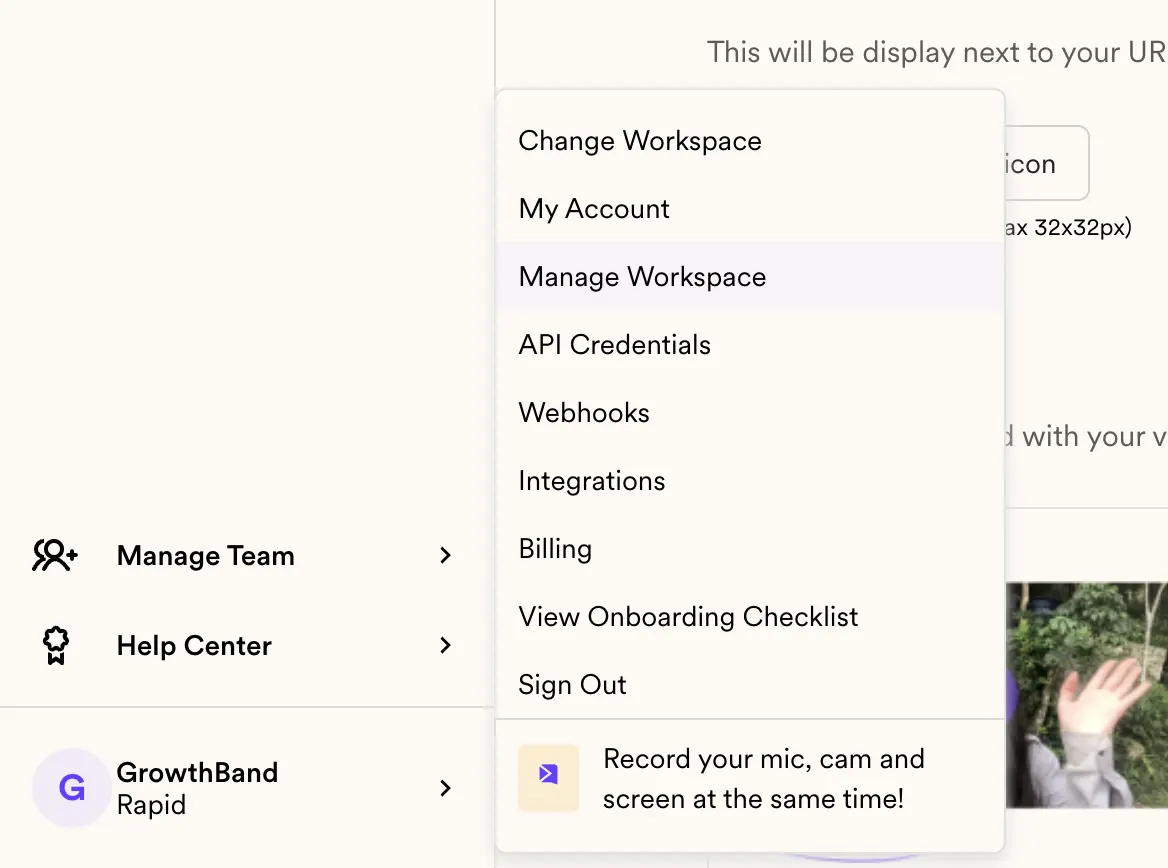
Do several things:
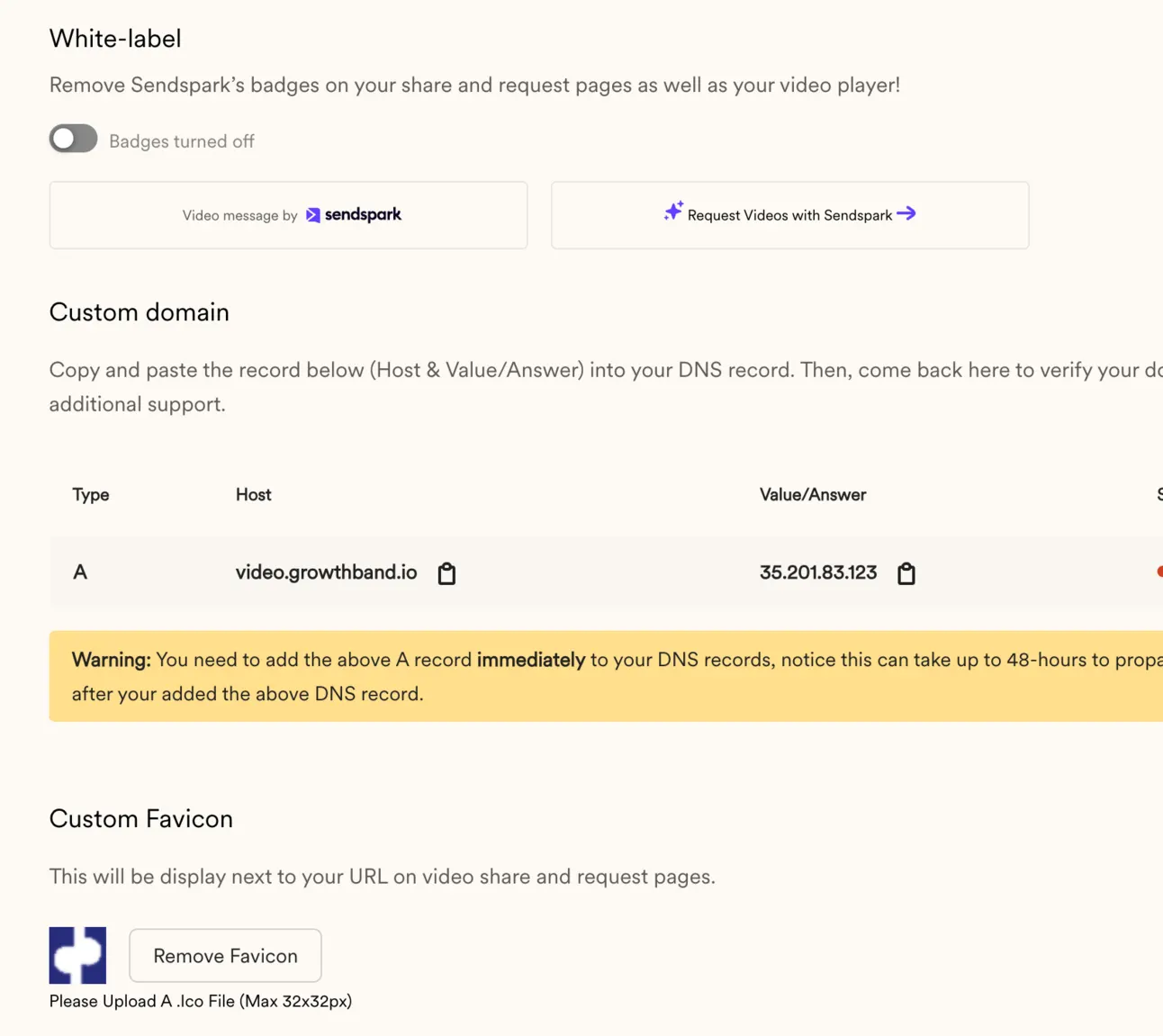
- Remove SendSpark logo
- Add your own favicon
- Set-up custom domain (so the links with videos will be opened on video.yourdomain.com)
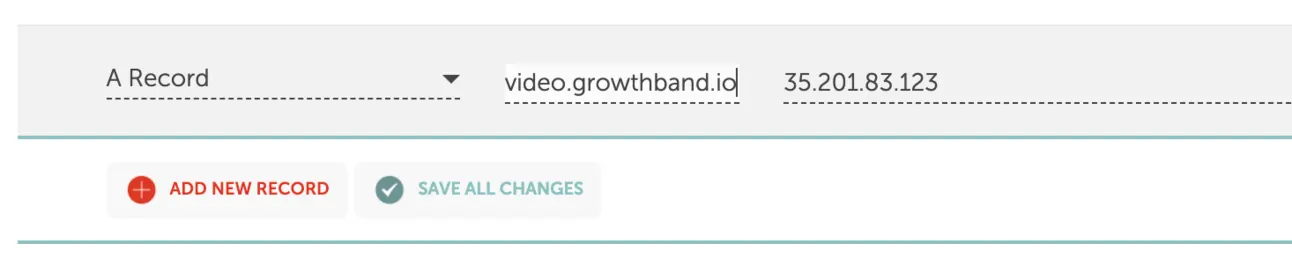
Now you’re ready to generate personalised videos on scale!
Step #3 Generate personalised videos on Scale
Now just import CSV file with contacts you want to reach out to, map the columns and wait for 8-15 mins (usually it takes some time for SendSpark to prepared personalised videos):
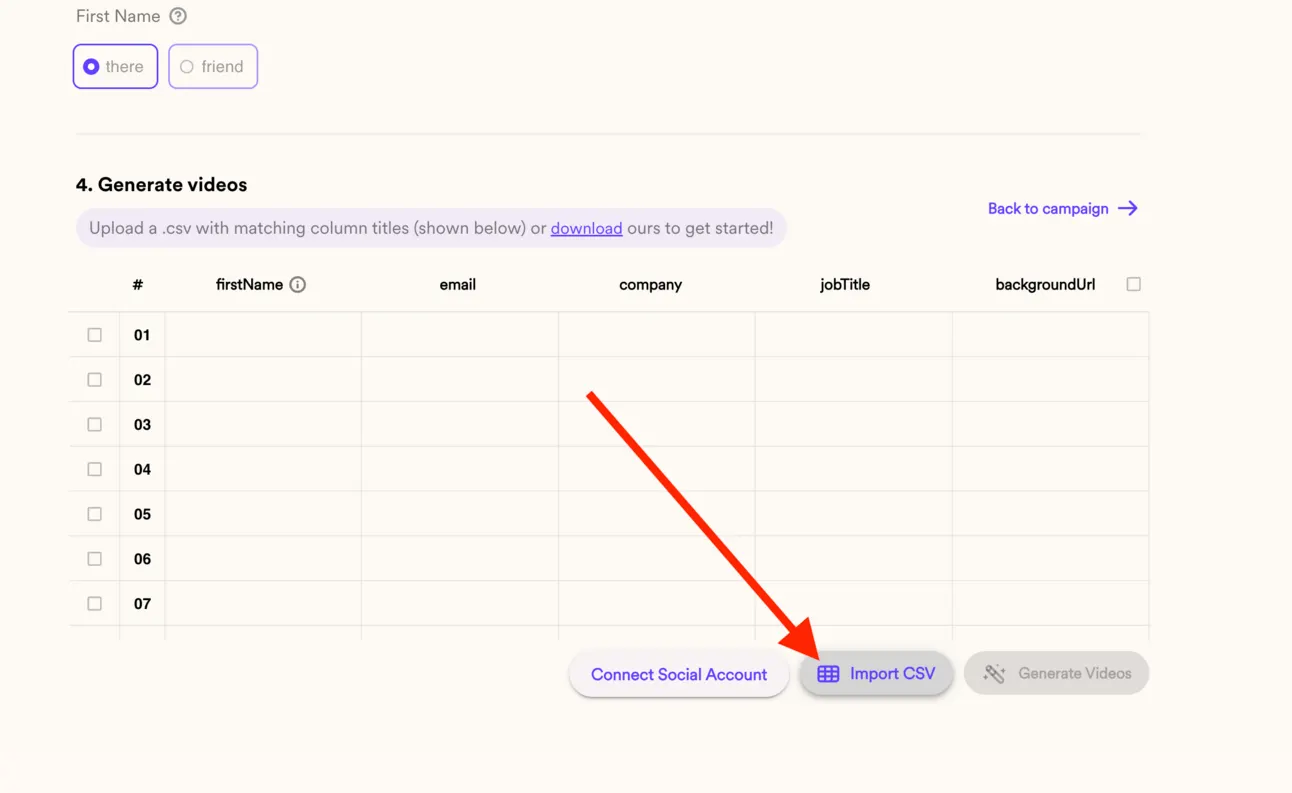
It’ll take some time for SendSpark to generate those videos, so just wait for 10-15 mins:
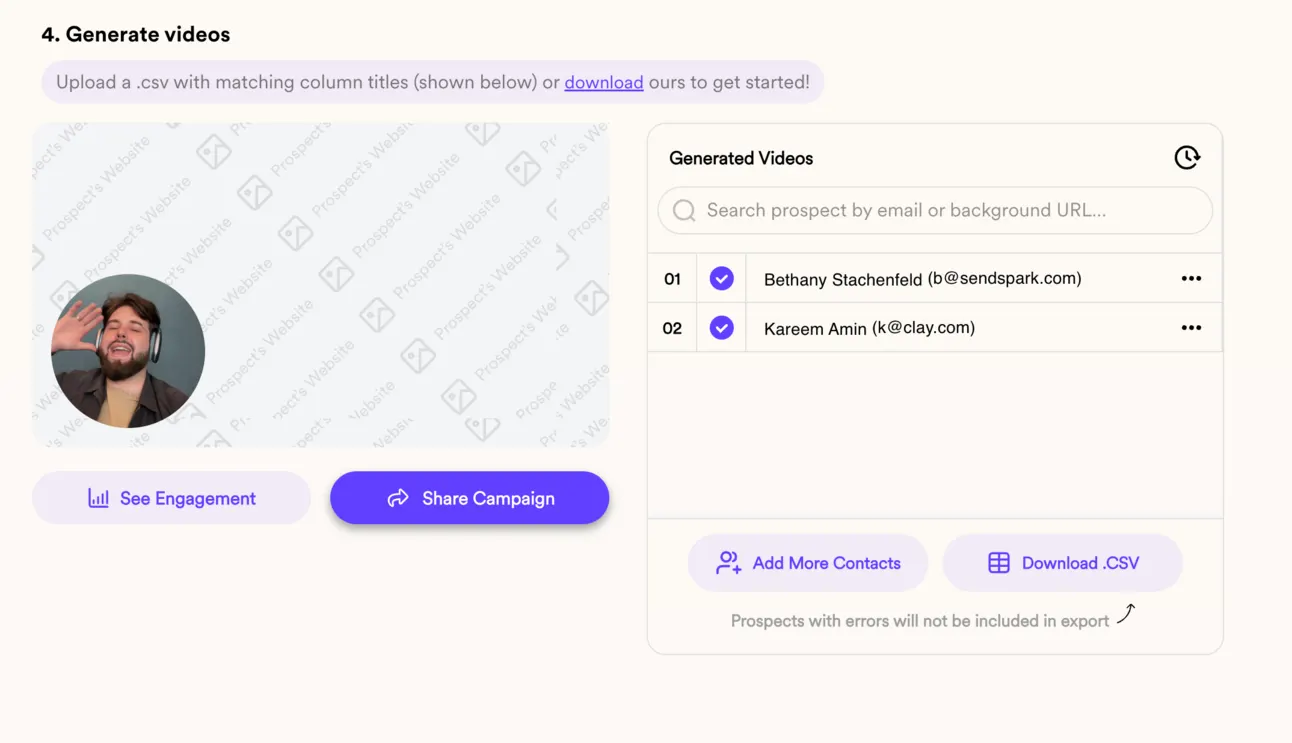
Once it’s ready, we can download the CSV file with people, for our LinkedIn automation & cold emailing software.
Step #4 Send Personalised Videos on LinkedIn
I’m going to share this example with Expandi - LinkedIn outreach software. But you can do it with other tools as well 😉
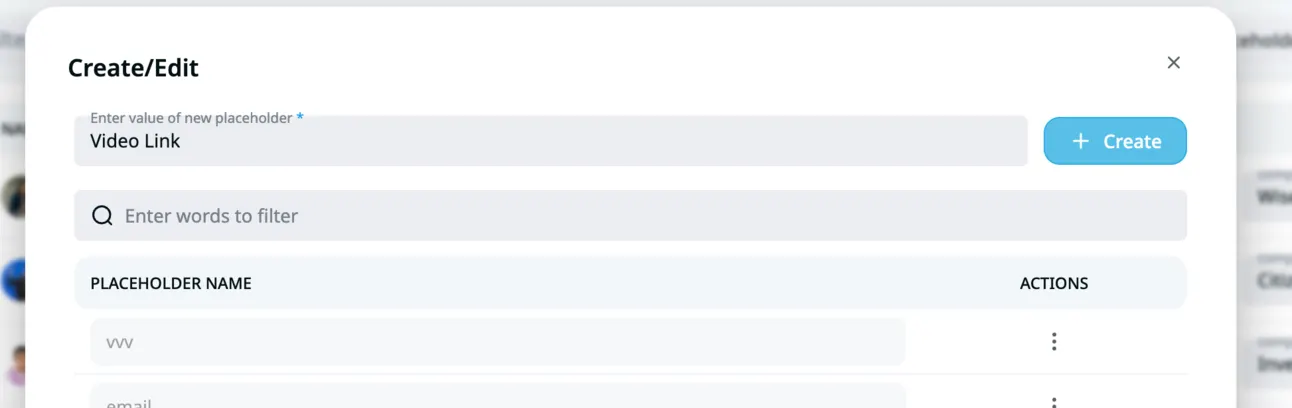
Sign up for Expandi & go through the registration & adding LinkedIn profile process. Once you do that, go to Placeholders (under “My network”) & create a new one and name it “Video link”:
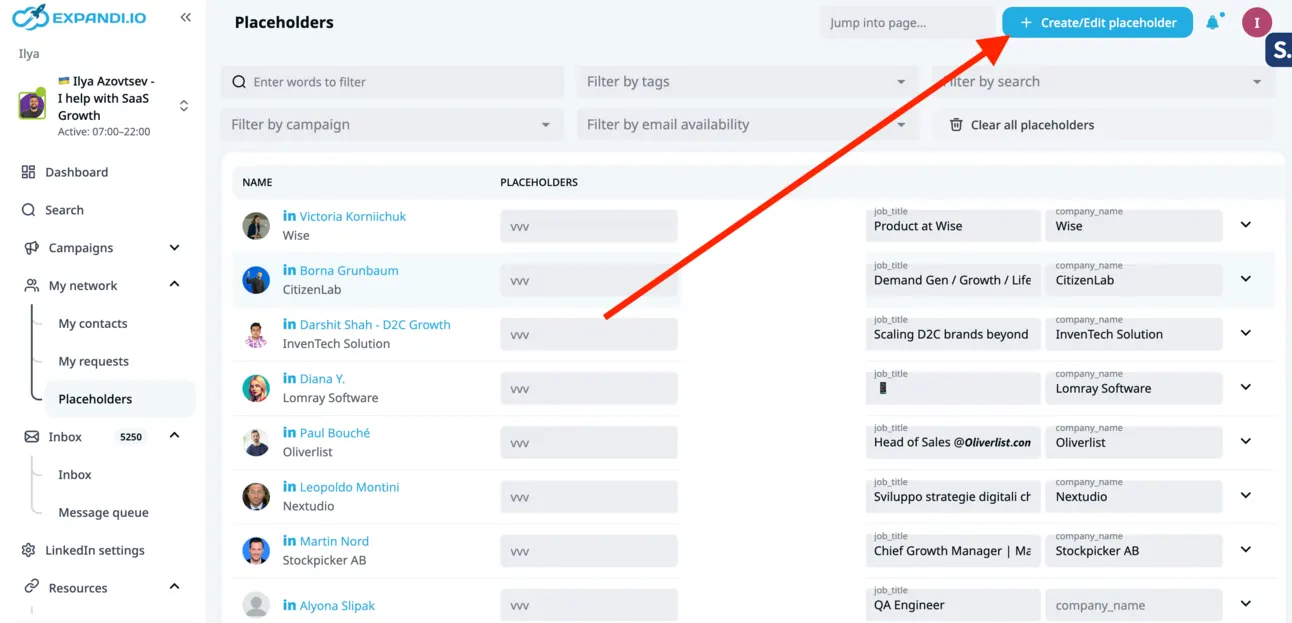
Just click “Create” here:
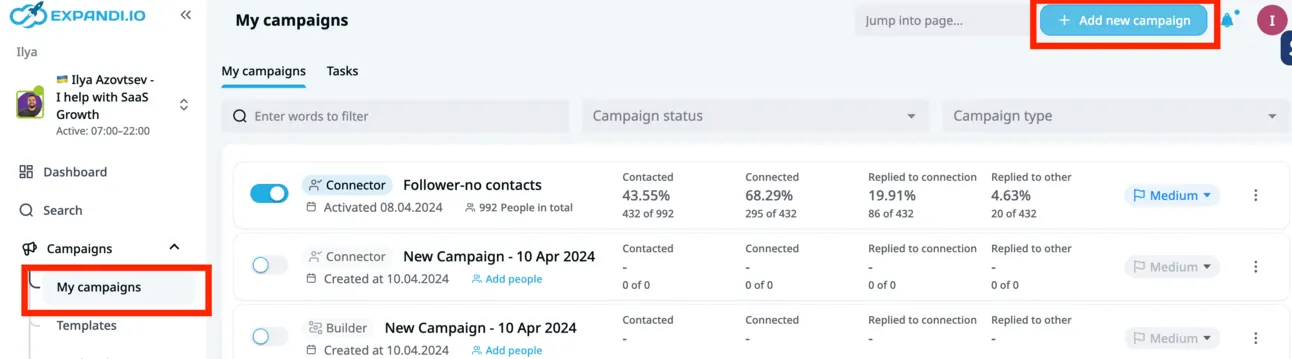
Now it’s time to create a new campaign:
Don’t add the link to the video in the initial message, because it might be too long and now connection request message is pretty limited in terms of characters. So better to add it to the follow-ups.
When you what to add the link to the personalised video → click on “Dynamic Placeholders”:
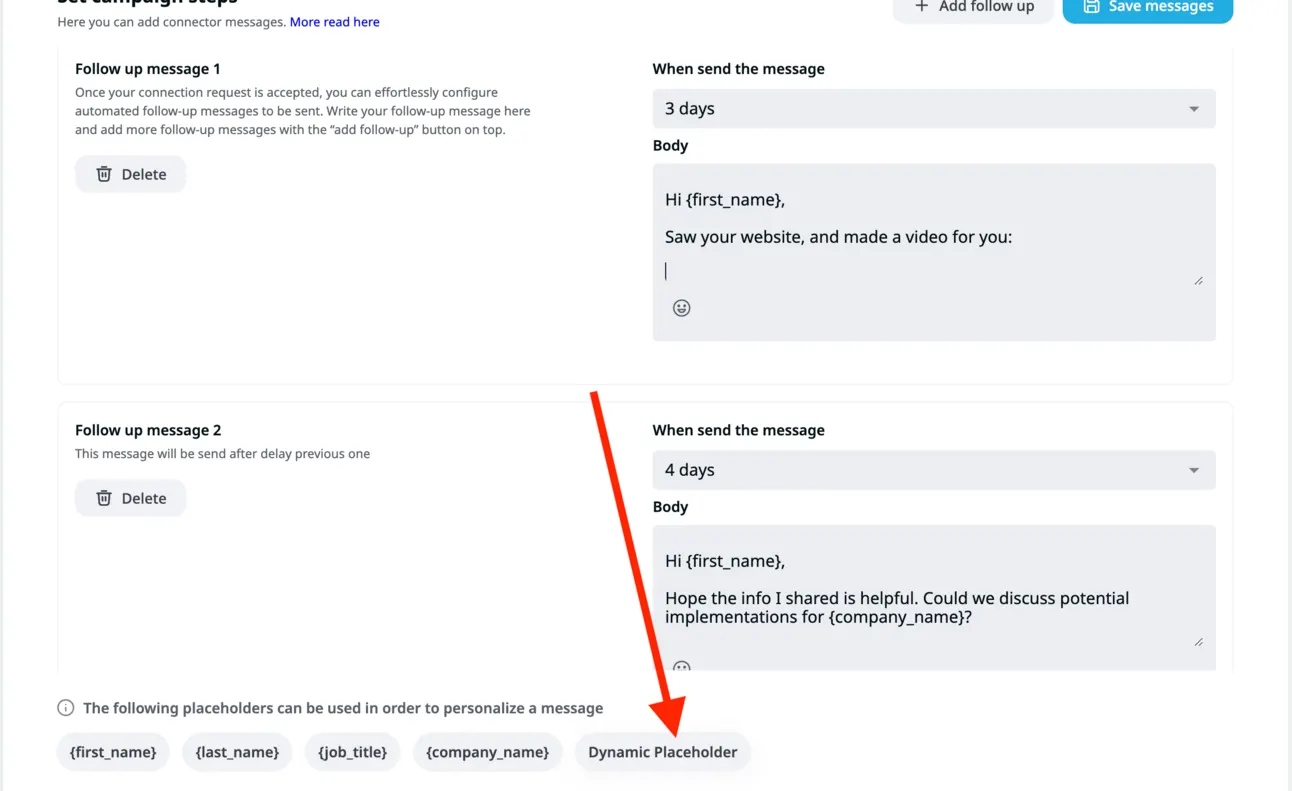
Choose “Video Link” and Delete “Type your message….”:
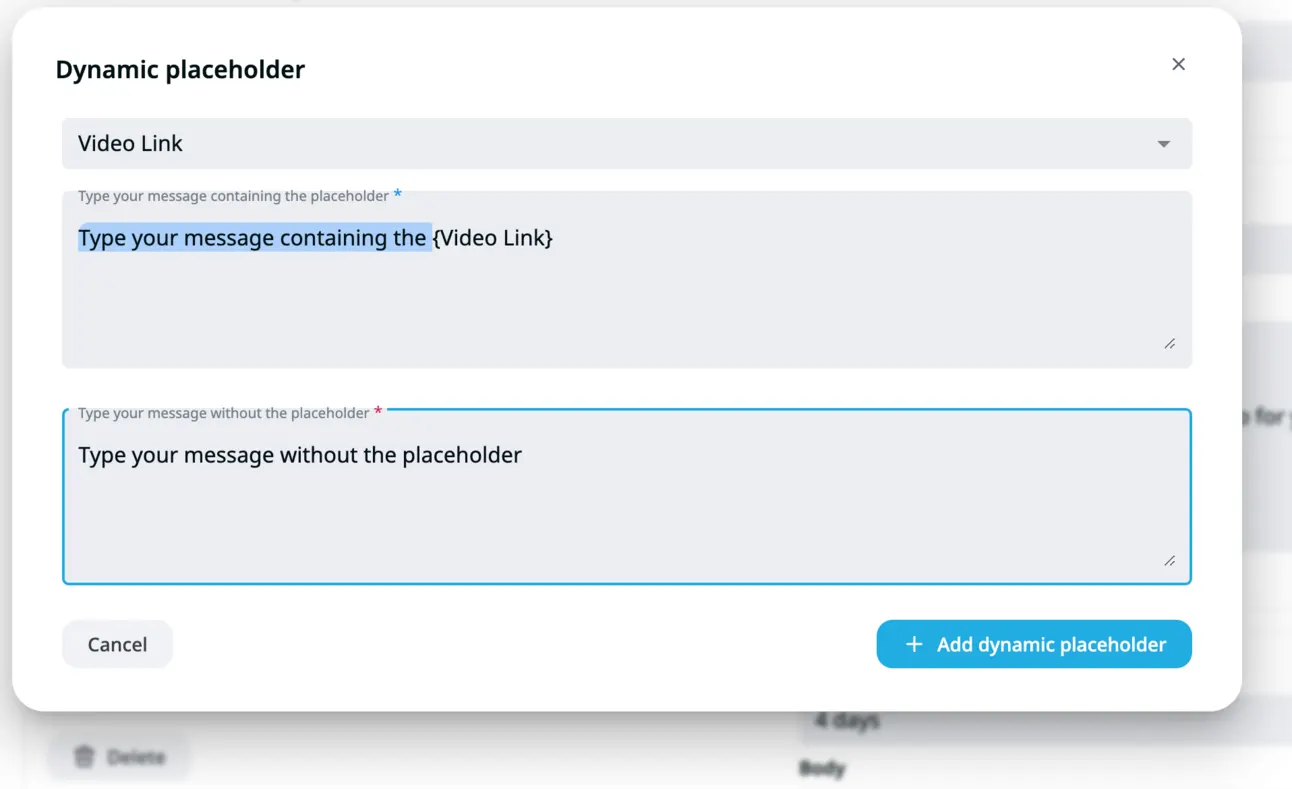
So it looks like this:
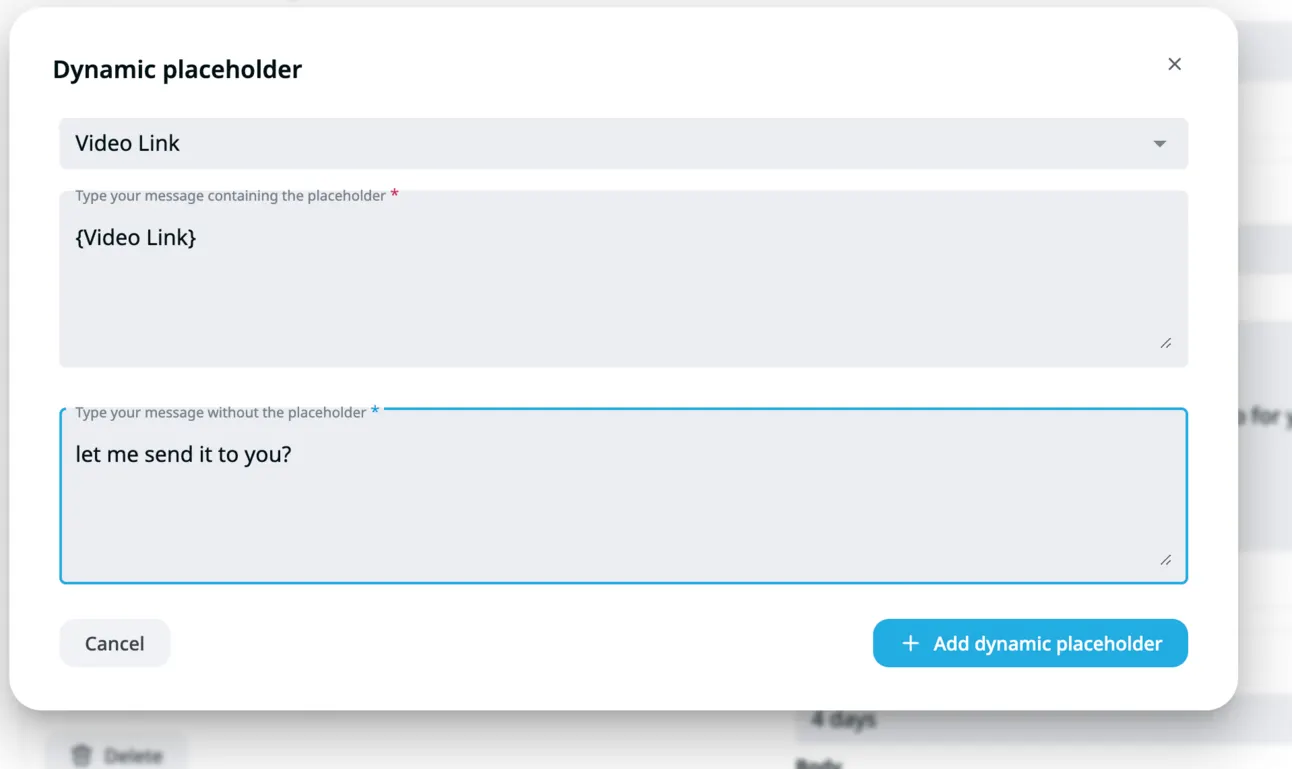
Now your message will look like this:
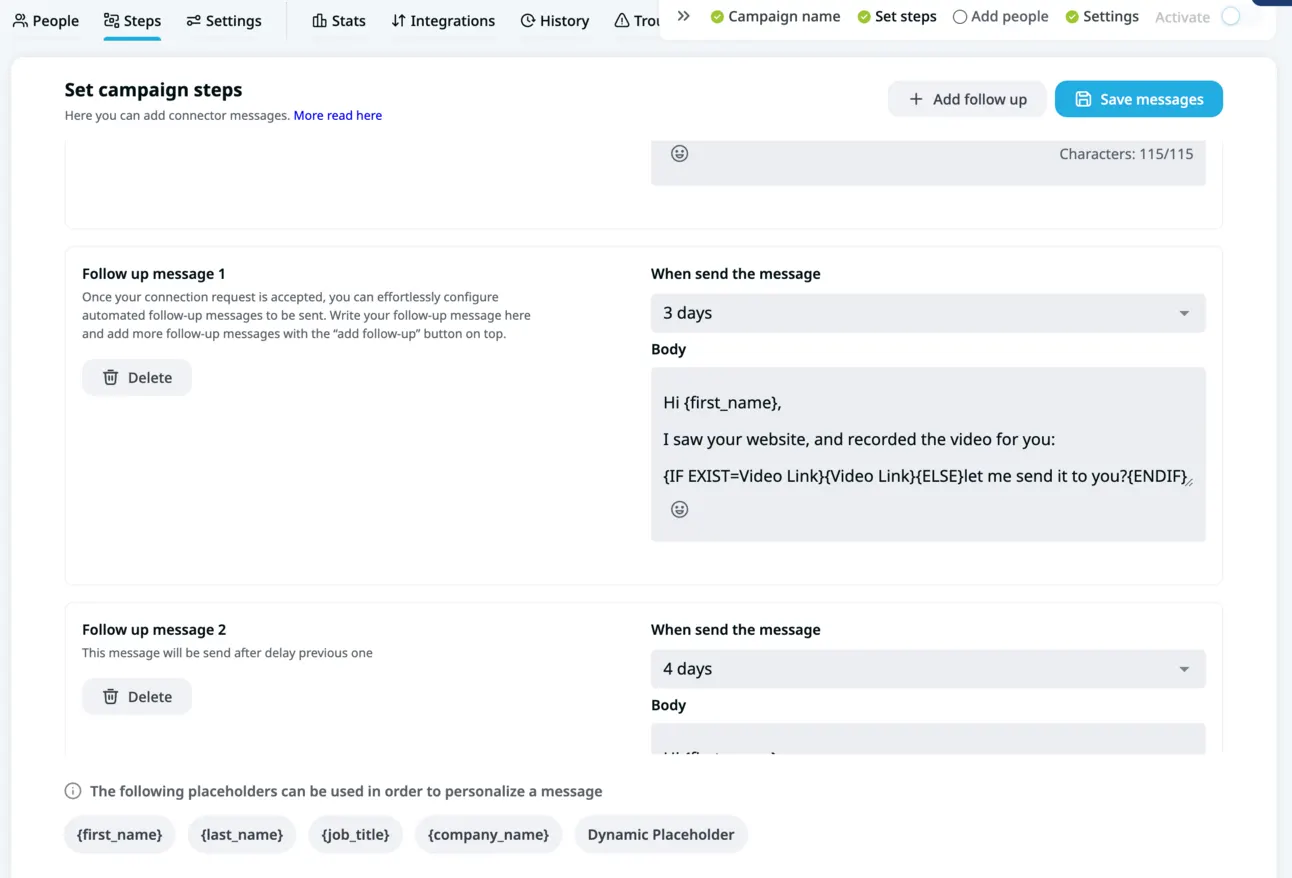
It’s time to add people, so just go to “People” and “Upload CSV” file:
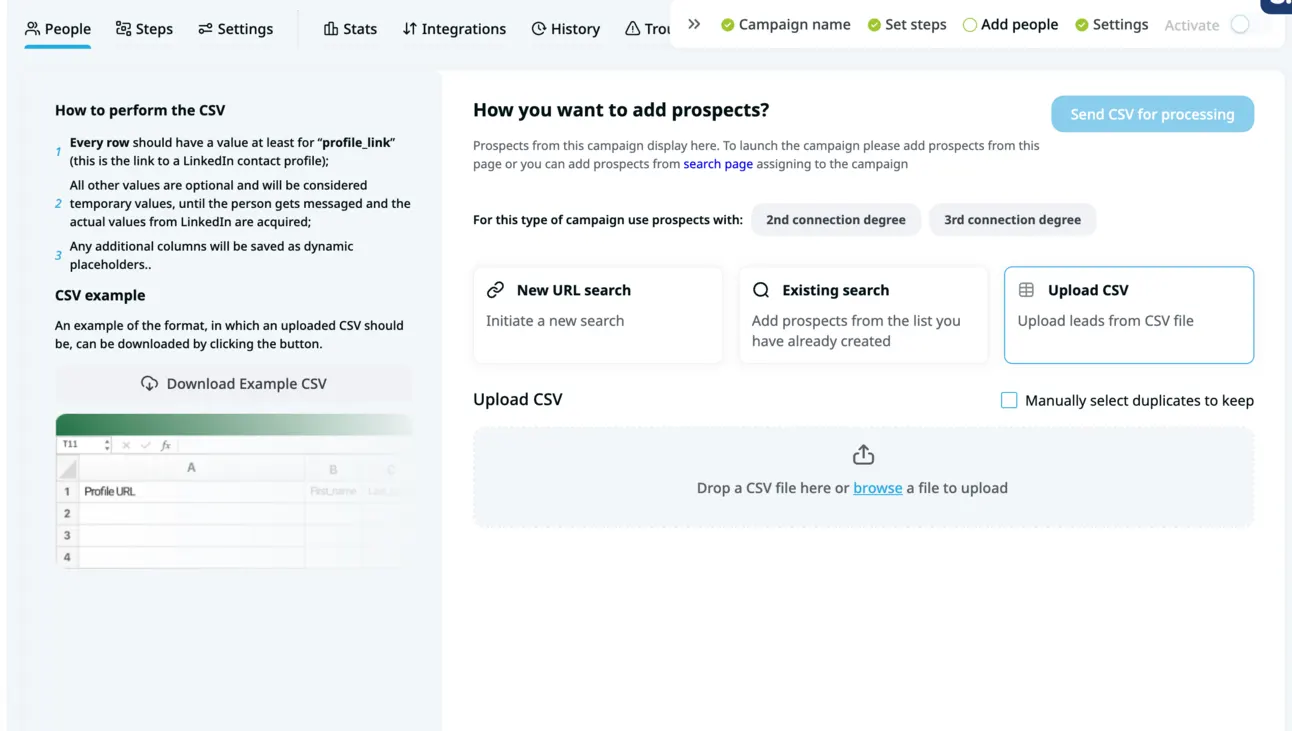
Map “Video Link” with “Dynamic Placeholder”:
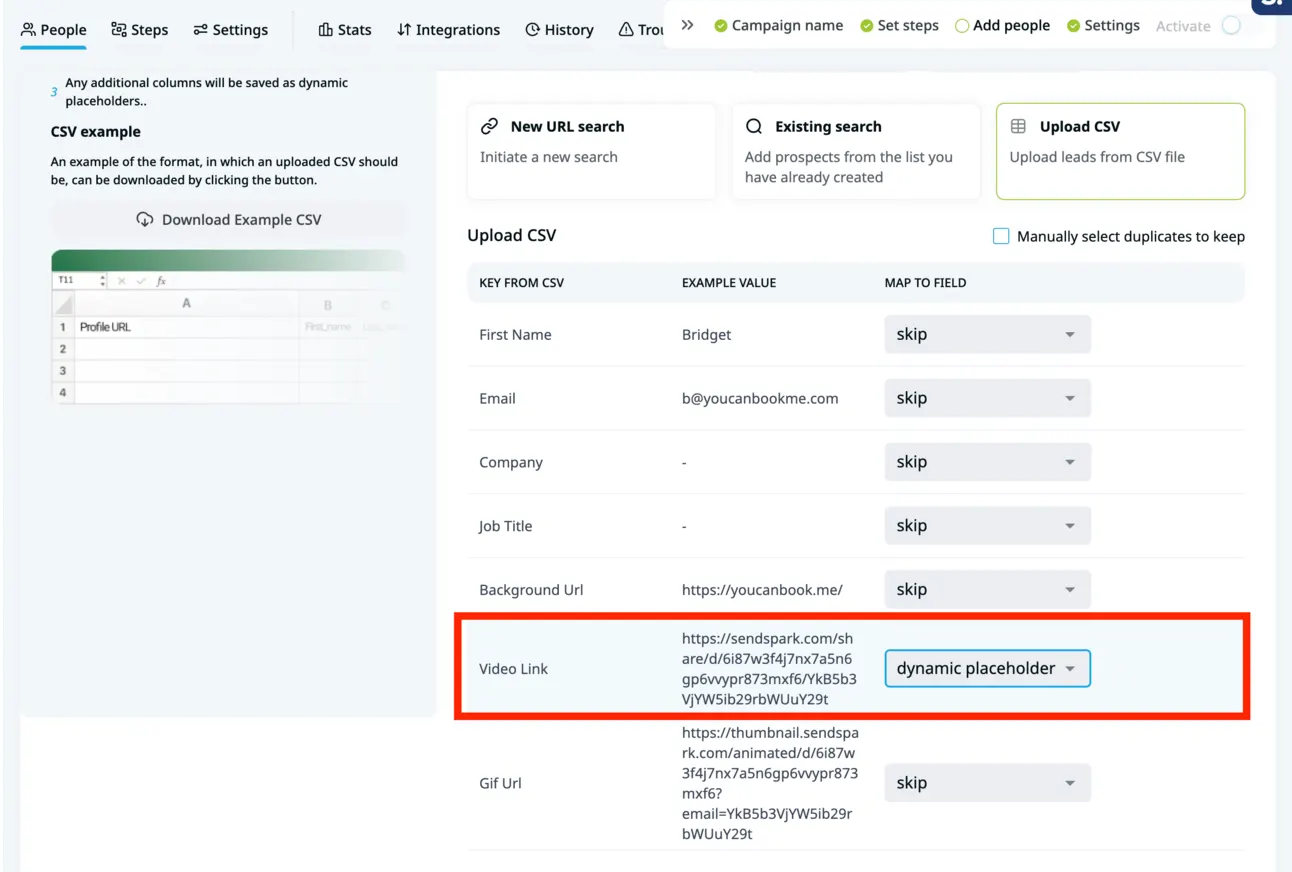
And now you’re ready to send this campaign!
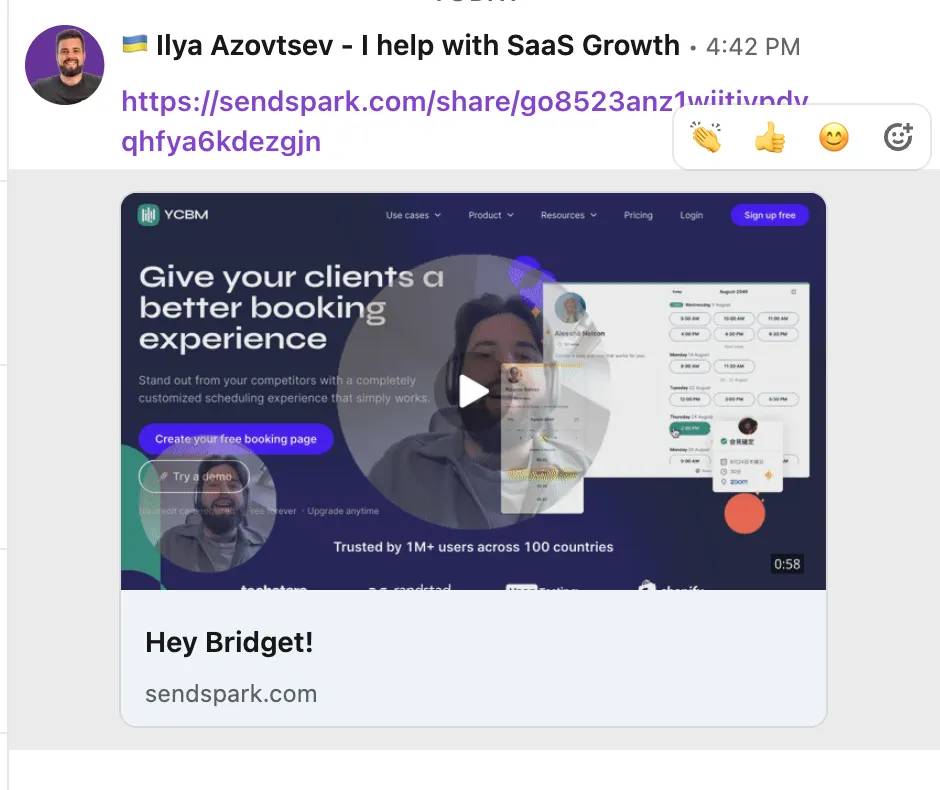
Your connections will get LinkedIn messages with personalised videos like this:
Step #5 Send Personalised Videos on Email
This example will be with Instantly (because we’re personally using it).
Instantly → https://instantly.ai/?via=leadgen
So once the videos are ready, it’s time to add them to your cold emailing campaigns.
Scroll down and click “Share Campaign”
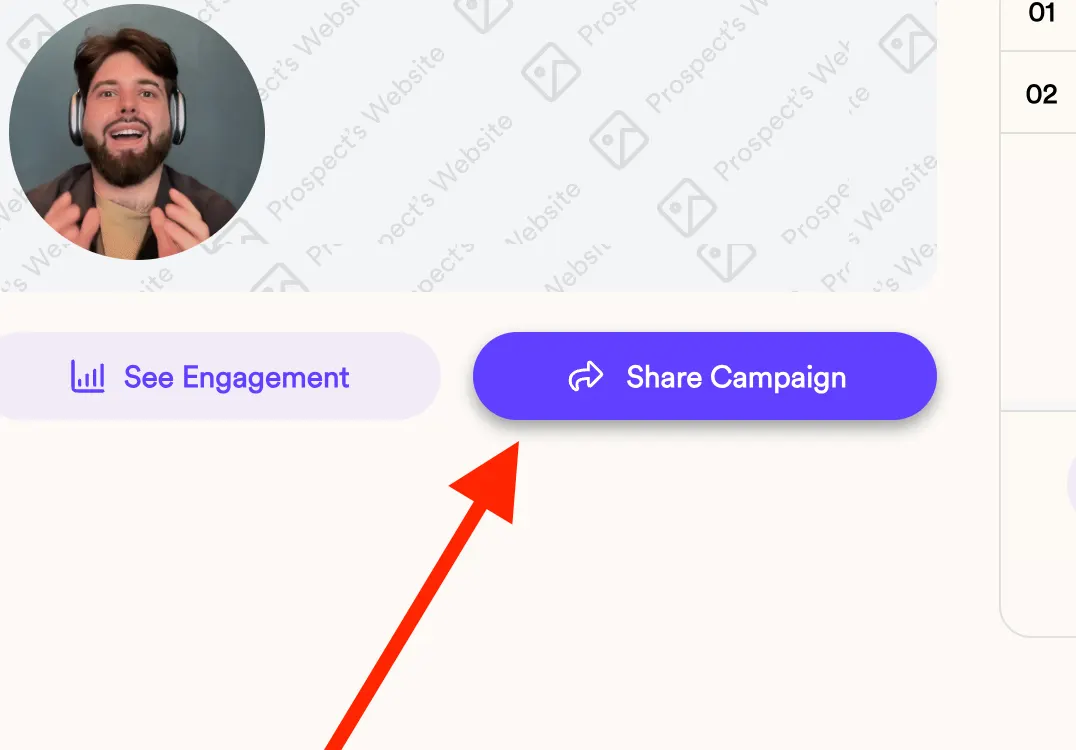
Choose the tool that you’re using (for us it’s Instantly):
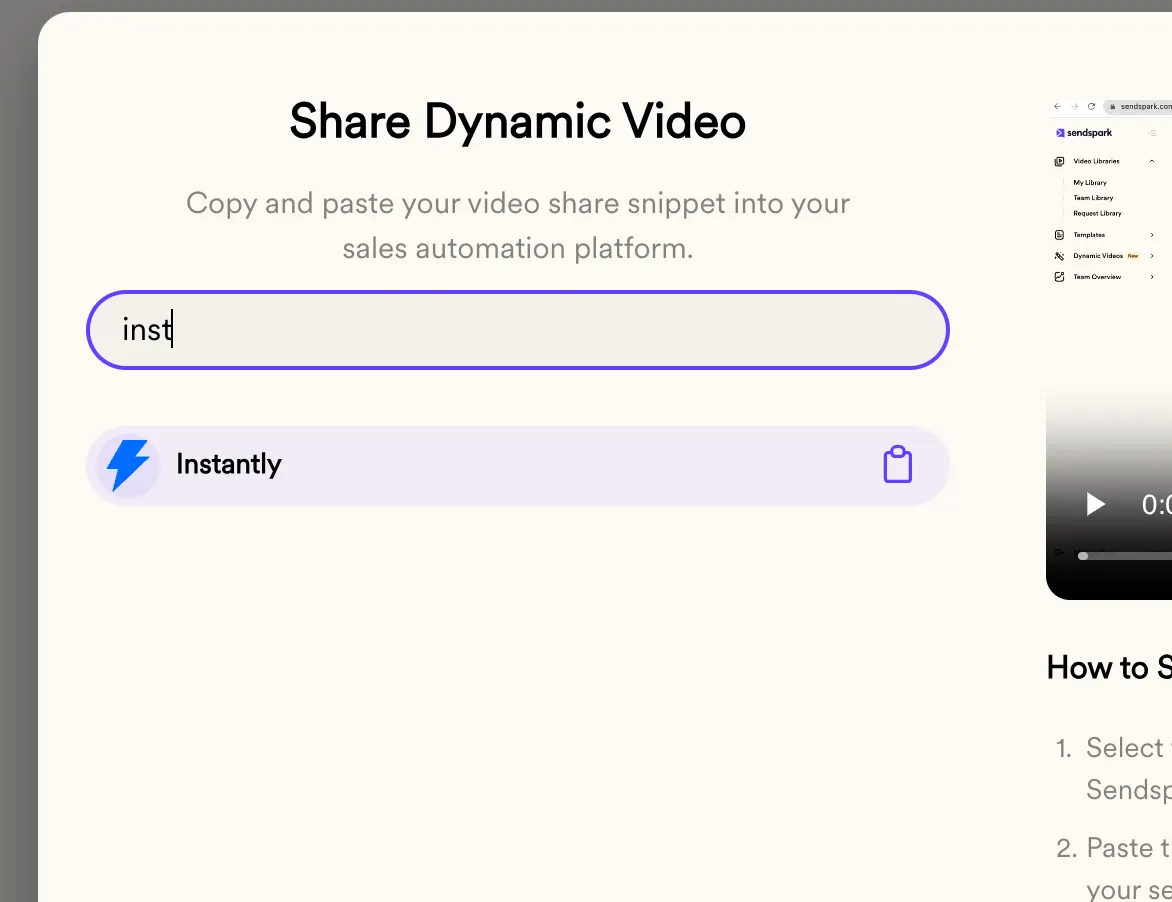
and click on it.
It’ll copy the code snippet we need to implement in Instantly campaign.
So now we’re going to Instantly and creating a new campaign.
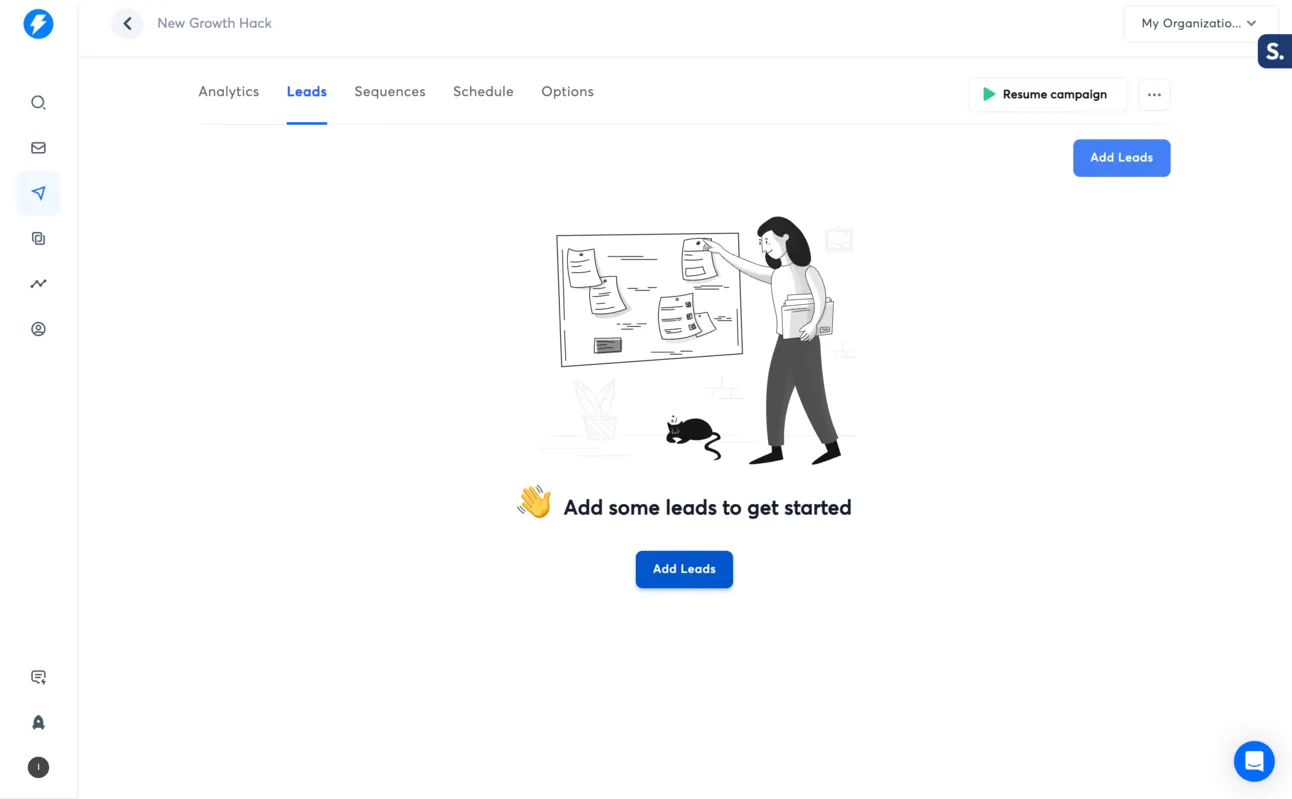
Adding the CSV file from SendSpark to Instantly and preparing the sequence. Once you do that, we need to embed the dynamic video, to do so we need to click on “code” on the right bottom side:
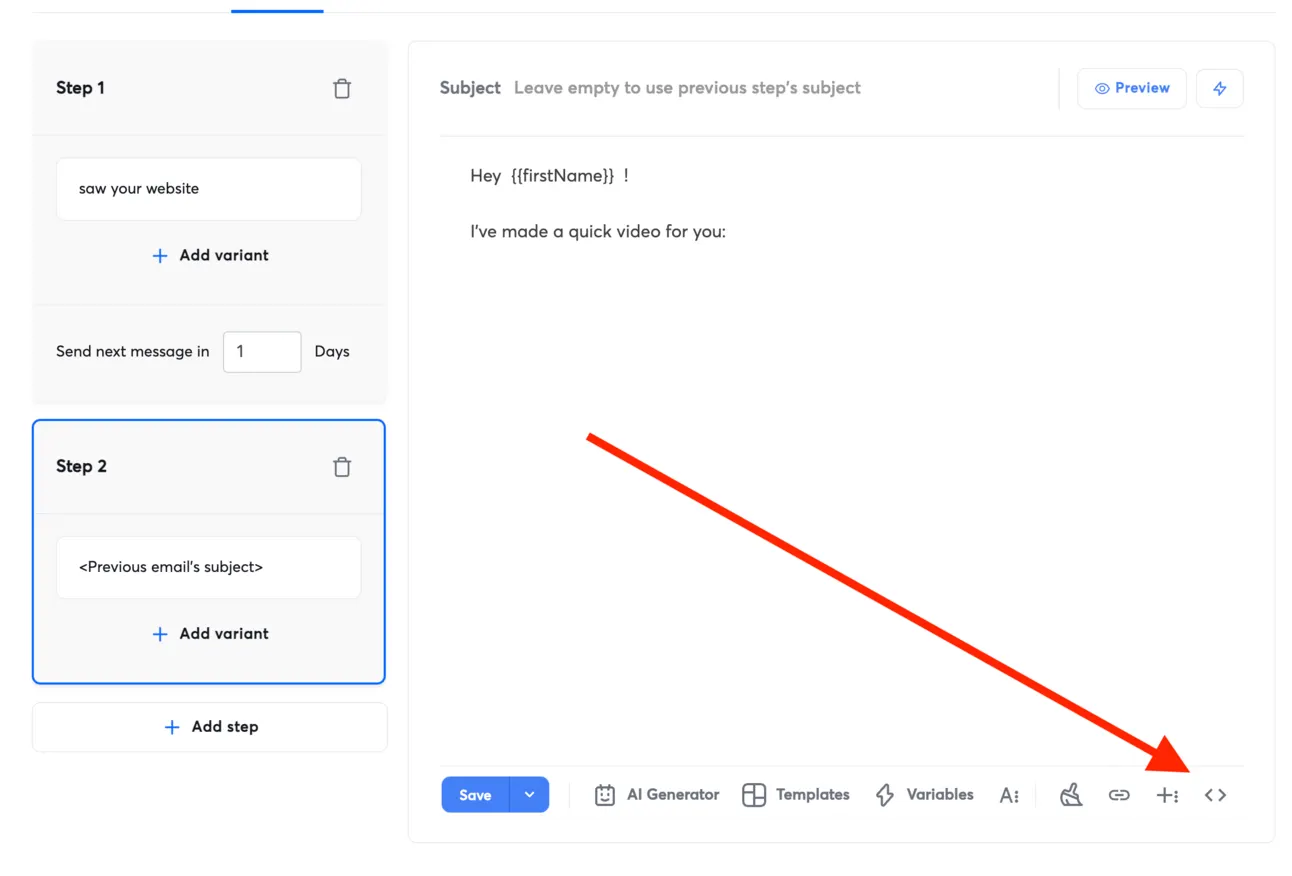
And paste the code snippet we got from SendSpark:
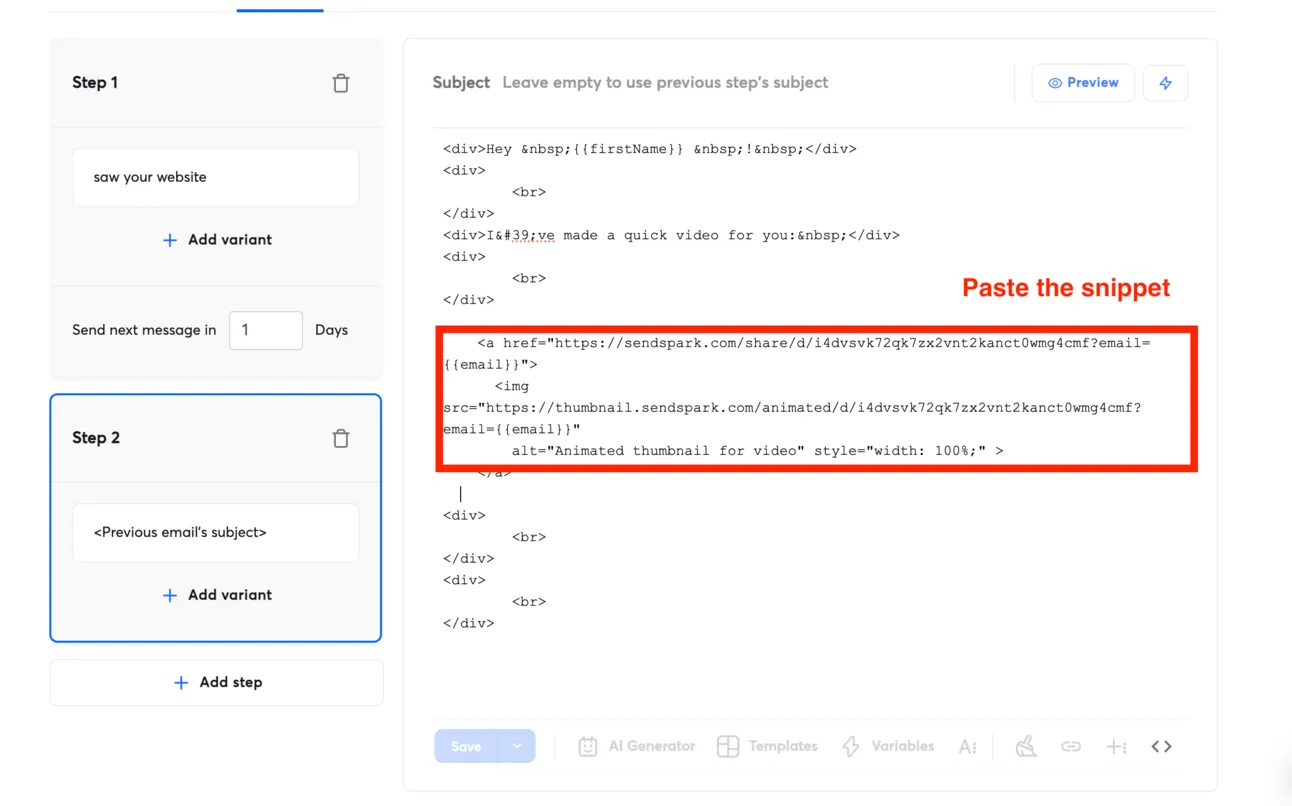
So our campaign will look like this (for us):
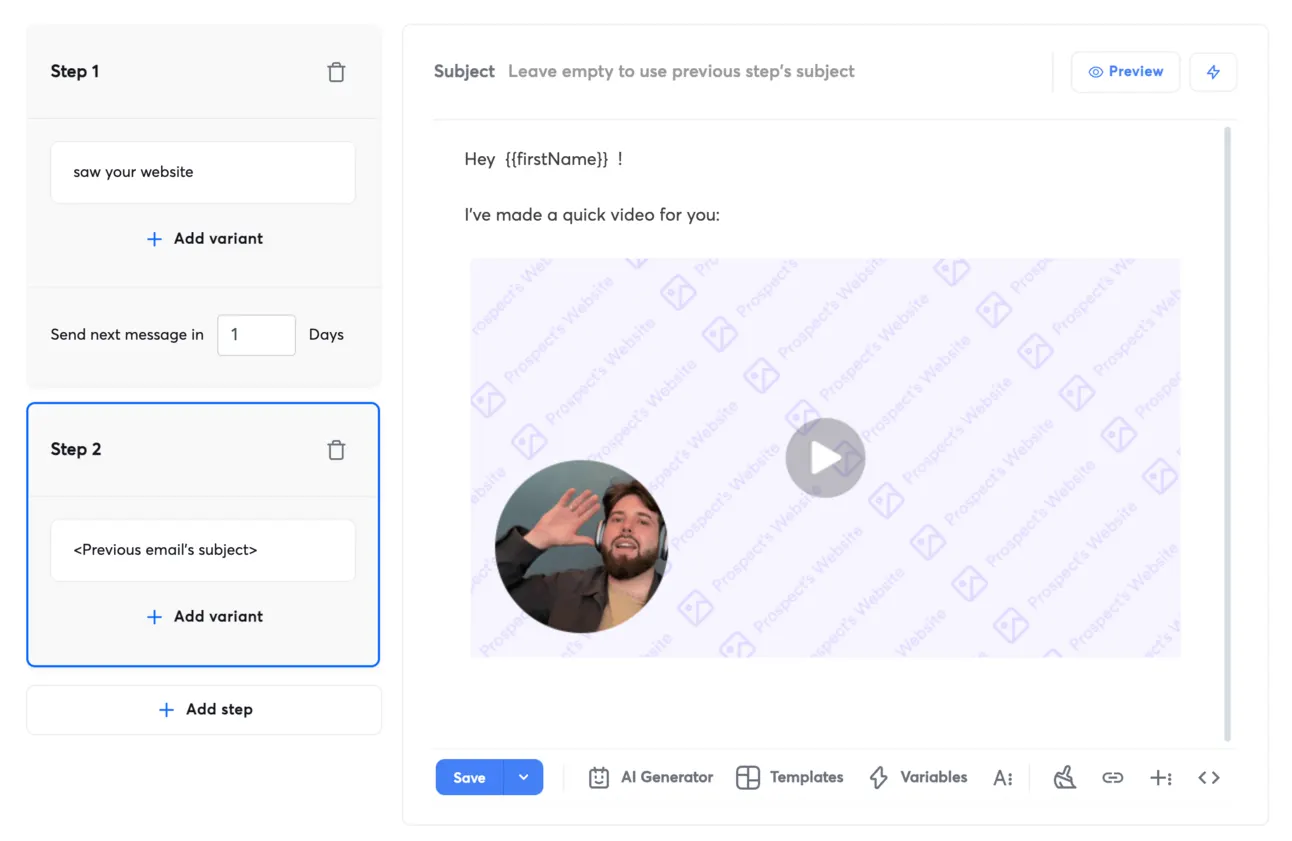
But for our prospects it’ll look like this:
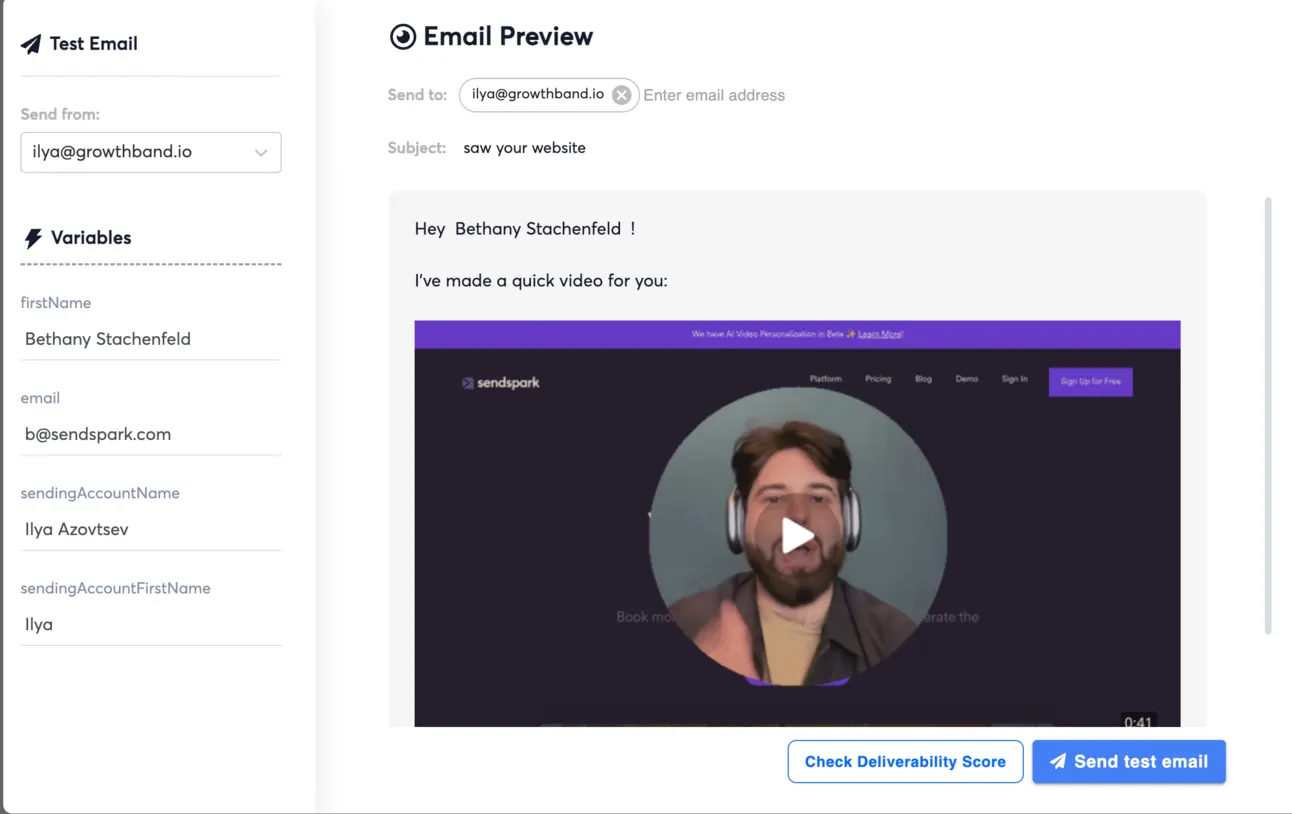
Final word
Now you know how to get 2x-3x more replies on your LinkedIn & Cold emails.
Let me summarise all the tools I’ve mentioned:
Video personalisation → https://sendspark.com
LinkedIn Outreach → https://expandi.io
Cold Emailing → https://instantly.ai
Btw, if you like our content:
- Join Community
- Watch us on Youtube
- Let’s connect on LinkedIn (Ilya & Max)
Talk to the team that runs this every day
Book a 30-minute call. We look at your outbound and tell you what we would change first.

Ilya AzovtsevCo-founder
Co-founder of GrowthBand. Helped scale lemlist from $20k MRR to $10M ARR and built automation at Expandi; now runs the cold email infrastructure behind 32,000+ mailboxes.