Heyo!
Checklist ✅
Here is my cold email deliverability checklist:
1. Email Account Setup
-
Avoid Free Email Accounts: Use paid, professional accounts (e.g., Google Workspace or Microsoft 365).
-
Use Separate Domains for Cold Emails: Create similar domains to your main one for cold emailing (e.g., yourdomain.io).
-
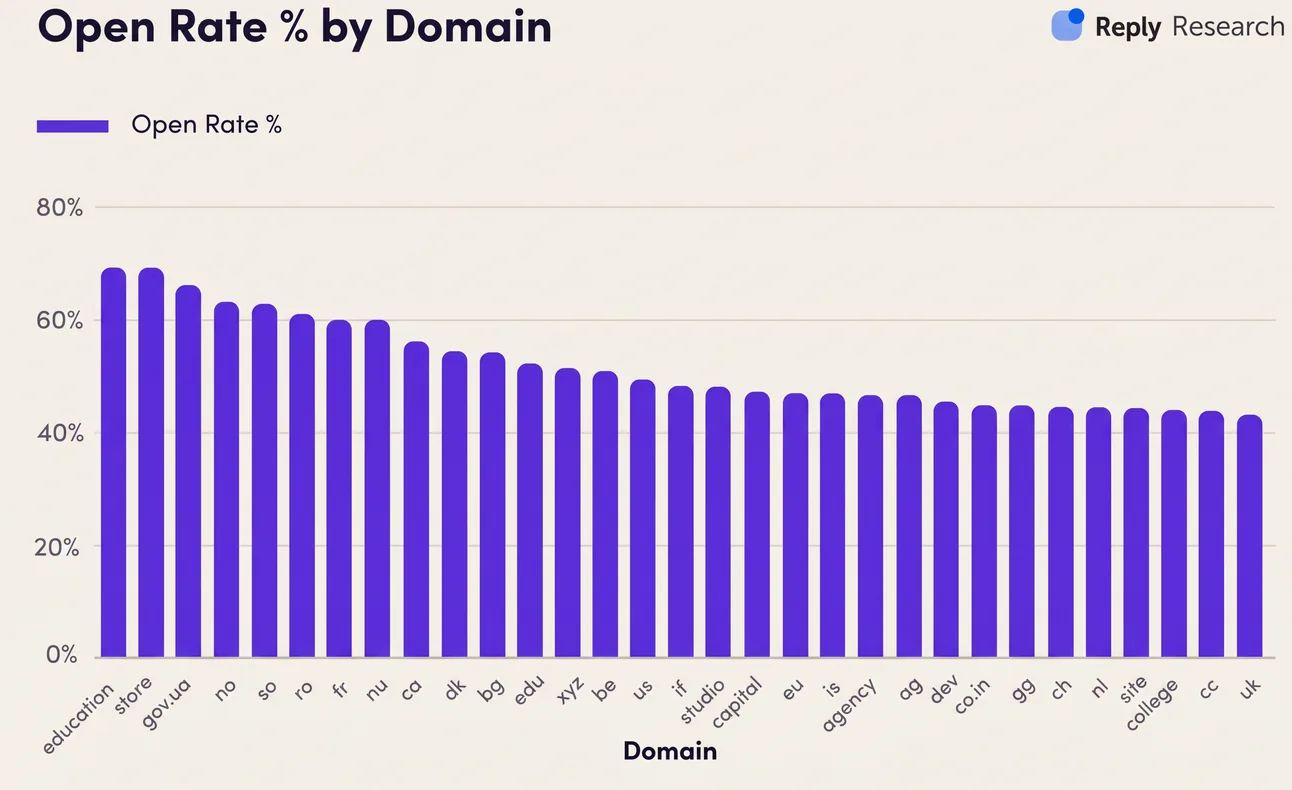
Only Use Top-Level Domains: Stick to .com, .net, .io, etc., and avoid low-quality domains like .xyz.
Pro tip: buy high-quality Google & Microsoft mailboxes without DNS hassle and cheaper with Zapmail official Google & Microsoft reseller.
Get sending infrastructure that stays out of spam
We build and run your cold email infrastructure: domains, mailboxes, daily placement checks and a rotation pool.
2. Technical Setup
-
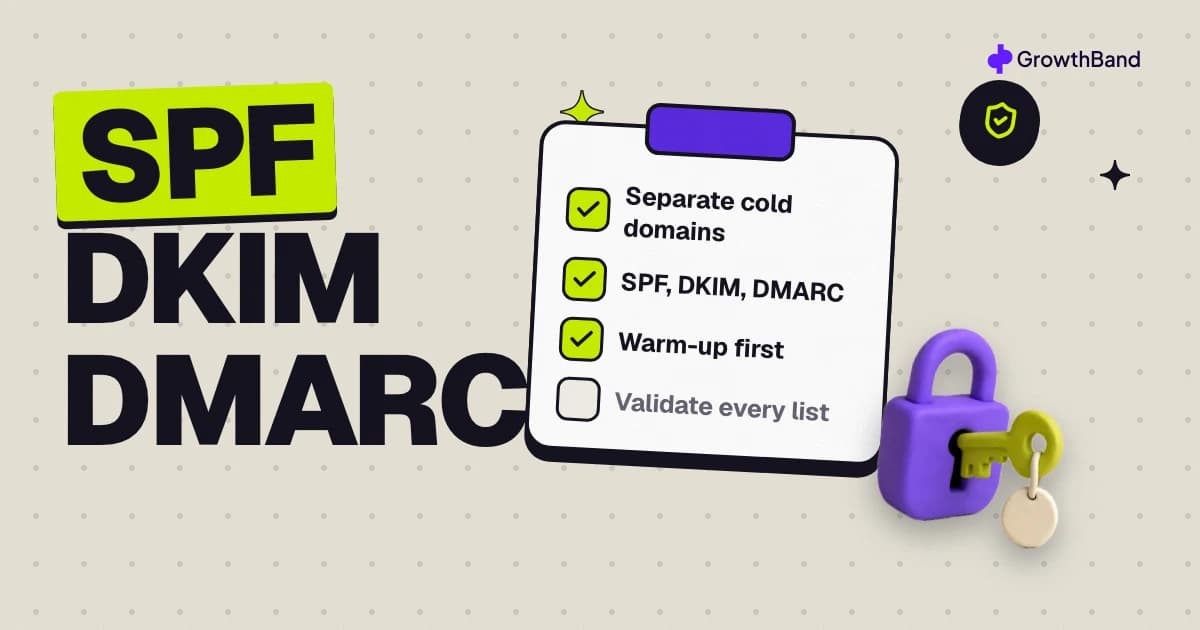
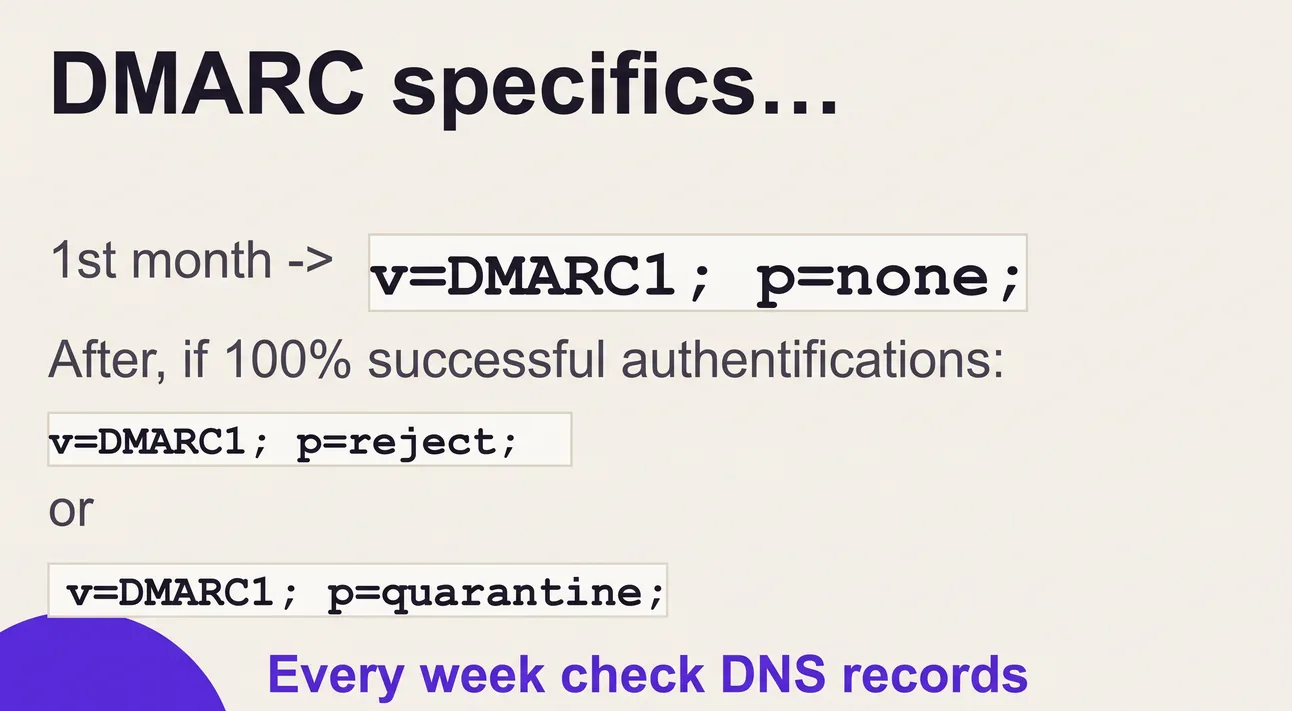
Set Up SPF, DKIM, and DMARC: Ensure these records are correctly configured for domain authentication.
- SPF allows trusted servers to send emails for your domain.
- DKIM signs your emails, proving they’re from you.
- DMARC monitors and protects your domain's reputation.
-
Regularly Monitor DMARC: Use a tool like Postmark to check DMARC compliance.
Pro tip: check your DMARC status every week using DMARCreport tool.
3. Email Warm-Up Process
-
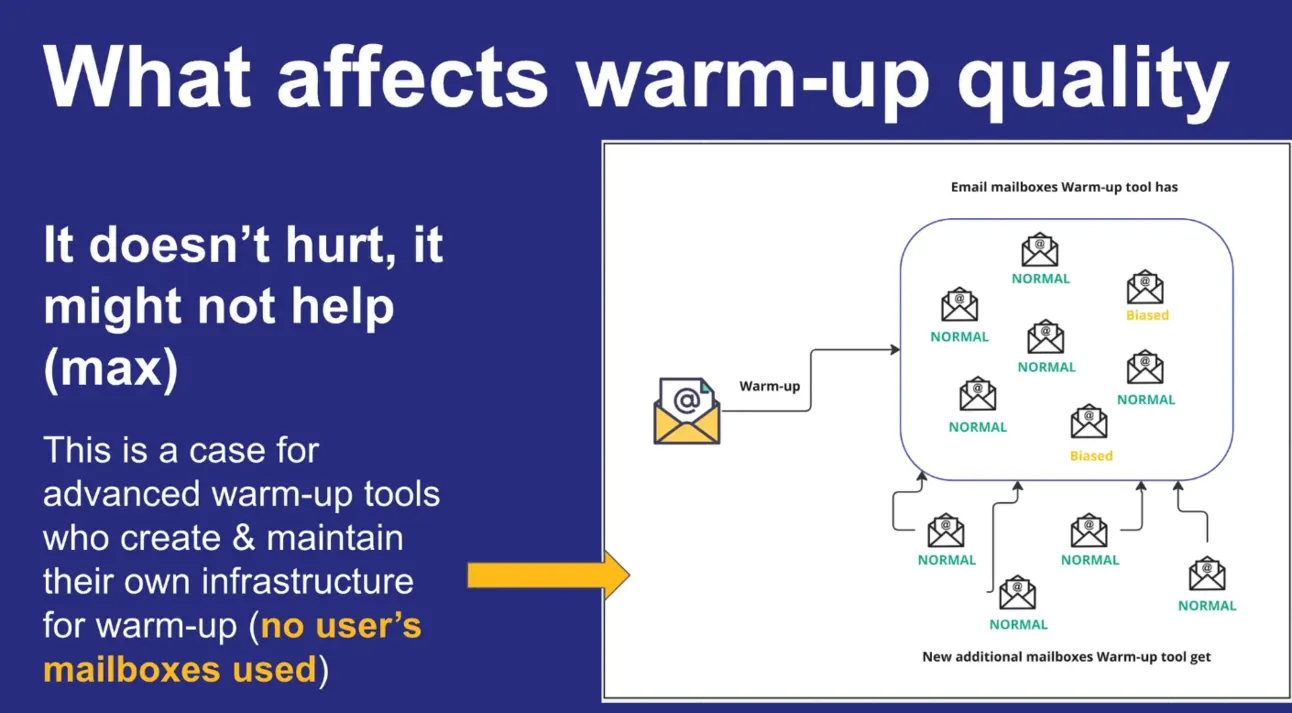
Warm Up New Domains & Accounts: Use tools like Folderly or Instantly to gradually increase email volume.
-
Simulate Engagement: Ensure warm-up tools simulate opens, replies, and “mark as important” actions.
-
Follow Warm-Up Strategies:
- New domains: Start with 2-25 emails/day over 5-7 weeks.
- Low-activity domains: Start with 5-35 emails/day over 4 weeks.
Pro tip: for all hard cases & for the maximum deliverability I use Folderly warm-up (the only warm-up system that proved a quick SPAM recovery).
4. Email List Validation
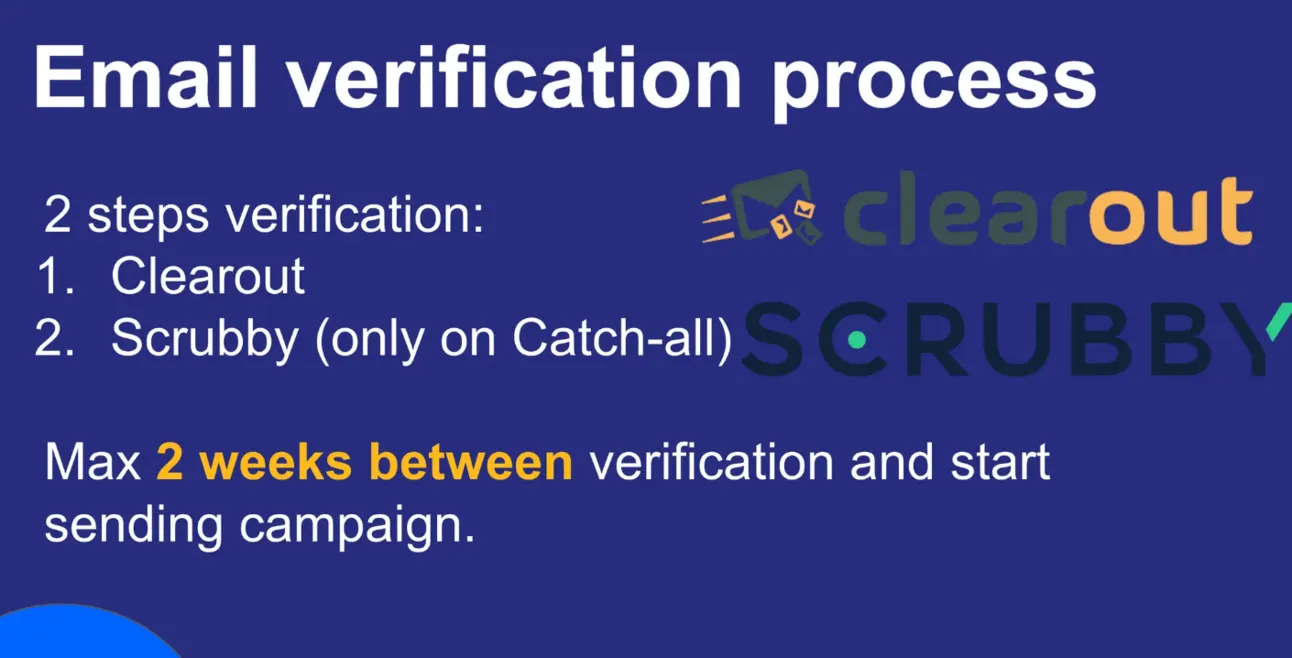
- Verify Email Addresses: Use a tool like Clearout to reduce bounce rates below 1%.
- Keep Lists Clean: Don’t purchase low-quality lists or use outdated data.
Pro tip: Use Scrubby to double-verify Catch-all emails (to increase the amount of valid emails).
5. Cold Email Tool Selection
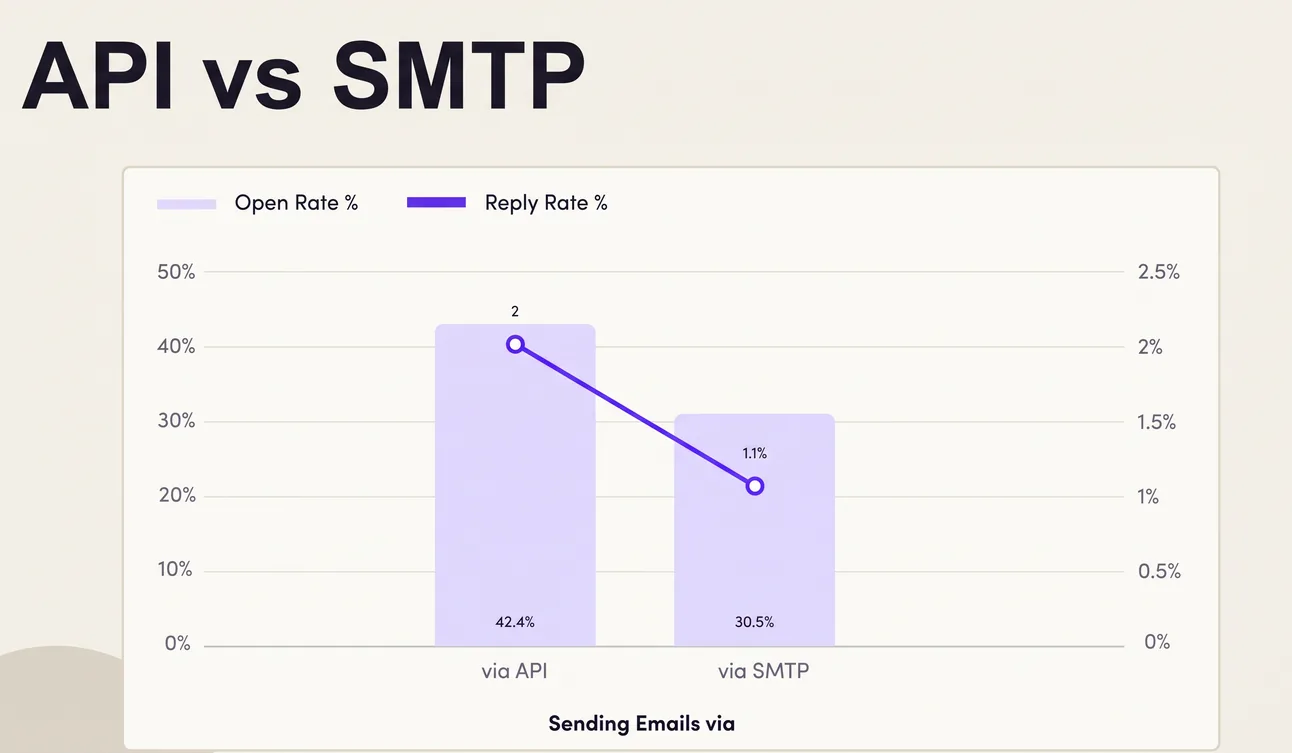
- Avoid Marketing Tools: Use specialized cold email tools (e.g., Reply.io, Instantly) that connect via IMAP/SMTP or Google API.
- Enable Opt-Out Options: Make it easy for recipients to unsubscribe.
Pro tip: Use only Cold Emailing Tools with GOOGLE API connection, such as reply.io or instanty
6. Content Optimization
- High-Level Personalization: Use tools like Clay for personalized icebreakers based on recipient data.
- Use Spintax: Rotate phrases to create unique emails (e.g., “Hi {FirstName}” vs. “Hello {FirstName}”).
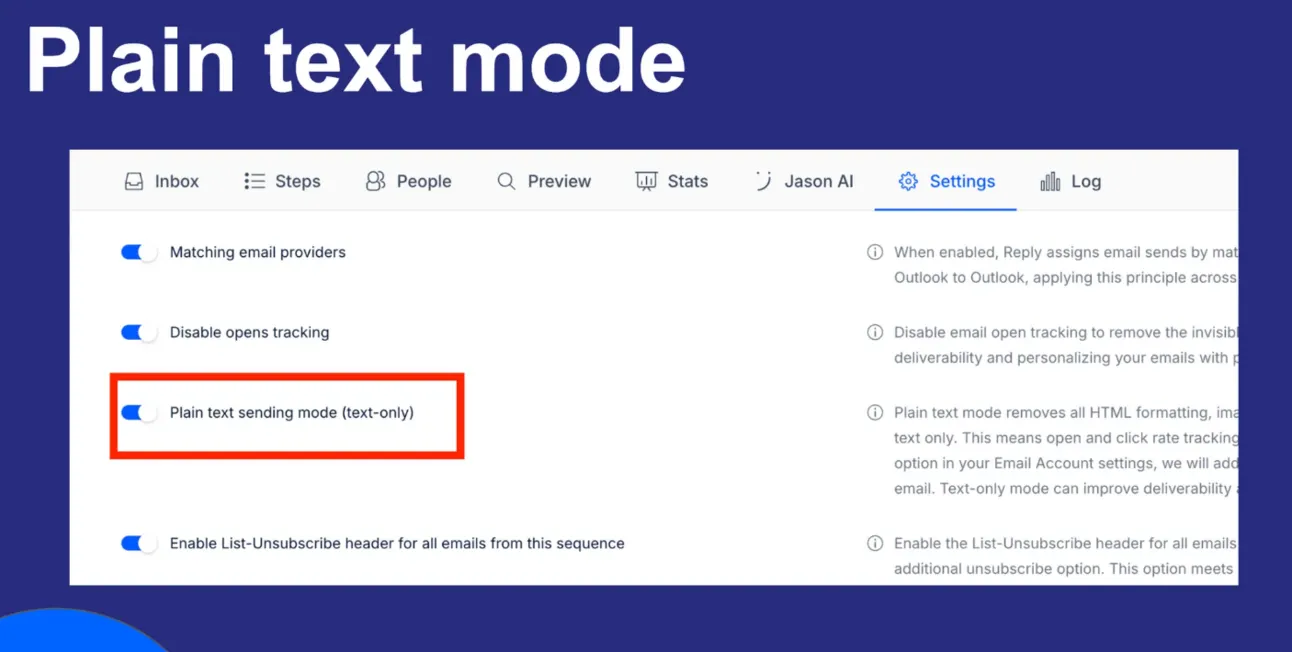
- Limit HTML and Avoid Attachments: Stick to plain text or minimal HTML for better deliverability.
- Avoid Spam Words: Use tools like InboxInsights to scan for spammy language.
7. Tracking Setup
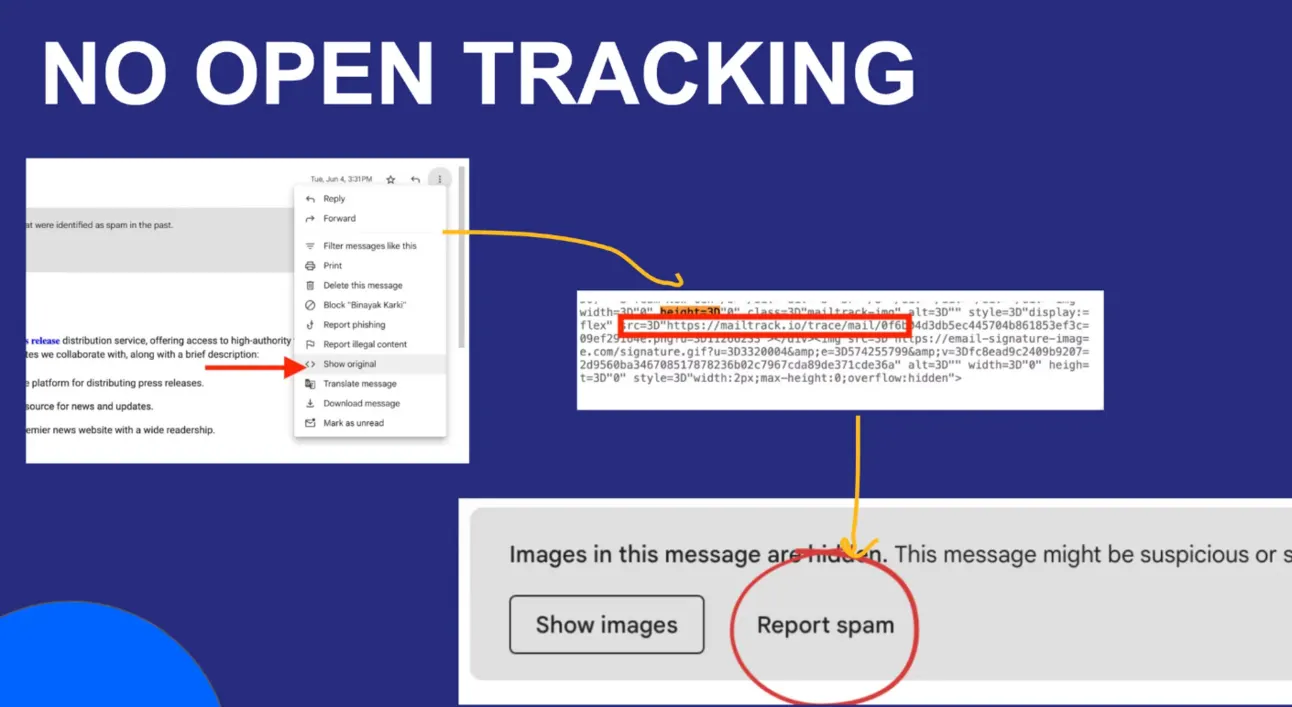
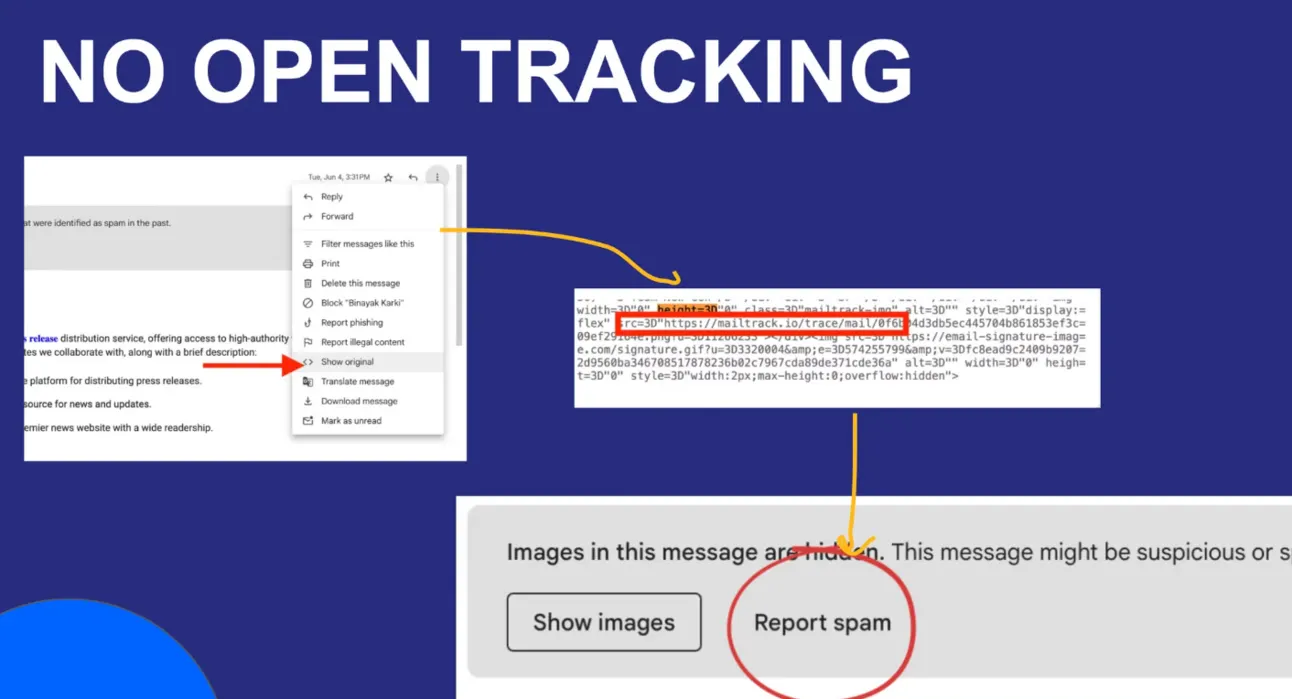
- Disable Open Tracking if Needed: If deliverability is an issue, avoid tracking pixels, or create branded tracking links.
- Use Branded Domains for Links: Set up tracking pixels on your own domain if possible.
Pro tip: Always set-up Custom Domain for link tracking (for example using reply.io)
8. Monitoring Deliverability
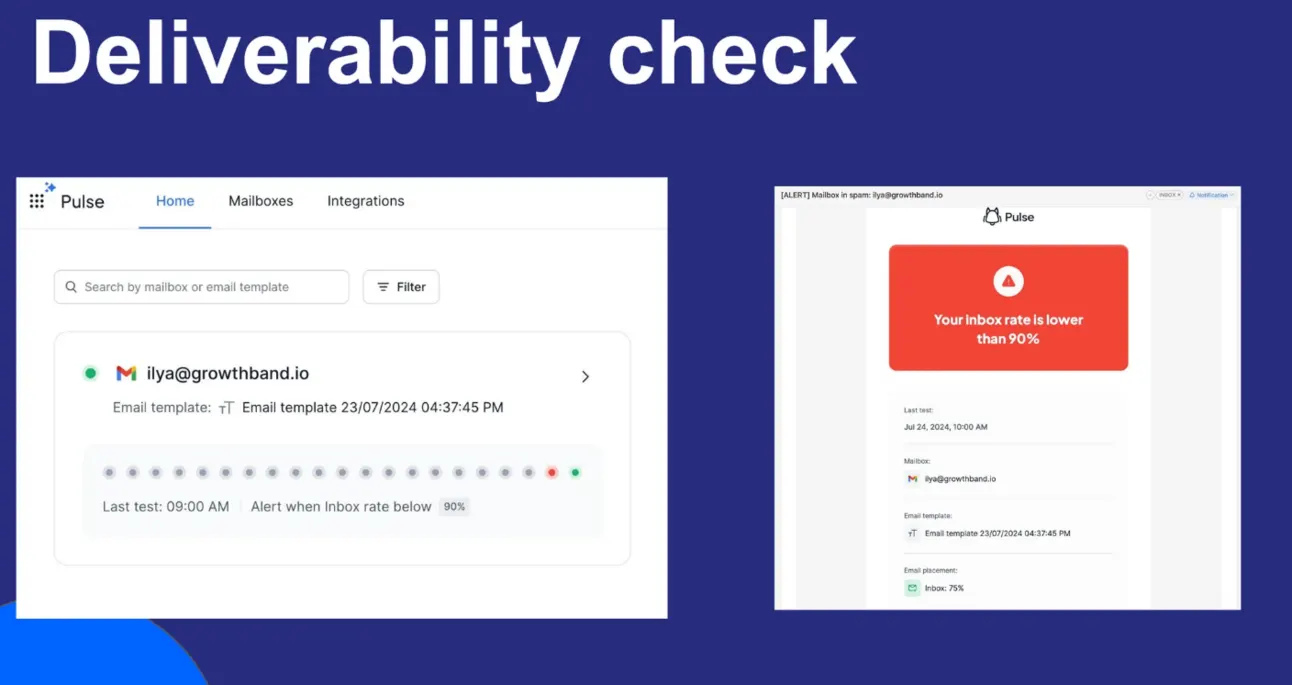
- Check Open and SPAM Rates Weekly: Keep open rates above 65% and monitor for spam placement.
- Adjust Strategy if Deliverability Drops: Lower email volume or tweak email content if spam rates rise.
- Bi-weekly InboxInsights checkup: Always go through the InboxInsights audits.
Pro tip: Use FREE Pulse Alerts to get a notification only IF your emails start going to SPAM.
9. Ongoing Best Practices
- Avoid UTM-Tagged Links: These can trigger spam filters.
- Limit HTML Content: Less is more for deliverability.
- No Attachments or CAPS: Avoid attachments and excessive capital letters or colored text in emails.
Pro tip: Use plain-text mode for the highest deliverability rate (for example using reply.io)
Tools to Improve Cold Email Deliverability
Let me sum up with the list of tools we recommend for better deliverability:
Email Domains -> Namecheap
Email Accounts -> Zampail
Email Deliverability Audit -> Inboxinsights & Postmark
Email Warm-up tool -> Folderly or Instantly
Email Outreach tool -> Reply or Instantly
With 🫰 to your Growth,
Ilya (let’s connect on LinkedIn)
Get sending infrastructure that stays out of spam
We build and run your cold email infrastructure: domains, mailboxes, daily placement checks and a rotation pool.

Ilya AzovtsevCo-founder
Co-founder of GrowthBand. Helped scale lemlist from $20k MRR to $10M ARR and built automation at Expandi; now runs the cold email infrastructure behind 32,000+ mailboxes.