LinkedIn is the best platform to generate B2B leads.
You know it, we know it, everyone knows it. On LinkedIn you usually get way better reply rate comparing to cold emailing and here is why:
LinkedIn is a social media platform, with real people on it, who are managing their profiles on their own. There are no “SPAM” filters (as with emailing) and the whole platform is way more humanised.
But, if you think that LinkedIn is a paradise - you’re wrong.
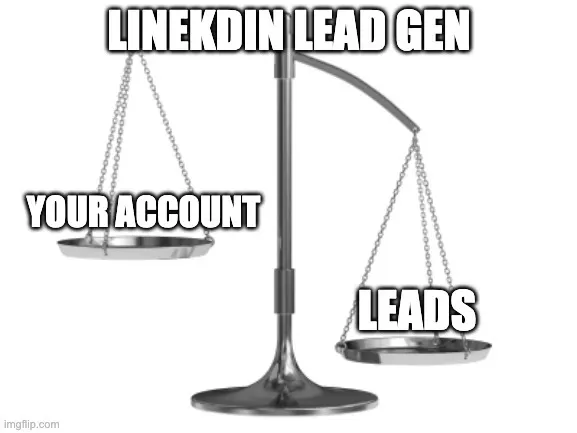
The 1st thing - LinkedIn is extremely limited in terms of amount of connections you can send. You can NOT reach out to thousands of people on a weekly basis (spoiler you can do it with cold emailing). So even if you get a lot of leads through LinkedIn outreach → you don’t have a lots of ways to scale it.
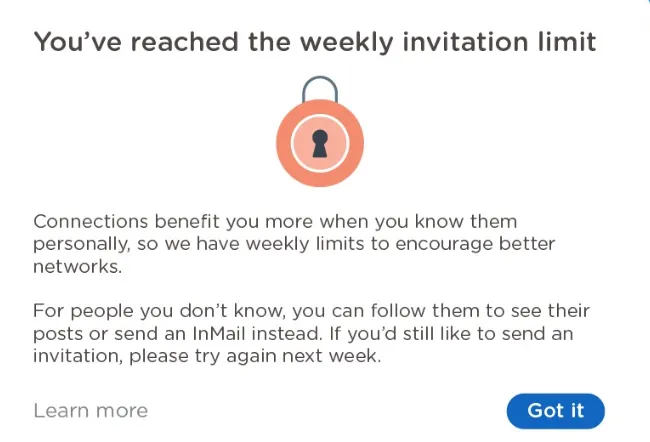
We gonna talk about how to bypass LinkedIn limits in the future articles 😉
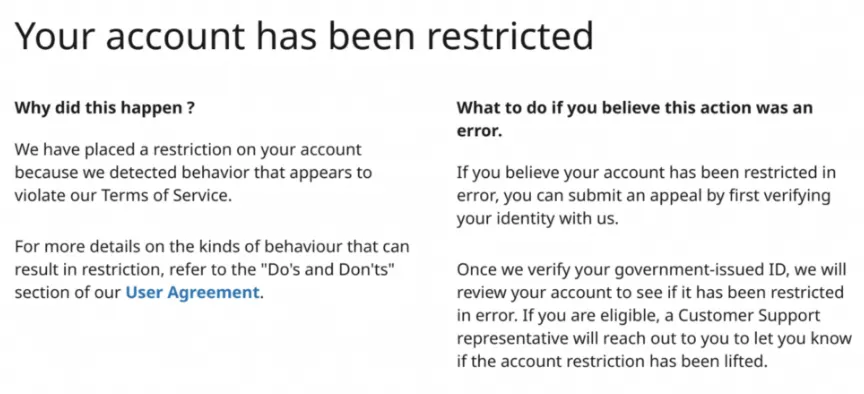
But the 2d thing - if you’re doing a LinkedIn prospecting in a wrong way - LinkedIn may temporary (or permanently) ban your profile 😐️
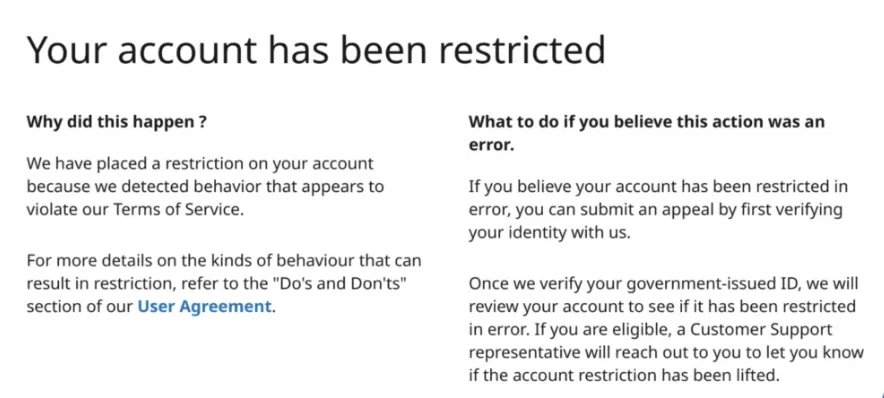
That means that you as a person will love everything. You past & future connections, your conversations, your potential hiring opportunities, etc.
If you’re trying to generate leads on LinkedIn in a wrong way - you’ll lose your full LinkedIn presence.
So today we’re going to share a FULL LinkedIn Outreach Safety checklist. And if you follow every single step that we’re sharing, your chances to lose your LinkedIn profile are about 0%.
Note: I was a Growth manager at Expandi (https://expandi.io/) of of the leaders on LinkedIn Automation market and I know a thing or two about LinkedIn 😁
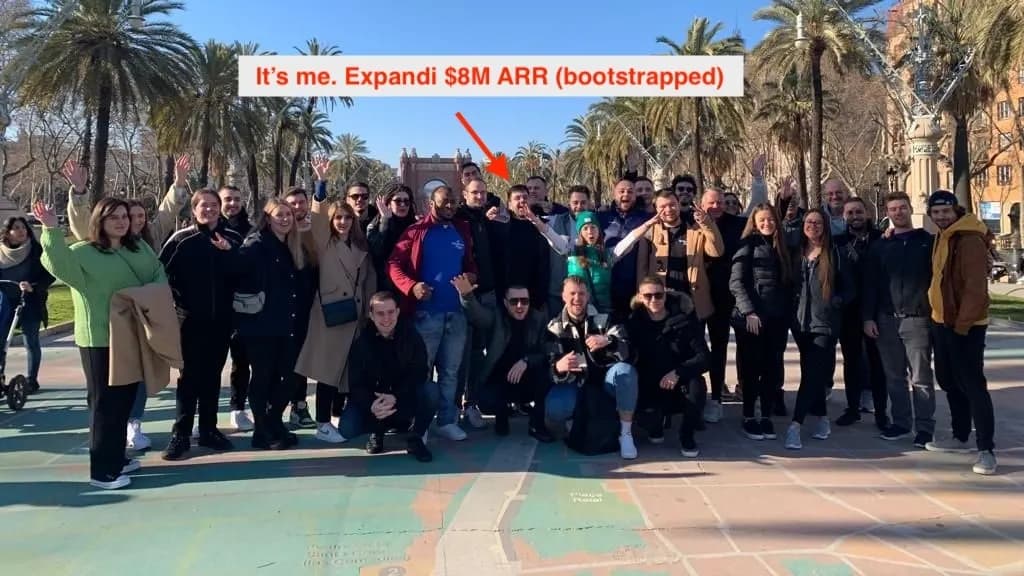
With this article, I’m trying to help you generate leads on LinkedIn … forever.
Why LinkedIn might ban your account?
There is no 100% correct answer. But after being active on LinkedIn for years, and working at one of the leaders in this industry I may tell you this.
LinkedIn will ban you if:
- You look like a spammer (acting like a spammer, using fake accounts, etc)
- You’re using automation tools that LinkedIn fight against
Today I’ll share with you what tools to use to minimise this risk. But also, we’ll go through every single factor in all details, so your profile will NOT look like a SPAMMER profile for LinkedIn.
(of course, if you ARE spammer, don’t read this article, I hope you’ll get banned soon 😁 )
So, there are the whales 🐋 of a healthy LinkedIn Outreach Game:
- Your LinkedIn account
- LinkedIn Automation tools you’re using
- Your LinkedIn Outreach Strategy
Your LinkedIn account
The number 1 thing for a safe LinkedIn outreach is your profile. There are a few basic things that LinkedIn take into account when evaluating your profile and marketing it “potential spammer” or no.
Let’s go through each of them:
LinkedIn Account Health
There are 3 cases, aka LinkedIn Account Health Lights🚦
- You have an old & active profile
- Your have an old profile (but not active)
- You have a very young LinkedIn profile
With the first one, it’s easy - your profile is 3+ years, you have tons of connections, you’re posting on LinkedIn, engaging with other, etc.
You’re good to go 🟩
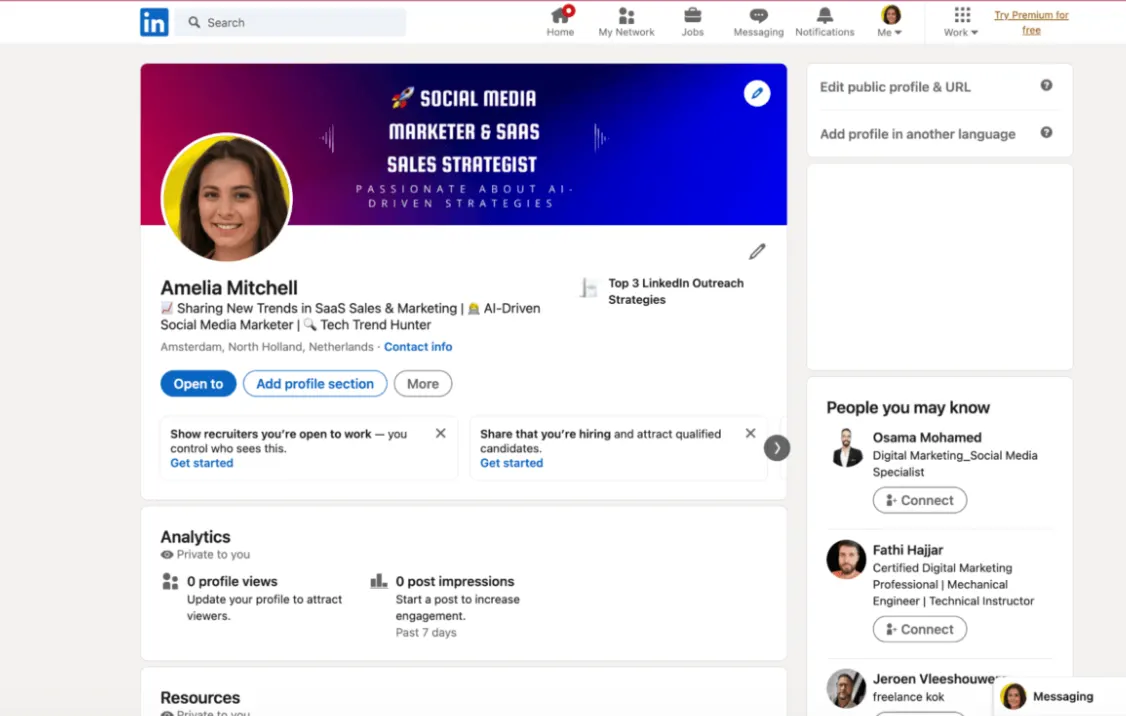
For example, I’ve almost 8 years on LinkedIn:
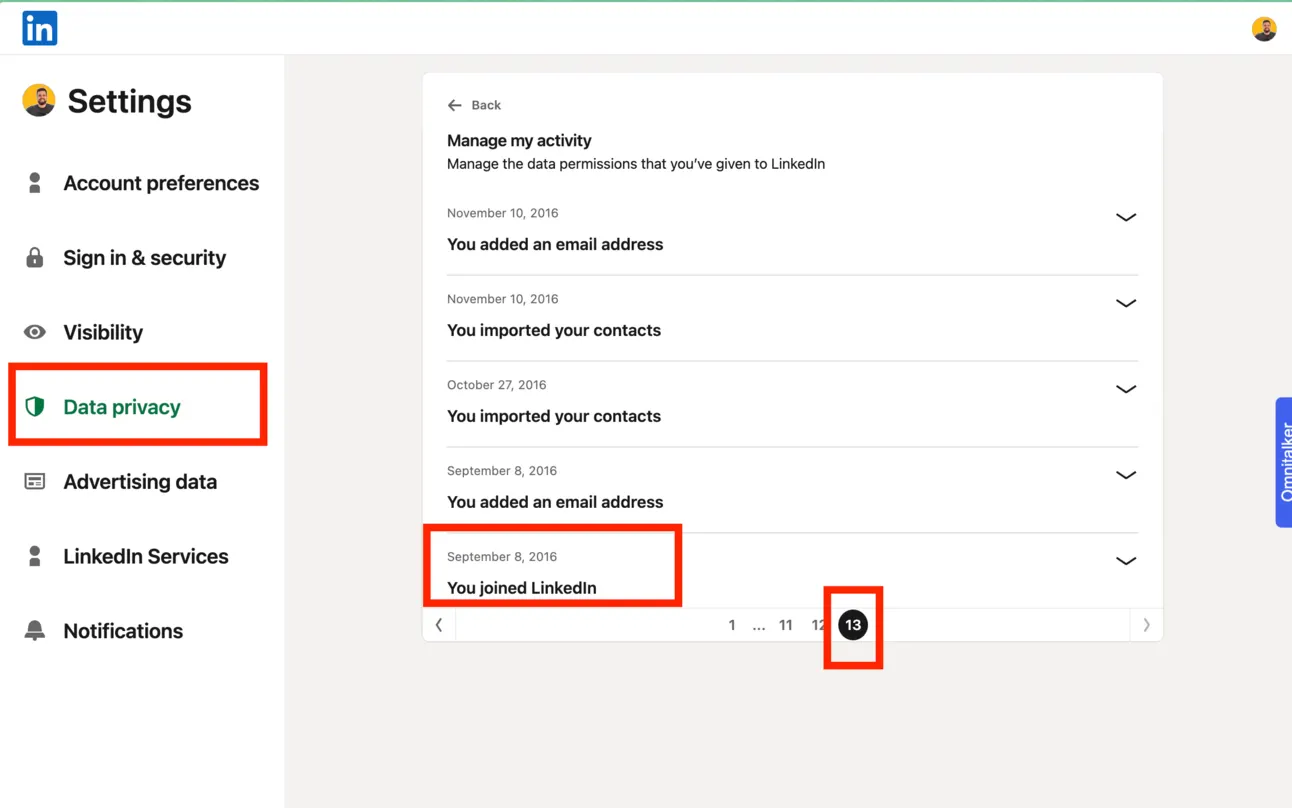
You can also find out when you’ve created your LinkedIn profile but going to the settings → Data privacy → Manage your data & activity → go to the last page.
But what if you have an old account, but you were not active on LinkedIn for years? 🟨
In this case, you have to combine LinkedIn outreach (connecting & messaging people) with social media activity.
For example, start posting on LinkedIn (you can use Taplio if you want AI create posts for you). So basically you need to show LinkedIn that you’re alive.
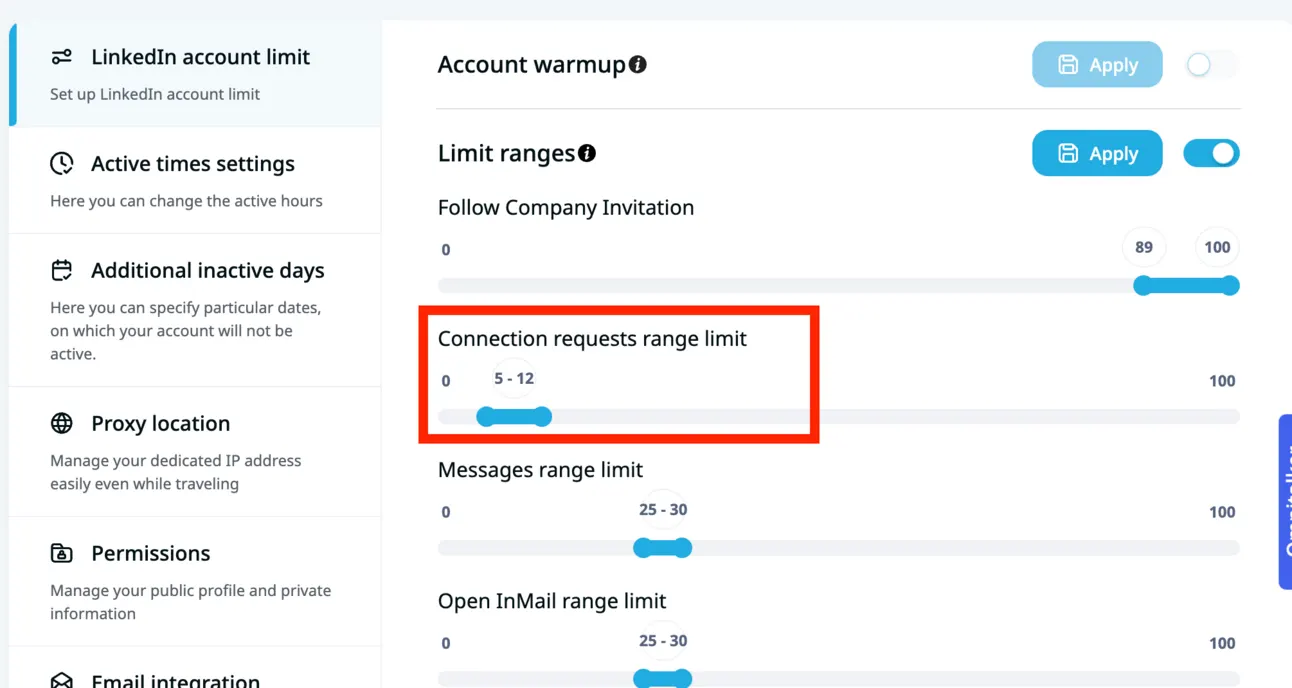
And also, star your LinkedIn outreach with lower volume and increase it while you’re going:
If your LinkedIn profile is relatively young (<6 months) and you start doing an outreach, trying to generate leads → you’re in a risk zone 🟥
Why?
Because if there is a newborn account who is extremely active on LinkedIn → it might be a signal that you’re a Spammer.
Try to build the network of people who you actually know before reaching out to new potential lists.
- your ex-colleagues and current team members;
- your friends and people from your industry;
etc.
Don’t do any actions to generate leads. Your primary goal should be - “Grow your LinkedIn account”.
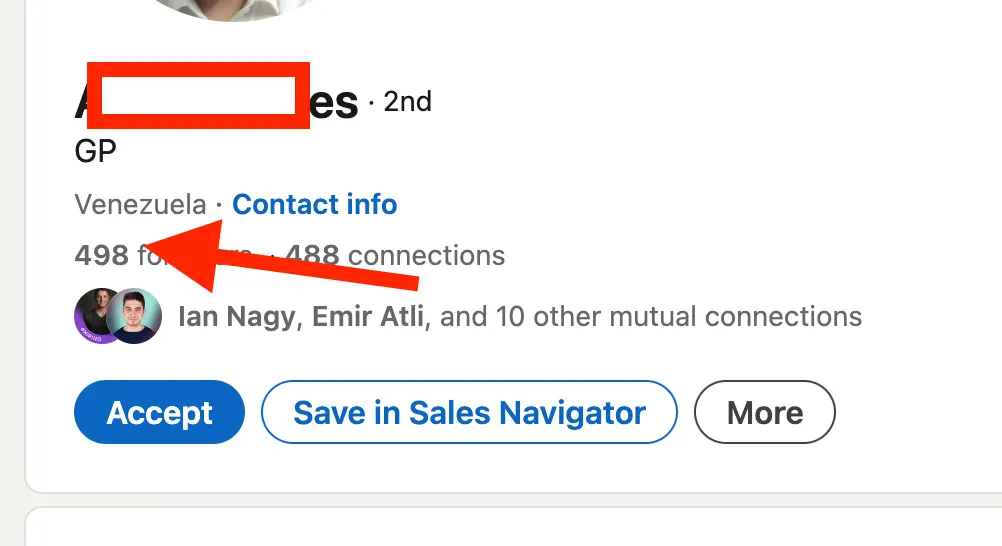
Once you cross 6-months line or once your get 500+ connections (that’s a mental line for LinkedIn between weak & stronger profiles) → you can start generating leads on LinkedIn.
LinkedIn is scoring each account based on the activity and that’s what they call SSI.
Social Selling Index — SSI
LinkedIn (as any other social media platform) scores your profile from “weak and inactive” to “strong”. But comparing to other platforms, you can actually see what your rank is.
That’s called - Social Selling Index (SSI).
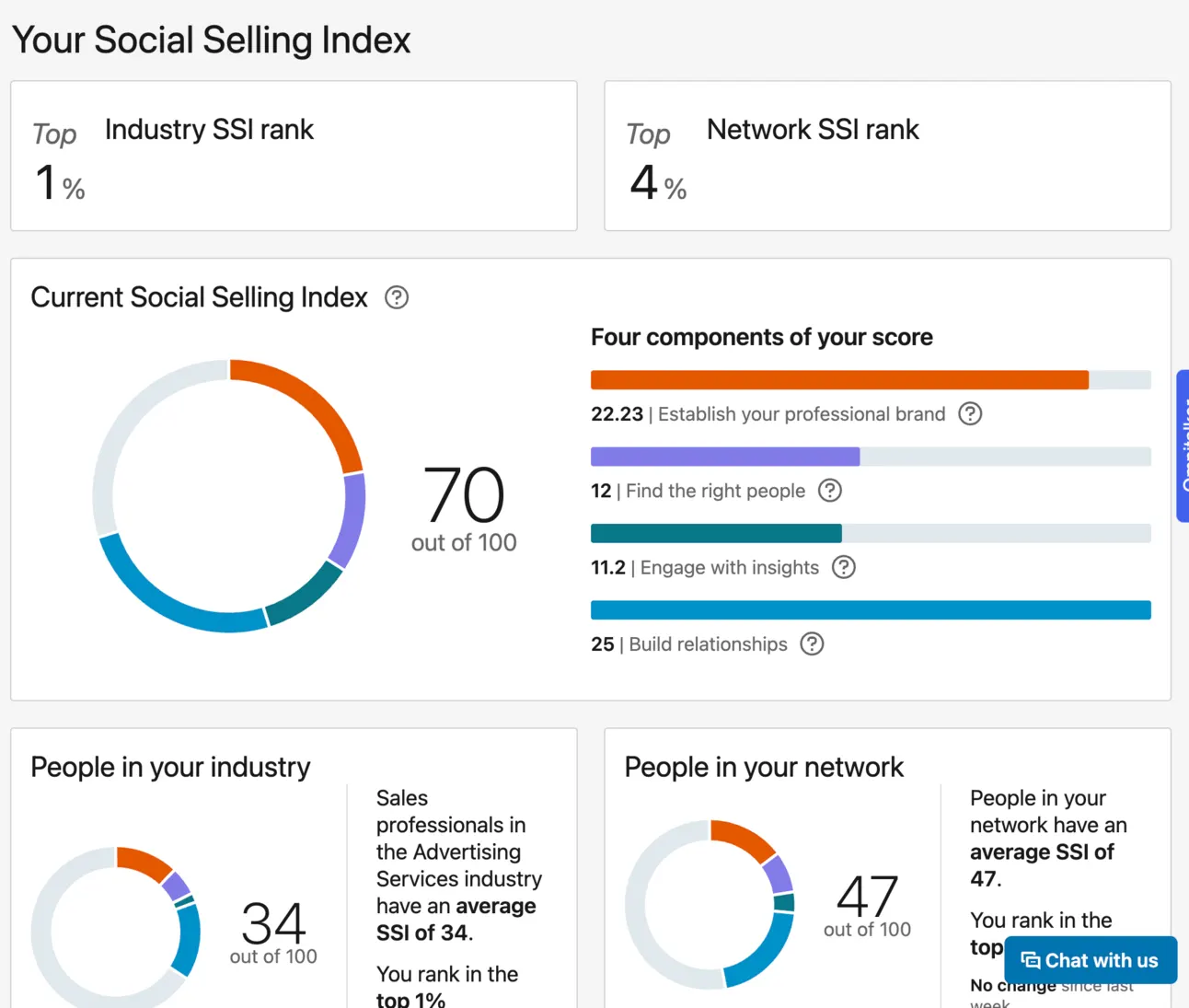
Basically LinkedIn evaluates your profile based on different factors and gives you a score from 0 to a 100.
(You can check out your own SSI score here).
There are 2 things to keep in mind when it comes to SSI.
- your current SSI
- the dynamics in your SSI
The rule with SSI is simple, if your score is:
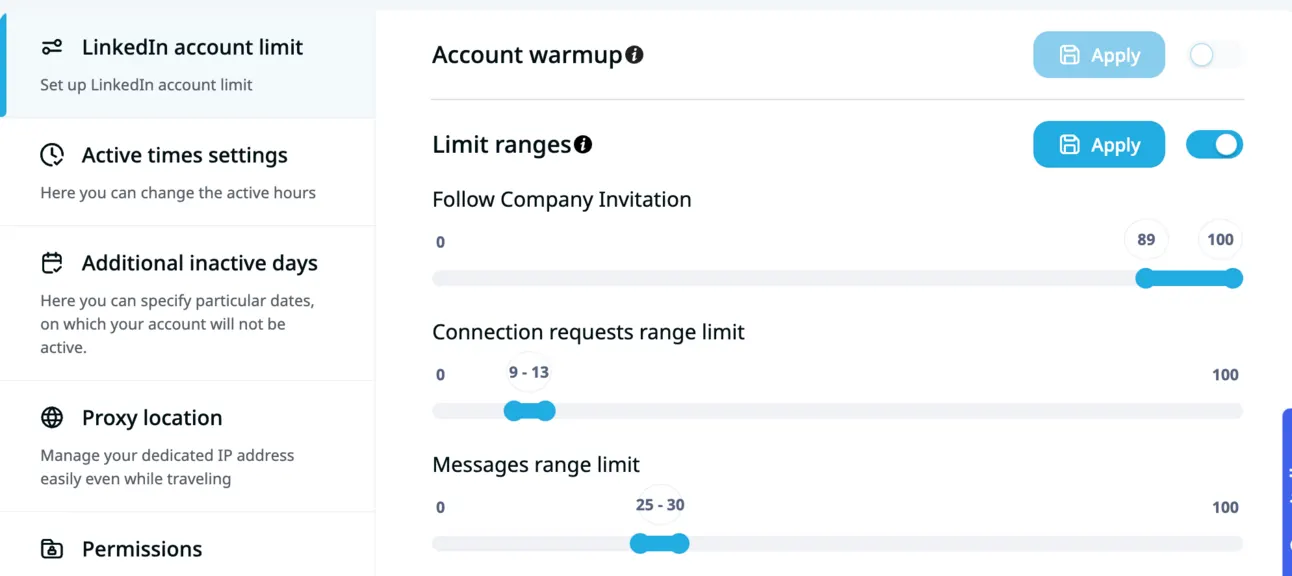
<60 → you should start slowly with your outreach. DON’T try to reach out to 50+ people per day. Start with 10-13 people on a daily basis.
If your SSI is 61+ you’re profile is good enough to start with a higher volume of LinkedIn connection requests.
But if your SSI is low does it mean that you can connect with a lot of people?
The answer is: “You can only if your SSI is growing”.
So periodically check your score and if you see a positive dynamic → feel free to increase the limits.
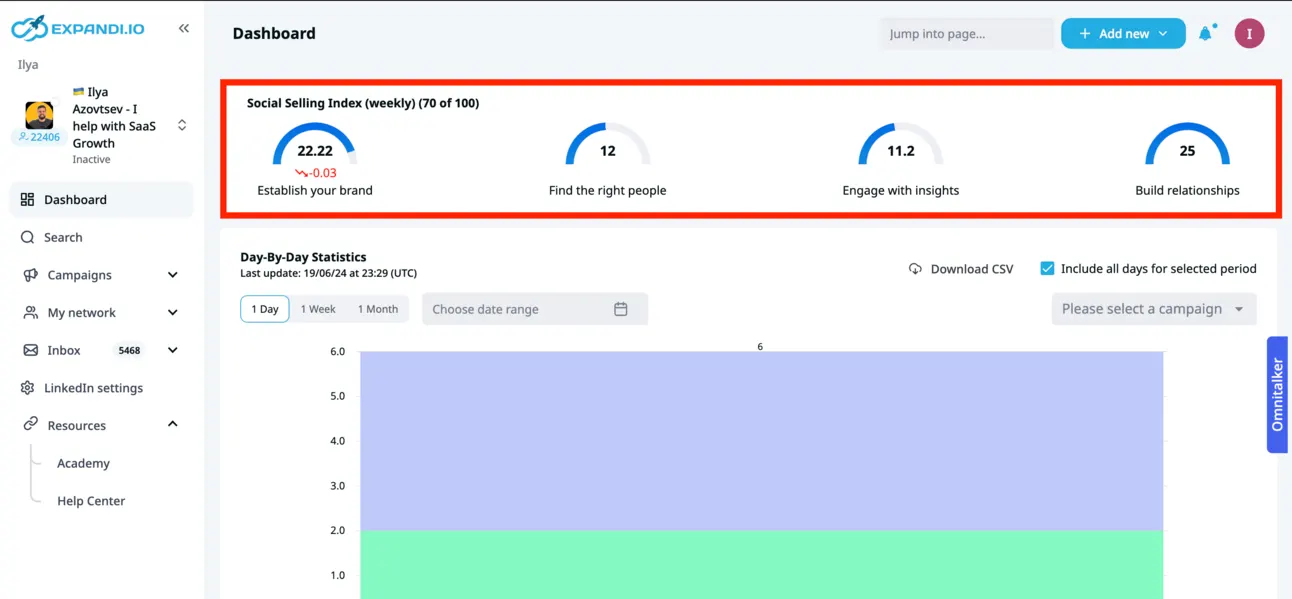
Btw, I’m checking my SSI dynamic in https://expandi.io/
Inbound vs Outbound connection requests
For LinkedIn - you’re a healthy user if you connect with people and people want to connect with you.
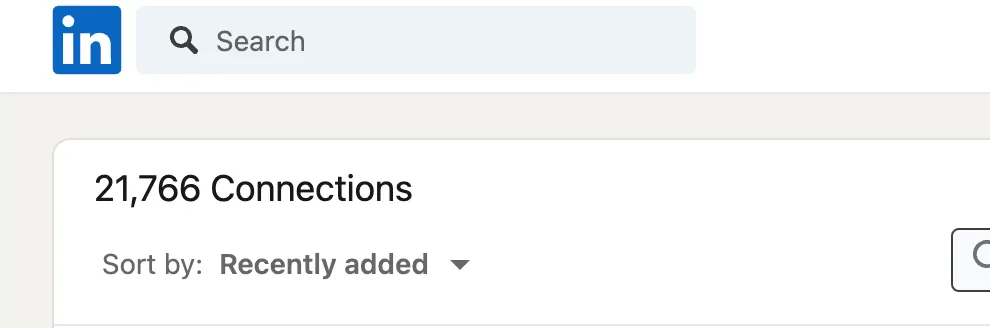
Let’s be honest, it’s super weird for LinkedIn if you only try to connect with someone and nobody tries to connect with you.
It’s not a major factor, but still, try to:
- Optimise your LinkedIn profile (so more people can find you)
- Post on LinkedIn (you can use https://taplio.com/ for this)
Premium LinkedIn
LinkedIn is actually getting money from ads & from selling their premium plans.
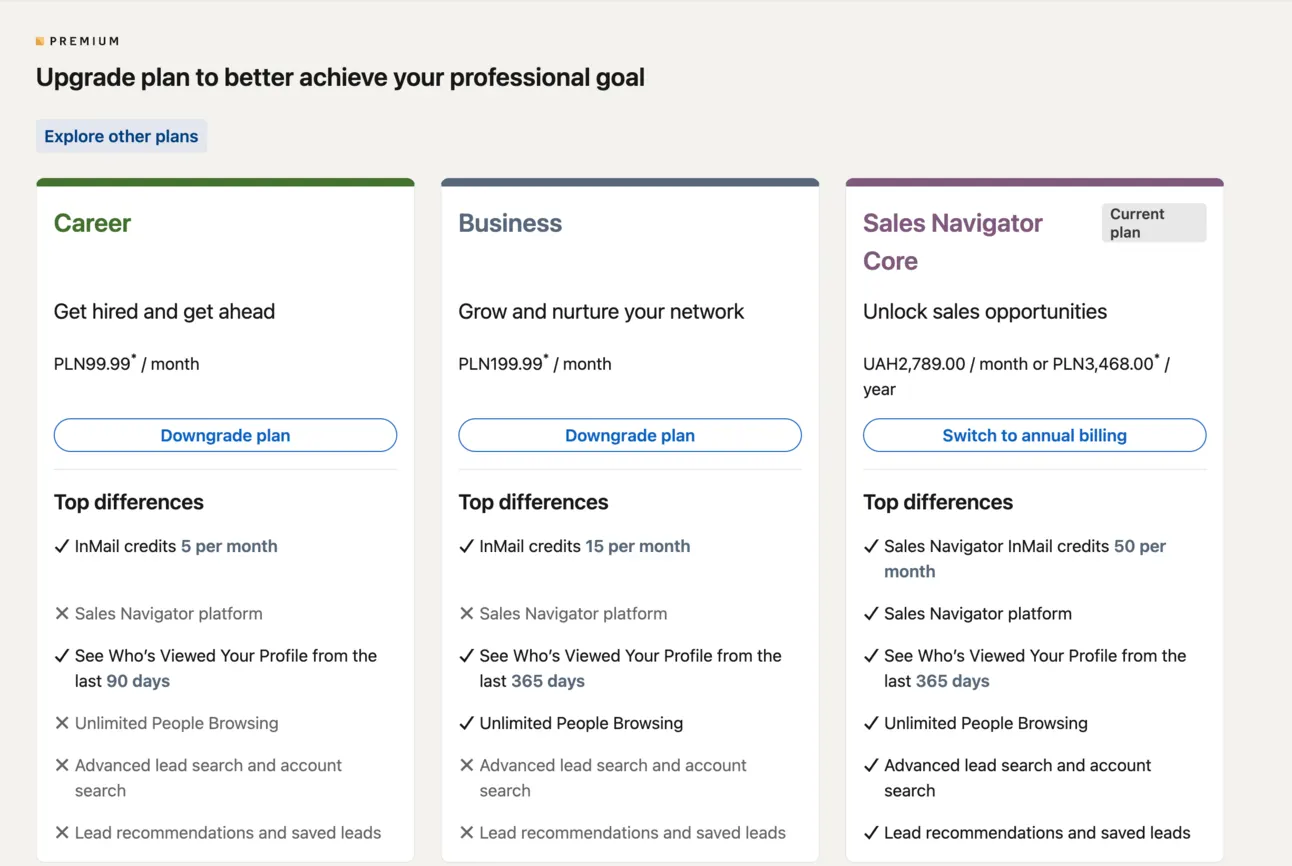
It’s obvious that if you’re paying to LinkedIn money, you might be using the platform more.
Usually, you can send up to 2x more connection requests by simply using a LinkedIn Sales Navigator.
And of course, you have less chances to get banned.
ID-verification
Let’s imagine for a second what would you do if you were a spammer?
(I hope you’re a not a spammer 😅 )
You would go on LinkedIn and create tons of different Fake LinkedIn Profiles.
That’s what LinkedIn is trying to fight against.
LinkedIn is pushing people to verify their identity with real documents. Now it doesn’t affect your outreach limits or anything else but it might in the future.
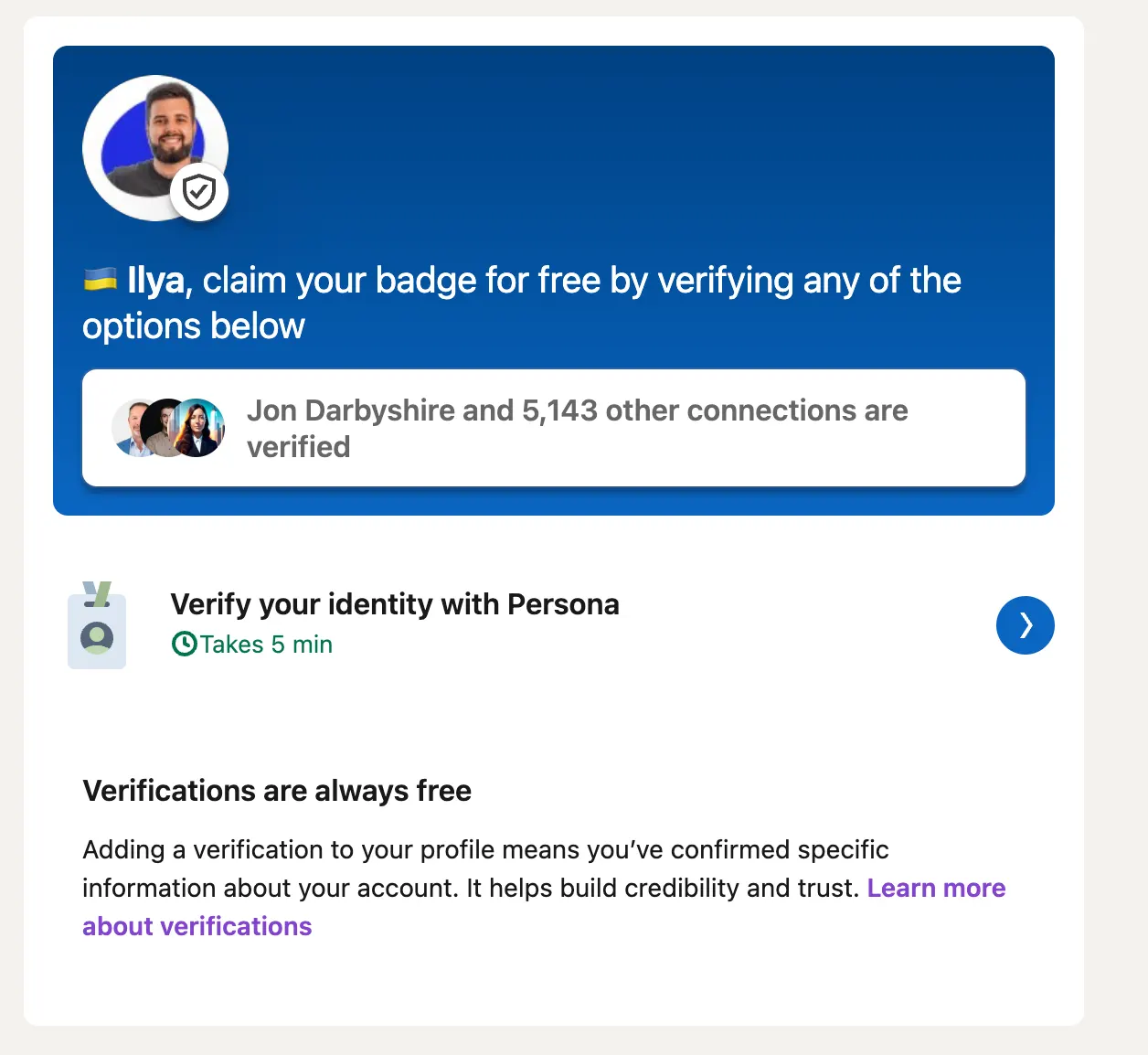
But if you’re planning to do generate leads on LinkedIn, you definitely need to verify your account, so for LinkedIn your profile will be “good enough” by default.
LinkedIn Automation Tool
You definitely can generate leads on LinkedIn with no tools. But with automation tools, it’s a 10x booster to your performance.
LinkedIn is fighting against automation tools, but there are a few types of tools that connect to your LinkedIn & do the actions on your behalf. Choosing one of them you can minimise the risks:
Chrome extensions
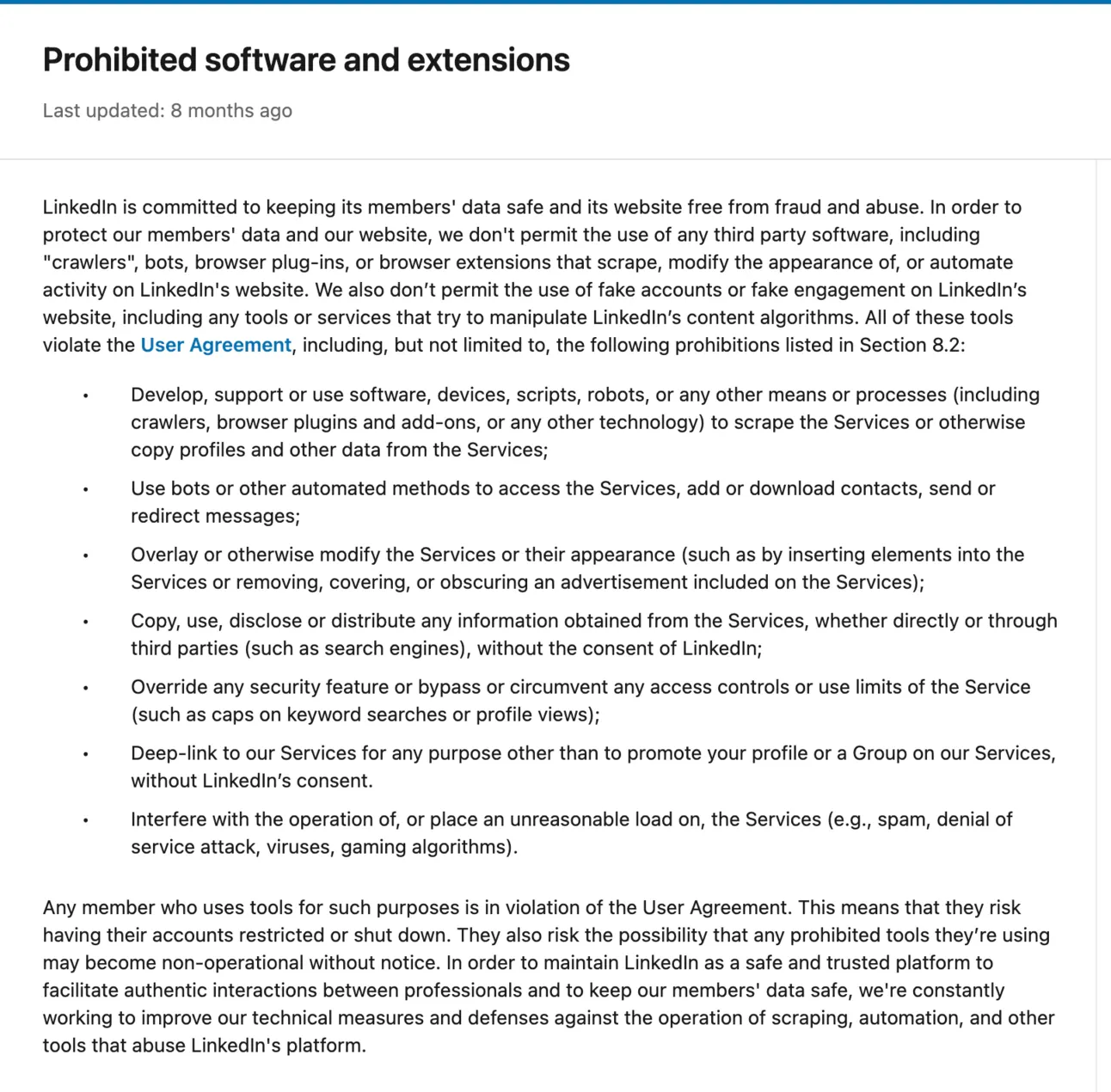
LinkedIn Chrome Extensions are usually the easiest (and cheapest) tools for automation. But they might be dangerous.
Chrome Extensions are usually:
- making changes on your behalf (on the front-end) - and it’s easy for LinkedIn to detect those actions
- using your session cookies to make the automation - it’s a bit harder for LinkedIn, but since these tools are taking your current session cookies and initiate the instance right away (on their side) from a different IP - it might be a bad signal for LinkedIn
So overall - I would NOT recommend using Chrome Extensions for LinkedIn automation.
Cloud-based
This is a way more advanced, but a bit comprehensive way to automate your LinkedIn (It’s https://expandi.io/).
How it works?
Expandi (and other cloud-based solutions) set-up a virtual computer and login to your LinkedIn profile using your credentials.
So imagine, Cloud-based solution as your assistant who open their laptop and makes some actions on your behalf.
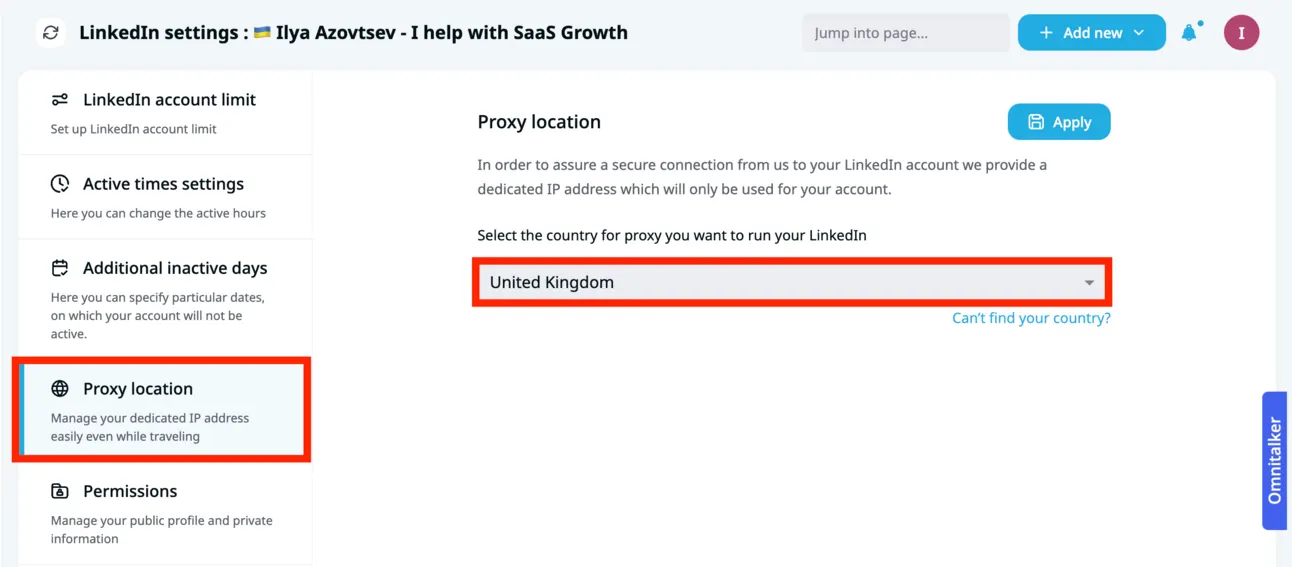
With the tools like https://expandi.io/ you can even choose a custom proxy location, so basically it’ll set up a virtual computer and connect with people from your location.
And this is becoming really hard for LinkedIn to detect.
So obviously, I recommend you going with cloud-based solutions 😉
Your LinkedIn Outreach
Let’s say, everything is good with your profile (you have a growing and nice SSI, it’s not young, etc) and also you’ve picked a safe tool for LinkedIn automation (for example, https://expandi.io/).
There is only 1 chance left for LinkedIn to ban you.
If you’re actually spamming people.
So, if you send a lot of messages and nobody is actually interested (sometimes even report you for spamming) - that means you’re not getting results from this channel and also, have higher chances to get banned on LinkedIn.
So here is a quick checklist of things you have to do to get more people who accept your connection requests & reply back to you.
LinkedIn Connection Request Limits
Make sure you’re not sending too many connection requests per day. So for this I highly recommend you use Account Warm-up.
So it’ll basically limit your account with the number of messages you can send at the very beginning, but will gradually increase this limit by 1 during 21-28 days (recommended).
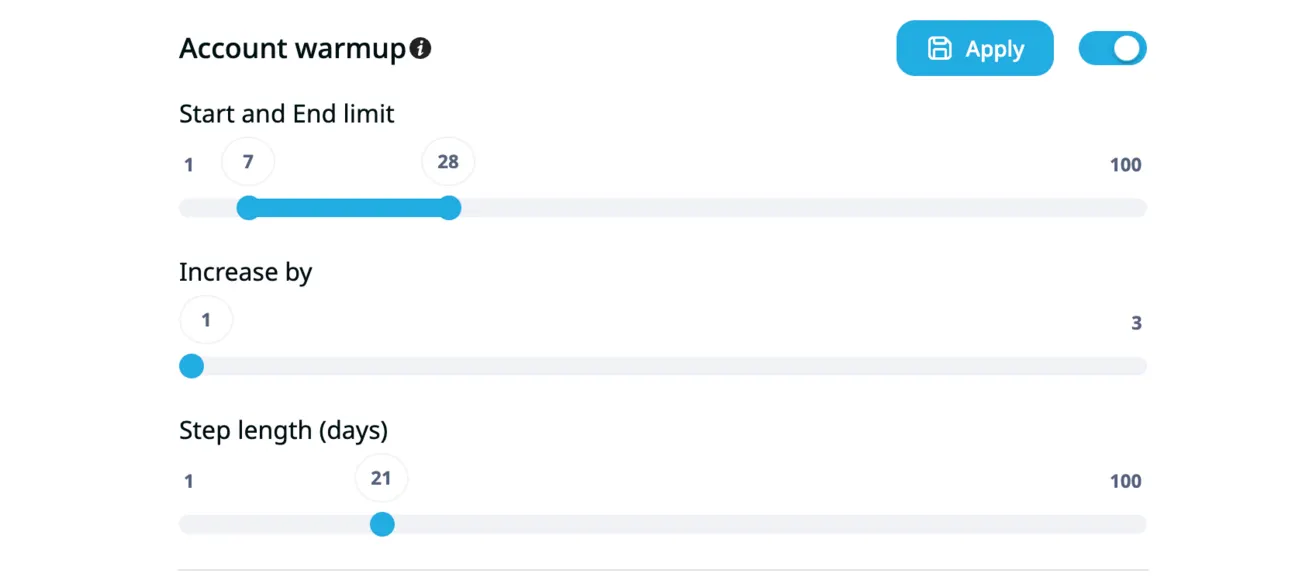
You show to LinkedIn that you’re slowly increasing the volume (like a healthy user).
Now you need to get great results from your outreach!
Remember the more positive replies and connection requests accepts you get - the better for your LinkedIn account health 🏥
Find relevant people
The very first thing to get better results on LinkedIn is to find a relevant audience. Remember, you don’t need to find thousands of people, you need to find 200-400 extremely relevant contacts who fit your ICP.
So for this, you need to leverage all filtering power of LinkedIn Sales Navigator:
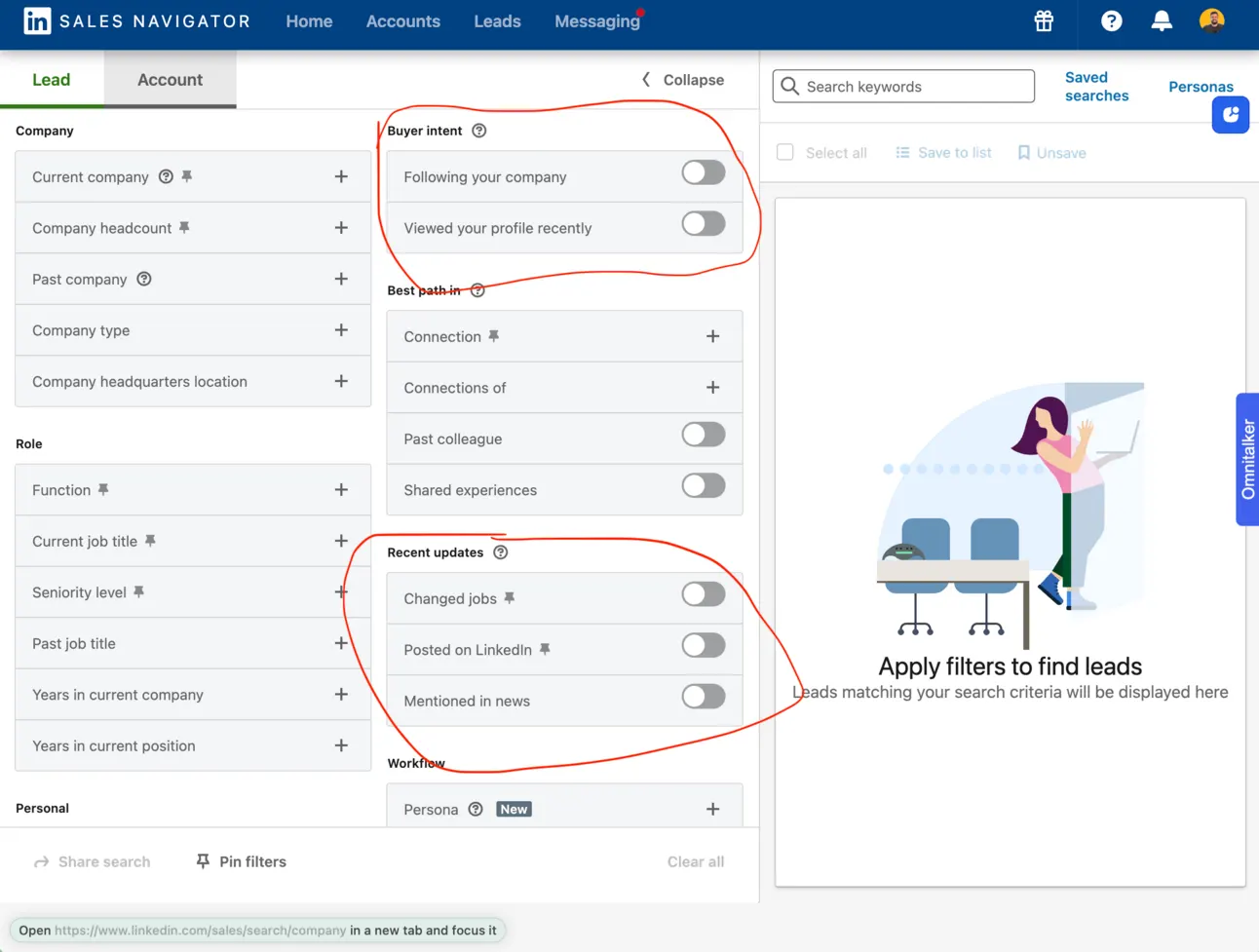
I’m writing a full guide for LinkedIn Sales Navigator, but here is a spoiler. Leverage these filters:
- Changed jobs → if this person just became a Director/VP/Manager etc, there is a huge chance that this person might want to implement changes
- Posted on LinkedIn → it’s way better to reach out on LinkedIn to those who are active on the platform (they will see your message faster)
- Viewed your profile recently → in this case your outreach becomes warm instead of cold
Personalize your outreach
Make sure people feel unique when reading your messages on LinkedIn. That’s the key part of the success on LinkedIn.
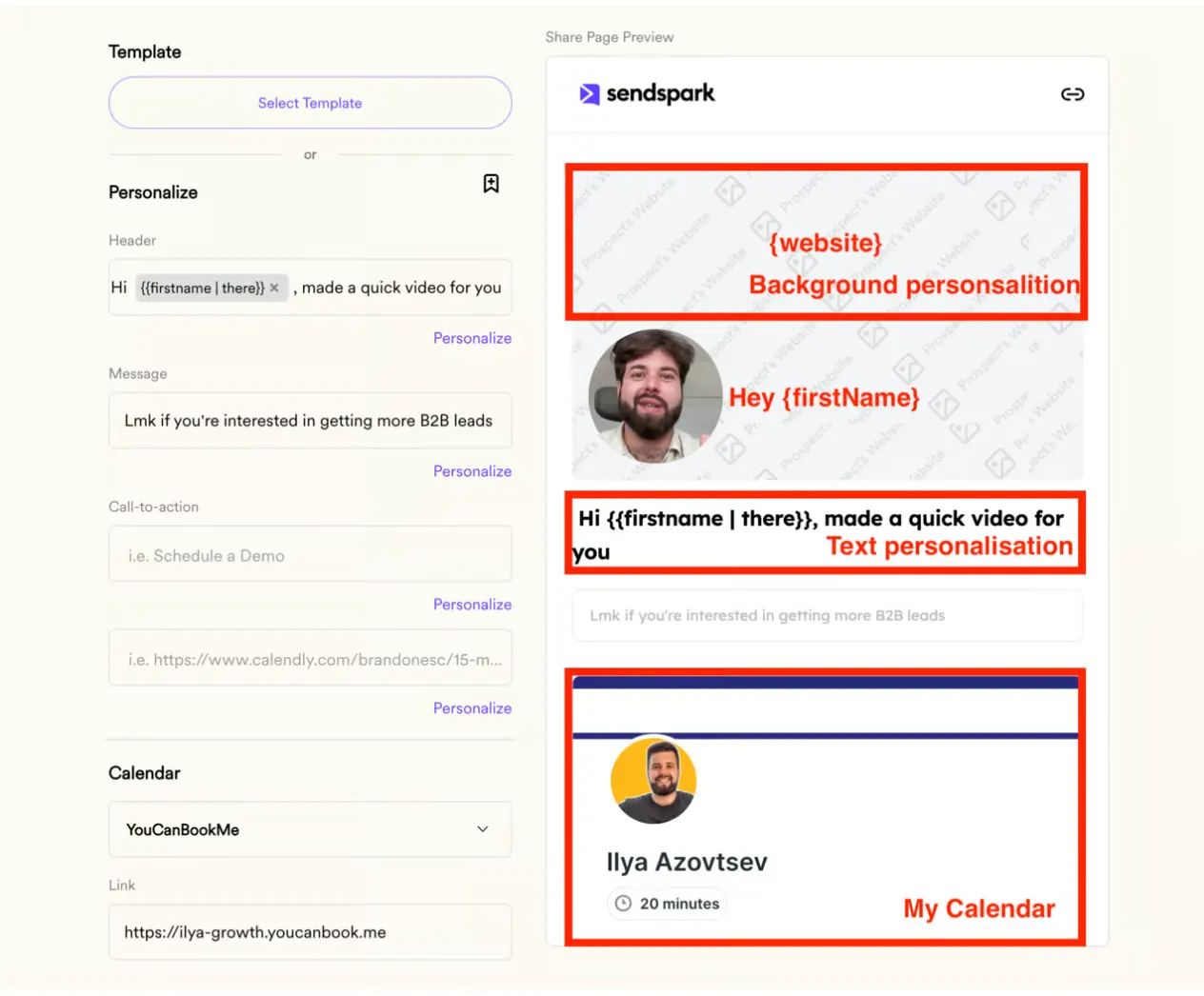
There are tons of ways to personalise your outreach, but let me share the best one → Video Personalisation!
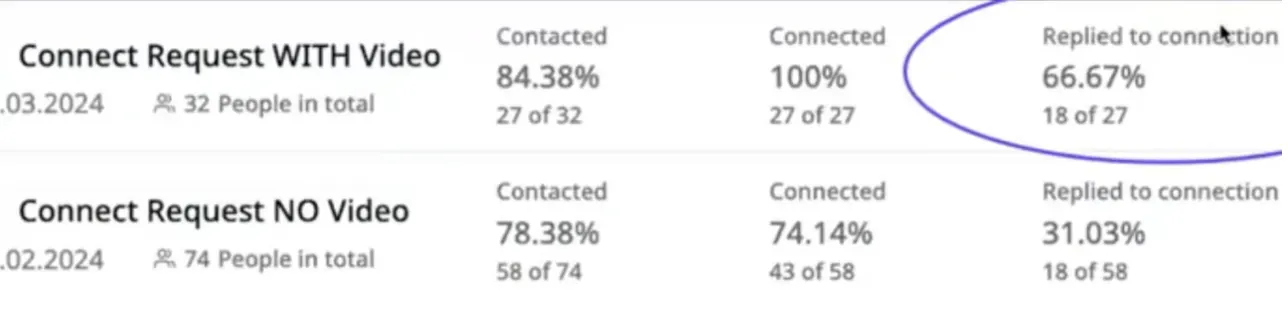
Simply 2x more replies 🙂
Why? Because people get a link to the loom-type video with their website on the background!
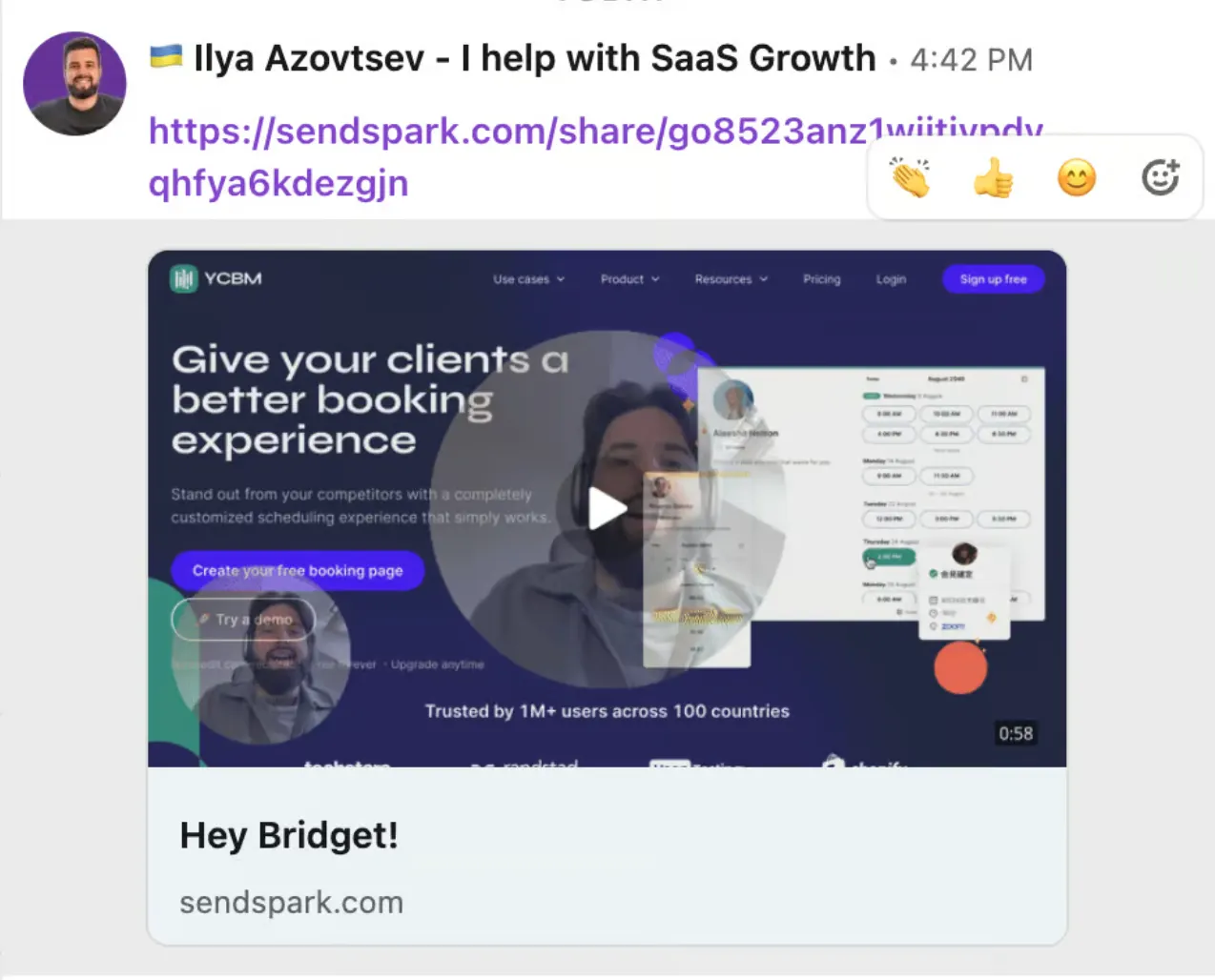
That’s definitely what catches attention 🧑🚒
We’re using https://sendspark.com or https://response.ai/ for automating this video creation.
Warm up your audience
One of the greatest way to increase your chances to generate a lead - is to engage with their profile before (and during) your outreach flow.
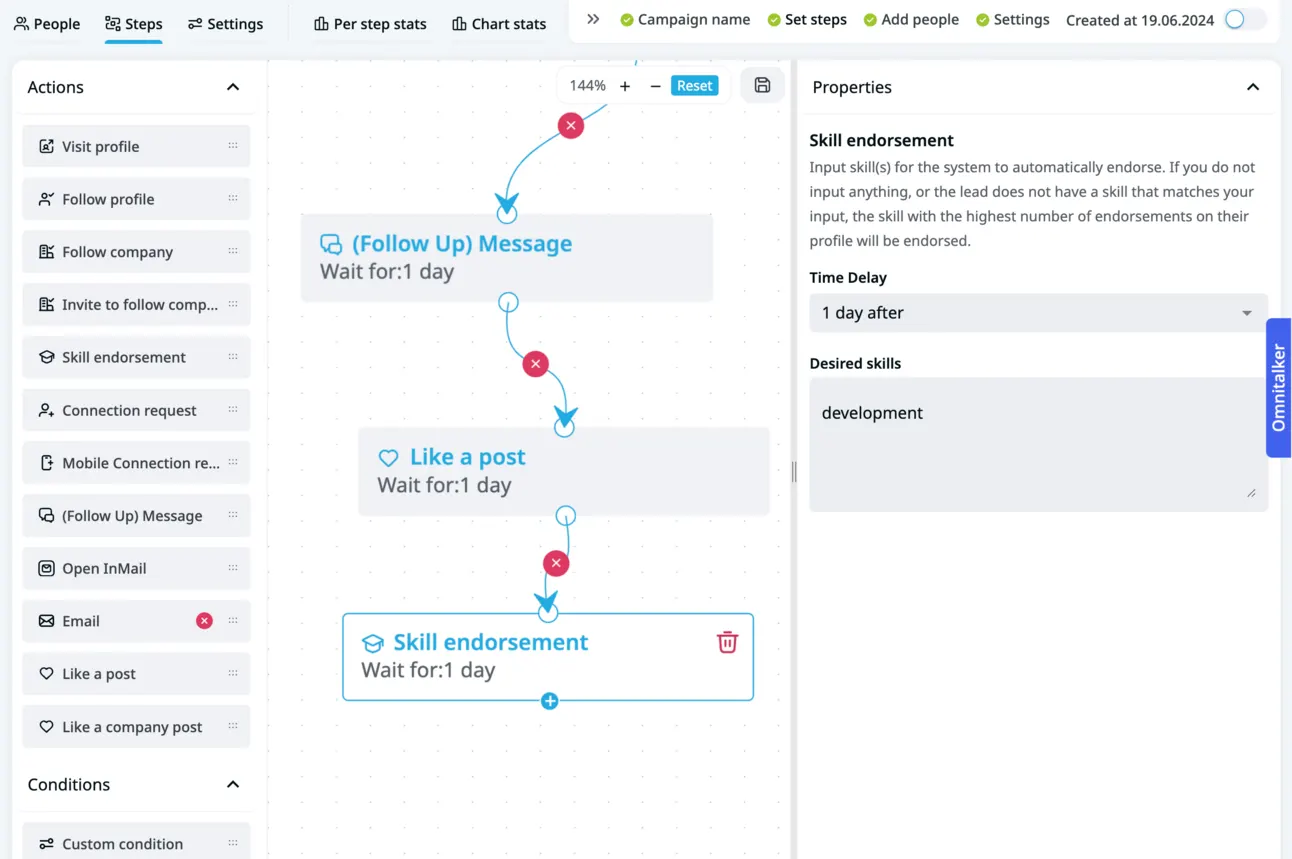
Go and
- visit their profile
- like their posts
- endorse their skills
So these prospects will get notifications about your activity & it’ll definitely catch their attention.
Btw, you can automate it easily with Expandi (https://expandi.io/)
Campaign type
Also, there is one more growth hack for you to send more connection requests & still be out of the risk zone on LinkedIn.
Use “Mobile Connector” campaign.
Yes, it’s https://expandi.io again. What can I do if this tools is doing everything? 🤣
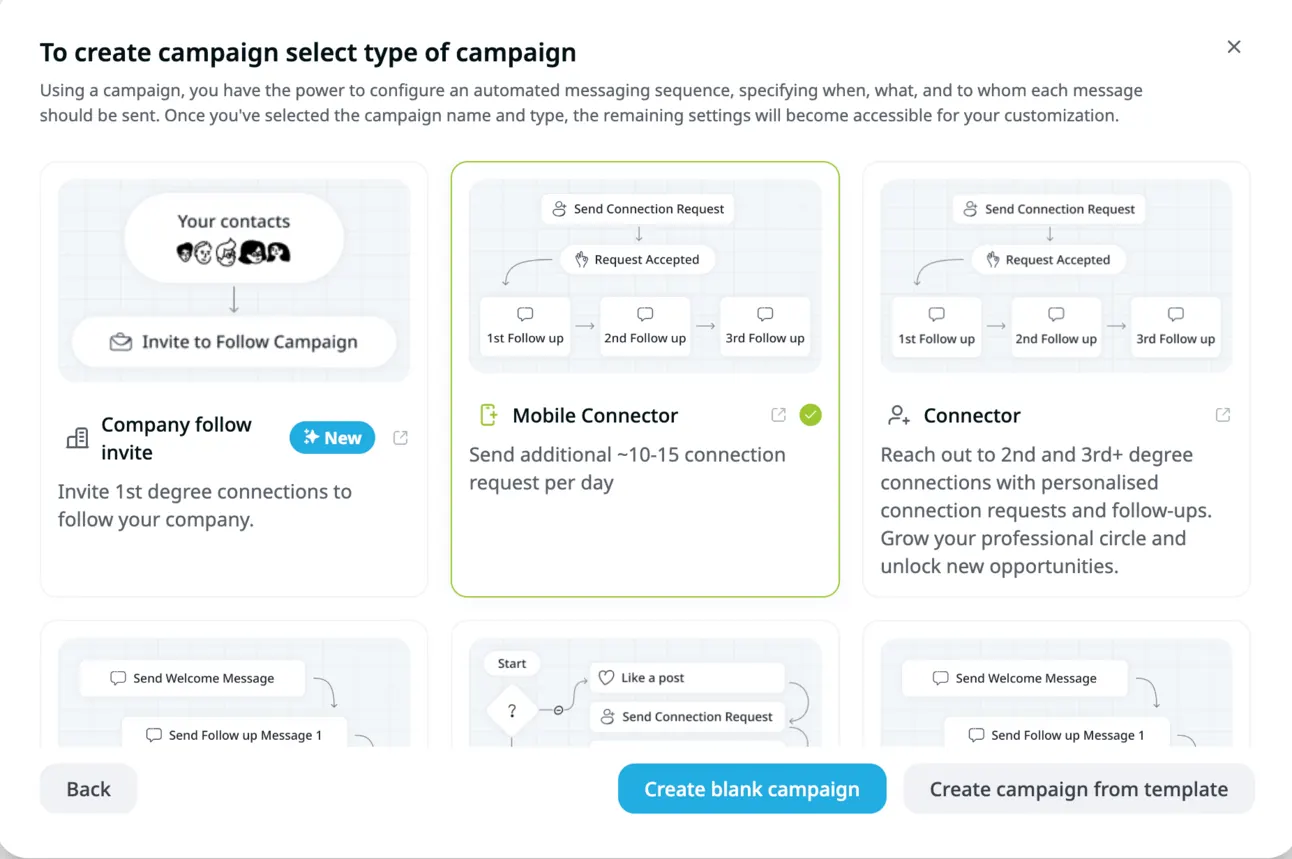
Do you remember I told you how Cloud-Based solutions mimick your actions by setting up a virtual computer?
So Expandi went further and started mimicking your actions from mobile device.
Usually mobile devices are way more trustful for any social media (for LinkedIn as well).
As a result, you can simply send more connections with no risks of losing your account.
Continuous improvement
Ok, you did everything according to this checklist. Is it enough?
No.
You need to continuously check your account & outreach activity and results.
If your:
- SSI is growing
- Reply rate is above 10-15%
- Great acceptance rate (55+)
Go and increase your limits on LinkedIn.
If it’s not going in the right direction, it’s ok to go slower with your limits.
Summary
Now you know everything about LinkedIn lead gen with no risks.
Let me go through this again:
- Make sure you did your LinkedIn account health check
- Make sure you’re using only reliable solutions ( https://expandi.io/)
- Make sure you personalise your outreach (for example with video)
- Make sure you control your limits (with Warm-up feature)
Btw, if you like our content:
- Join Community
- Watch us on Youtube
- Let’s connect on LinkedIn (Ilya & Max)
Talk to the team that runs this every day
Book a 30-minute call. We look at your outbound and tell you what we would change first.

Ilya AzovtsevCo-founder
Co-founder of GrowthBand. Helped scale lemlist from $20k MRR to $10M ARR and built automation at Expandi; now runs the cold email infrastructure behind 32,000+ mailboxes.