
Heyo 👋
Let’s talk about the #1 Outbound killer - Microsoft Deliverability.
You always have at least 30-35% of recipients who use Microsoft, and they barely see your cold emails.
(If you’re targeting bigger companies, this % is even higher 😟)
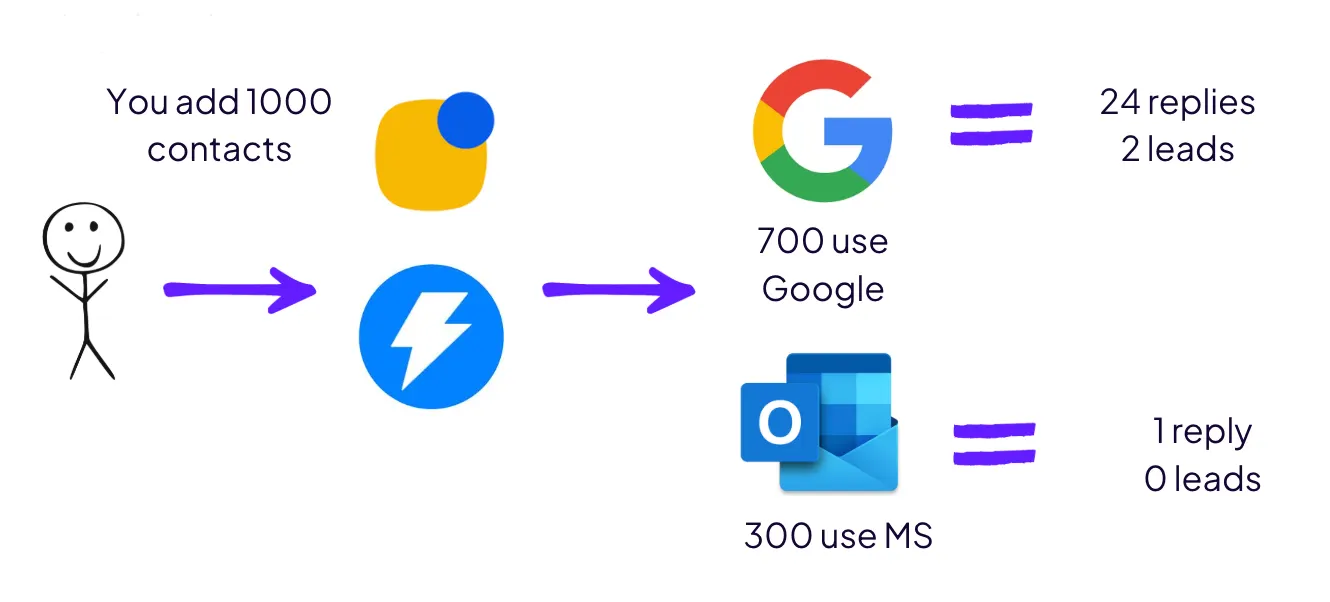
Why?
Microsoft filters are stricter, their scoring is harsher, and most teams still optimize only for Gmail.
After managing 15,000+ mailboxes across Growth.band campaigns, here’s the hard truth:
Outlook is where most cold email strategies die 😵
The Microsoft Problem
Most “deliverability guides” focus entirely on Gmail.
But Outlook and Exchange operate with an entirely different rulebook:
- Zero tolerance policy: Google gives warnings. Microsoft skips straight to spam.
- New domain penalty: Fresh domains without perfect setup are flagged instantly.
- Internal spam score: A private 0–10 score that’s far stricter than Google’s.
- Warm-up blindspot: Most tools only warm up Gmail, leaving Outlook cold.
And if you think “hey Ilya, I’ll just set up Microsoft mailboxes instead of Google - and it should be fine” - no.
Currently, there is no significant difference in deliverability between Google and Microsoft, or between Microsoft and Google.
What Kills Microsoft Deliverability
- Template-based copy detected by AI filters.
- Basic spintax that isn’t truly randomized.
- Consumer-grade SMTP setups.
- Missing or broken SPF/DKIM/DMARC records.
The result?
Burned domains. Dead campaigns. “Cold email is dead” posts on LinkedIn 😄
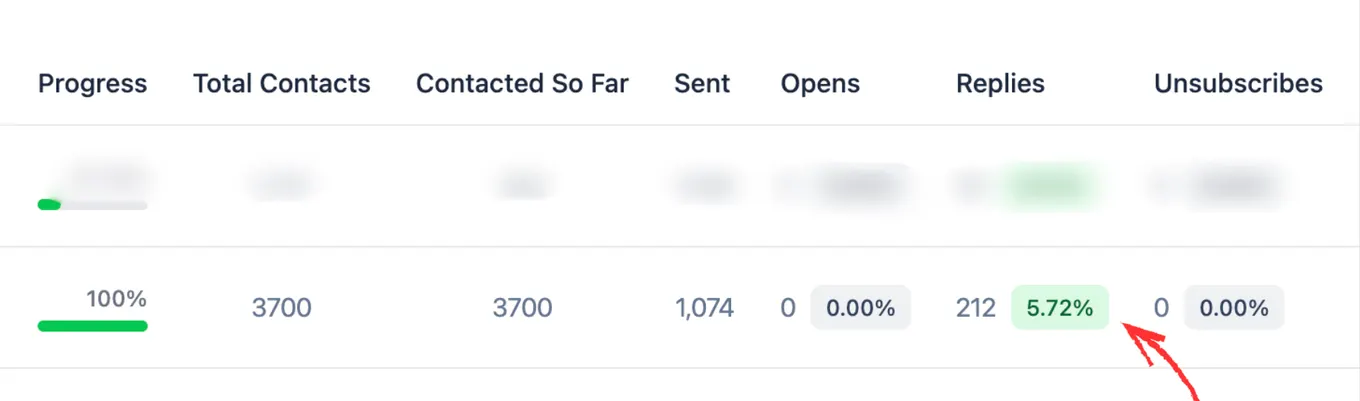
✅ But here is the thing - we manage 15k+ mailboxes for our clients (if you need help with deliverability, reach out) - and we cracked MS filters - with a unique approach.
🔥 Our clients usually get 3.5x better reply rate from MS recipients using this set-up.
The Setup That Actually Works
After testing thousands of inboxes, this is the only reliable infrastructure for Microsoft deliverability:
🧰 Infrastructure:
→ Azure SMTP with enterprise IP reputation
→ 1 domain = 10 mailboxes = 50 cold emails/day max
→ 20% of the infra is dedicated for the rotation
☕️ Warm-up:
→ Separate pools for Gmail vs Microsoft
→ Use premium warm-up tools built for Outlook
🖥️ Technical:
→ Perfect DNS authentication
→ Microsoft-specific inbox placement testing
→ ESP matching (send Azure SMTP → Microsoft)
🧪 Testing Protocol
Run deliverability tests bi-weekly, not “never”.
→ Include Outlook in every inbox placement test
→ Monitor each ESP separately
→ Rotate domains proactively when issues appear
The goal: stay ahead of Microsoft’s hidden spam score before it tanks your domain.
💰 The Hard Truth
This setup costs 2–3x more than your average cold email system.
But burning through domains and destroying your sender reputation?
That costs way more.
🚩 Common Mistakes to Avoid
- Using shared SMTP servers
- Using Google mailboxes to reach out to MS
- Only testing on Gmail
- Sending identical content across domains
- Ignoring Microsoft-specific warm-ups
Avoid these, and your deliverability rate instantly jumps.
📊 Metrics That Actually Matter
→ Inbox rate for Outlook/Exchange users
→ Microsoft spam score trend
→ Domain reputation across both ESPs
If you’re serious about cold email in 2025, these are the KPIs that matter - not just “reply rates.”
🔐 Bonus: Enterprise SPAM Shields
If your recipients use Mimecast or Proofpoint, you need Azure SMTP with enterprise IPs.
At least with the proper infra, you get some chances; otherwise, even your best-crafted emails never make it out of the sandbox.
With 🫰to your Growth,
Ilya (let’s connect on LinkedIn)
Get sending infrastructure that stays out of spam
We build and run your cold email infrastructure: domains, mailboxes, daily placement checks and a rotation pool.

Ilya AzovtsevCo-founder
Co-founder of GrowthBand. Helped scale lemlist from $20k MRR to $10M ARR and built automation at Expandi; now runs the cold email infrastructure behind 32,000+ mailboxes.