If you’re sending cold emails - you have to care about your Email deliverability.
It doesn’t matter how many follow-ups you sent, how personalized your emails are, how cool you integrated it with your CRM… if your cold emails are landing in the SPAM folder, it all makes no sense.
Really, imagine how much resources you invested into this channel, and it all for nothing, if your email deliverability is poor.
One of the most effective strategies for maintaining high deliverability is to monitor your email performance regularly and identify potential spam issues as soon as they arise. Daily detection of spam issues allows you to be proactive in your approach to email deliverability.
By catching deliverability problems early, you can address them before they escalate, preserving your sender reputation and ensuring that your emails continue to reach their intended recipients.
So in this article we’ll cover:
- How to get daily alerts when your deliverability goes poor
- How to fix it right away
How to set-up your Daily Deliverability Alerts
To get daily alerts when something goes wrong with your deliverability you need to use Pulse.
- Sign-up here.
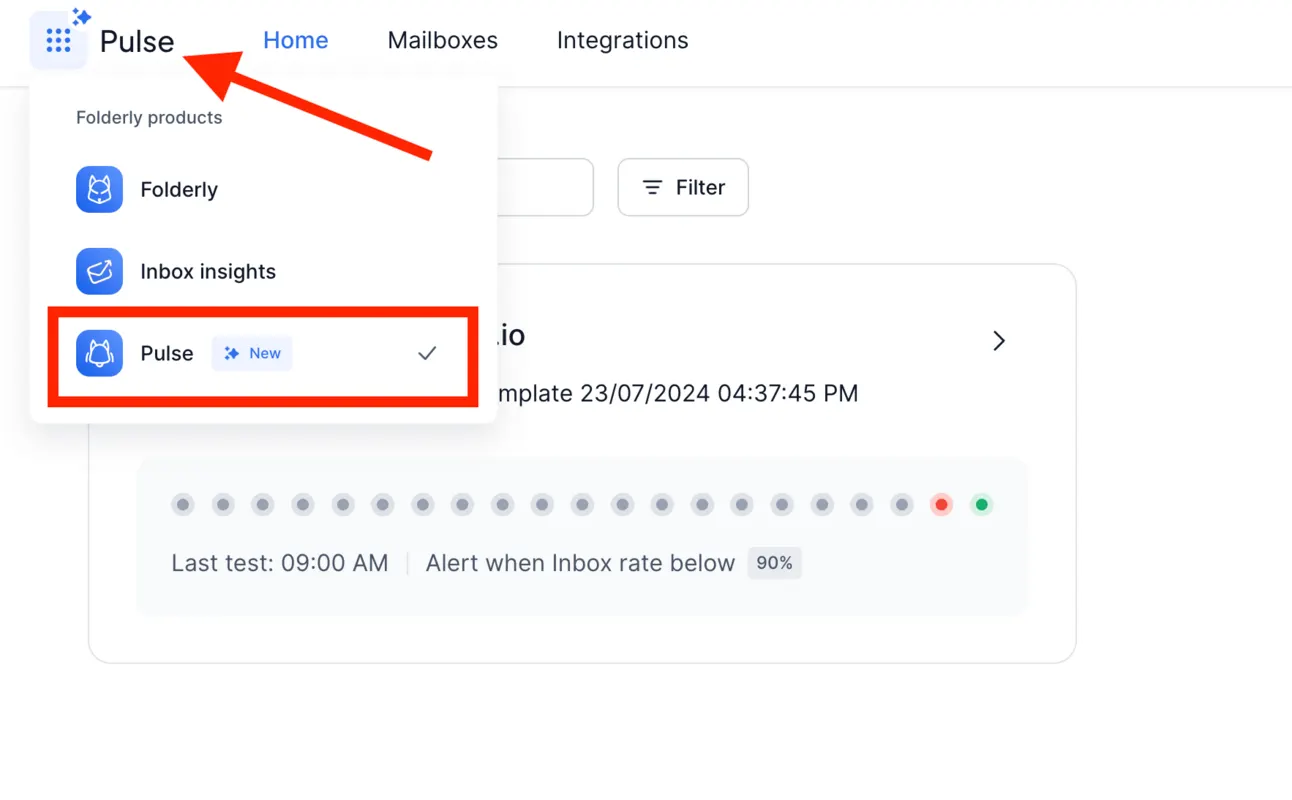
- Choose “Pulse” on the top left bar:
- Connect your email account:
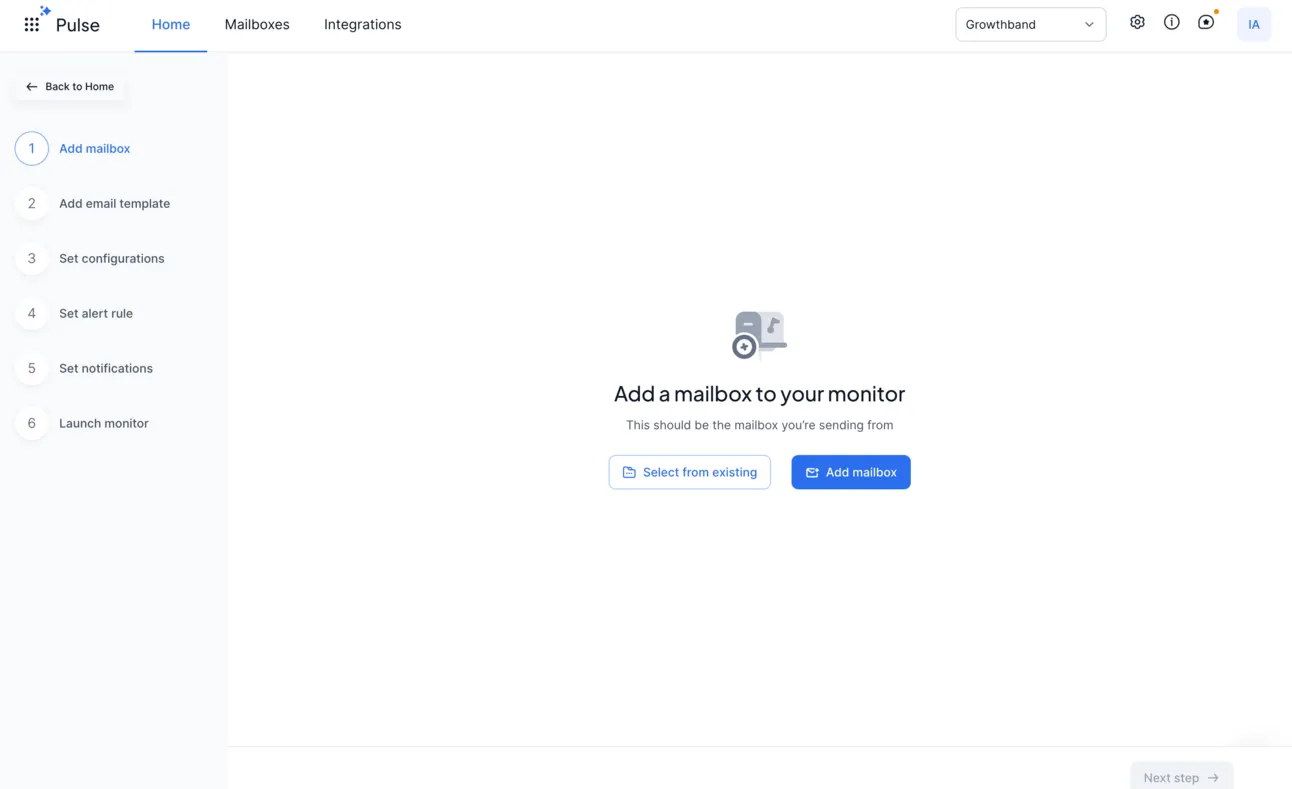
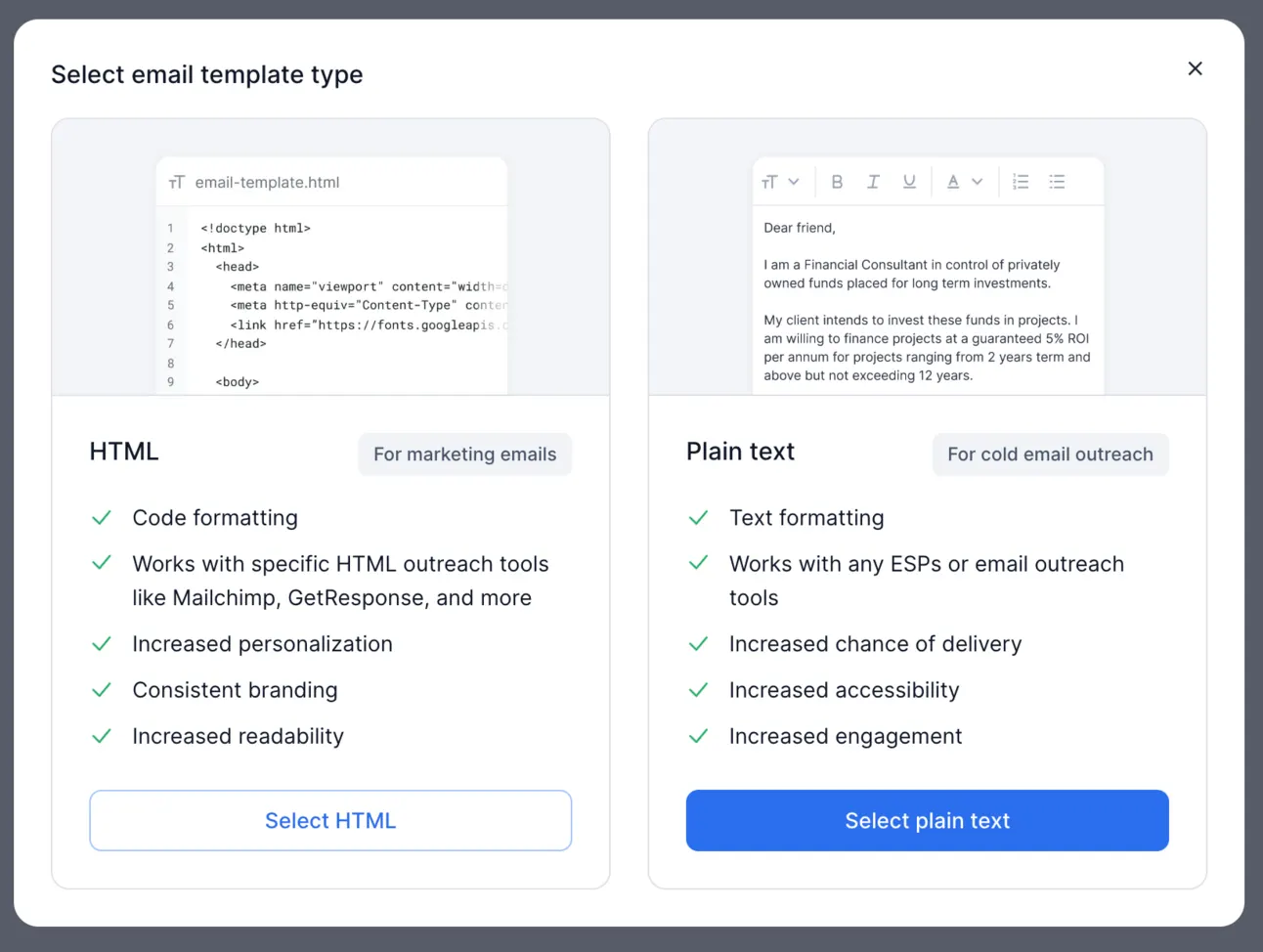
- Add your cold email template (real one)
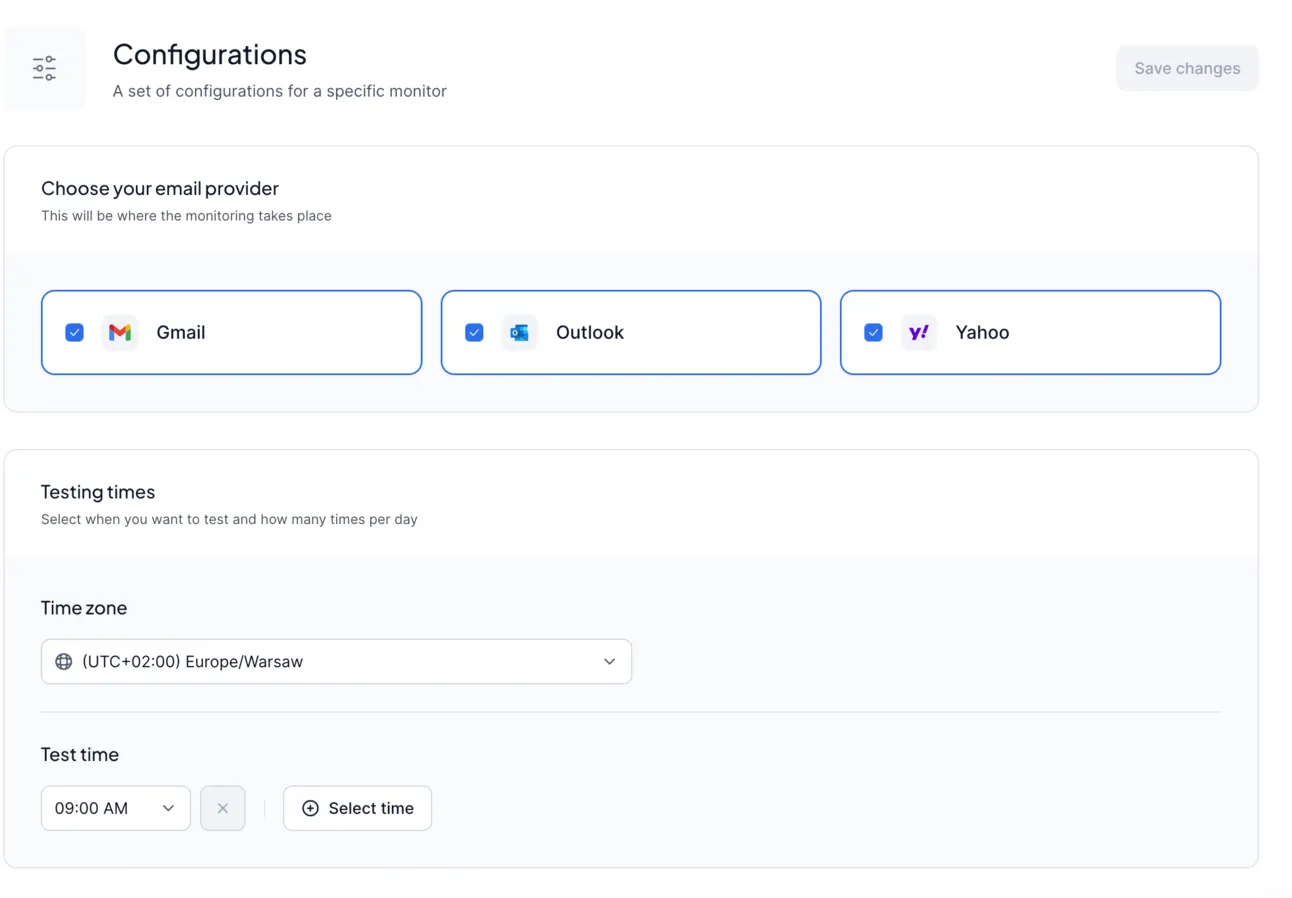
- Choose what email providers you want to test on (I choose all 3):
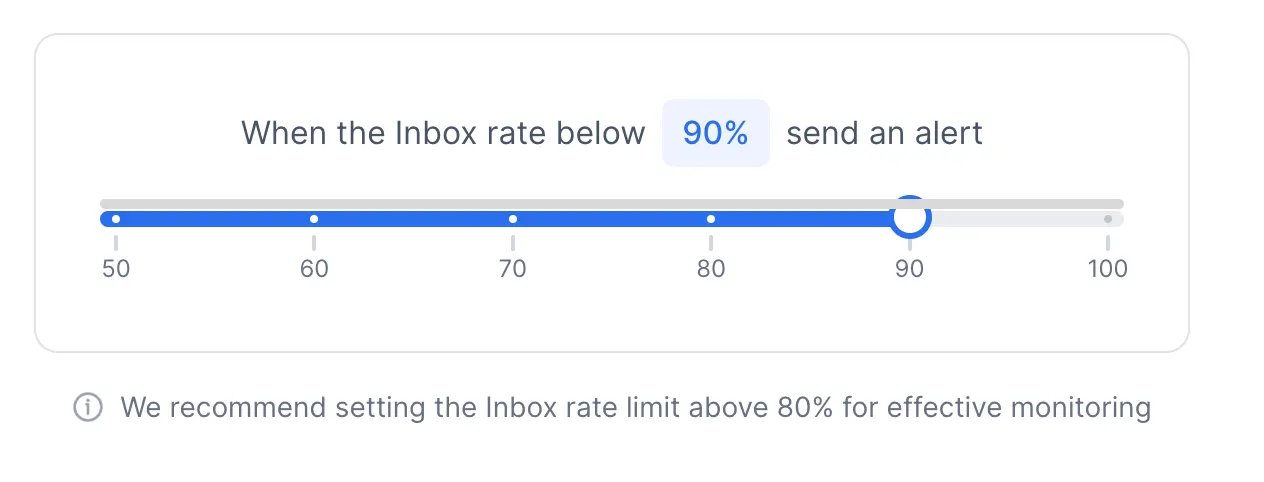
- Set-up alert rules
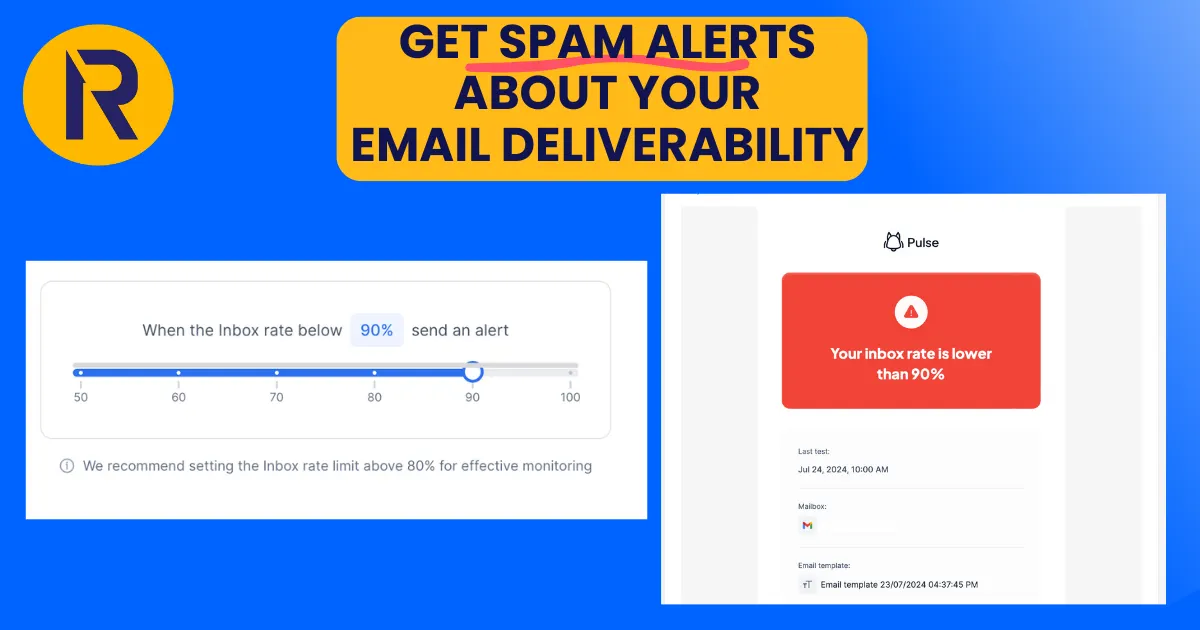
So Pulse will send you alert notifications when your deliverability rate goes below a specific metric. I personally set-up 90%.
So if my deliverability goes below 90% (10% of emails go to SPAM) → I’ll get a notification.
- Get daily notifications IF something goes wrong with your deliverability.
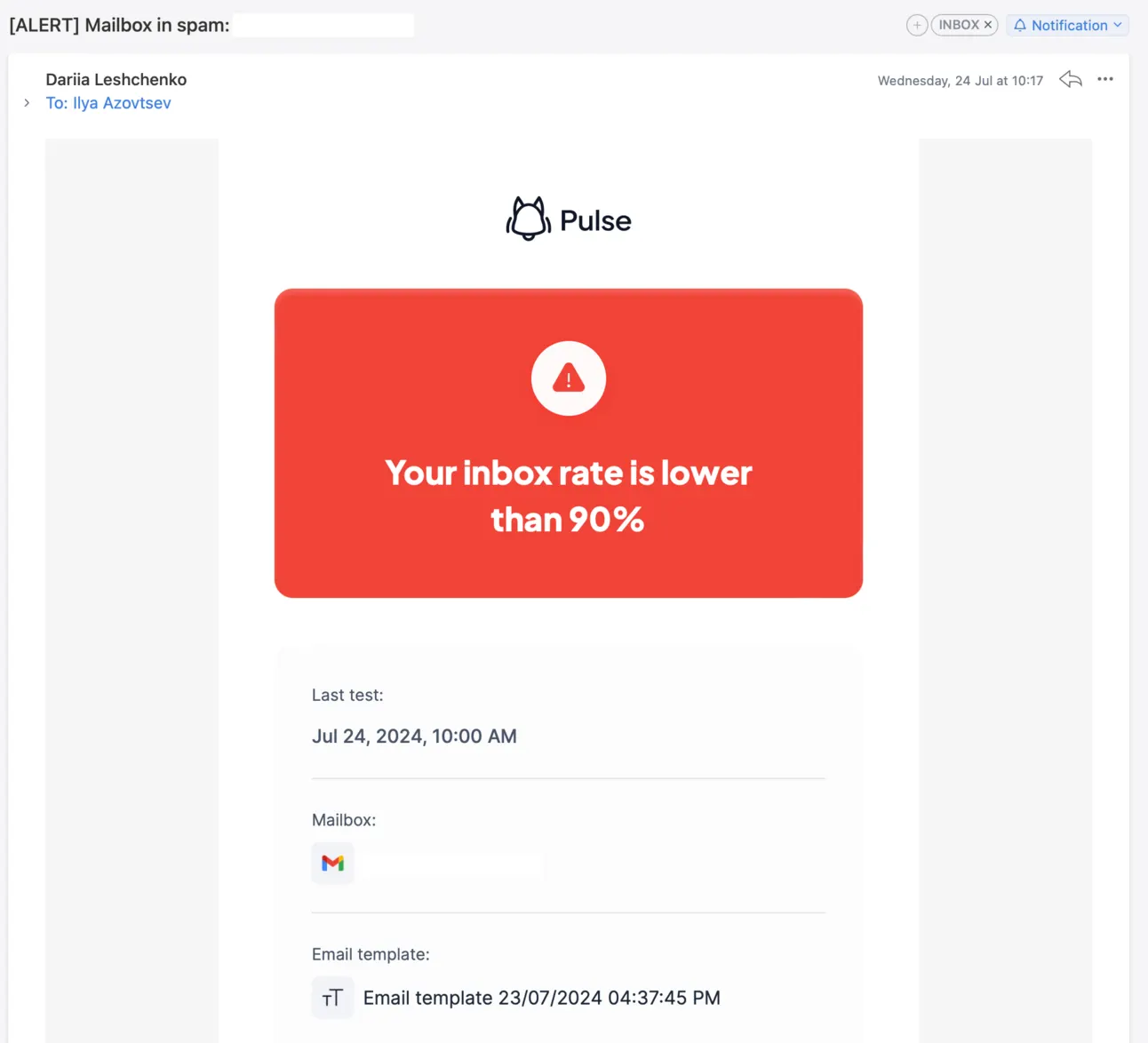
Now with Pulse you can fix your deliverability exactly when it goes below a normal rate!
How to fix your deliverability
Again, if you want to start getting leads from cold emailing but make mistakes, it can totally screw your whole lead generation plans. If your emails are going to SPAM folder, you will NOT generate any leads (nobody is replying on email that came to their SPAM folder) but also, that means that your main domain reputation will be hurt as well, and all your normal emails (or marketing newsletters) will go to SPAM as well.
And this becomes a huge problem not only for lead generation, but also for the whole business.
Common deliverability issues
Let’s go through the basics and the mistakes a lot of people make. Make sure you don’t make them!
- Sending cold emails from FREE email accounts (like gmail, yahoo, hotmail, etc)
- Sending from general email accounts like info@yourdomain.com
- Don’t set-up SPF, DKIM, DMARC, etc
- No email warm-up before & during outreach campaigns running
- Sending generic templates with no personalisation
- Too much HTML in your cold emails
- Sending too many emails from 1 email account
- Using aliases to send cold emails
- No check for SPAM words in your emails
- Don’t verify contacts’ email addresses before sending
- Using the wrong toolset for cold emailing
How to fix them:
Technical set-up
We need to do a proper tech set-up so email providers know who we are.
It usually includes: SPF, DMARC, DKIM, MX Record and BIMI (for bigger companies).
So we need to check out whether everything is set up corrently.
Email deliverability testing
At the very beginning you need to make an audit of your email domain, for this we recommend you a free tool - InboxInsights.
It’ll show you whether you set up everything correctly.
To set up InboxInsights you need to click on “Start test”:
And connect your email account:
If you see the errors with SPF, DKIM or DMARC check the setting I’m sharing below:
How to set-up SPF record
The very first thing that you need to do is to set-up (or check whether you have it already and whether it’s correct) the SPF record.
SPF (Sender Policy Framework) TXT record, is a list of trusted email servers that are allowed to send emails on your domain's behalf. It means you need to update it every time you remove or add a tool that sends emails from your domain. Otherwise, the email that hasn’t been added will be defined as untrusted, and you’ll encounter problems with deliverability. And vice versa, try to keep your SPF Record clean by removing any tools or applications you are no longer using from your SPF record.
How to set up DKIM
DKIM stands for DomainKeys Identified Mail and is used for the authentication of an email that’s being sent. It keeps the public key the receiving mail server will use to verify a message's signature.
How to set up DMARC
DMARC, or “Domain-based Message Authentication, Reporting & Conformance,” is another type of email authentication. It is an authentication protocol that builds on the SPF & enables domain owners to know how email should be handled when it fails SPF authentication.
The thing with DMARC is tricky.
For the first month you need to set-up:
v=DMARC1; p=none;
If there is a 100% success rate after the 1st month, you need to change it to:
v=DMARC1; p=reject; or v=DMARC1; p=quarantine;
People mark your emails as SPAM
If this is an issue, you definitely need to review your cold email targeting & messaging.
If you understand that you’re reaching out to a proper audience with relevant offer → you still need to fix your deliverability.
In this case → we recommend you to turn on email warm-up & increase the amount of warmed-up message you’re sending.
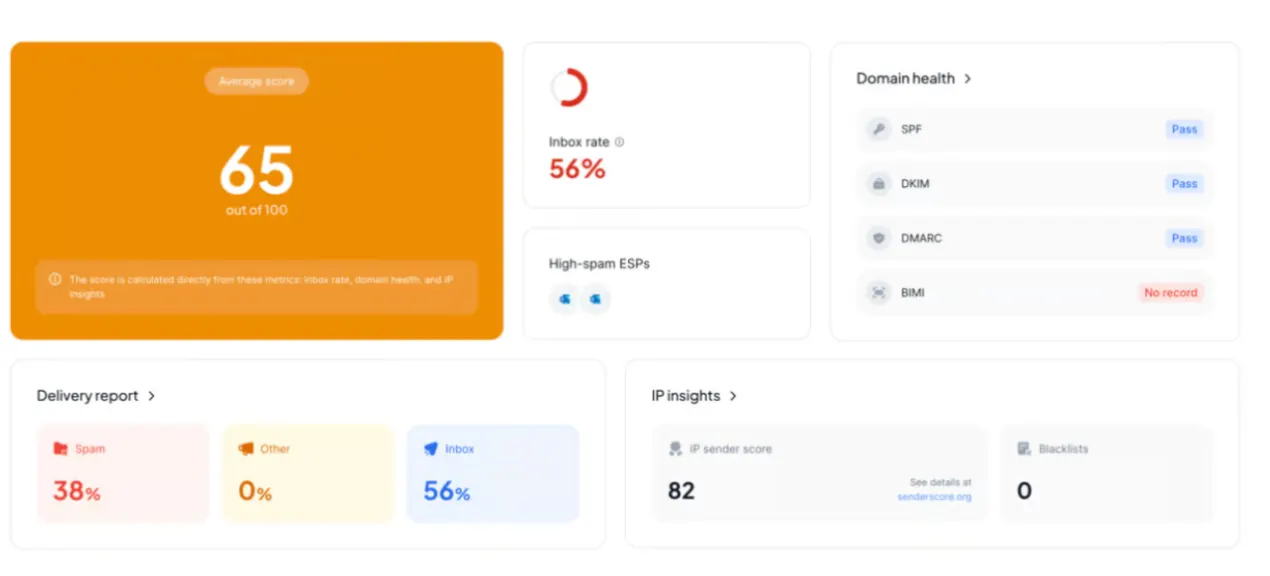
There are warm-up tools that will automatically send emails on your behalf to other email accounts that they control and will automatically:
- Simulate the open & read activity
- Will mark email as “not spam” if it landed to spam folder
- Will mark email as “important”
- Simulate link clicks
- Will reply to your emails
So basically it will control some part of emails that you’re sending and will make sure these warmed up emails are not going to spam & get replies!
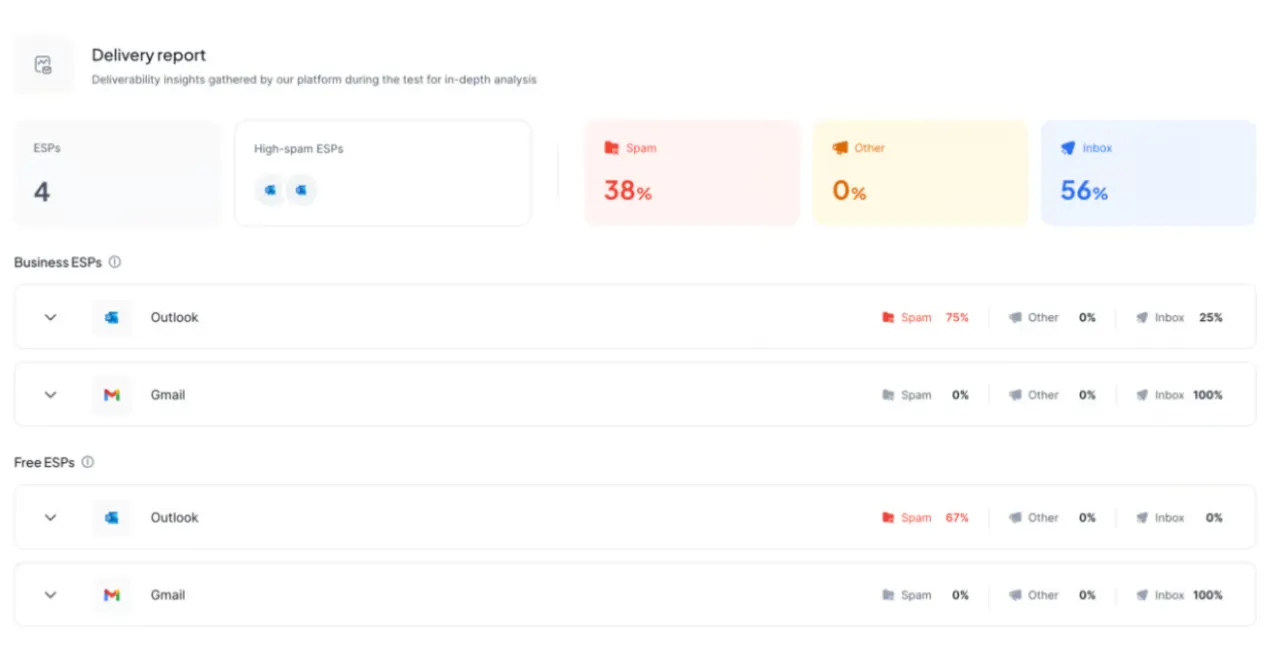
I’ve prepared different warm-up strategies & other important things in this huge guide → https://www.linkedin.com/pulse/cold-email-deliverability-complete-guide-2024-ilya-i100f/
Summary
Now you know how to detect your email deliverability crushes instantly!
And also, how to fix it!
Tools for email deliverability:
SPAM alerts → Pulse
Email Domains -> Namecheap
Email Accounts -> Google or Microsoft
Email Deliverability Audit -> Inboxinsights & Postmark
Email Warm-up tool -> Folderly
Email Outreach tool -> Reply or Instantly
Email Personalisation -> Clay
Email Validation -> Clearout
With 🫰 to your Growth,
Ilya (let’s connect on LinkedIn)
Get sending infrastructure that stays out of spam
We build and run your cold email infrastructure: domains, mailboxes, daily placement checks and a rotation pool.

Ilya AzovtsevCo-founder
Co-founder of GrowthBand. Helped scale lemlist from $20k MRR to $10M ARR and built automation at Expandi; now runs the cold email infrastructure behind 32,000+ mailboxes.