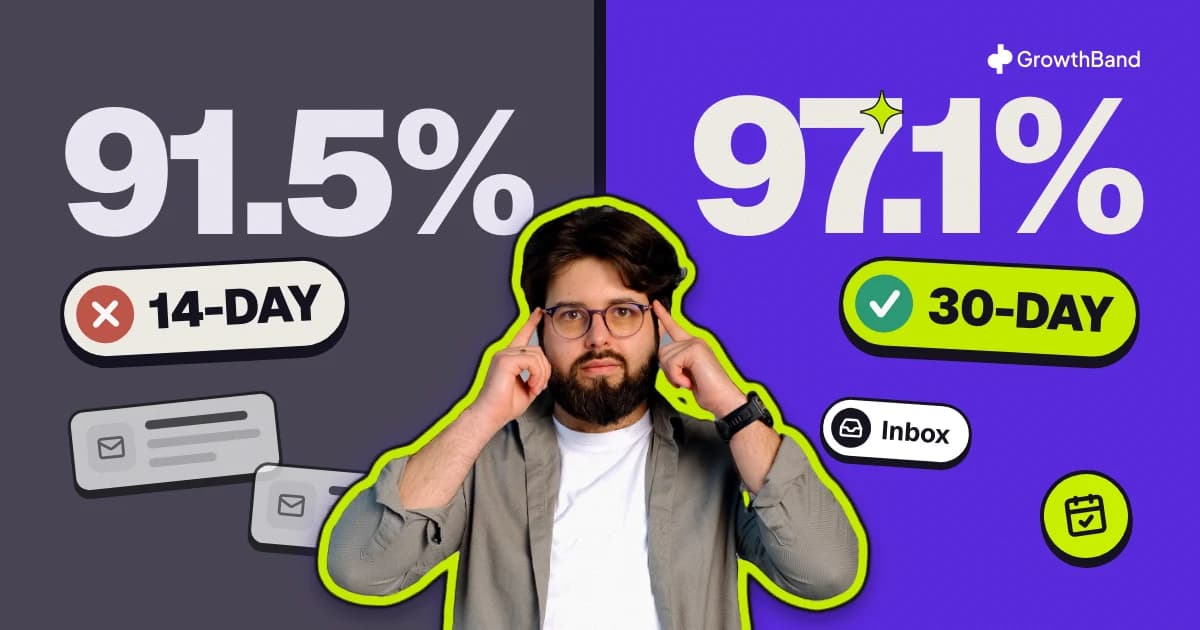
Heyo, it’s Ilya from Growthband, your Fractional Head of Cold Email Infrastructure.
(Save this post for future, since I’m sharing our internal processes)
If you’re in B2B, you already know how hard it is to generate qualified leads reliably.
❌ SEO takes forever.
❌Paid ads are unpredictable.
❌Events and roadshows don’t scale.
So you turn to outbound — cold email seems like the smart move. Clear ROI, simple execution.
Your first campaigns even start well. A few replies. Some calls.
It feels like you’ve unlocked something.

But then…
Reply rates drop. Pipeline slows. Nothing converts.
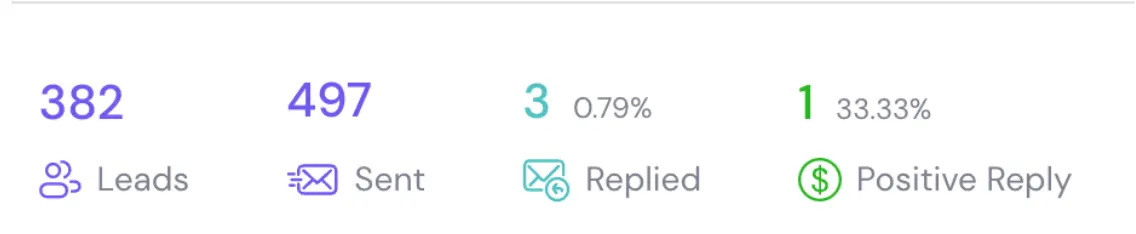
You blame the copy. The targeting. The SDRs. Maybe the tools.
But in 90% of cases — that’s not the real issue.
The truth?
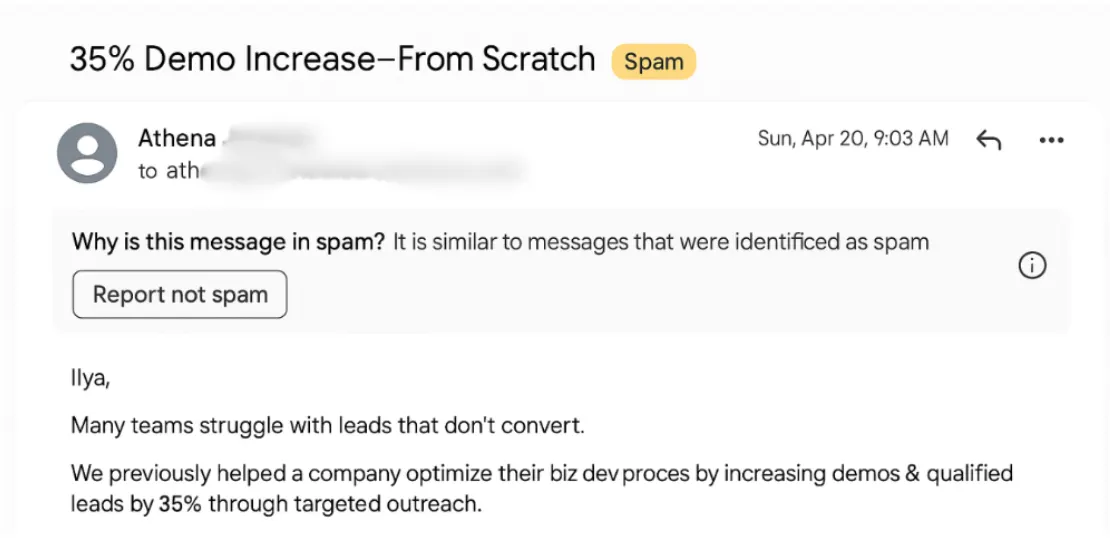
Your emails aren’t getting delivered.
They’re going to SPAM.
It doesn’t matter:
- How personalized your emails are…
- How many contacts you reached out to…
- How many follow-ups do you send…
Nobody replies from the spam folder.
🚨 Cold Email in 2025 ≠ Cold Email in 2017
Back in the day, you could send from your main domain, with no warm-up, and still landed in inboxes.
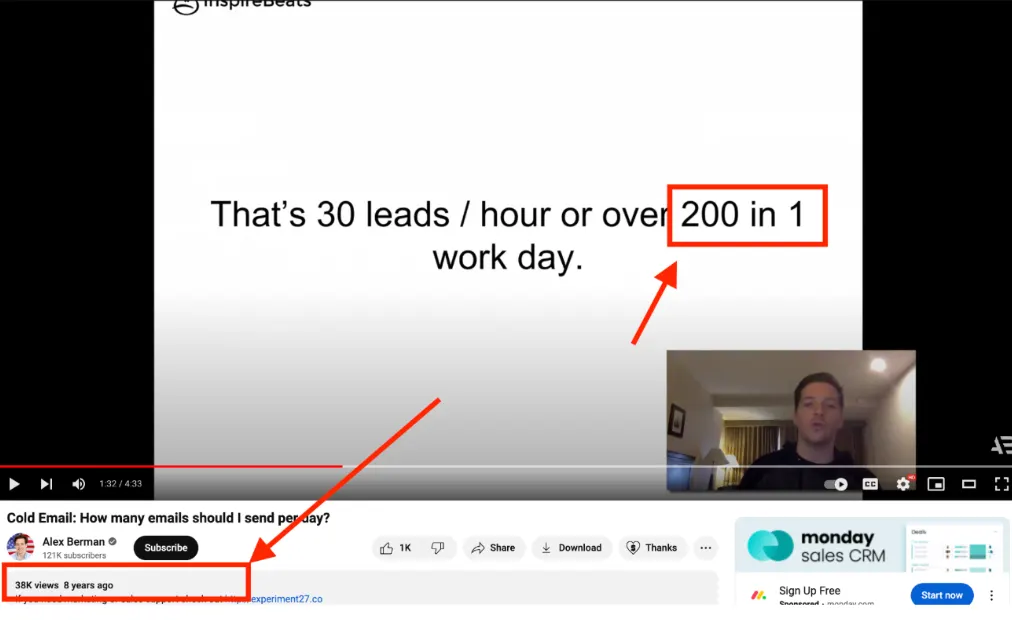
The pattern those days:
- Main domain
- 1 Sales rep = 1 mailbox
- 150-200 cold emails/day
- Outreach tool: 1 seat = 1 mailbox
- Basic DNS set-up
- No Deliverability monitoring
- No rotation, no infra management
1 Sales rep = 1 mailbox = 1 outreach tool seat.
But everything changed.
- Cold Email Outreach tools added too many features - so now you can do everything for a cost of $100 / month
- Platforms started charging not based on seats, but based on volume
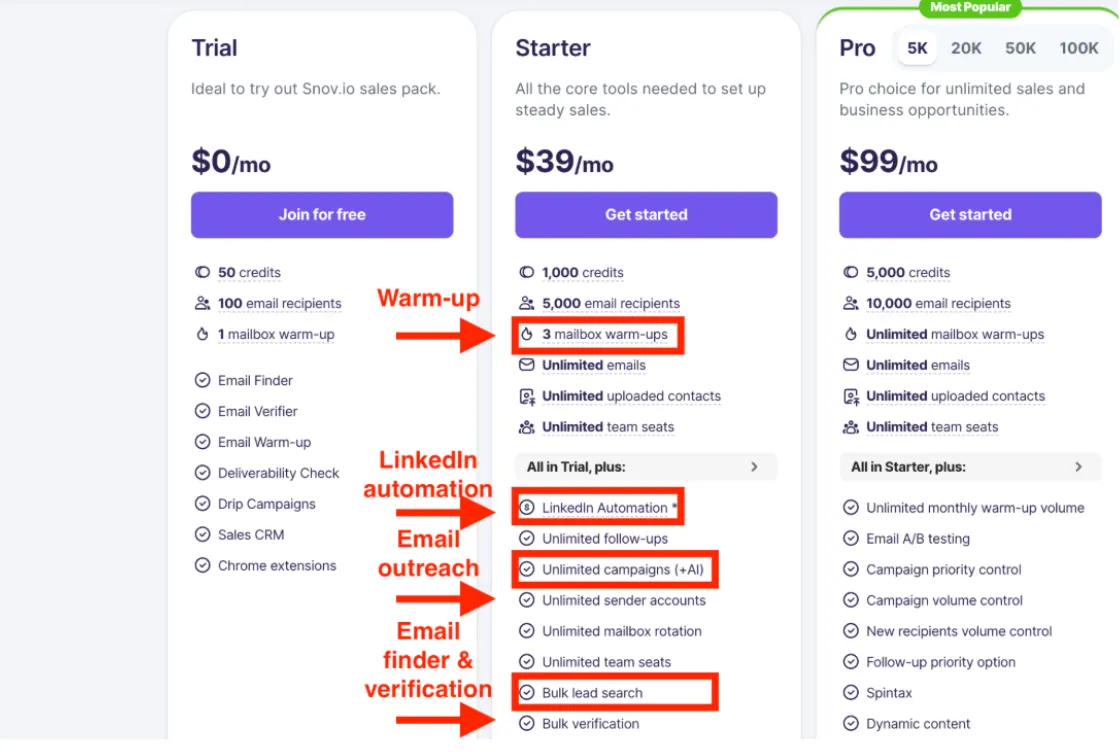
It looks like a paradise!
But it’s not.
Way more people started sending way more cold emails.
It pushed ESP providers (Google, Microsoft, and others) to start a new fight against spam.
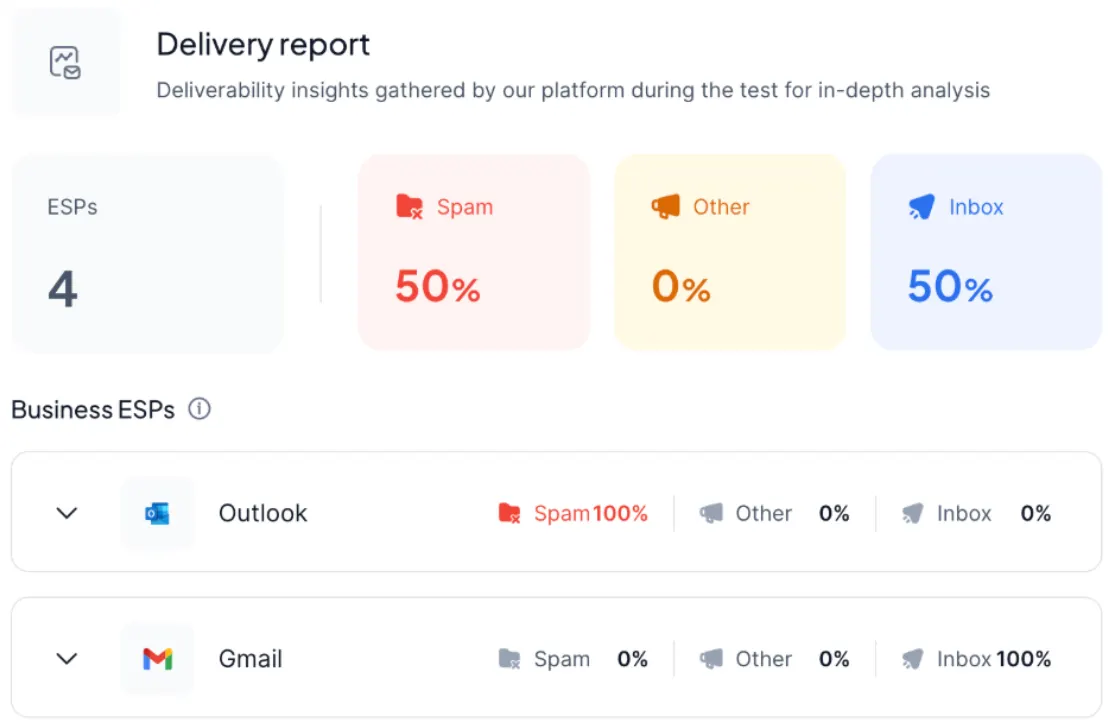
Microsoft Deliverability is so challenging!
If you’re reaching out to bigger enterprises, your cold emails almost never reach their mailboxes, cause Microsoft SPAM filters are so hard to work with.
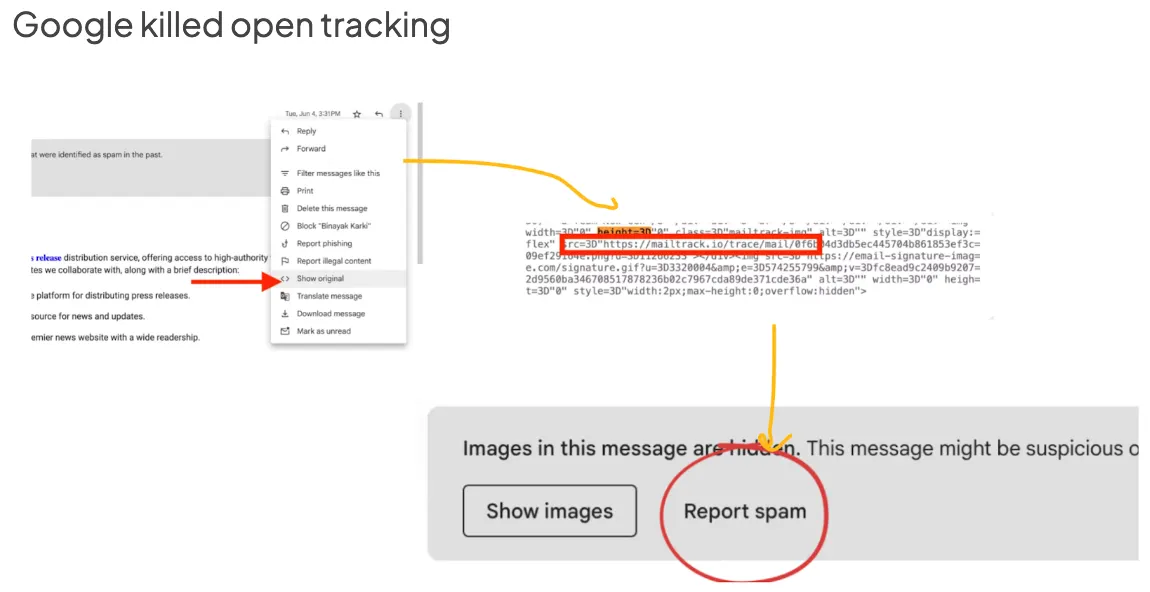
Google killed open tracking
Back in the day, you could see how your deliverability was going (by checking the open rate dynamics) - now you can’t!
Btw, if you’re still tracking open rates - don’t do that, it’ll hurt your deliverability even more.
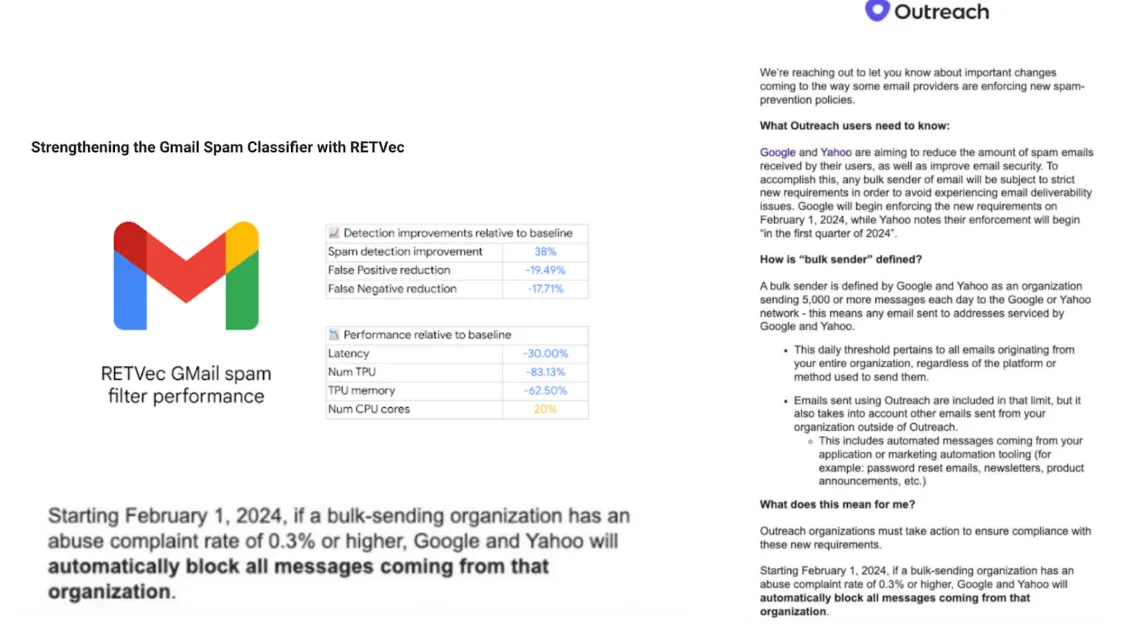
Dozens of other changes
And tons of other anti-SPAM changes here and there.
How to win against SPAM filters now?
Here is a quick 5 steps playbook to build bullet-proof cold email infrastructure:
Step #0 - Infrastructure diversification
First things first - you have to diversify the risks while building & maintaining your infrastructure.
How to do it:
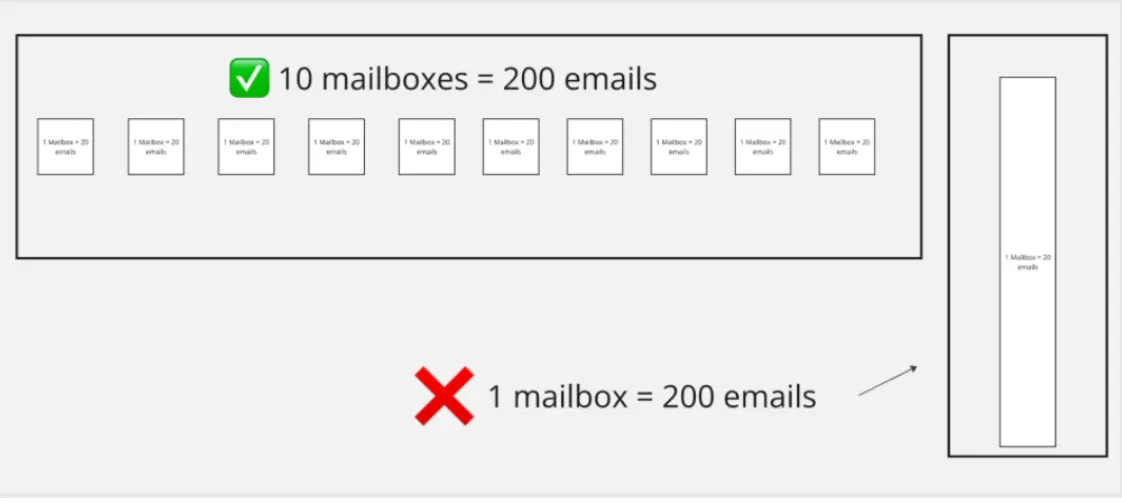
- Horizontally scaled infra - split the volume you need by multiple domains & mailboxes
- Don’t use your main domain for sending cold emails - if you make a mistake, you’re doomed.
- Multiple ESP providers - don’t rely on Google only, build infra on Microsoft, Google & SMTP with a private IP
- Low limits/day from 1 mailbox (up to 15 real cold emails / day)
- Regular monitoring + rotation - to keep the volume with minimal risks
Step #1 - Calculate the volume you need
Check your pipeline goals & metrics (or use benchmarks) -> to calculate the projected output you need.
Example:
- Goal: You need 30 MQL leads
- Your average reply rate is 3%
- Conversion from Reply to MQL generated 15%
30 MQL leads = 6700 contacts reached out.
6700 contacts reached out = 28000 cold emails sent (initial + follow-ups)
So to achieve 30 leads from cold emailing you need to have a capacity of 28000 emails sent per month.
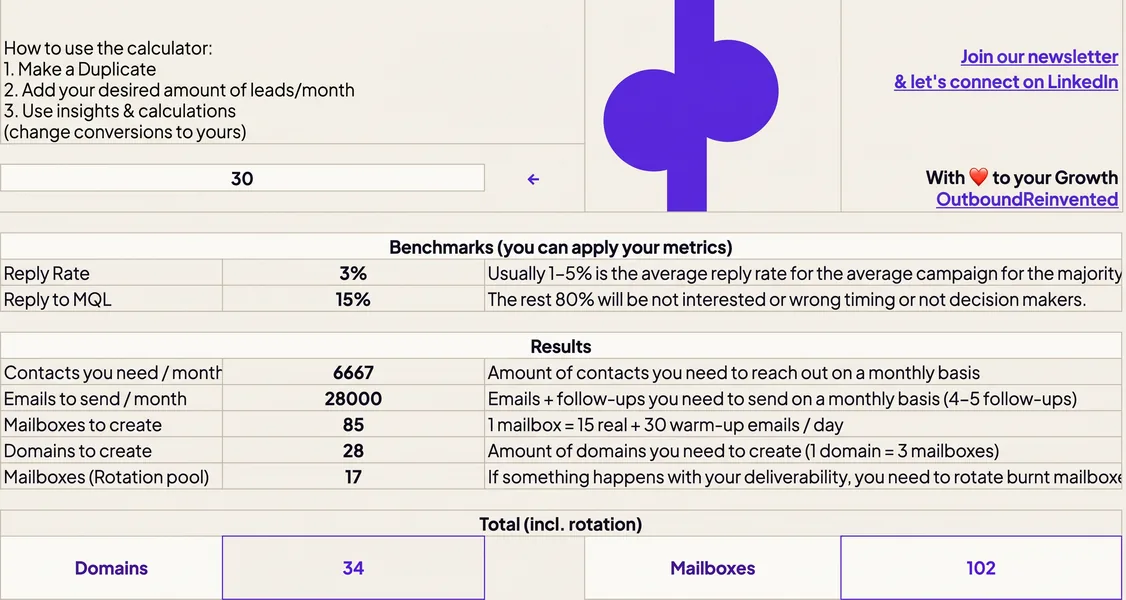
Download the calculator for FREE
Step #2 - Domains & Mailboxes
Calculate the amount of mailboxes & domains you need to have.
Anti-SPAM deliverability rule:
1 mailbox can send up to 15 real cold emails/day (+30-50 warm-up emails).
1 domain = 3 mailboxes max
So 1 domain = 45 real cold emails/day.
For 28000 cold emails, you need:
- 28 domain
- 85 mailboxes
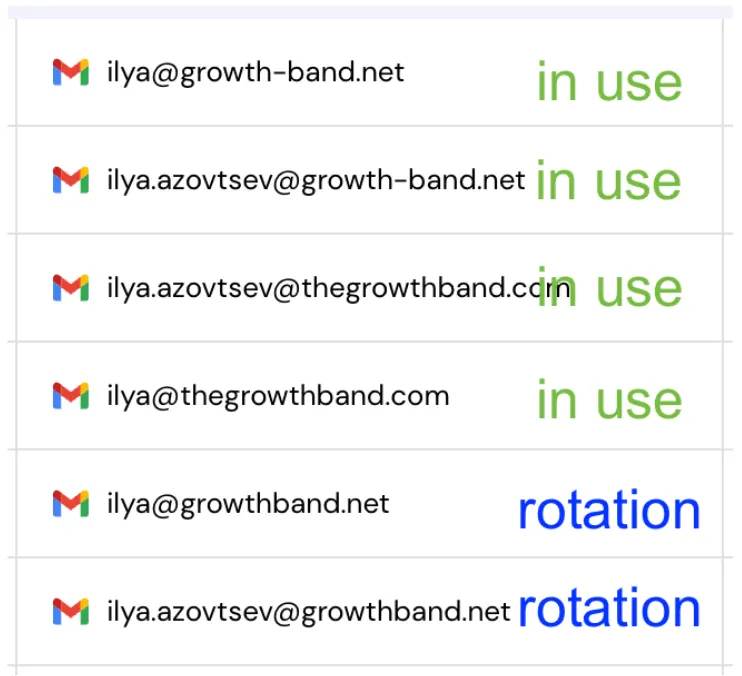
But we also calculate 20% for the Domain & Mailbox rotation.
(So you have 20% of mailboxes that DON’T send cold emails. It’s prepared & warmed up and used only when the main pool faces issues. To keep the volume with fewer risks).
Step #3 - ESP providers & set-up Google, Microsoft & SMTP provider with a private IP
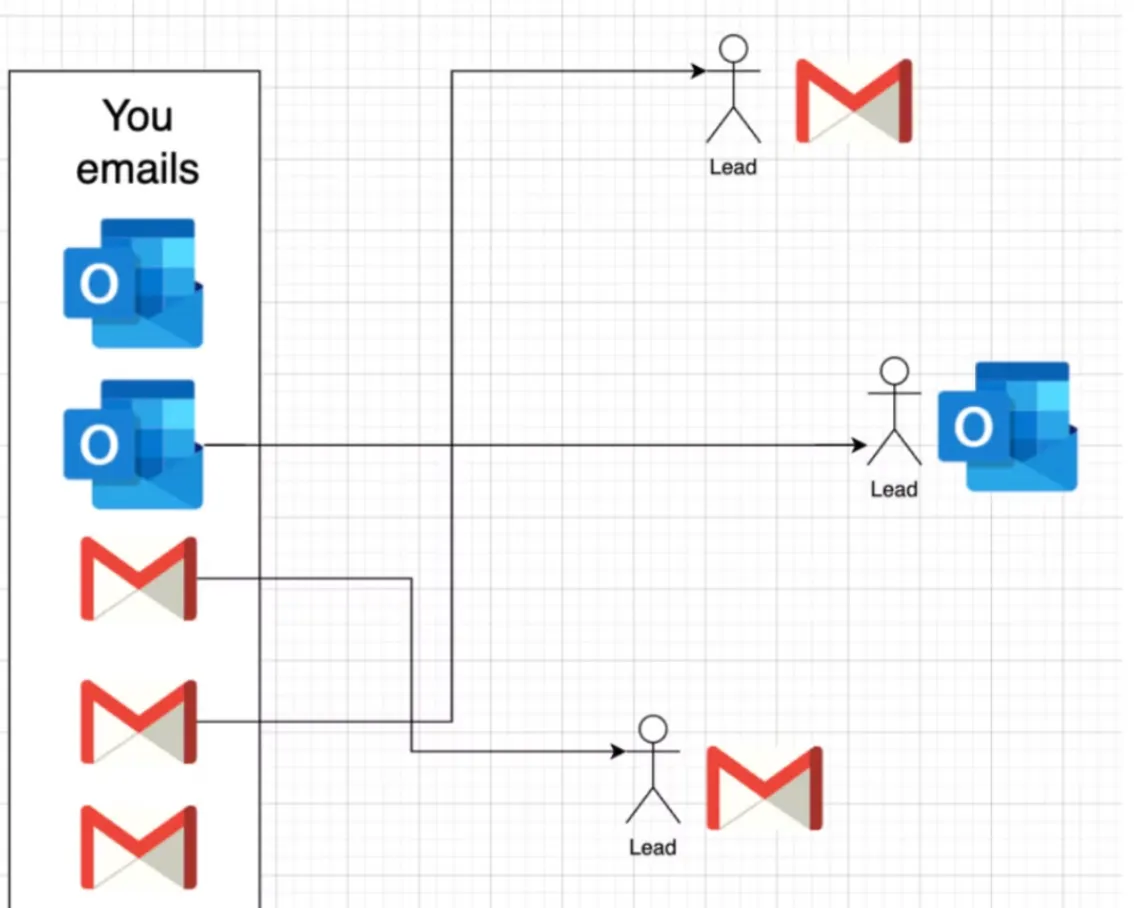
To diversify the risks, we don’t rely on 1 ESP provider, we rely on 3.
- Google - high-quality Google Workspace mailboxes with US IP.
- Microsoft - high-quality Microsoft 365 mailboxes with US IP.
- SMTP - dedicated server with a private IP address.
For example:
- Google - 40% of the infrastructure
- Microsoft - 20% of the infrastructure
- SMTP - 40% of the infrastructure
We do this for 2 reasons:
- Risks diversification.
- ESP matching for the highest deliverability.
Note: once you buy domains/mailboxes → you need to do technical set-up (SPF, DKIM, DMARC) + use a high-quality warm-up prep.
Step #4 - Campaign set-up
The infra is ready - now, don’t let your team ruin it!
So you have to:
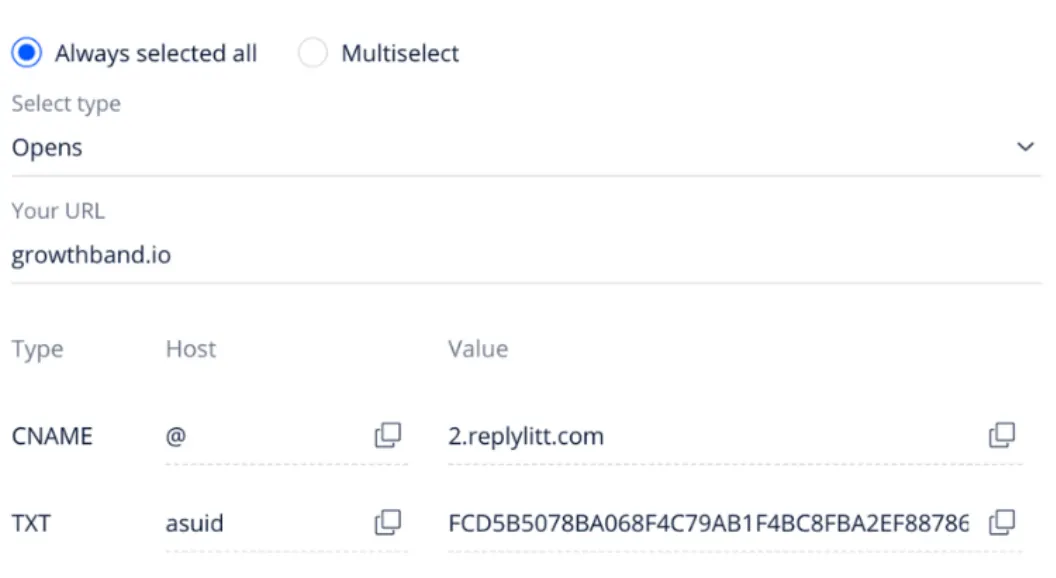
- Set up campaigns to minimize SPAM risks (plain text mode, CNAME for link tracking, no images in 1st email…)
- Anti-SPAM copywriting techniques (avoid SPAM words, clear copywriting)
- Cold email deliverability hygiene frameworks (limits, rotation)
- A lot of other important aspects (a lot)
Step #5 - Monitoring + Rotation
The earlier you detect deliverability issues - the better!
So you have to set-up a proper monitoring system, such as:
- DMARC monitoring - so we check your DNS health.
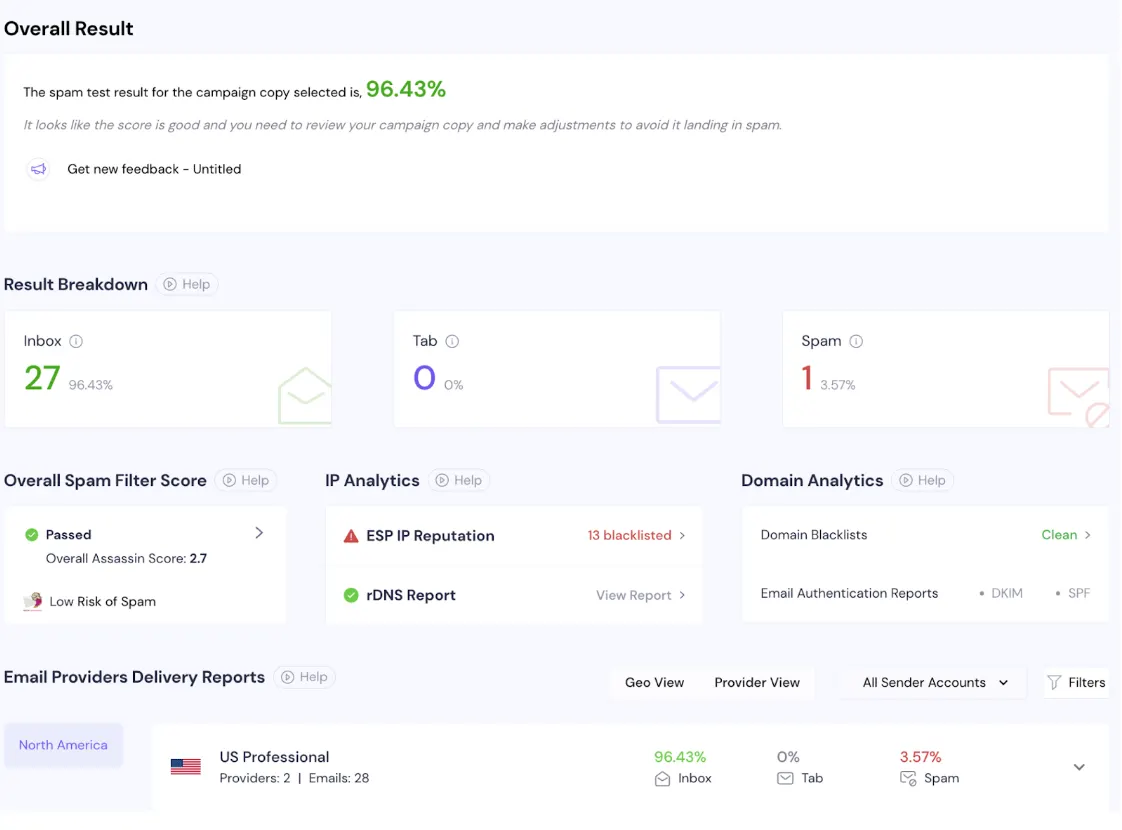
- Regular inbox placement testing - we check domain deliverability across Microsoft & Google
- SPAM alerts - so we can catch the moment when we need to dive deeper
And once you face deliverability issues → you have to fix it (early).
One of the ways is to rotate your sending pool (recover damaged domains & exchange them with those prepared in your rotation pool).
So Who’s Handling This in Your Team?
- Too technical for Sales → They write copy, not configure DNS.
- Too niche for IT → They focus on product, not sender reputation.
- Not in scope for Growth → They drive pipeline, not fix inboxing.
And that’s the problem:
No one owns it.
Until everything breaks. Then it’s everyone’s problem — and still no one’s responsibility.
There is a Solution - we can handle it for you.
Scale Outbound Reliably - without landing in the SPAM folder ever again. Using Bullet-proof Managed Cold Email Infrastructure-as-a-Service
You shouldn’t have to become a deliverability expert to scale outbound.
We handle everything for you - proactively - so you can grow your pipeline without worrying about technical fires.
Growthband, your Fractional Head of Cold Email Infrastructure
✅ Multi-Layer Architecture: We build a bullet-proof infra with multiple domains, multiple ESPs (Google, Microsoft, SMTP), and private IPs. No single point of failure.
✅ Expert Setup: We fully set up DNS authentication (SPF, DKIM, DMARC, link tracking, domain forwarding).
✅ High-quality preparation: We prepare mailboxes for the outreach (healthy mailboxes, fresh domains, high-quality warm-up with unbiased seed pools).
✅ Team enablement: We give your team a clear step-by-step playbook on how to do Anti-SPAM copywriting & campaign set-up.
✅ Real-Time Monitoring: We run regular inbox placement tests, DMARC health checks, and blacklist alerts.
✅ Recovery & fix: We detect the deliverability issues and fix the problems (mailbox/domain rotation, SPAM fixes)
With 🫶 to your Growth,
Ilya (let’s connect on LinkedIn)
Get sending infrastructure that stays out of spam
We build and run your cold email infrastructure: domains, mailboxes, daily placement checks and a rotation pool.

Ilya AzovtsevCo-founder
Co-founder of GrowthBand. Helped scale lemlist from $20k MRR to $10M ARR and built automation at Expandi; now runs the cold email infrastructure behind 32,000+ mailboxes.