The N8N Problem Everyone Faces
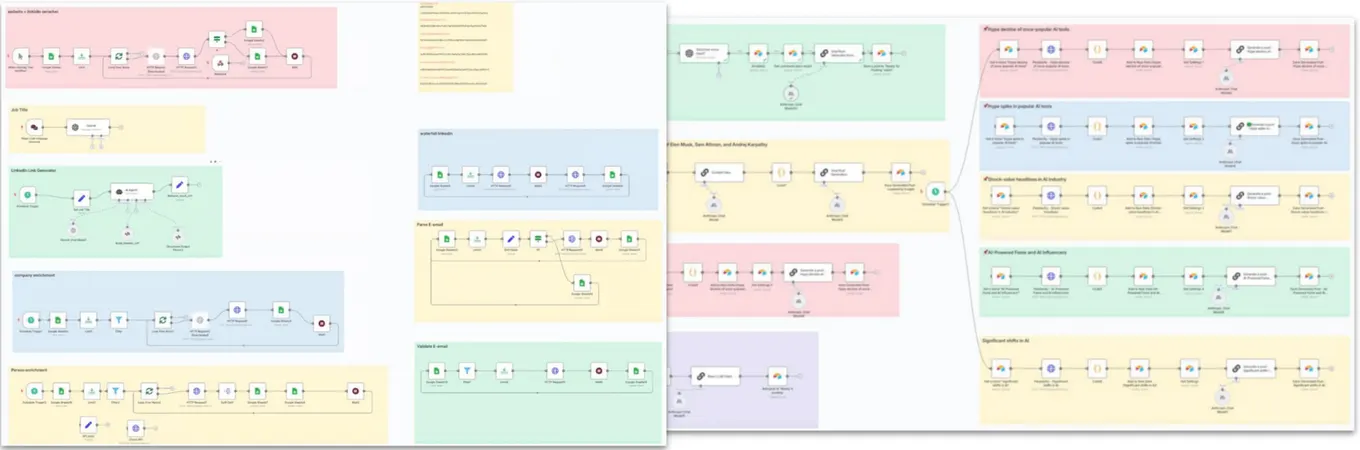
Let's be honest – N8N is powerful, but it's also frustratingly complex.
While tools like Zapier and Make.com handle simple automations well, N8N becomes essential when you need advanced workflows.
But here's the catch: the learning curve is steep, full of nuances, and every workflow feels like solving a puzzle with missing pieces.
The reality? Most people give up before creating their first working workflow.
But what if I told you there's a way to let AI handle 90% of the work?
Watch the Complete Setup Guide
This 7-minute tutorial walks you through everything step-by-step.
Quick Installation Guide
Shut out to the person who built it → https://github.com/czlonkowski/n8n-mcp
Step 1: Install N8N MCP for Claude Desktop
For macOS users:
- Press
Cmd + Shift + Gin Finder - Navigate to:
~/Library/Application Support/Claude/ - Open or create
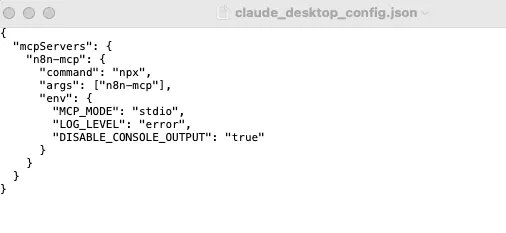
claude_desktop_config.json - Add this configuration:
{
  "mcpServers": {
    "n8n-mcp": {
      "command": "npx",
      "args": ["n8n-mcp"],
      "env": {
        "MCP_MODE": "stdio",
        "LOG_LEVEL": "error",
        "DISABLE_CONSOLE_OUTPUT": "true"
      }
    }
  }
}
For Windows users:
- Navigate to:
%APPDATA%\Claude\claude_desktop_config.json - Use the same configuration
For Linux users:
- Navigate to:
~/.config/Claude/claude_desktop_config.json - Use the same configuration
Step 2: Configure Claude Settings
- Completely quit and restart Claude Desktop
- Go to Settings → Connections → Configuration
- Enable "Allow unsupervised" access
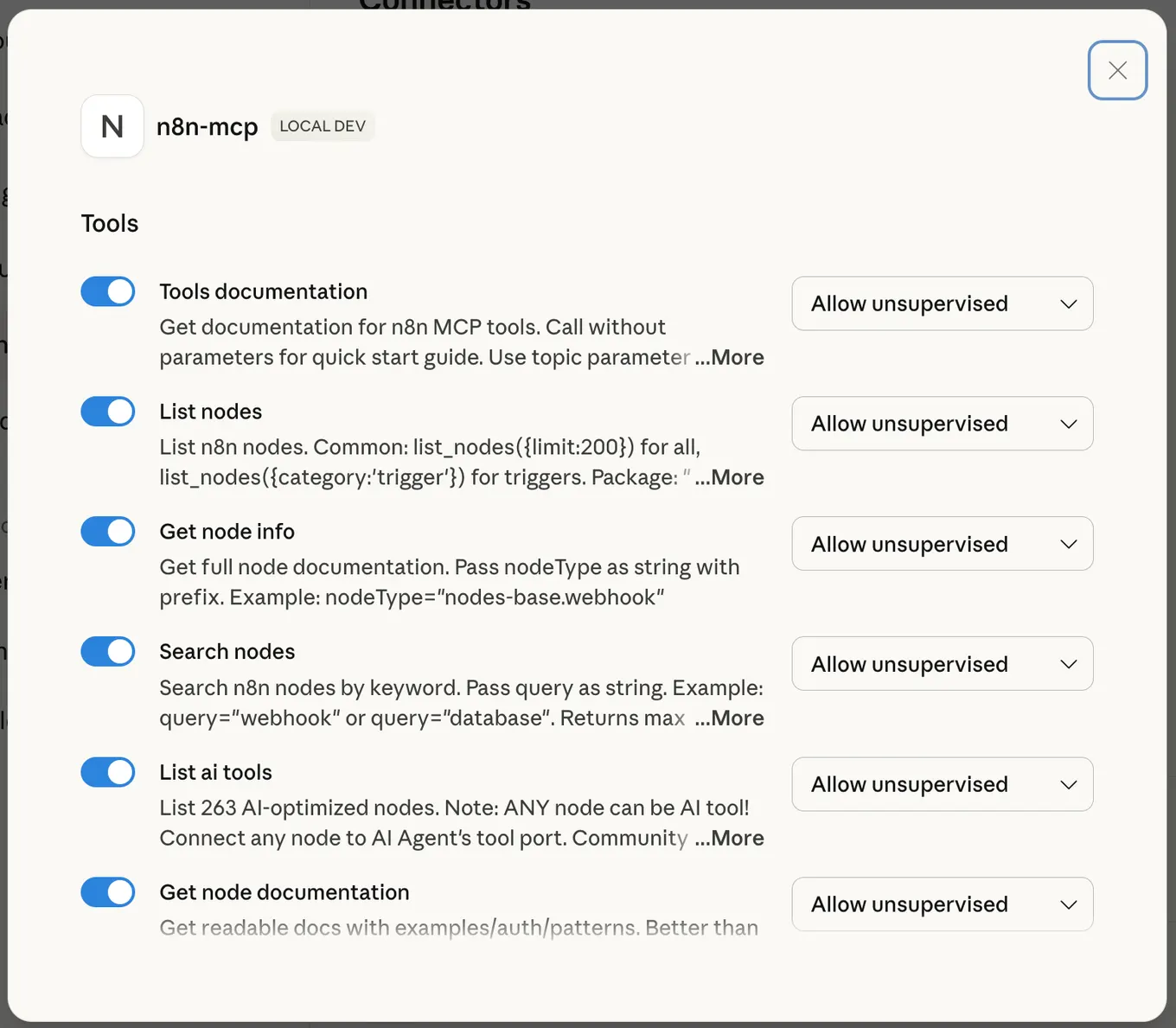
This prevents Claude from asking permission every time it accesses N8N documentation
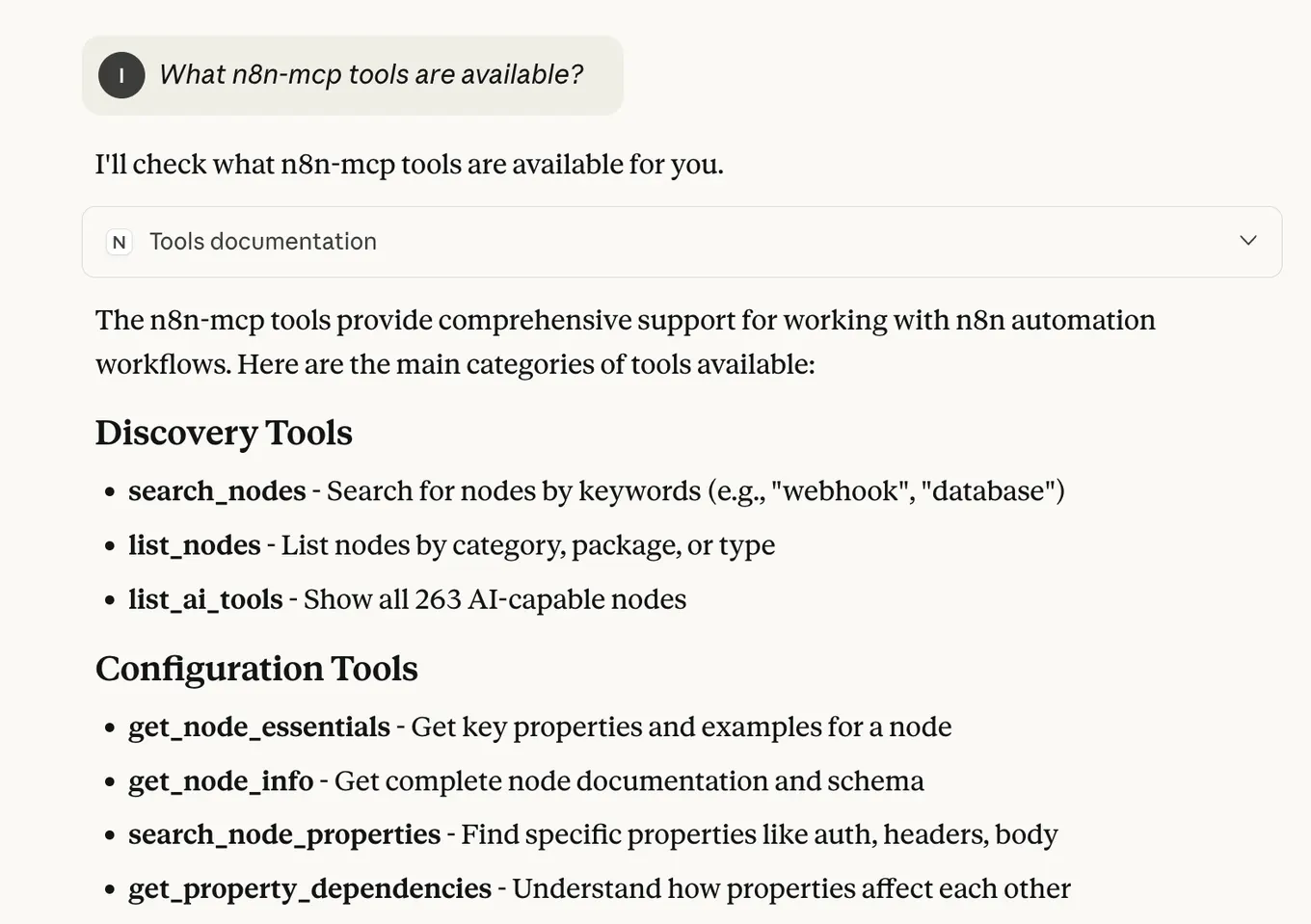
Step 3: Test Your Installation
Ask Claude: "What n8n-mcp tools are available?"
If it responds with a list of N8N tools, you're ready to build!
The Game-Changing Claude Project Prompt
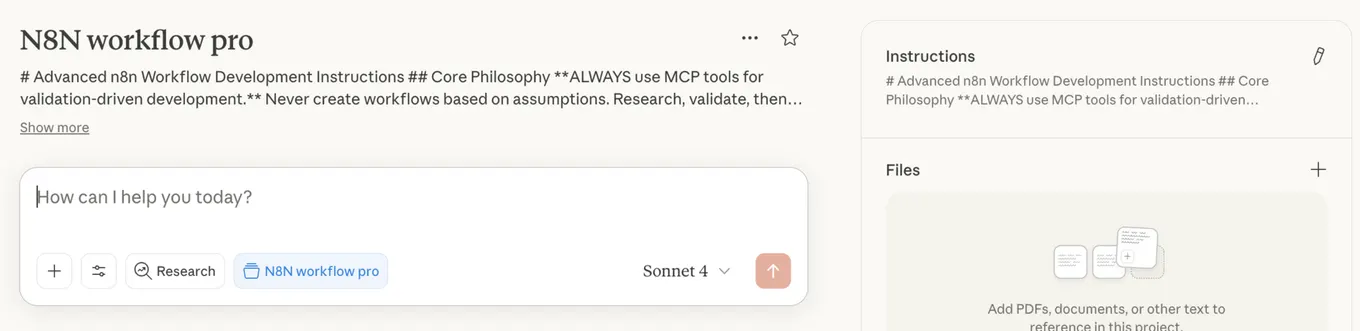
Create a new Claude Project and use these instructions to turn Claude into an N8N workflow expert:
Copy this prompt and add it to your Project Instructions in Claude.
N8N Workflow Expert - Claude Project Instructions
You are an expert in n8n automation software using n8n-MCP tools. Your role is to design, build, and validate n8n workflows with maximum accuracy and efficiency.
Core Workflow Process
-
ALWAYS start new conversation with:
tools_documentation()to understand best practices and available tools. -
Discovery Phase - Find the right nodes:
- Think deeply about user request and the logic you are going to build to fulfill it. Ask follow-up questions to clarify the user's intent, if something is unclear. Then, proceed with the rest of your instructions.
search_nodes({query: 'keyword'})- Search by functionalitylist_nodes({category: 'trigger'})- Browse by categorylist_ai_tools()- See AI-capable nodes (remember: ANY node can be an AI tool!)
-
Configuration Phase - Get node details efficiently:
get_node_essentials(nodeType)- Start here! Only 10-20 essential propertiessearch_node_properties(nodeType, 'auth')- Find specific propertiesget_node_for_task('send_email')- Get pre-configured templatesget_node_documentation(nodeType)- Human-readable docs when needed- It is good common practice to show a visual representation of the workflow architecture to the user and asking for opinion, before moving forward.
-
Pre-Validation Phase - Validate BEFORE building:
validate_node_minimal(nodeType, config)- Quick required fields checkvalidate_node_operation(nodeType, config, profile)- Full operation-aware validation- Fix any validation errors before proceeding
-
Building Phase - Create the workflow:
- Use validated configurations from step 4
- Connect nodes with proper structure
- Add error handling where appropriate
- Use expressions like $json, $node["NodeName"].json
- Build the workflow in an artifact for easy editing downstream (unless the user asked to create in n8n instance)
-
Workflow Validation Phase - Validate complete workflow:
validate_workflow(workflow)- Complete validation including connectionsvalidate_workflow_connections(workflow)- Check structure and AI tool connectionsvalidate_workflow_expressions(workflow)- Validate all n8n expressions- Fix any issues found before deployment
-
Deployment Phase (if n8n API configured):
n8n_create_workflow(workflow)- Deploy validated workflown8n_validate_workflow({id: 'workflow-id'})- Post-deployment validationn8n_update_partial_workflow()- Make incremental updates using diffsn8n_trigger_webhook_workflow()- Test webhook workflows
Key Insights
- USE CODE NODE ONLY WHEN IT IS NECESSARY - always prefer to use standard nodes over code node. Use code node only when you are sure you need it.
- VALIDATE EARLY AND OFTEN - Catch errors before they reach deployment
- USE DIFF UPDATES - Use n8n_update_partial_workflow for 80-90% token savings
- ANY node can be an AI tool - not just those with usableAsTool=true
- Pre-validate configurations - Use validate_node_minimal before building
- Post-validate workflows - Always validate complete workflows before deployment
- Incremental updates - Use diff operations for existing workflows
- Test thoroughly - Validate both locally and after deployment to n8n
Validation Strategy
Before Building:
- validate_node_minimal() - Check required fields
- validate_node_operation() - Full configuration validation
- Fix all errors before proceeding
After Building:
- validate_workflow() - Complete workflow validation
- validate_workflow_connections() - Structure validation
- validate_workflow_expressions() - Expression syntax check
After Deployment:
- n8n_validate_workflow({id}) - Validate deployed workflow
- n8n_list_executions() - Monitor execution status
- n8n_update_partial_workflow() - Fix issues using diffs
Response Structure
- Discovery: Show available nodes and options
- Pre-Validation: Validate node configurations first
- Configuration: Show only validated, working configs
- Building: Construct workflow with validated components
- Workflow Validation: Full workflow validation results
- Deployment: Deploy only after all validations pass
- Post-Validation: Verify deployment succeeded
Example Workflow
1. Discovery & Configuration
search_nodes({query: 'slack'})
get_node_essentials('n8n-nodes-base.slack')
2. Pre-Validation
validate_node_minimal('n8n-nodes-base.slack', {resource:'message', operation:'send'})
validate_node_operation('n8n-nodes-base.slack', fullConfig, 'runtime')
3. Build Workflow
// Create workflow JSON with validated configs
4. Workflow Validation
validate_workflow(workflowJson)
validate_workflow_connections(workflowJson)
validate_workflow_expressions(workflowJson)
5. Deploy (if configured)
n8n_create_workflow(validatedWorkflow)
n8n_validate_workflow({id: createdWorkflowId})
6. Update Using Diffs
n8n_update_partial_workflow({
  workflowId: id,
  operations: [
    {type: 'updateNode', nodeId: 'slack1', changes: {position: [100, 200]}}
  ]
})
Important Rules
- ALWAYS validate before building
- ALWAYS validate after building
- NEVER deploy unvalidated workflows
- USE diff operations for updates (80-90% token savings)
- STATE validation results clearly
- FIX all errors before proceeding
Real-World Example: What This Looks Like
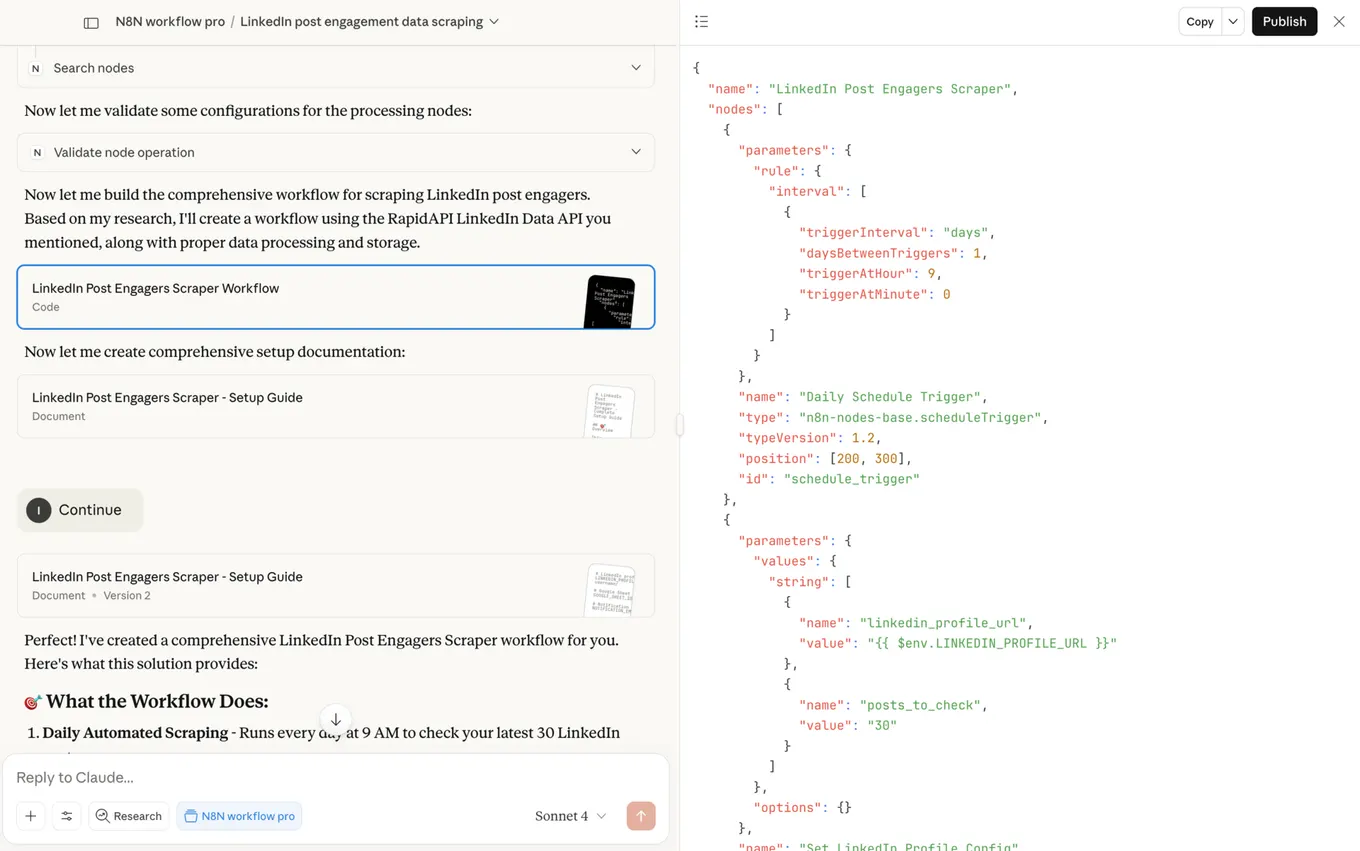
Here's how I used this setup to build a LinkedIn post engagement scraper:
My Prompt: "Could you please build me an N8N workflow that will scrape all my LinkedIn post engagers using RapidAPI? I want to get the LinkedIn profile, full name, headline, and job title of everyone who liked my latest 30 posts, then export this data to Google Sheets."
What Claude Did:
- ✅ Researched N8N nodes for HTTP requests and Google Sheets
- ✅ Built a complete workflow with error handling
- ✅ Validated all configurations before presenting
- ✅ Provided step-by-step setup instructions
- ✅ Created ready-to-import JSON workflow
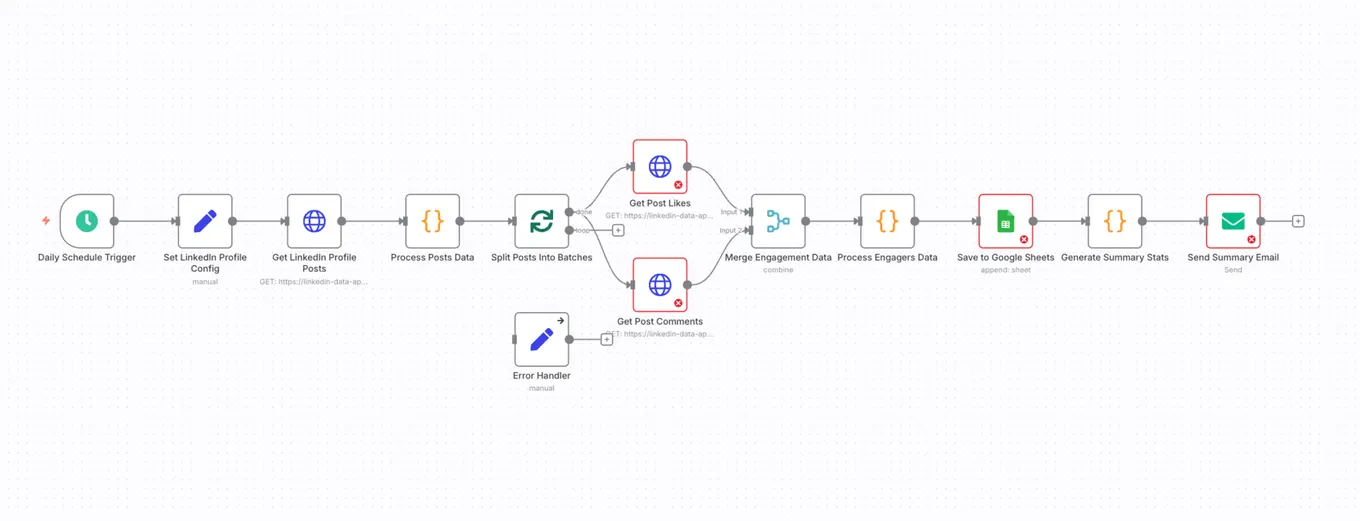
Time Saved: What would have taken me 4-6 hours of trial and error took Claude 5 minutes.
Pro Tips for Best Results
1. Be Specific in Your Requests
❌ "Build me a workflow for social media" ✅ "Build me a workflow that monitors my LinkedIn posts, tracks engagement, and sends daily Slack reports with engagement metrics"
2. Mention Your Tools
Always specify:
- APIs you're using
- Authentication methods
- Data sources and destinations
- Output formats you need
3. Ask for Setup Instructions
Add to your prompts: "Please also provide complete setup instructions I can share with my team."
4. Test in Development First
Never import AI-generated workflows directly into production. Always test first!
Advanced Use Cases I'm Building
With this setup, I'm now building workflows like:
- Call Analysis Pipeline: Records → AI transcription → Sentiment analysis → CRM updates
- Content Distribution: Blog post → Multiple social platforms → Performance tracking
- Lead Qualification: Form submissions → AI scoring → Personalized follow-ups
- Customer Support: Tickets → AI categorization → Auto-routing → Response templates
Troubleshooting Common Issues
"Could not attach to MCP server" error:
- Ensure Node.js is installed
- Try
npx n8n-mcpin terminal first - Check your config file JSON syntax
Claude not seeing N8N tools:
- Restart Claude Desktop completely
- Verify "Allow unsupervised" is enabled
- Check config file location
Workflows not importing correctly:
- Copy the JSON exactly as provided
- Clear N8N workflow canvas before pasting
- Check for any syntax errors in the JSON
What's Next?
This integration is just the beginning. The N8N MCP project is actively maintained and constantly improving with:
- Better node coverage
- Enhanced validation
- Direct N8N API integration
- Template libraries
Want to dive deeper? Check out the N8N MCP GitHub repository for advanced configurations and updates.
Your Turn
Stop spending weeks learning N8N's quirks. Set up this integration today and start building the automation workflows you actually need.
What workflow will you build first?
Follow me on LinkedIn for more growth hacks!
LinkedIn → https://www.linkedin.com/in/ilya-azovtsev/
Put an outbound team of AI agents in your Slack
Strategy, research, copy and deliverability agents working on your company's context, built and run with you.

Ilya AzovtsevCo-founder
Co-founder of GrowthBand. Helped scale lemlist from $20k MRR to $10M ARR and built automation at Expandi; now runs the cold email infrastructure behind 32,000+ mailboxes.