Here is the list of all tools we’re recommending for your Cold Email & LinkedIn outreach lead generation.
We’ve prepared the full list of tools we personally use (and recommend).
Note: in this article we’re sharing the toolset that we’re personally using for our & clients outbound systems.
Find Emails & LinkedIn profiles
The first step - you need to find relevant people to reach out to. Basically you need to find email & LinkedIn profile URL (btw, if you know only email & need to find LinkedIn profile - here is the formula to do this in Google Sheets for FREE).
There are 2 ways to do so:
- Go on LinkedIn Sales Navigator + use Chrome Extensions to find contact details
- Use advanced search platforms
Let’s start with LinkedIn Sales Navigator.
We’re going to create the Ultimate Guide about Sales Navigator, but here is a quick overview of it in a nutshell:
You go to LinkedIn Sales Navigator, use Lead Search & implement tons of filters (to find the most relevant people):
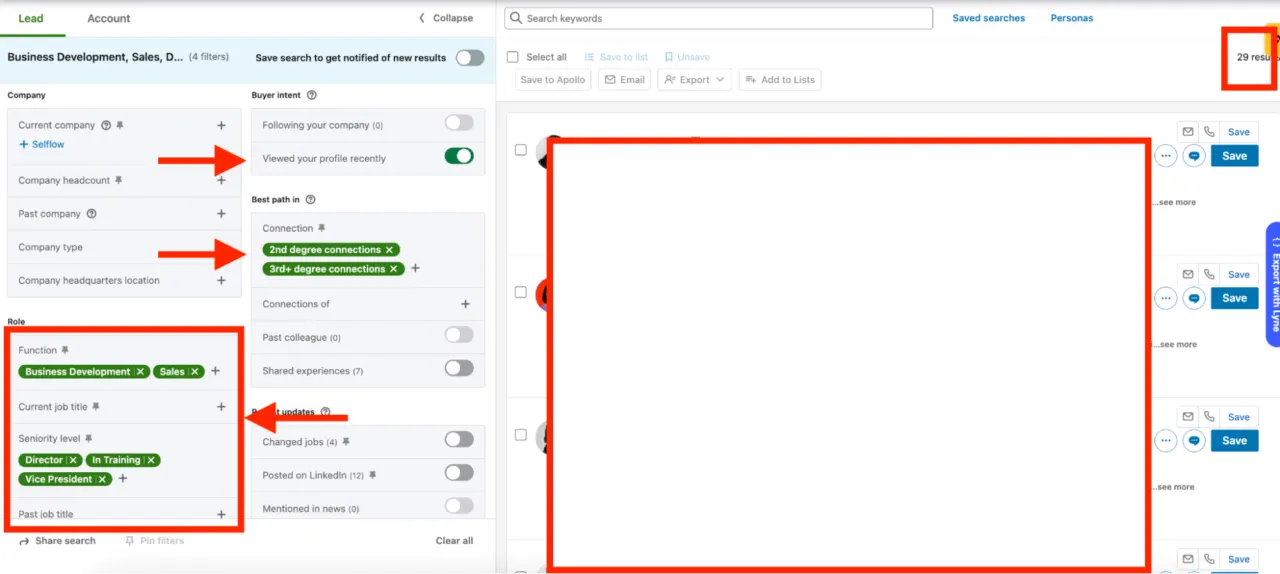
Or you can find people based on company characteristics (for example, based on what technology company is using):
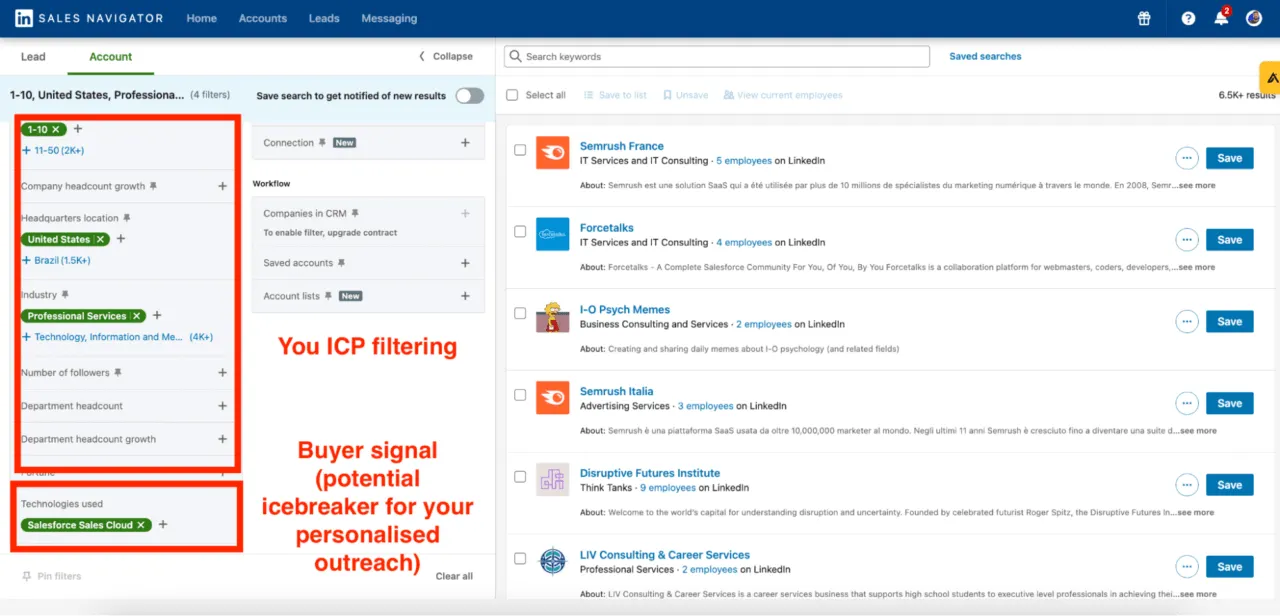
And on top of that find decision-makers from these companies:
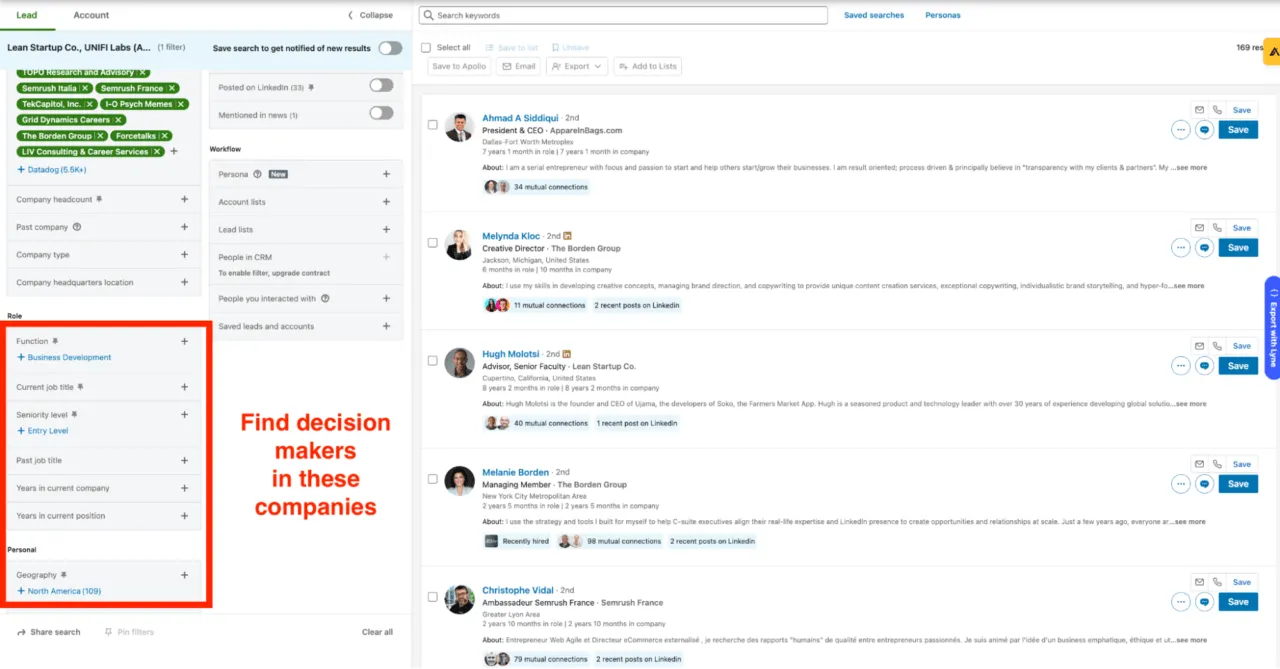
Anyway, once you have the list of people, you need to find their emails & contact details.
And for this we’re recommending Snovio!
Here is the link - https://snov.io
Just 1 click …
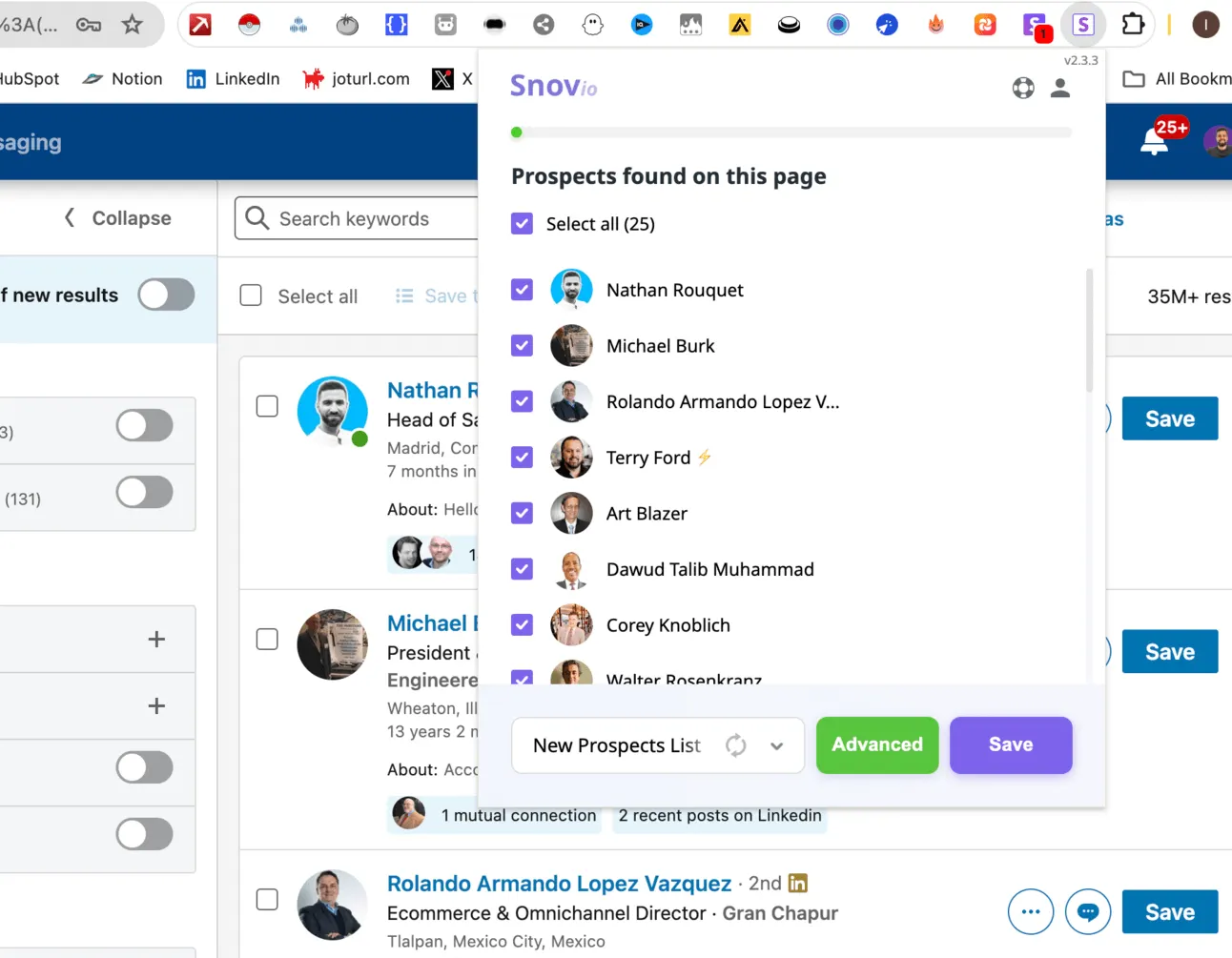
And you get the email addresses of people from LinkedIn Sales Navigator Search:
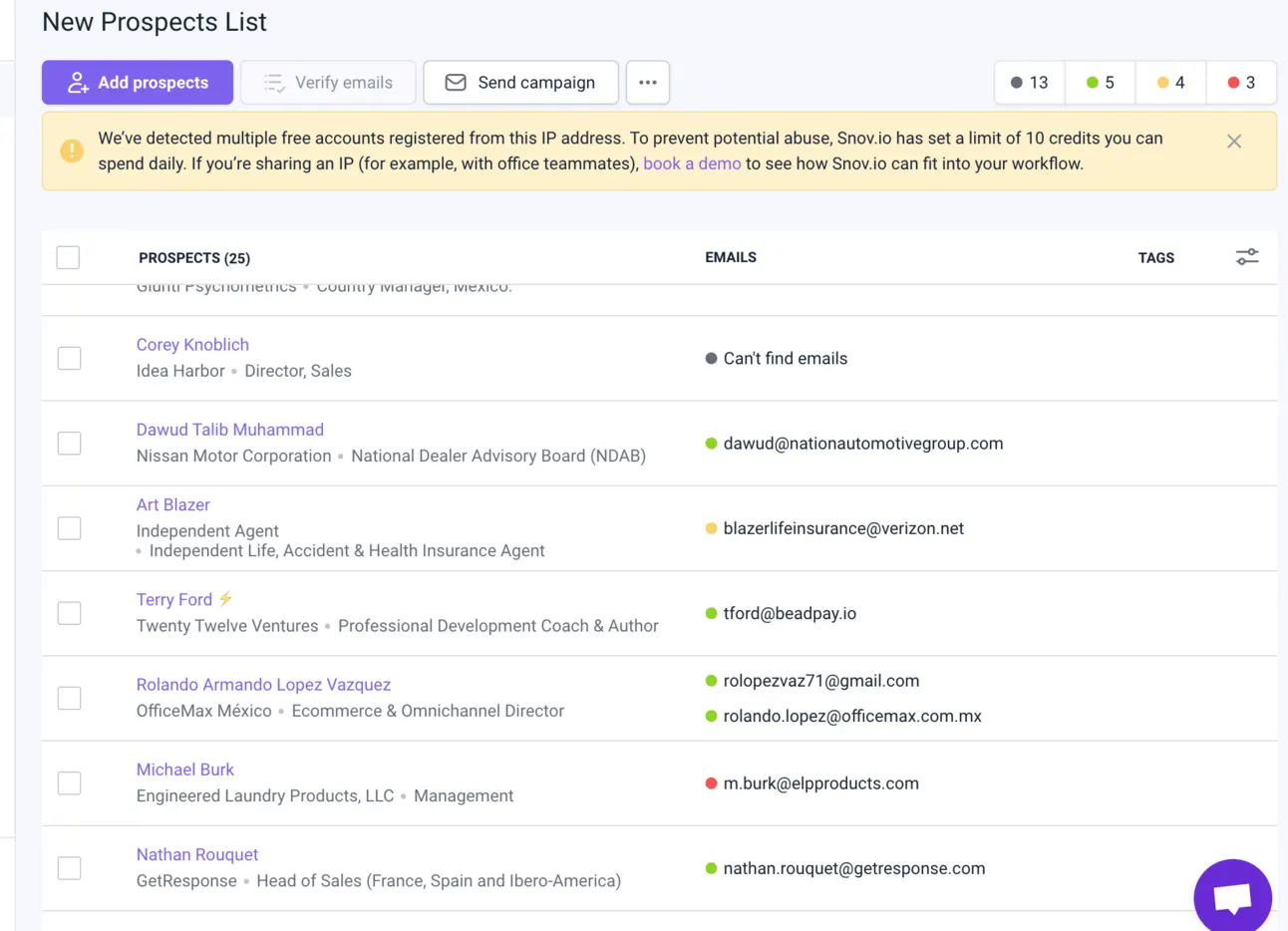
Another option is you can go with advanced platforms on which you can use even more filtering options.
You can also go with Snovio for this.
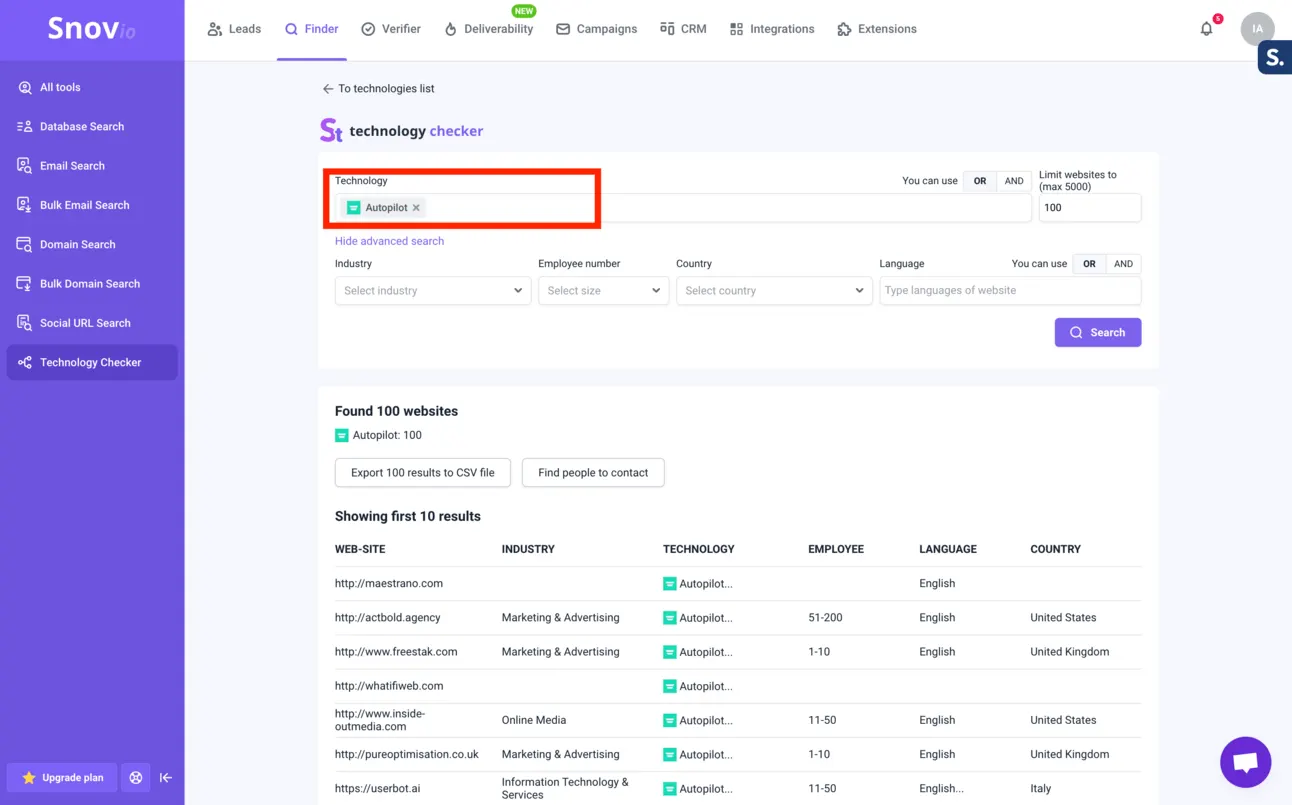
On top of just usual search you can use Technology-based search (I usually do this).
Email Verification
No matter how many emails you send, how personalised your follow-ups are - if you don’t reach the right inboxes - it all makes no sense.
The #1 rule for cold emailing → the email addresses you’re reaching out to should be valid.
If not → Google and other Email Providers will detect it, and will mark you as a “spammer”.
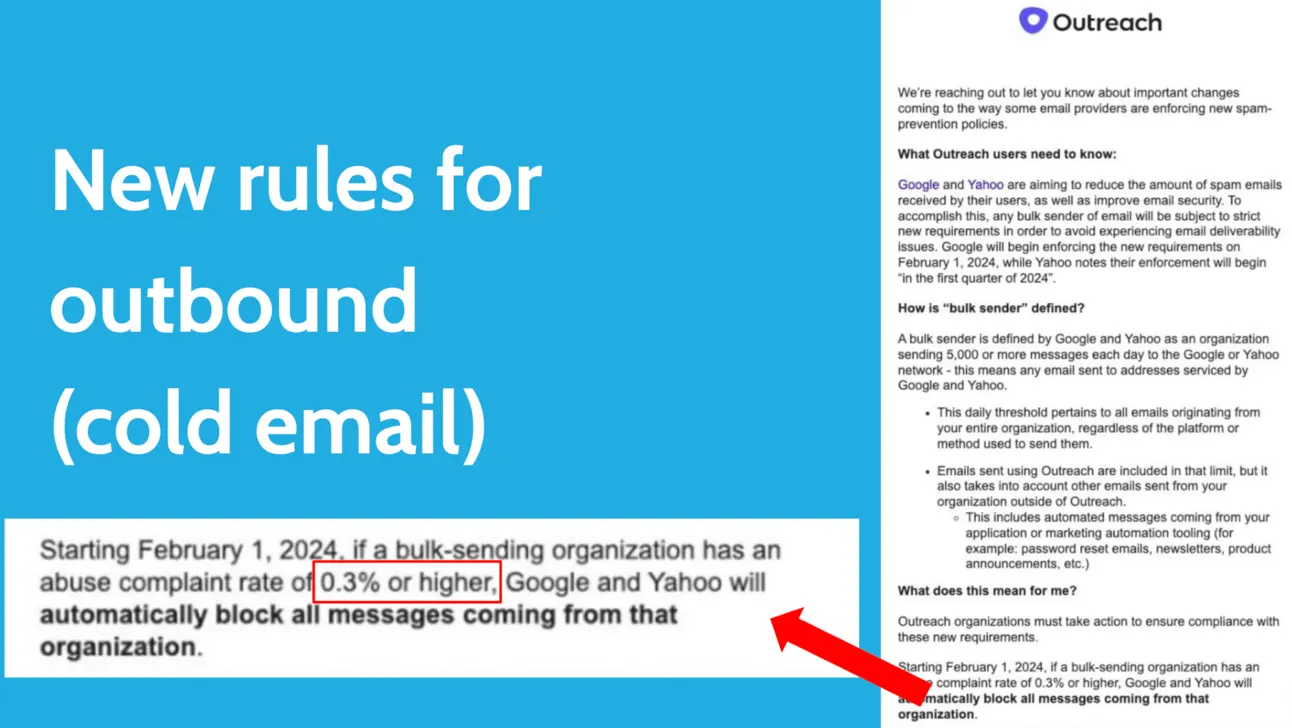
Of course, it’s fine to send 1 email to the address that doesn’t exist, but if you send a lot → your deliverability will be smashed ❌
So you always need to validate emails before adding them to the cold outreach tools.
But what email verification tool to choose?
I’ve personally tested every single tool that is available on the market, chose top 10 by Google Search & reviews and made experiment:
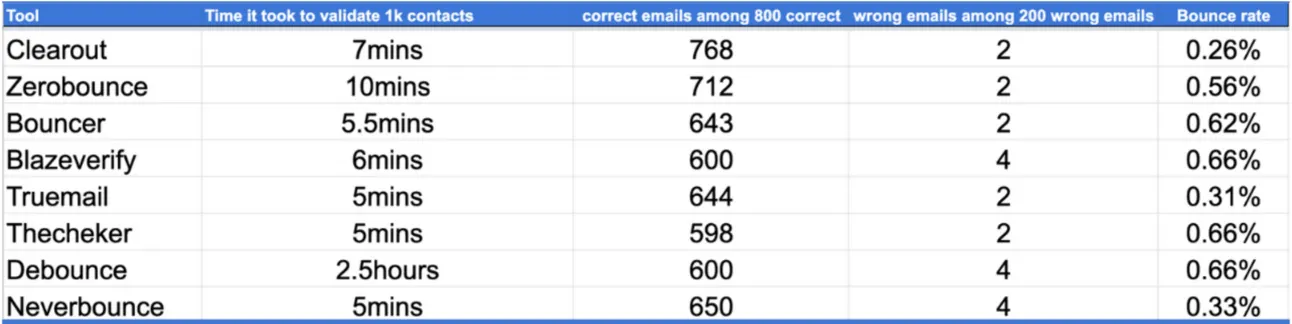
I took 1000 emails (part of them were valid 100% and part were 100% invalid).
And tested this list with the main email validation tools on the market.
To avoid all my experiment details - I’ll reveal the winner right away!
It’s Clearout!
Here is the link → https://clearout.io
How to use?
Before adding contacts you found to the email outreach tool → go to Clearout → Click “Add list”:
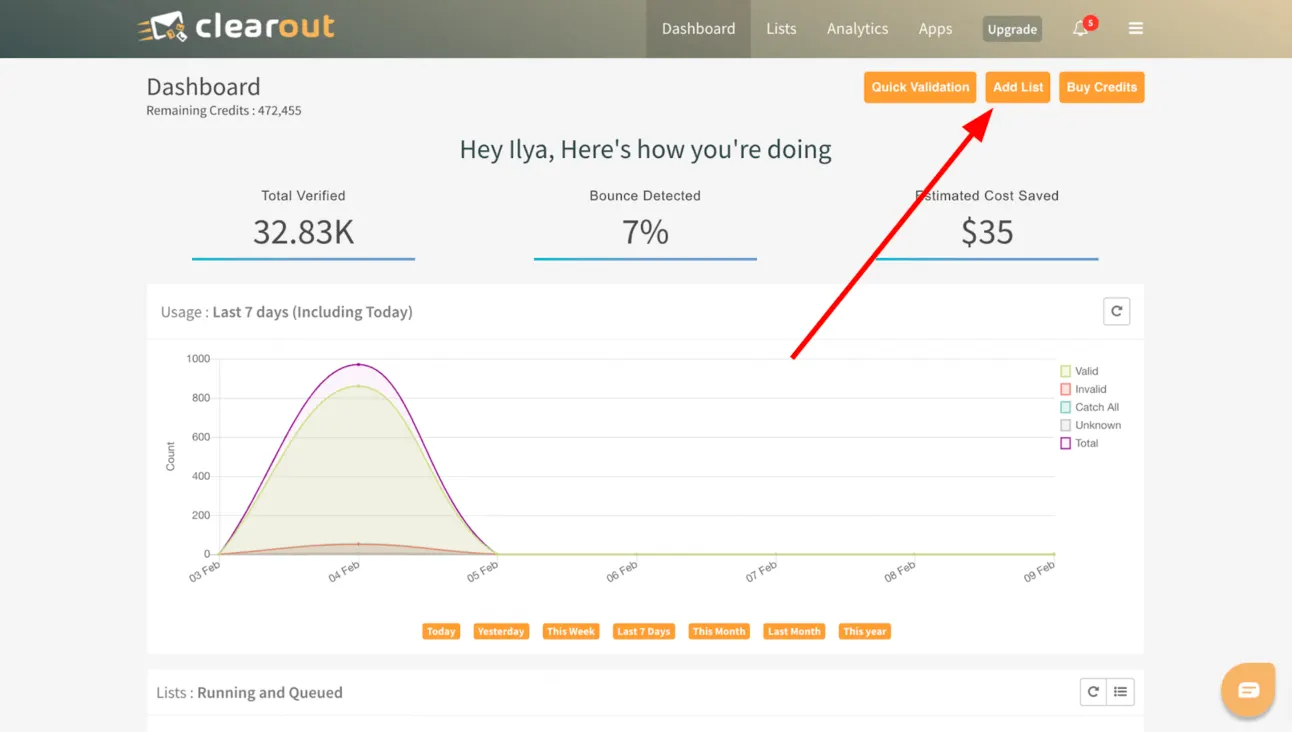
Upload your CSV file, and wait for 10-15 mins.
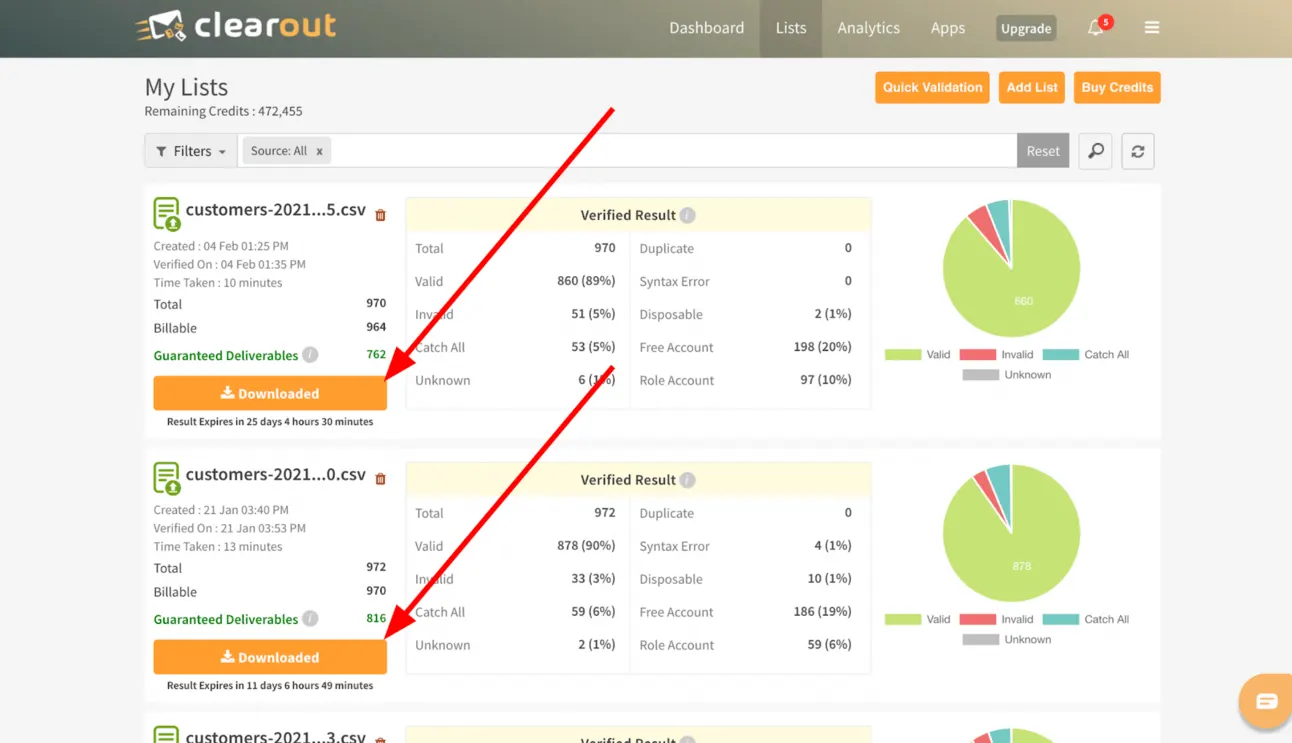
After it, download the list of “Guarantee deliverability” list of contacts.
So now you can easily lower the bounce rate and avoid spam algos.
Data Enrichment
Once you found the list of people you want to reach out to and validated their emails, you need to personalise your outreach.
You can use tools that automatically create personalised icebreakers, but you can’t really control how they personalise…
So what we recommend you use instead → Clay!
Here is the link → https://clay.com
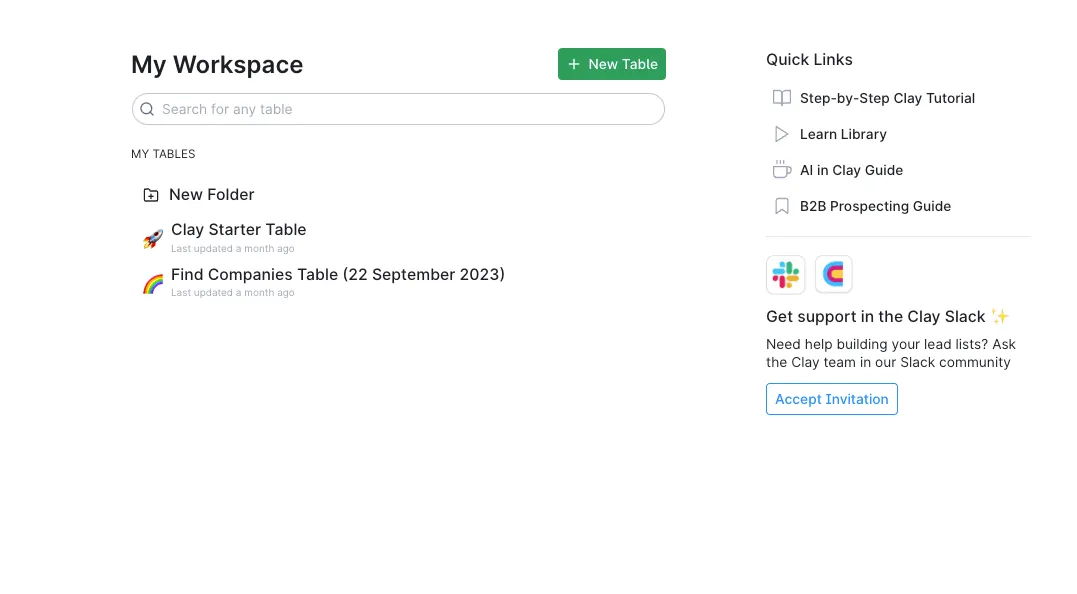
It works simply, you upload your list of contacts, ask Clay to add more context about the company or a person & based on this info, you personalise your outreach.
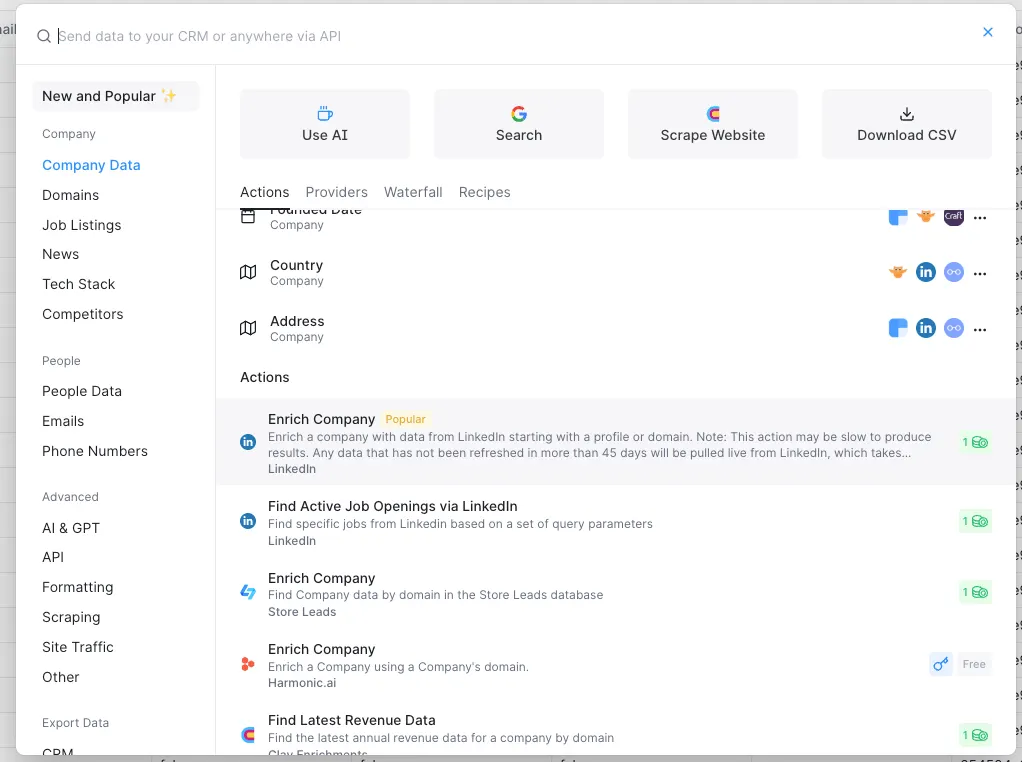
Here is the example of how to personalise your outreach, based on Company’s LinkedIn profile description:
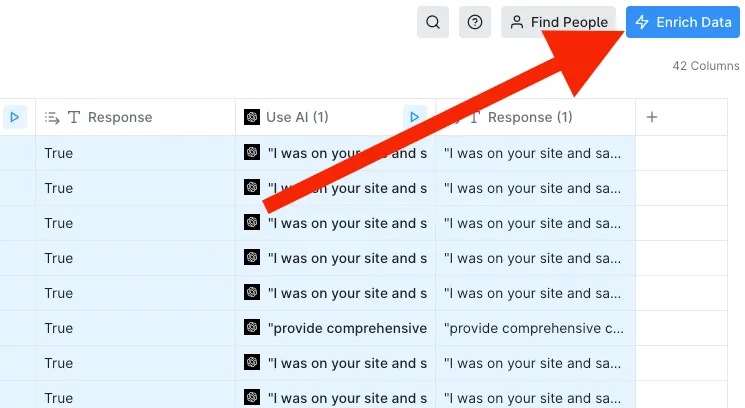
Choose “Enrich Company” using LinkedIn:
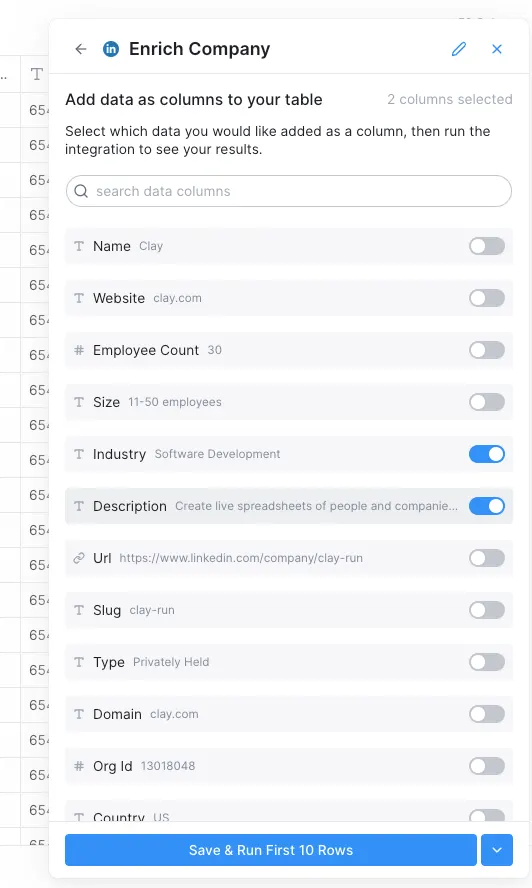
Ask Clay to find Company’s LinkedIn Description:
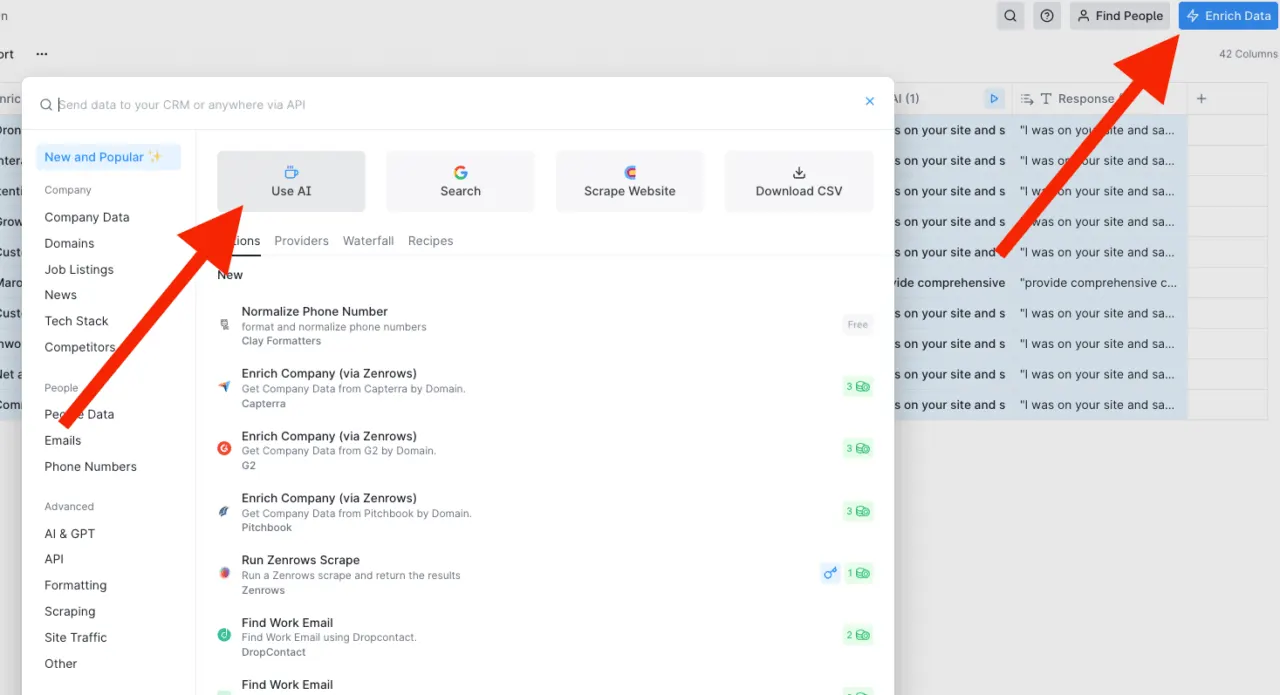
And based on this information, you ask Clay to personalise your outreach:
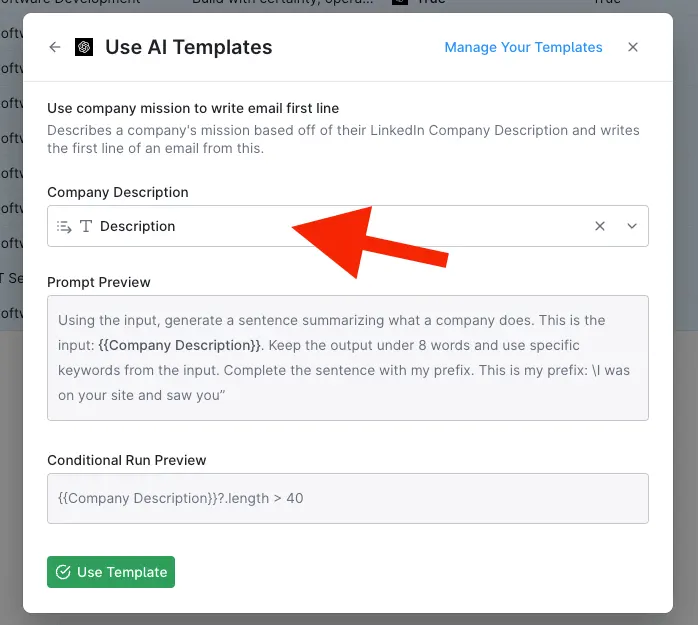
Choose the info you got from Clay in previous steps:
And boom! You have the list of personalised icebreakers:
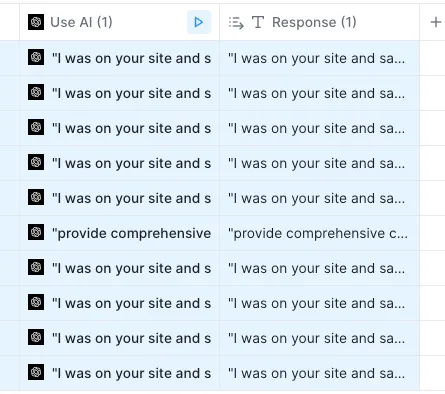
The most beautiful part of clay is that you can use tons of APIs to enrich the data about company, for example, the website traffic & it’s speed, or what technology the company is using…
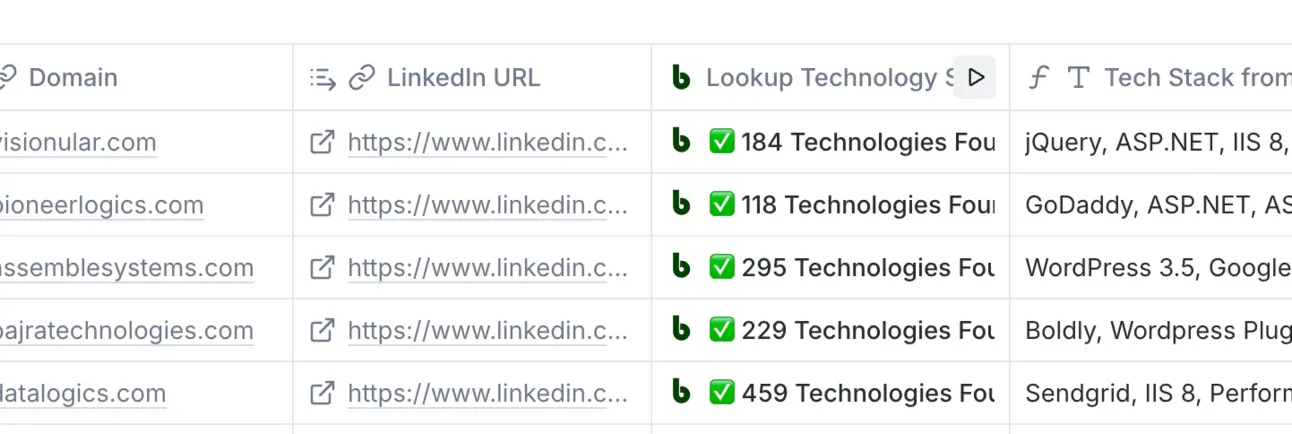
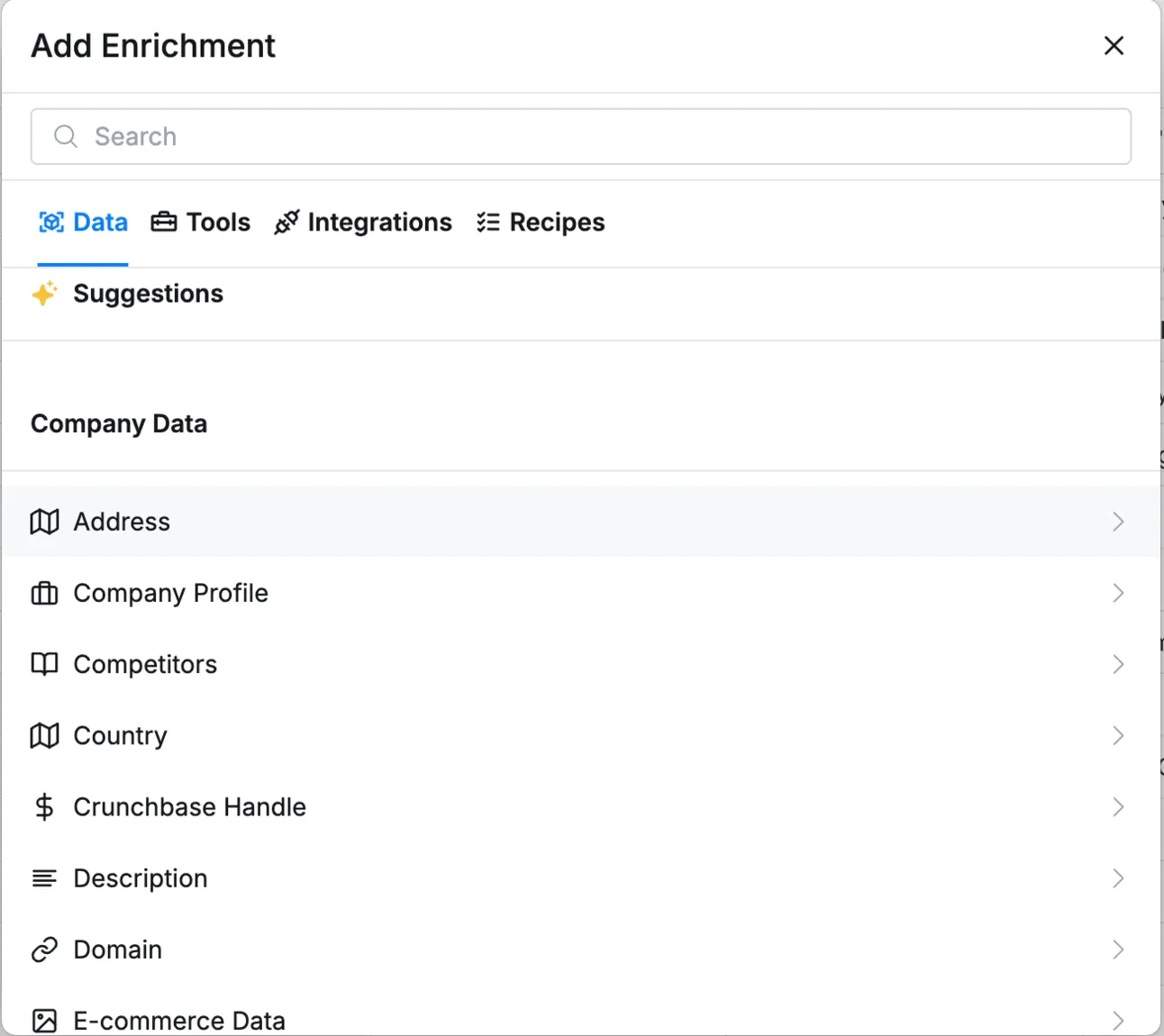
So, tons of data to use for personalisation:
Personalisation
You can use Clay to personalise your text in email & LinkedIn outreach, but you can go beyond that and reach at least 2-3x more replies using - video personalisation in your outbound strategy!
Imagine your prospects get the loom-type video with:
- You saying their name
- Their website on the background
- Call to action at the end of the video
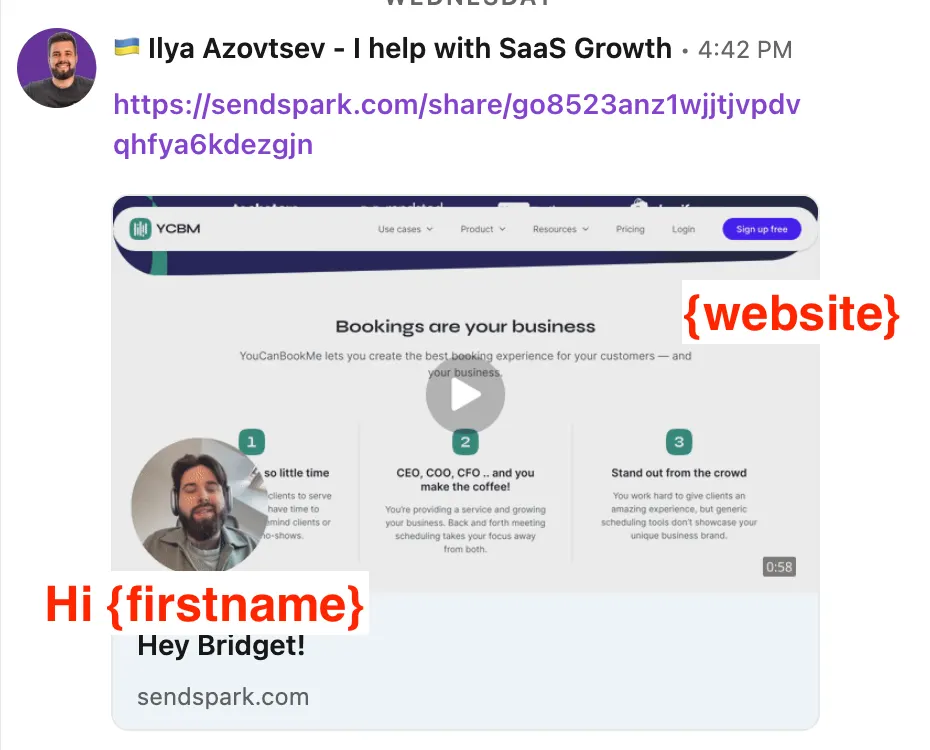
And this is done on scale!
So if you have 100 people in your campaign, all of them will get a video with their website and you saying their name!
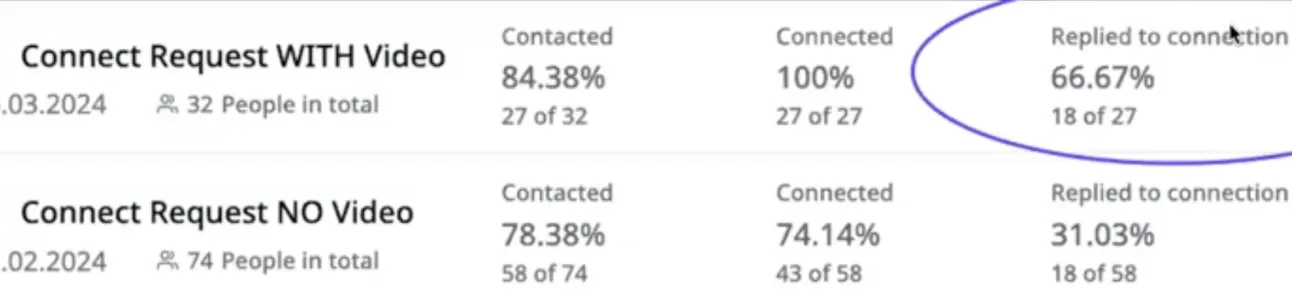
From our own outreach campaigns, we easily see at least 2x more replies & booked meetings (Example with Expandi LinkedIn outreach campaign):
For this we use SendSpark.
Here is the link → https://sendspark.com
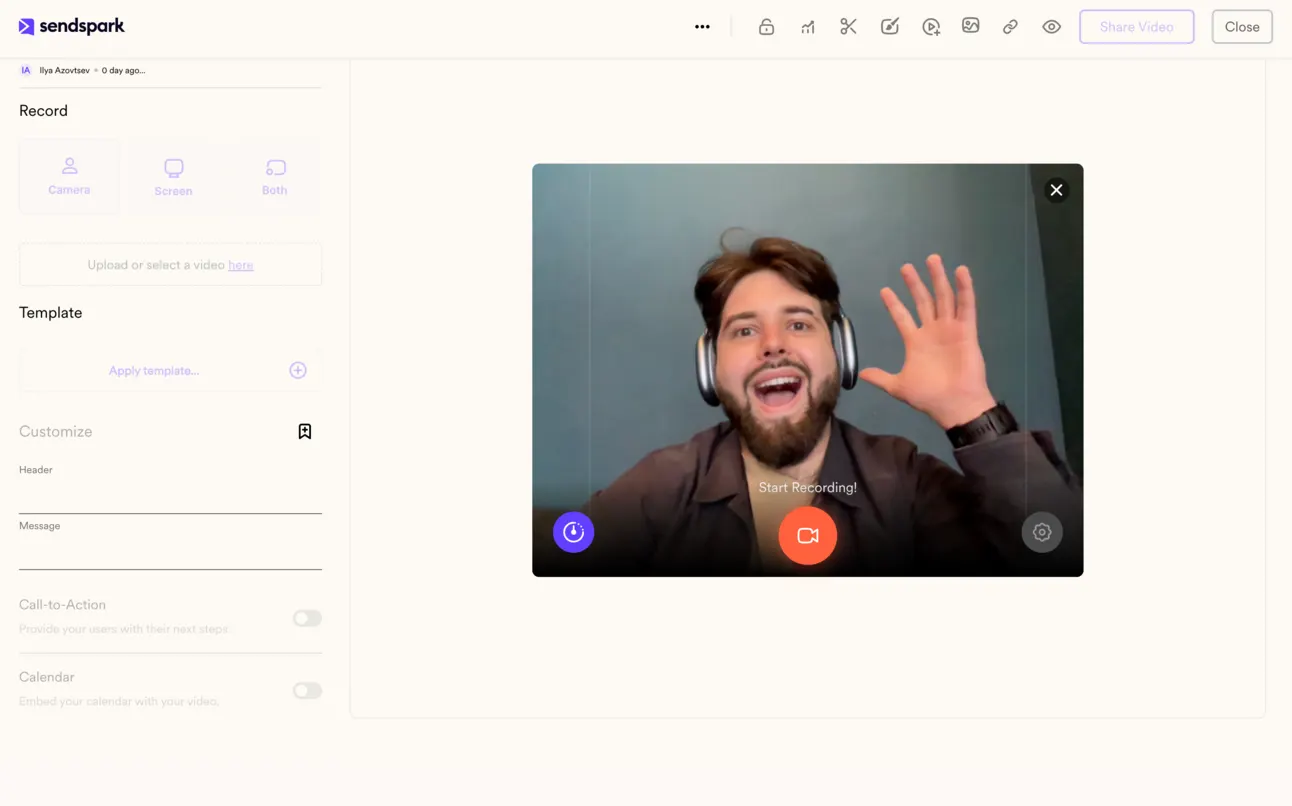
Here is the full guide how to personalise videos for your outreach on scale.
Email Deliverability
It doesn’t matter how much you invest into outbound lead generation, if your emails are going to spam and it hurts your domain deliverability ⛑️
So the number 1 thing you have to do before adding contacts to your outreach system, is to create other domains (that are similar to your main one), tech set-up them (SPF, DKIM, DMARC, MX…) and warm them up!
So for Google & other email providers your domains & emails don’t look like spam.
Why you need to create extra domain for cold emailing?
Because, we never know how many people will actually mark your email as spam (hopefully not a lot). But if this happens → your main domain might lose deliverability - and this is going to be a hell 😐️
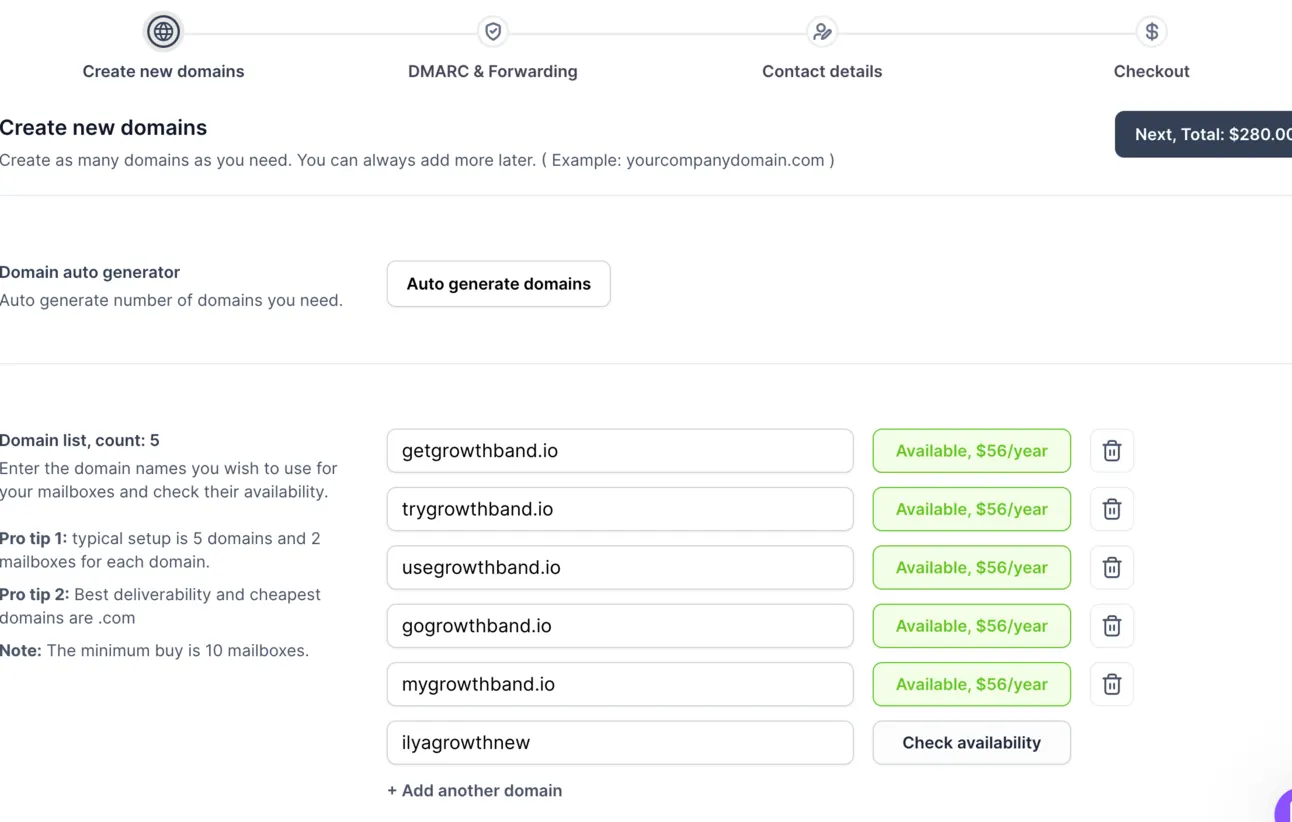
So let’s start with setting up domains that are similar to your main one:
You can easily do this on your own, but if you’re not experienced with domain set-up, I highly recommend you use - Mailforge for domain set-up.
Here is the link → https://mailforge.ai
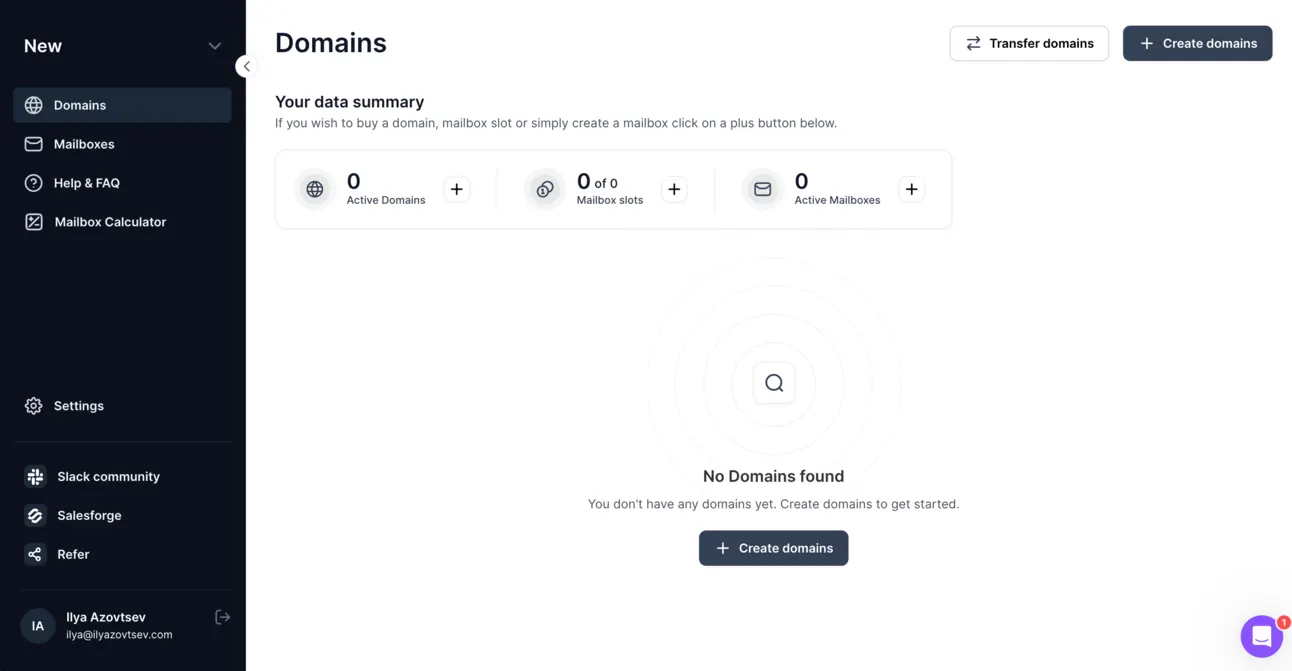
So you just need to find domains (Mailforge does it for you) that look similar to your main one:
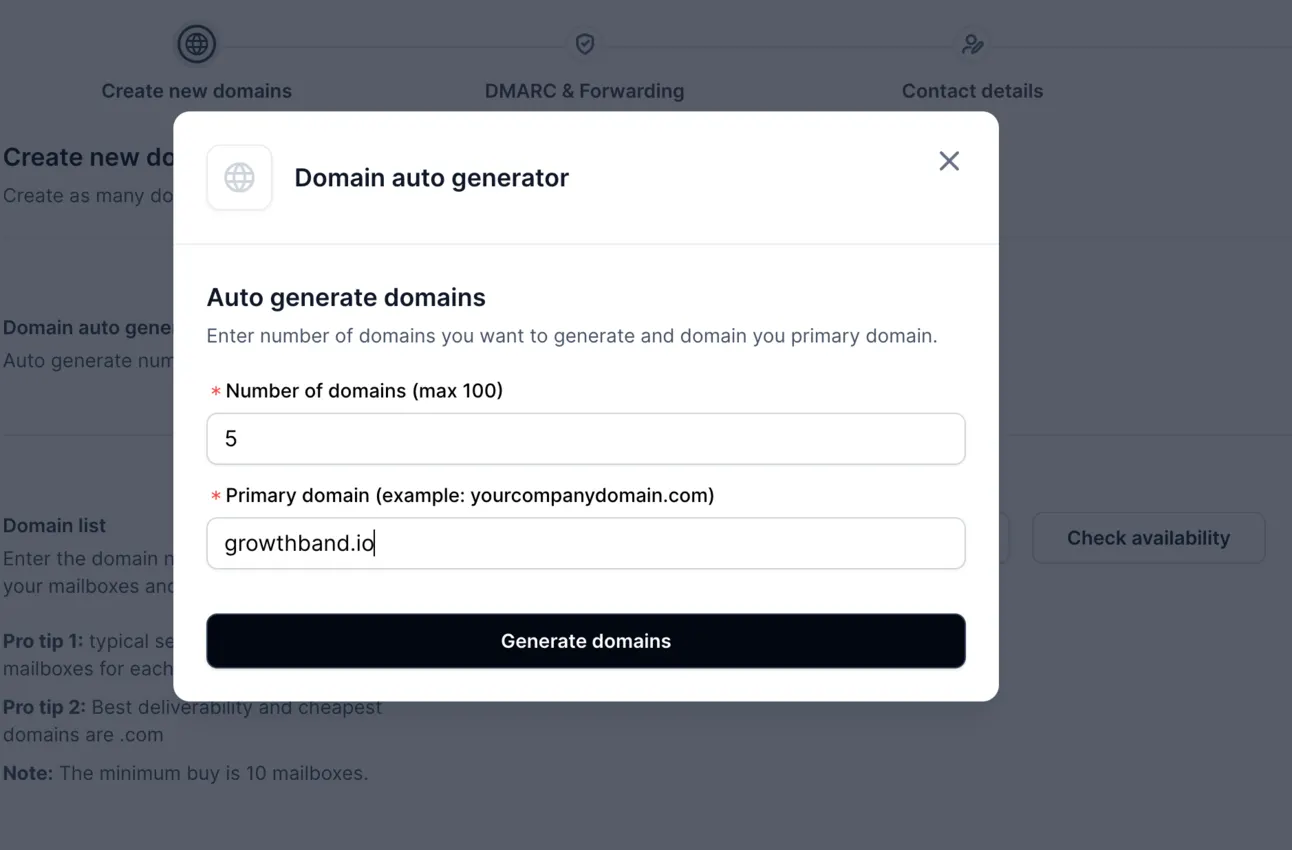
Buy these domains, Mailforge finds the most budget-savvy & at the same time relevant domains:
Set-up DMARC with the help of Mailforge:
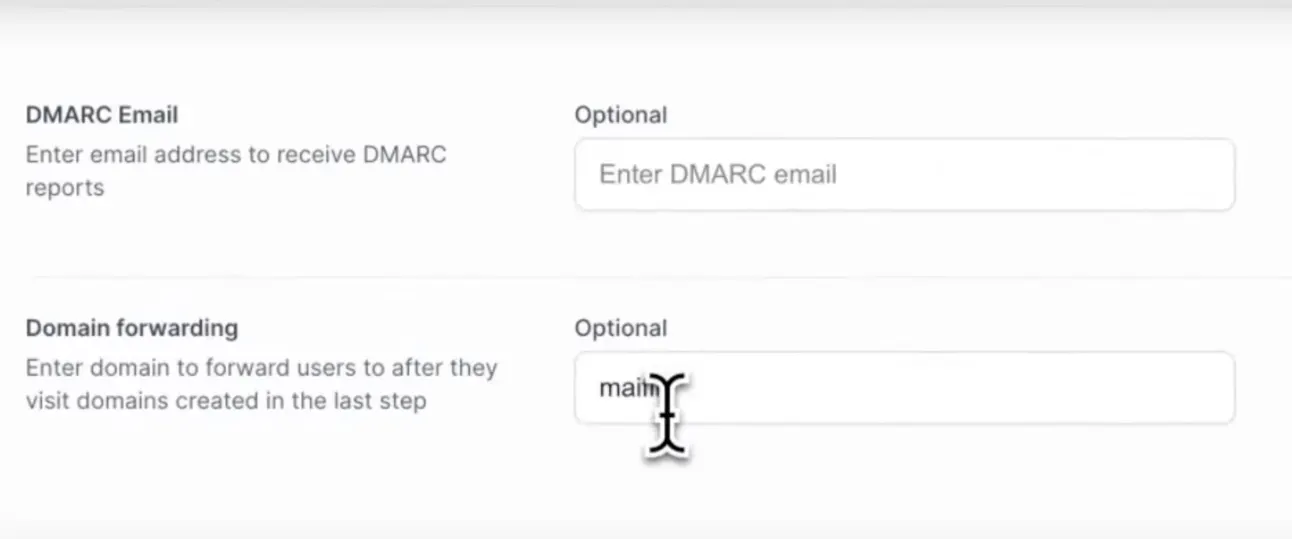
And that’s it.
All of your domains are ready to be used for email outreach!
But before sending any messages from new domains, you need to warm them up, and for this we recommend Folderly.
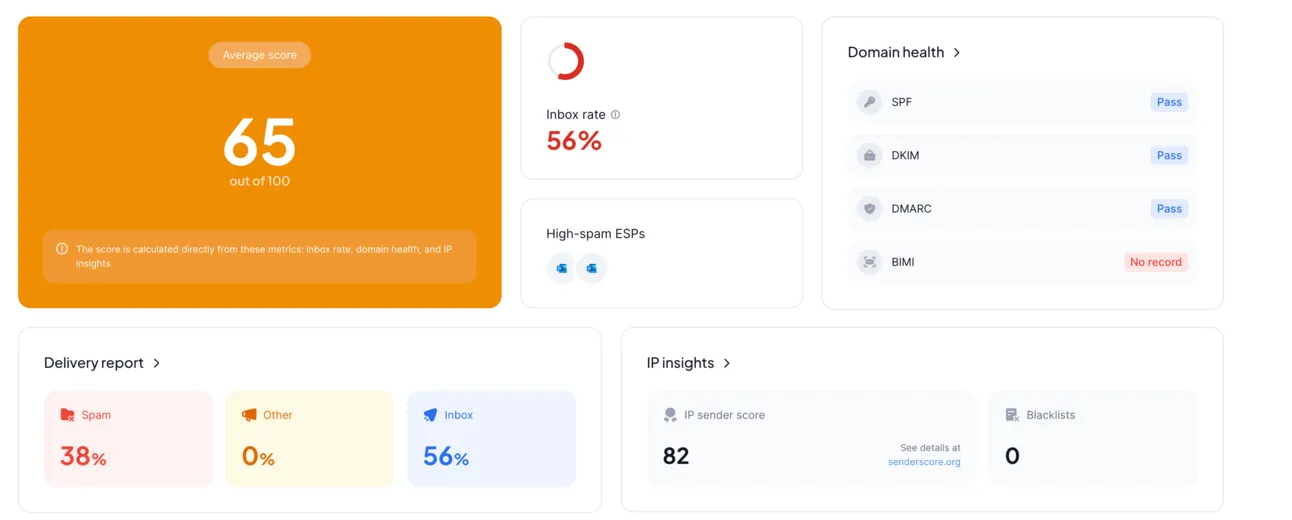
So what it basically does:
- You automatically send emails from your new domains to other emails
- They automatically mark your emails as “important” and “not spam”
So for Google & other Email Provides, your new email domains look valid & active ✅
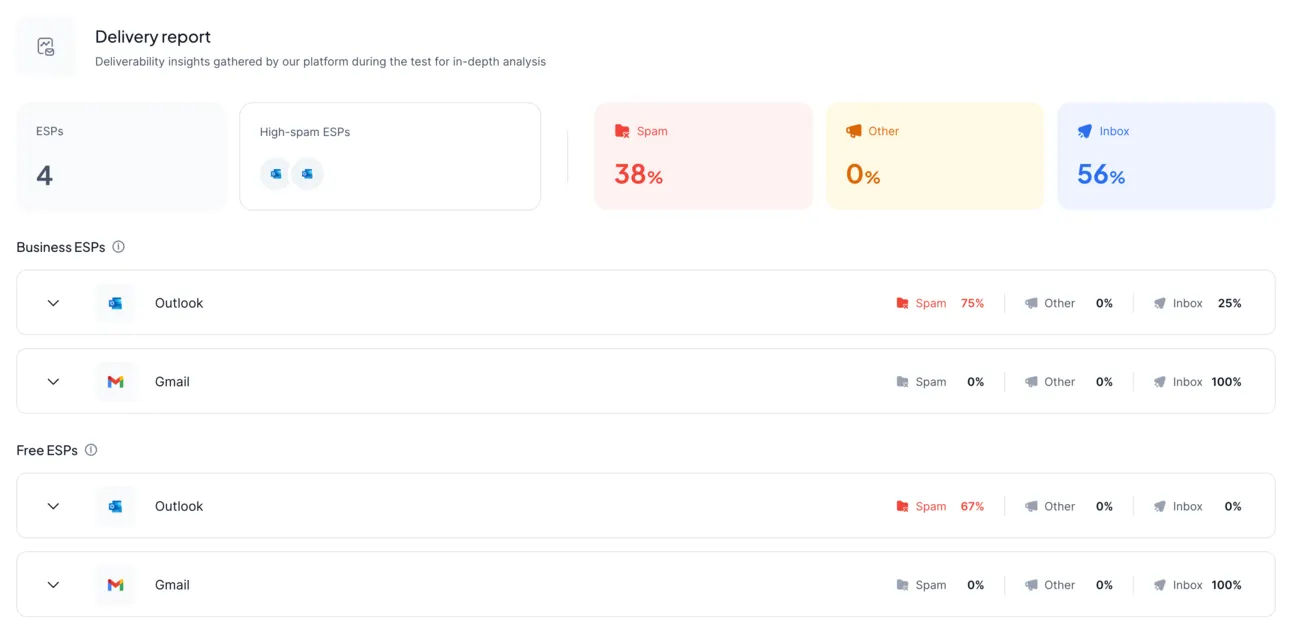
Wait for 2-3 weeks with active Folderly and you can start your outreach!
Email Senders
Now, you’re prepared with active & warmed-up email domains, have the list of contacts you need to reach out to, validated emails, personalised with AI & video… it’s time to launch your campaign!
There are tons of tools for email outreach (and you can use any of them), but our recommendation is - Instantly.
Here is the link → https://instantly.ai
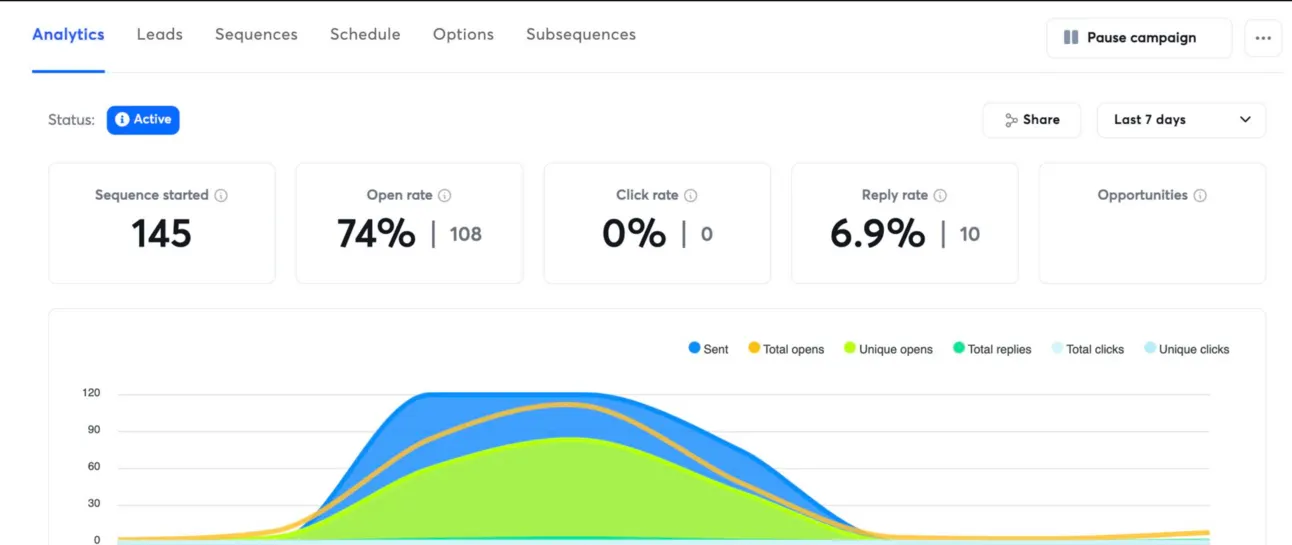
And here is why:
You can’t send a lot of emails from 1 email account & domain. If you do so, you increase your chances to go to spam (even if your domain is warmed up).
So in order to send a bunch of emails, you need to have a lot of email accounts & at least a few domains… And the majority of tools charge you for each email account you connect.
So the price for outbound toolset is increasing dramatically 💵 😢
But Instantly has changed the game.
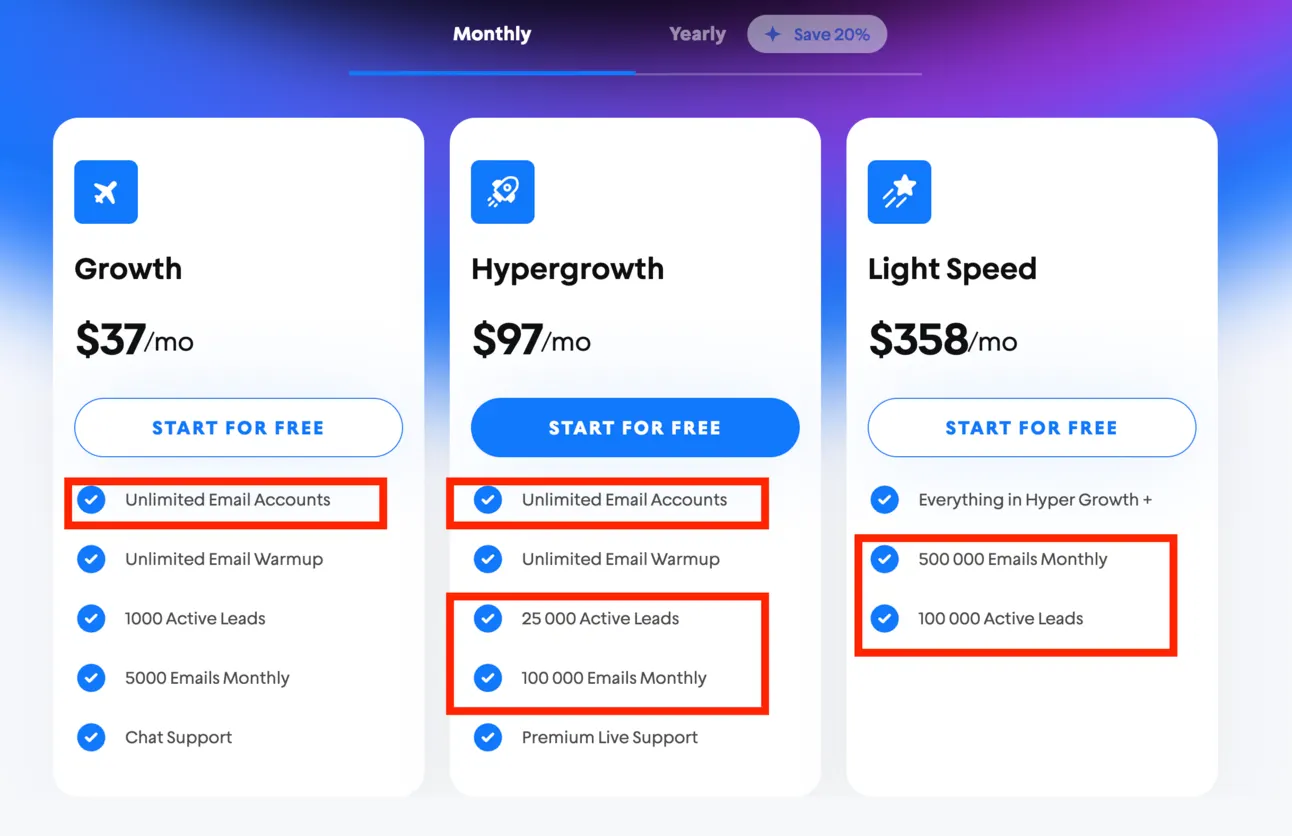
They charge not for each email account you add, but for the amount of contacts you want to reach out to.
So for $97/month you can reach up to 25k people!
In almost all alternatives you have to pay 3-5x more money… 😭
And with the growth of your outbound machine, the price-difference will be even higher.
LinkedIn Outreach
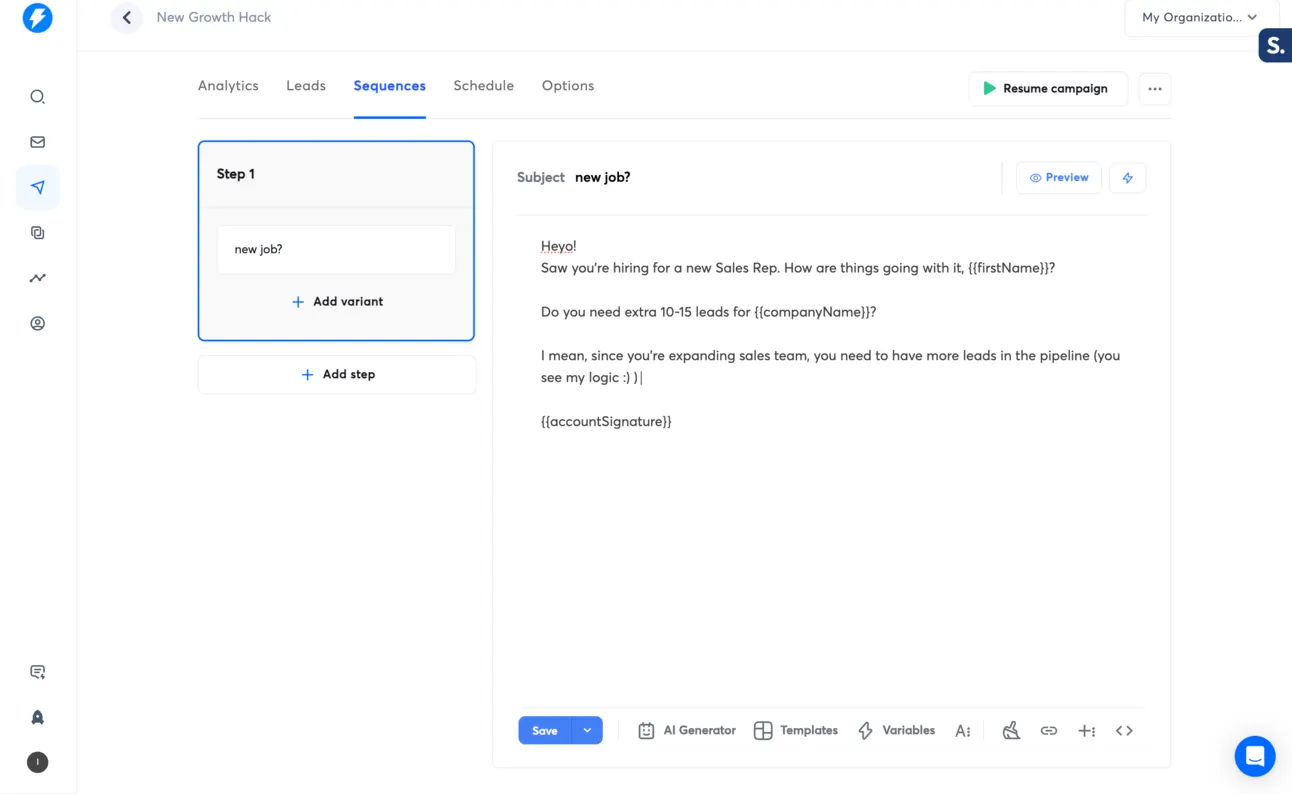
I personally have an extensive knowledge & experience with LinkedIn tools. Just to remind you I was a growth person at lemlist & Expandi (LinkedIn automation software).
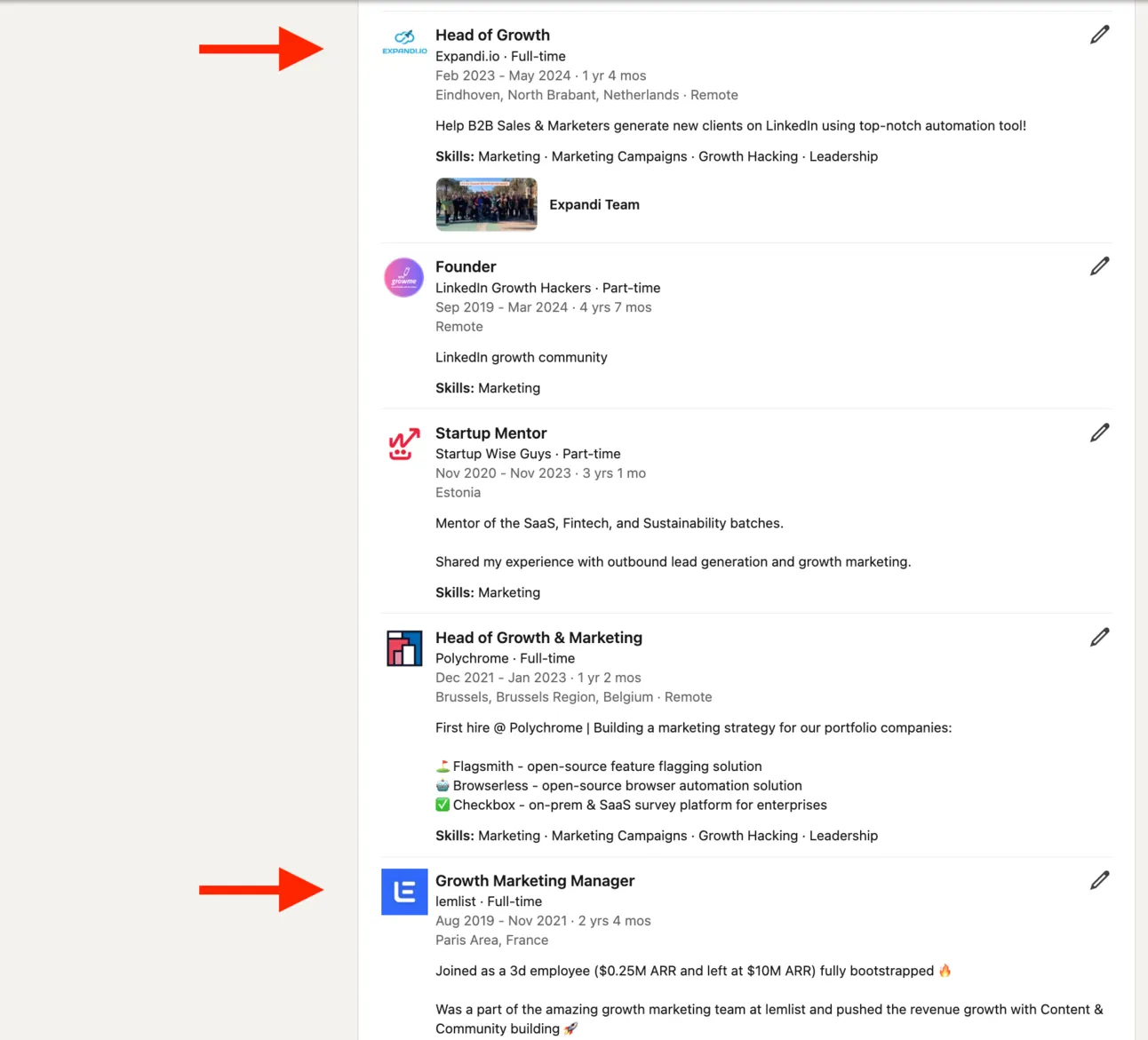
And of course you can use one of these tools (they are great!).
But in this article, I’m going to talk about 2 tools for LinkedIn automation that I like the most: Expandi & Heyreach.
Expandi → https://expandi.io
Heyreach → https://heyreach.io
Why these 2 tools and not other?
- Low chances to get restrictions on LinkedIn 😵
Imagine, you’ve invested time & money into finding right people, writing sequences, personalising your LinkedIn outreach, connecting it to CRM…. and tomorrow LinkedIn restricts your profile.
Everything doesn’t matter if you lose (permanently or temporarily) your LinkedIn profile.
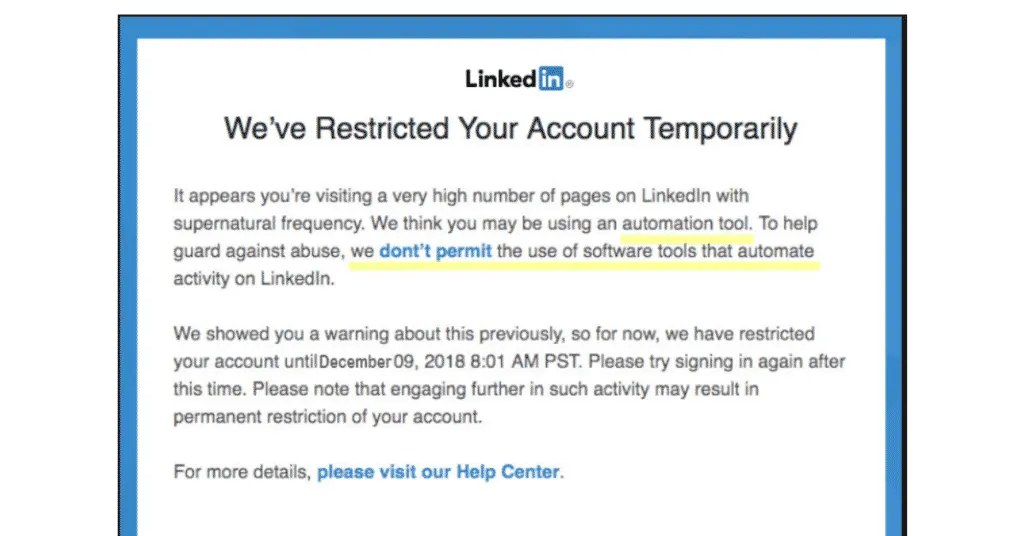
The main thing that LinkedIn Automation Software needs to offer is your account safety. So you can generate leads on LinkedIn, forever.
Both products are Cloud-Based and it provides the highest possible safety to your LinkedIn account.
In simple words, for LinkedIn it’s easy to detect that you’re using Chrome Extension to automate your outreach, and it’s way harder (almost impossible) to detect Cloud-Based solutions.
Sorry for being too technical or boring with this part, but it’s important 🥱
How Cloud-based solutions work (in a few words):
- You give your LinkedIn credentials
- LinkedIn automation tool set up a virtual computer
- Logs in to your account on this computer
- Does actions on your behalf
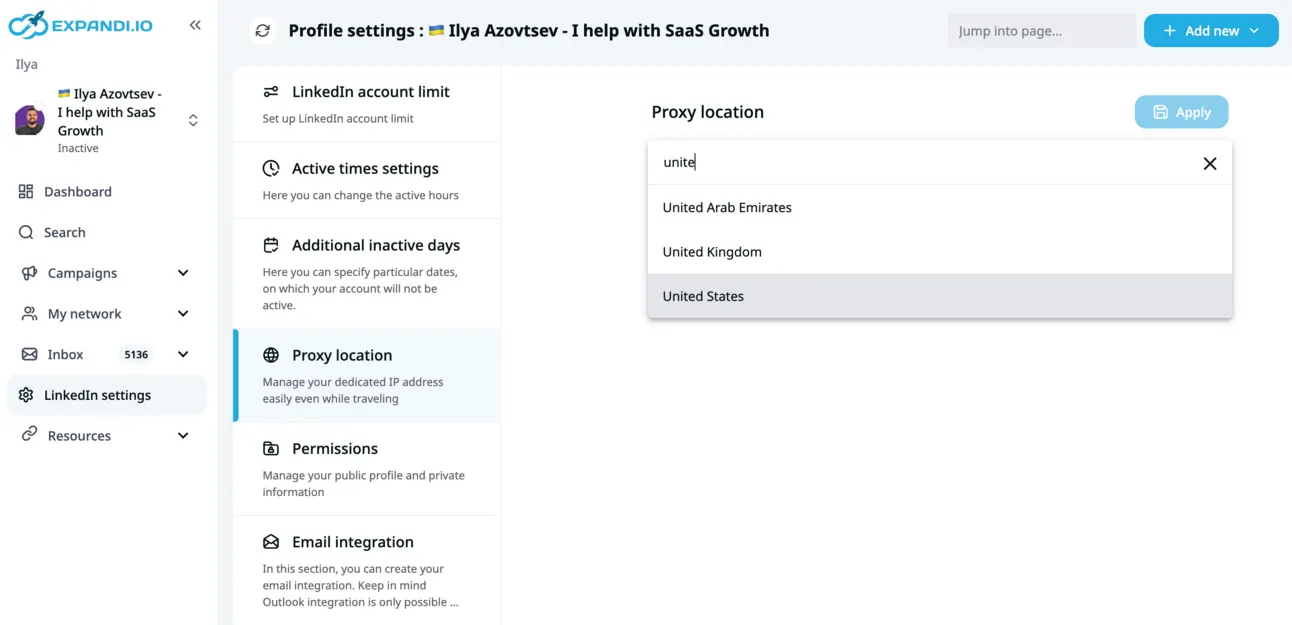
Moreover! Expandi & Heyreach gives you an option to set up a custom proxy - so this virtual computer executes actions in your location 🌎️
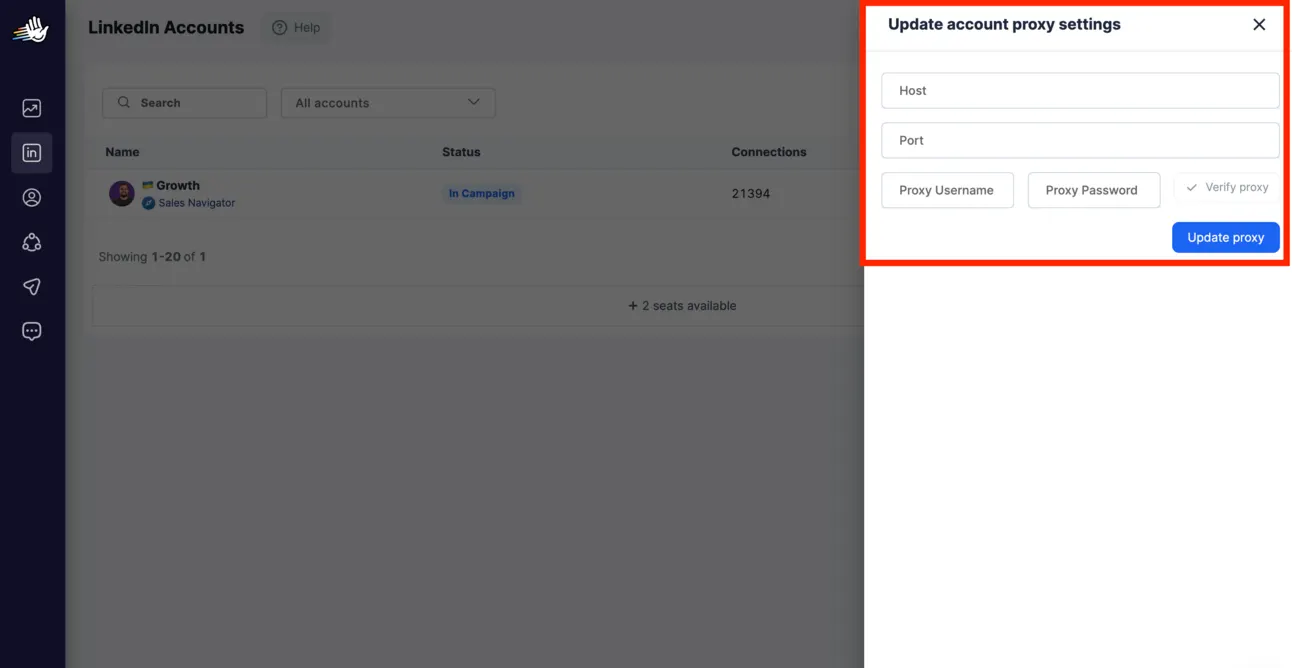
So for LinkedIn it looks the same as you have a new laptop and using LinkedIn from it.
Consider Expandi & Heyreach as assistants who are growing your LinkedIn profiles, and generating leads on your behalf sitting next to you in your office 🏢
- LinkedIn automation should be powerful in terms of automation 🤖
It’s not 2014 when you could connect with thousands of people.
In 2024 you can’t just connect with everyone on LinkedIn and expect 💵
Everyone is limited with the amount of connections to send on a daily basis. On average you can send 20-30 connection requests per day.
That means 500-600 connection requests per months 🥲
You can say: it’s impossible to generate leads with this limitation.
But I’ll show you:
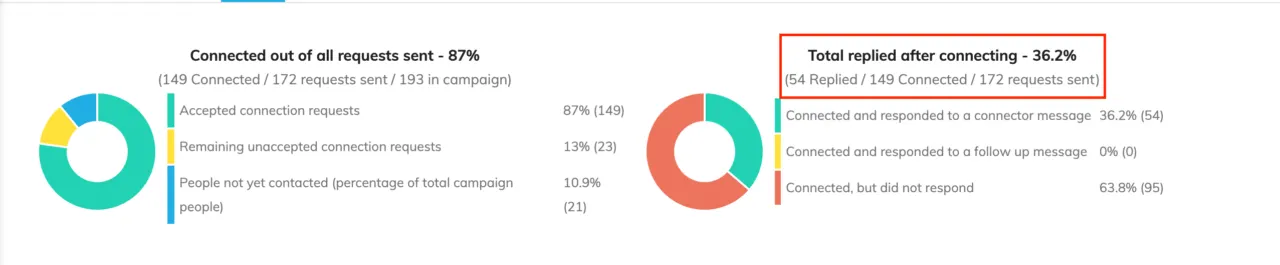
50 leads generated in 1 month.
Why?
Because the reply rate on LinkedIn is way higher than from cold emailing. LinkedIn is more humanised, less spammy and with no gatekeepers. So people are more tend to reply to you.
So what to do when you can get great replies from this channel, but still extremely limited with the amount of connections you can send?
You need to maximise each connection request you send, each follow-up you do…
What I do:
- Narrow down my outbound strategy (using tons of filters on Sales Navigator)
- Personalise my text with Clay (mentioned above)
- Personalise videos with Sendspark or Response.ai
Also, I create comprehensive & advanced LinkedIn outreach sequence!
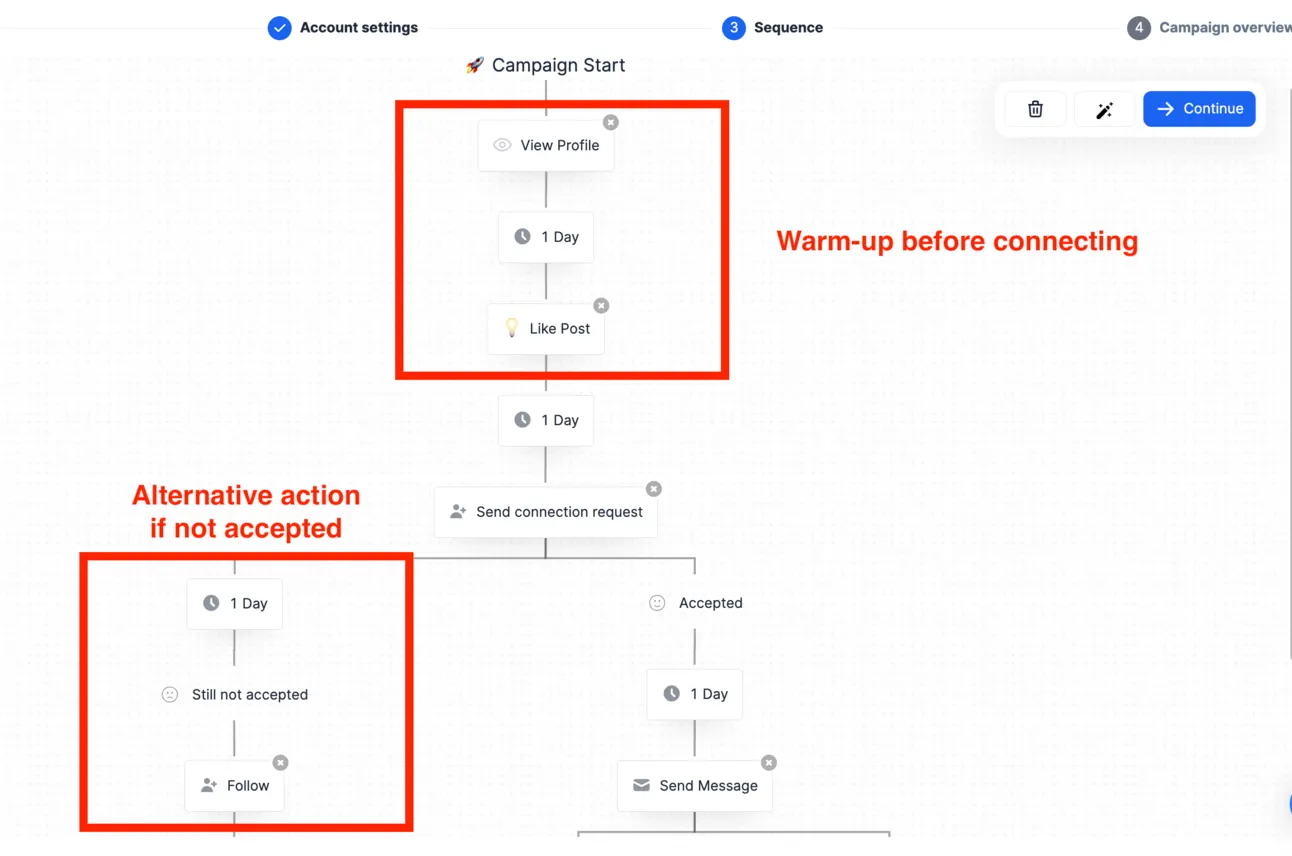
For example, before connecting with someone, I visit their profiles and like their posts → so they can see it in notifications.
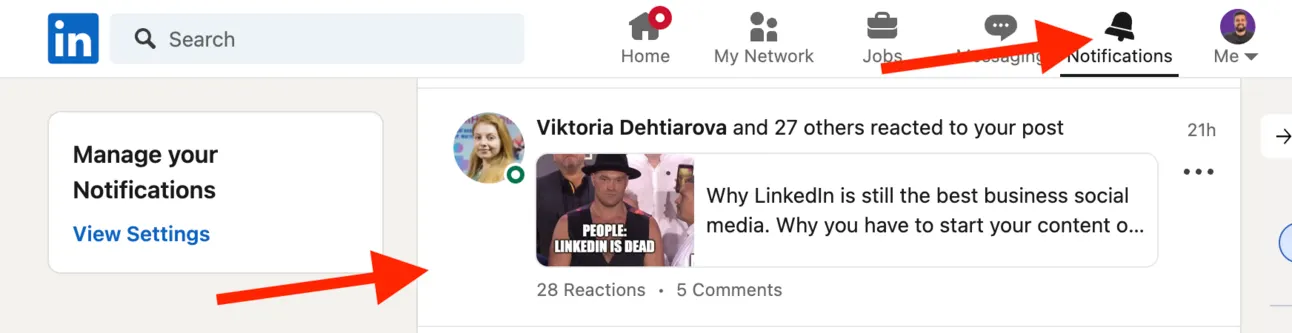
Now when I reach out to them, they have the feeling “Hmmm, I saw this guy somewhere”.
If they don’t accept my connection request, I do try to send them InMail message.
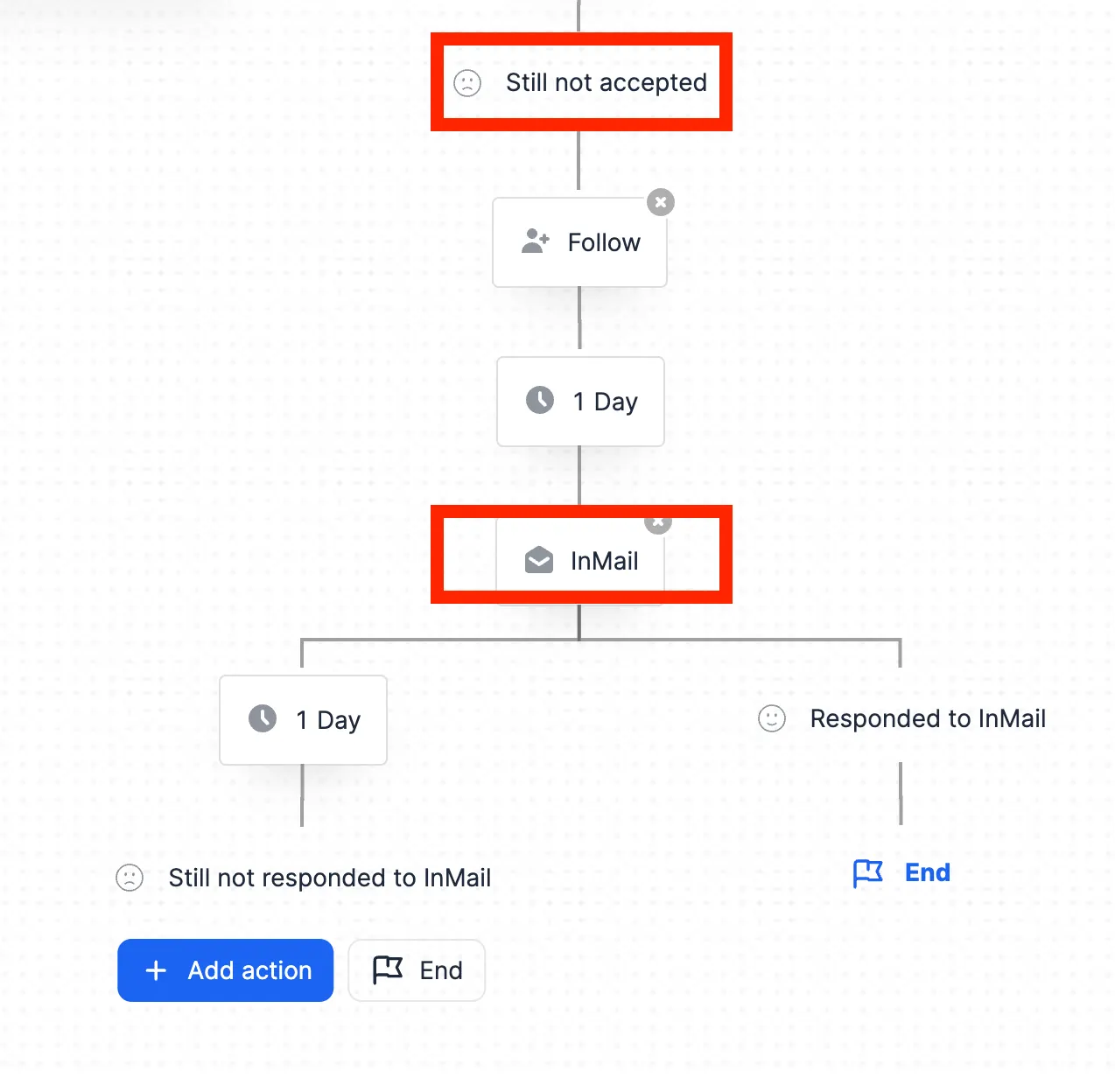
You can do this or even better with both Expandi & Heyreach.
But if you still want to find the solution that you’ll test first, here is a quick overview of both tools:
| Factor | Expandi | Heyreach |
|---|---|---|
| Pricing | $99/m/seat | $79/m/seat |
| Safety | Cloud-based + hassle-free proxy selection | Cloud-based |
| UX/UI | A bit comprehensive | Easy-to-use |
| CRM integrations | Through webhooks | 1 click |
| Inbox management | Good | Really good |
| Automation features | Outreach + social selling (e.g. follow company, etc) | Outreach |
| A/B testing | No proper A/B testing | Good A/B testing |
So, again, both tools are great (and we’re using both) but a quick decision making process for you - you need an easy-to-use LinkedIn outreach with great CRM integration features → go with Heyreach.
You need more comprehensive in terms of automations, but a bit more complicated tools → go with Expandi.
Integrations
You implement all of this tools, test outbound and once you feel that it’s working for you → you need to optimise & automate.
So the toolset you have act not like 5 different fingers 🖐️ but like 1 fist 👊
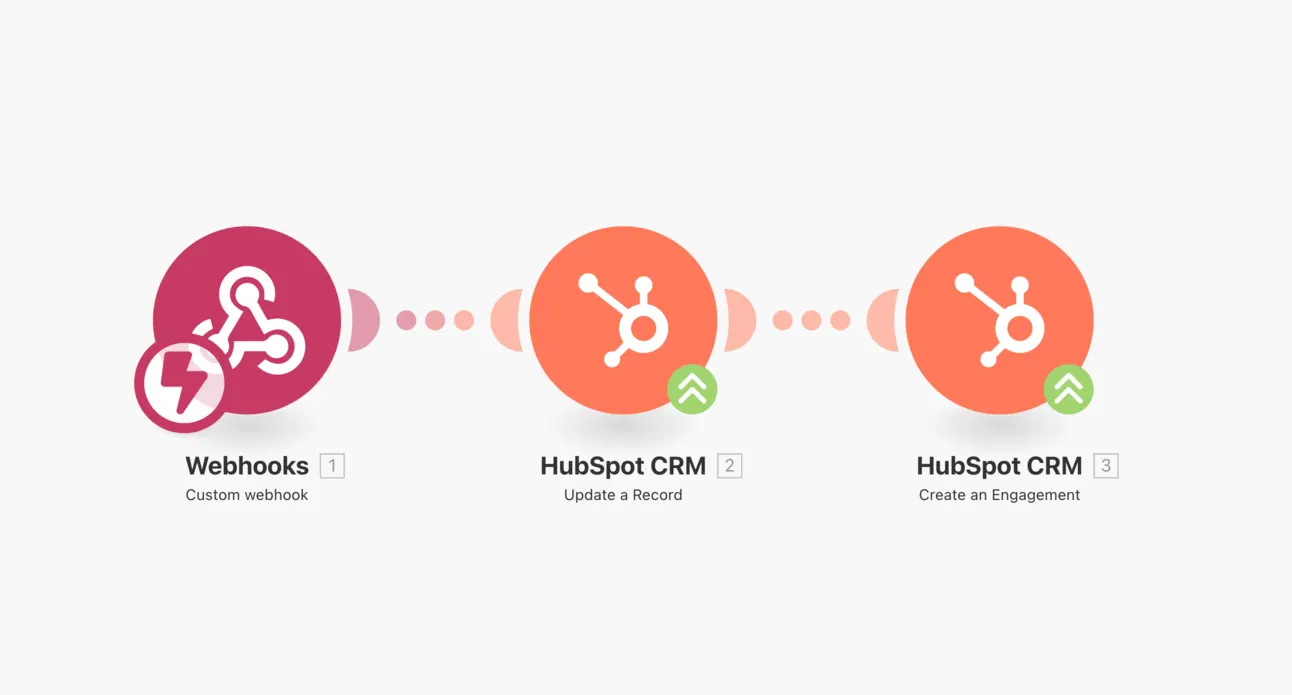
For this we recommend using either Zapier (everyone knows about it) or Make.com.
So why Make?
It’s harder to use rather than Zapier, but it’s way more advanced!
You can scrape new job postings on Indeed, enrich the data, find decision makers, prepared personalised videos, reach out on LinkedIn and follow-up on email….automated 🤖
Spoiler: we’re going to share a lot of guides on how to use the whole power of Make.com and let you automate your processes!
Final Word
Let me summarise the tools we recommend:
Email Search → https://snov.io
Email Verification → https://clearout.io
Data Enrichment → https://clay.com
Video Personalisation → https://sendspark.com
Domain & Technical Set-up → https://mailforge.ai
Warm-up → https://app.folderly.com
Email Sender → https://instantly.ai
LinkedIn Outreach → https://heyreach.io or https://expandi.io/
Automation → https://www.make.com
Btw, if you like our content:
- Join Community
- Watch us on Youtube
- Let’s connect on LinkedIn (Ilya & Max)
Talk to the team that runs this every day
Book a 30-minute call. We look at your outbound and tell you what we would change first.

Ilya AzovtsevCo-founder
Co-founder of GrowthBand. Helped scale lemlist from $20k MRR to $10M ARR and built automation at Expandi; now runs the cold email infrastructure behind 32,000+ mailboxes.