In this article, I’ll show you how to reach out to the most high-intent leads in your niche by leveraging BuiltWith on scale… and for FREE.
I’m pretty sure you know what BuiltWith is, but for the beginners:
BuiltWith.com is a data platform that dynamically finds the tool-stack every domain is using.
That means if you want to know:
- what is the E-commerce platform XYZ shop is using? - BuiltWith shows it.
- what chat tool a SaaS XYZ is using? - BuiltWith shows it.
- what CRM company is using? - BuiltWith shows it.
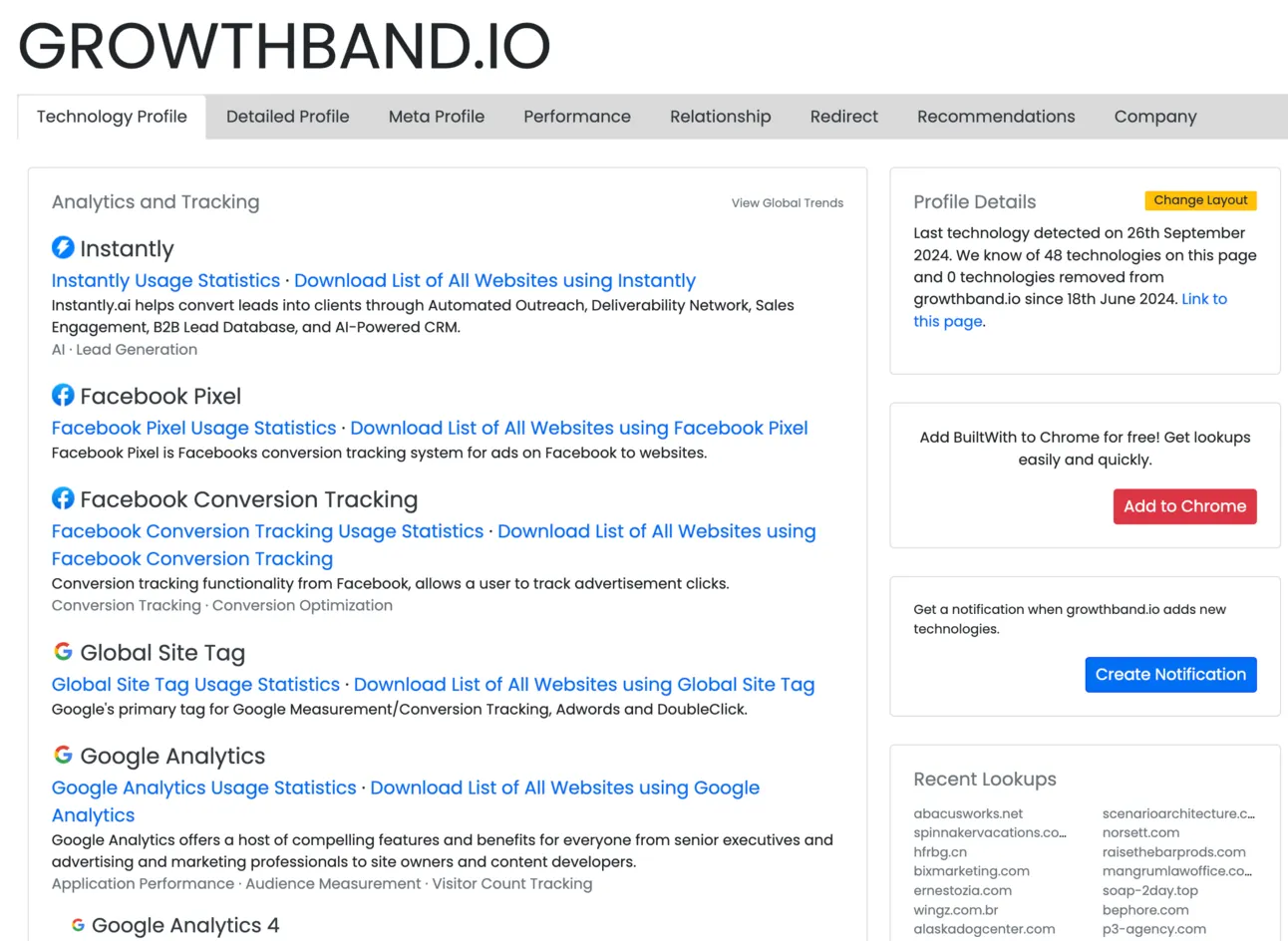
You see where it goes… if you need to find out the list of tools any company is using - BuiltWith shows it!
Why it’s important for your cold emailing?
Basically, you can narrow down the niche you want to reach out and make the reference to the platform they are using.
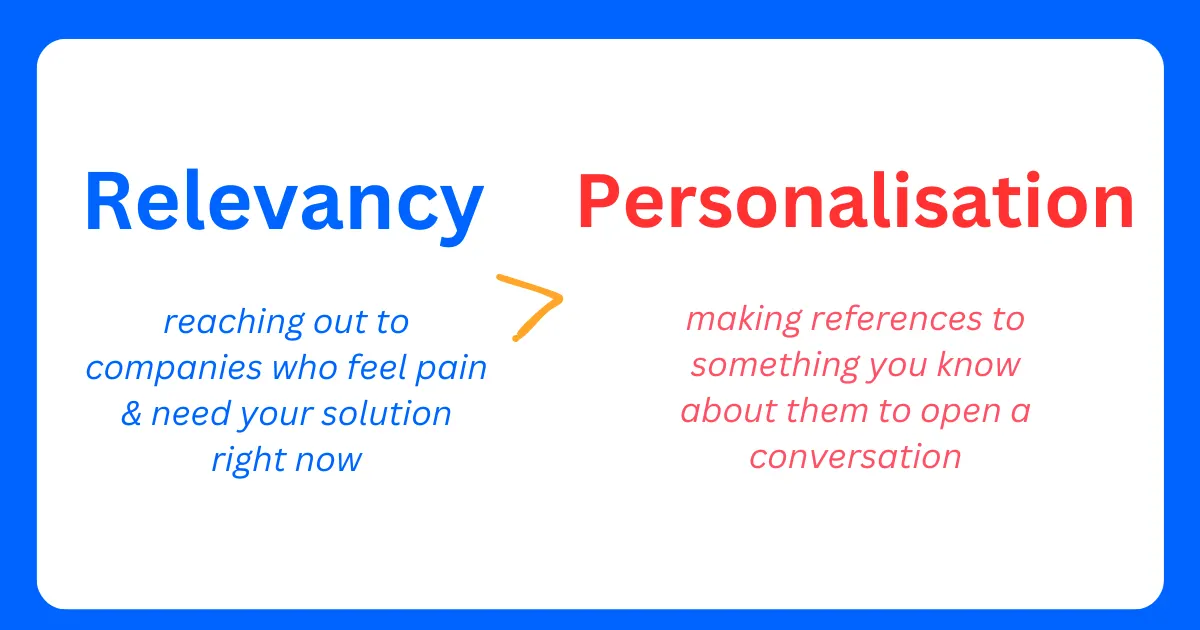
For example, if you’re selling E-commerce development, it’s critical to know whether companies you’re reaching out to using Magento or another platform.
Or if you’re selling SaaS product that competes with Intercom, you can easily determine what competitor these companies are using!
Looks like an amazing thing (and it is), but the BuilWith’s pricing is … 😅
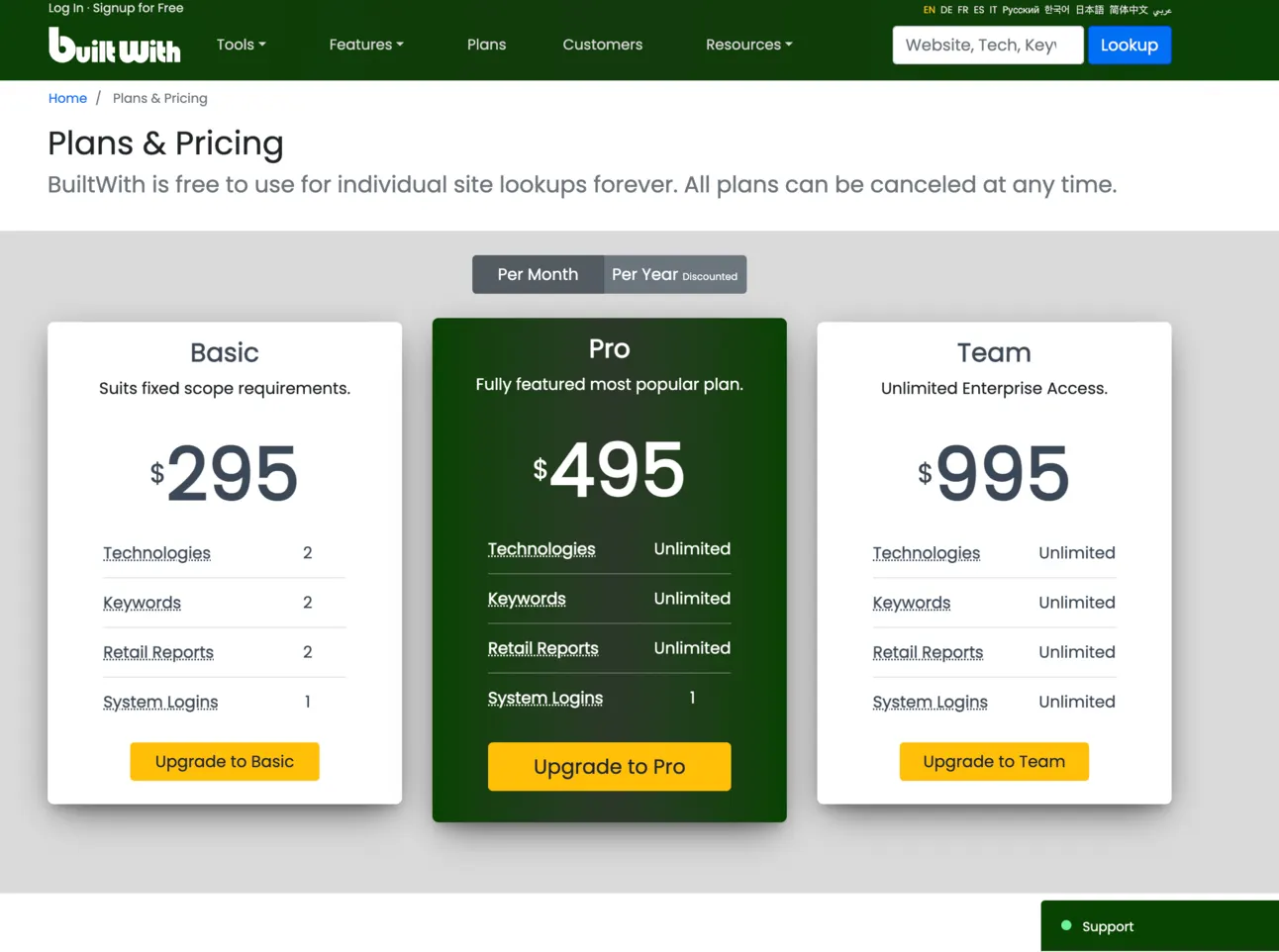
So today I’ll show you how to get the list of technologies & tools companies are using! For FREE (or almost for FREE).
For this we’ll need to use:
- https://clay.com/
- Claygent by https://clay.com/
- OpenAI
So let’s start!
How to find anyone’s tech stack in Clay?
Imagine, we have a list of contacts with domains we need to reach out to and our main goal is to figure out what tool stack each domain/company is using.
For this we’re going to use Clay (https://clay.com/) - it’s an advanced data enrichment & orchestration platform for outbound lead gen.
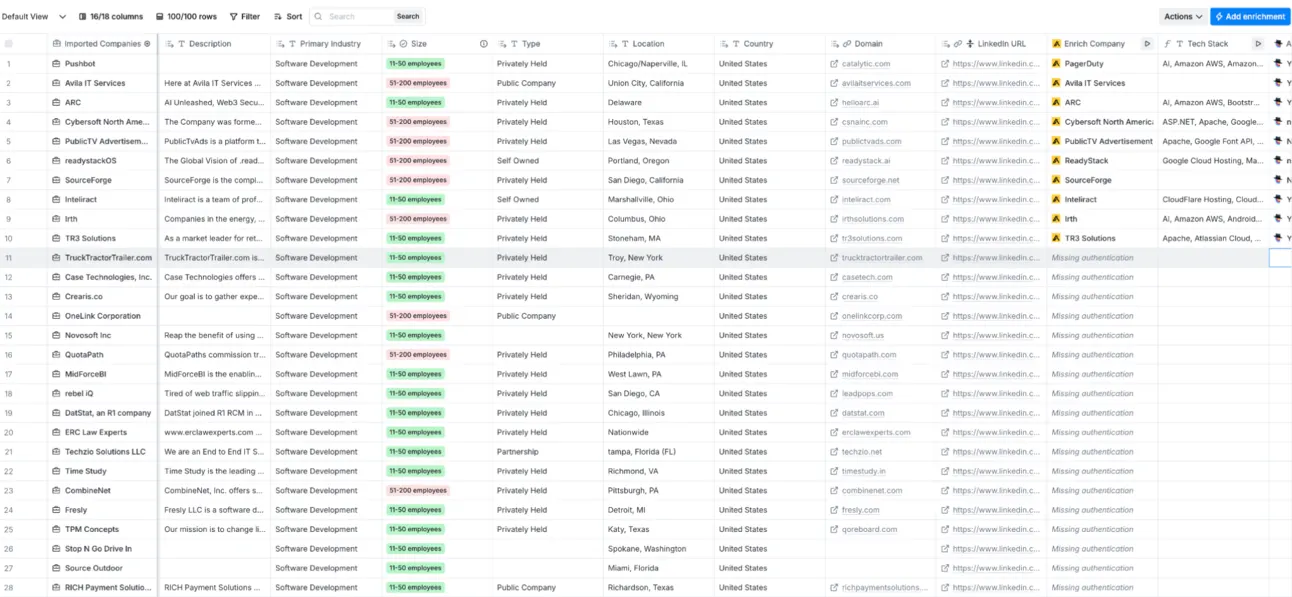
For those who have never heard about it, just imagine you’re using Google Sheets with all the necessary integrations you need (such as finding emails, figuring out the traffic, website speed, and so on) directly in your Clay table (that looks like Google Sheets).
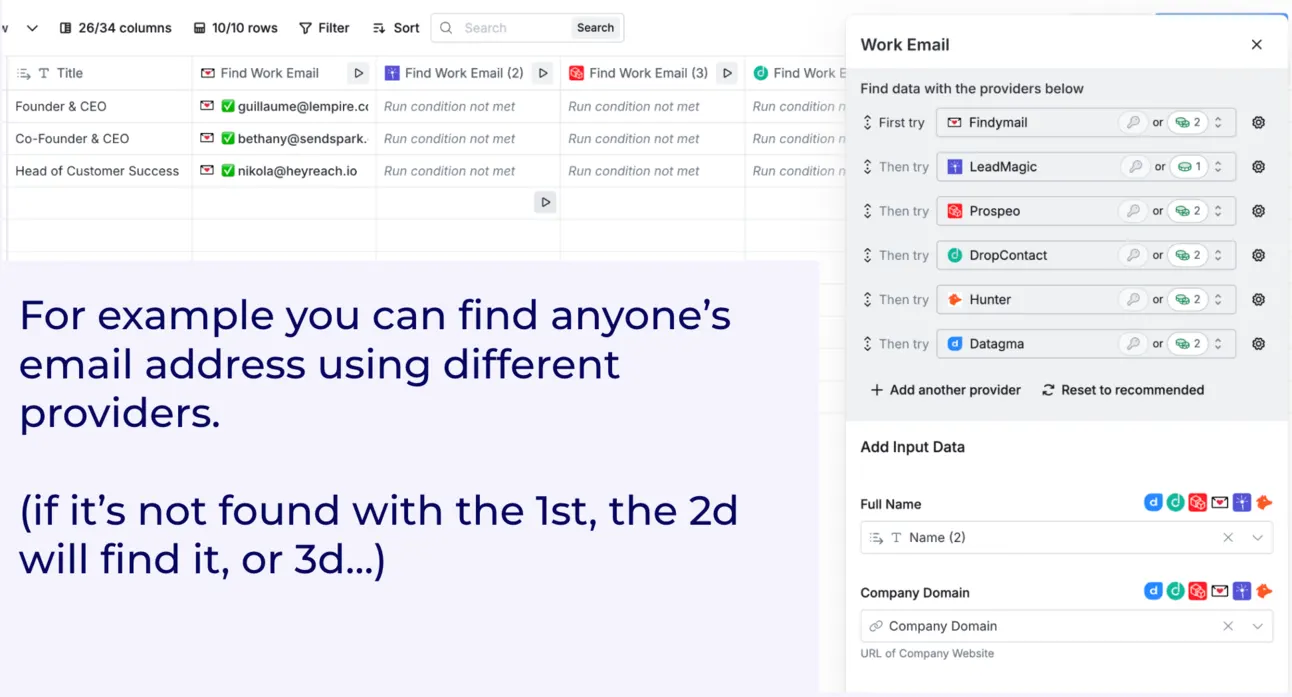
There are tons of integrations & data providers to match your needs, but today we’re talking about - finding out the tool stack a company is using (on scale).
You can do this directly in clay.com by using a BuiltWith integration:
-
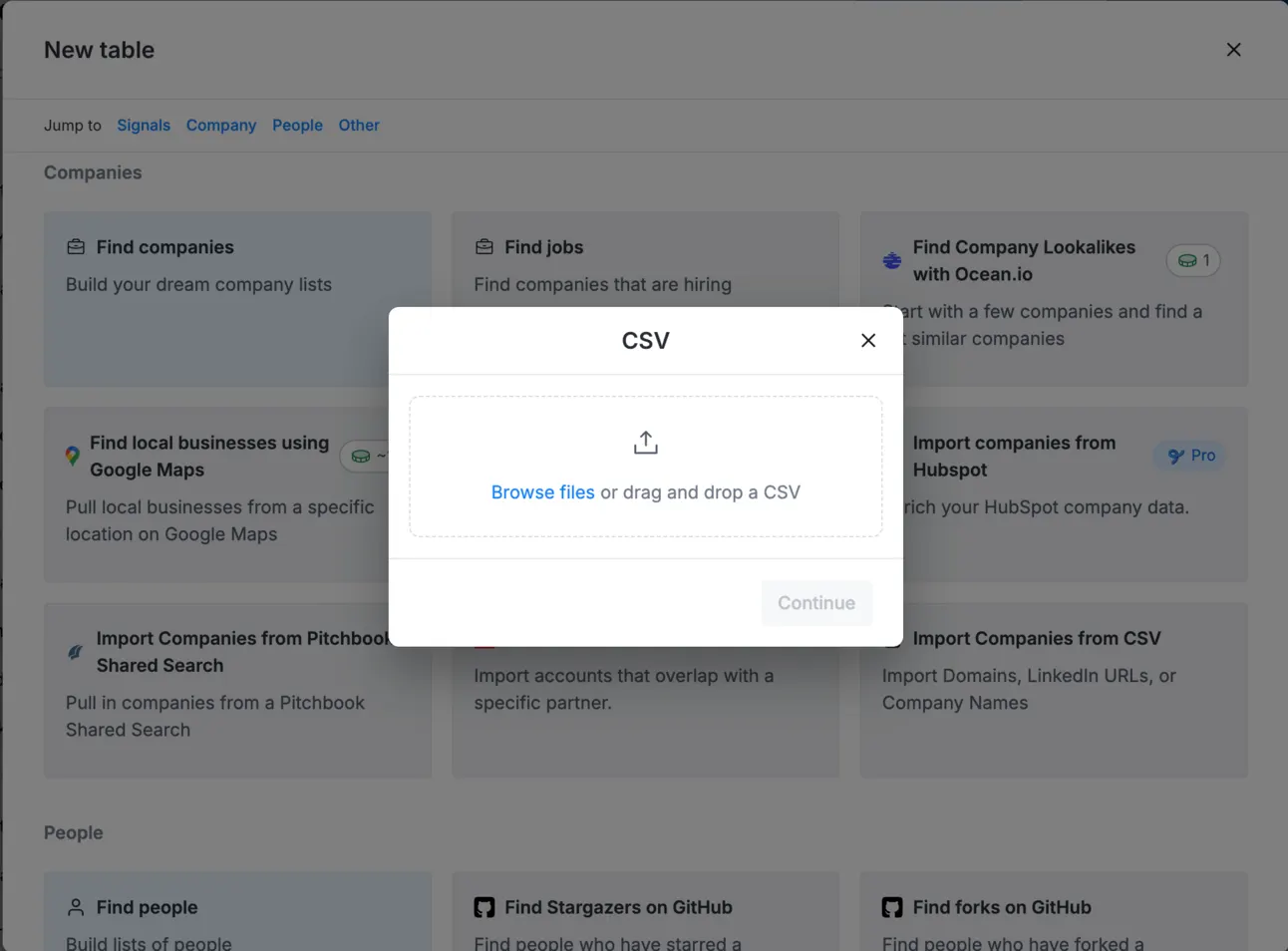
You need to upload a list of contacts with domains:
-
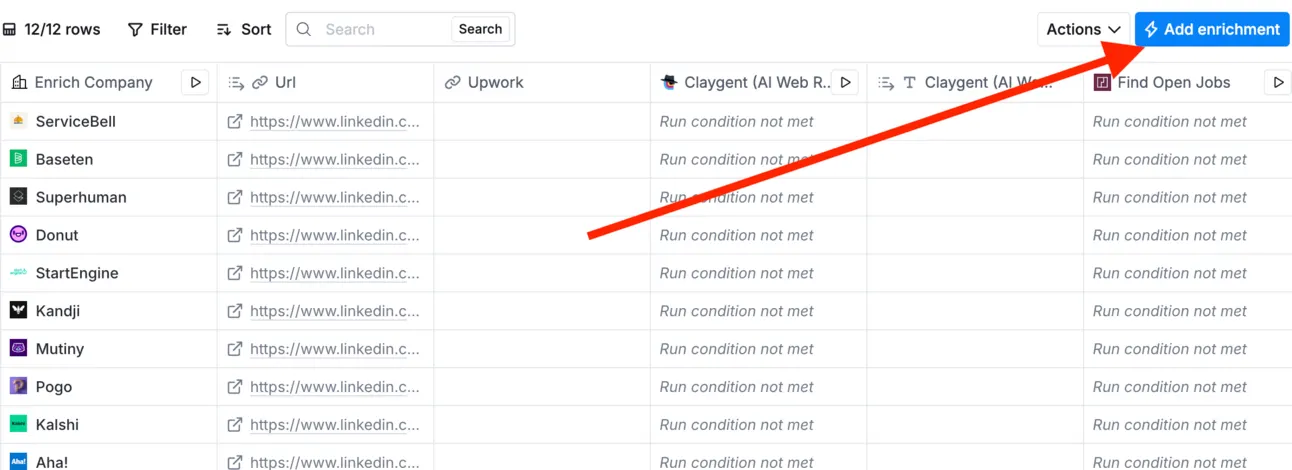
Click on “Add enrichment”
-
Search for “Find Technology Stack”
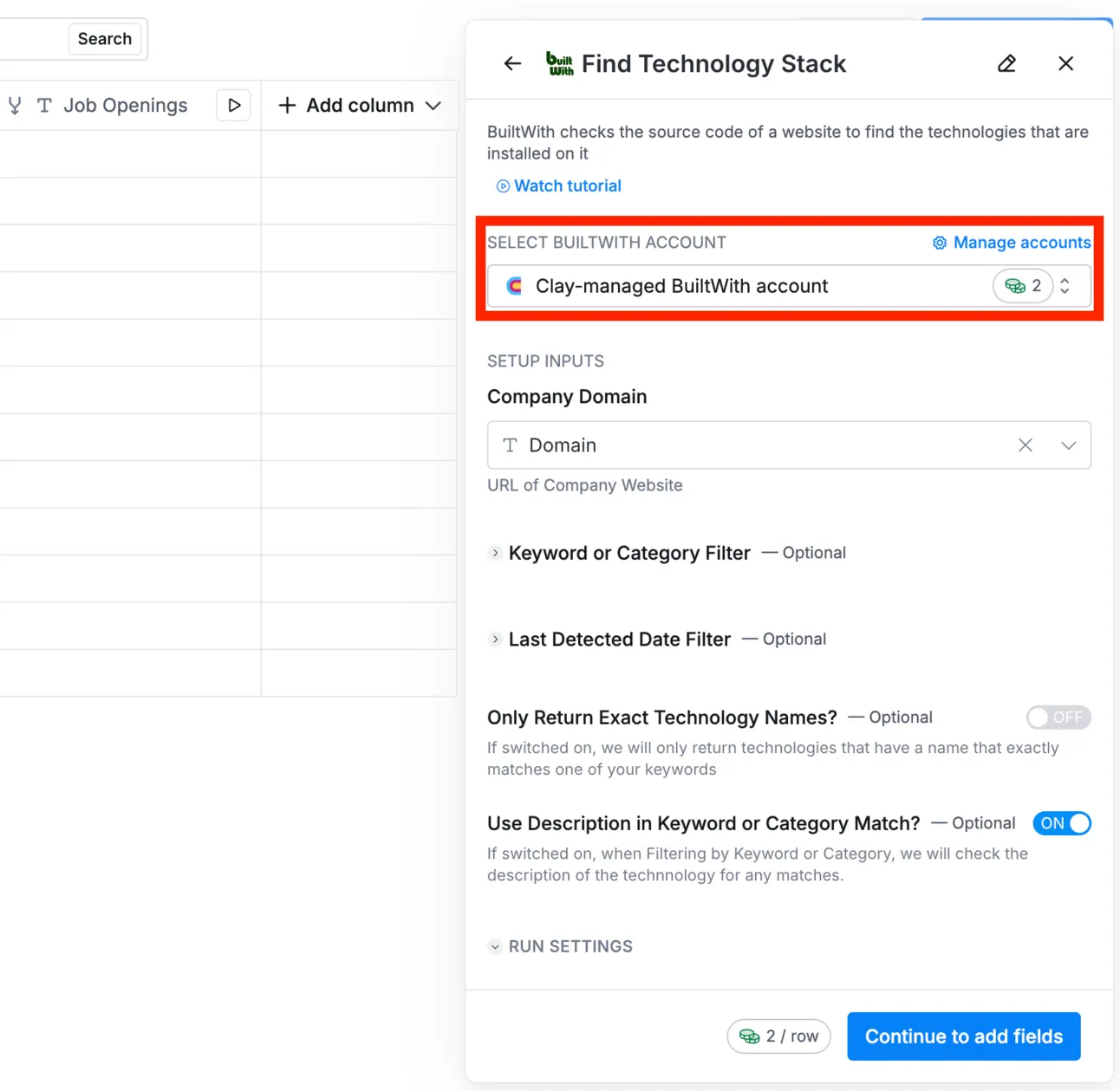
As a result, clay.com will return you the list of all technologies each domain is using 🥳
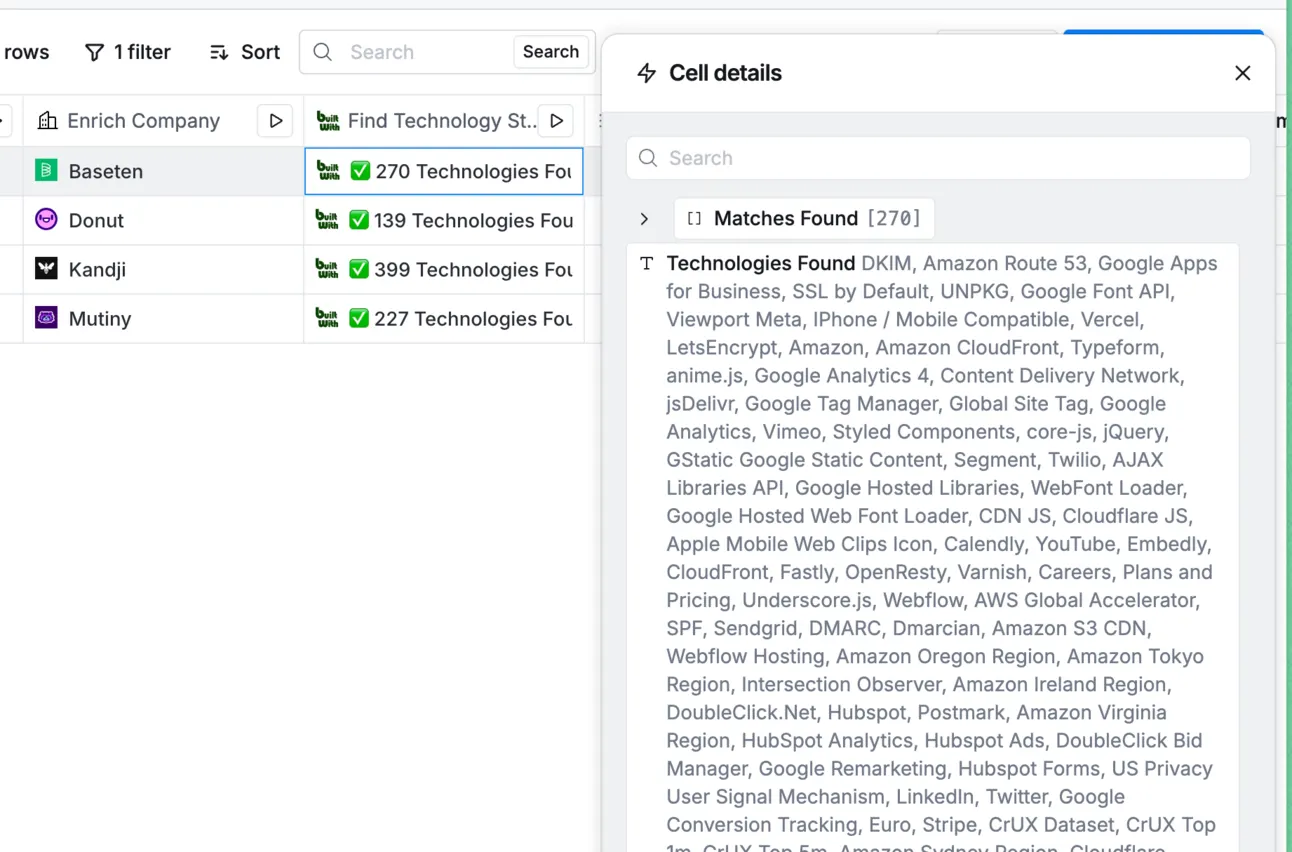
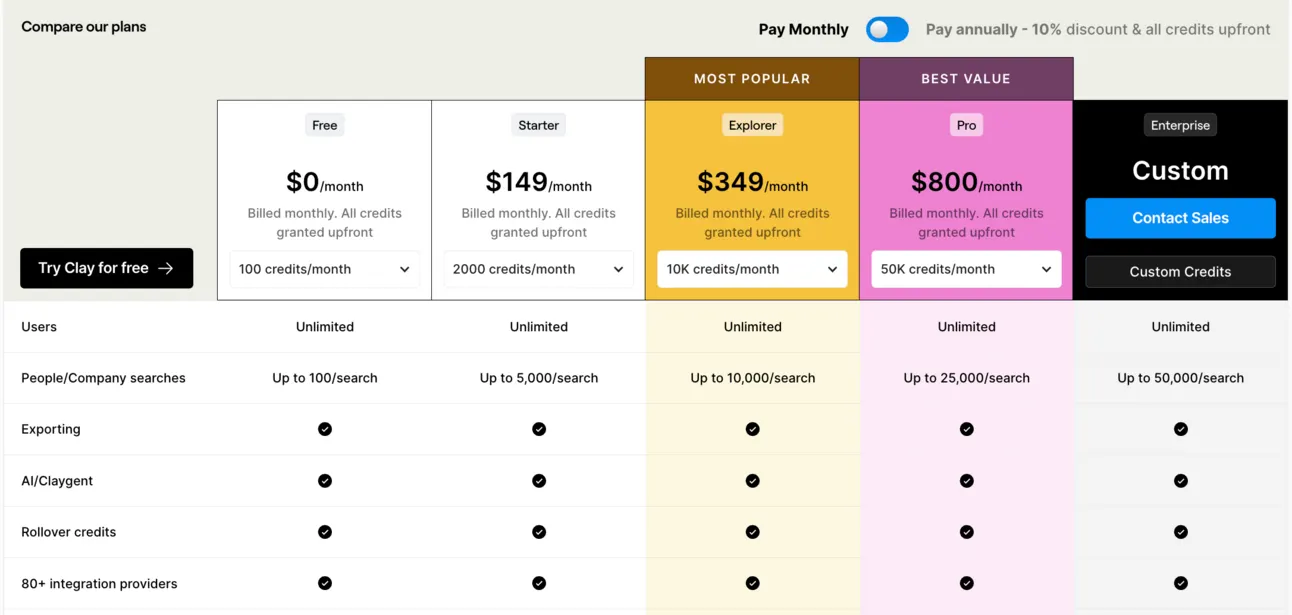
But, Clay charges for each search 2 credits (which is not a small number). Considering Clay’s pricing, for $149/m you’ll be able to enrich & find out the technology of only 1000 domains per month (and you don’t have any extra credits to spend on other enrichments & integrations).
But we found a workaround way to do the same thing, but without spending money (or just a few dollars 💰️).
How to find anyone’s tech stack in Clay FOR FREE?
Or it’s better to say, almost for free (it’ll cost you a few $).
Here is how:
Step #1 - Clean up the domain names
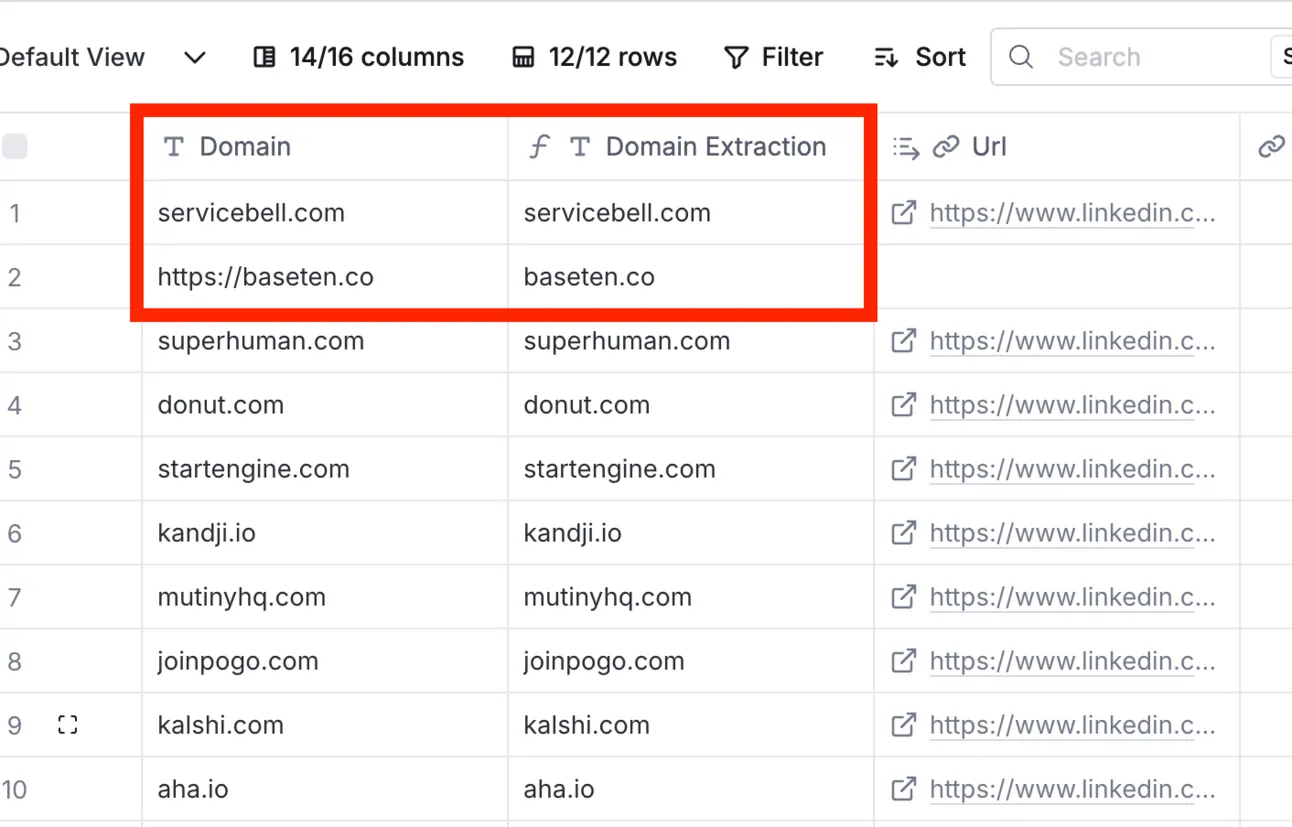
Sometimes your might have the URLs with https:// and so on. Our goal is to get a pure domain name such as “domain.com” as an output.
So for this, we’re going to create a new column and use AI formula in Clay:
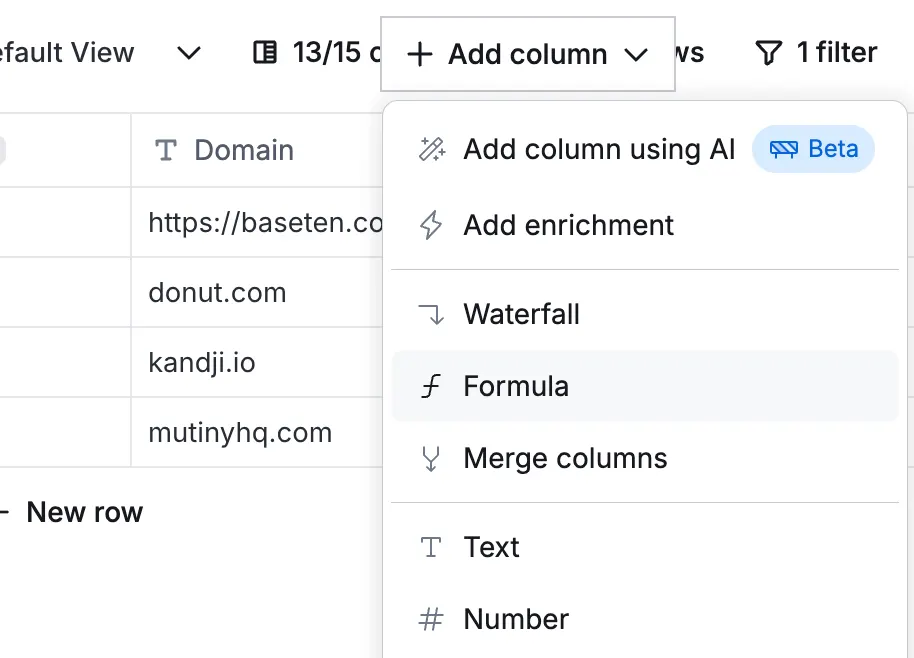
and in a human way we explain what we need (get a domain) and Clay will transform it into a “formula”:
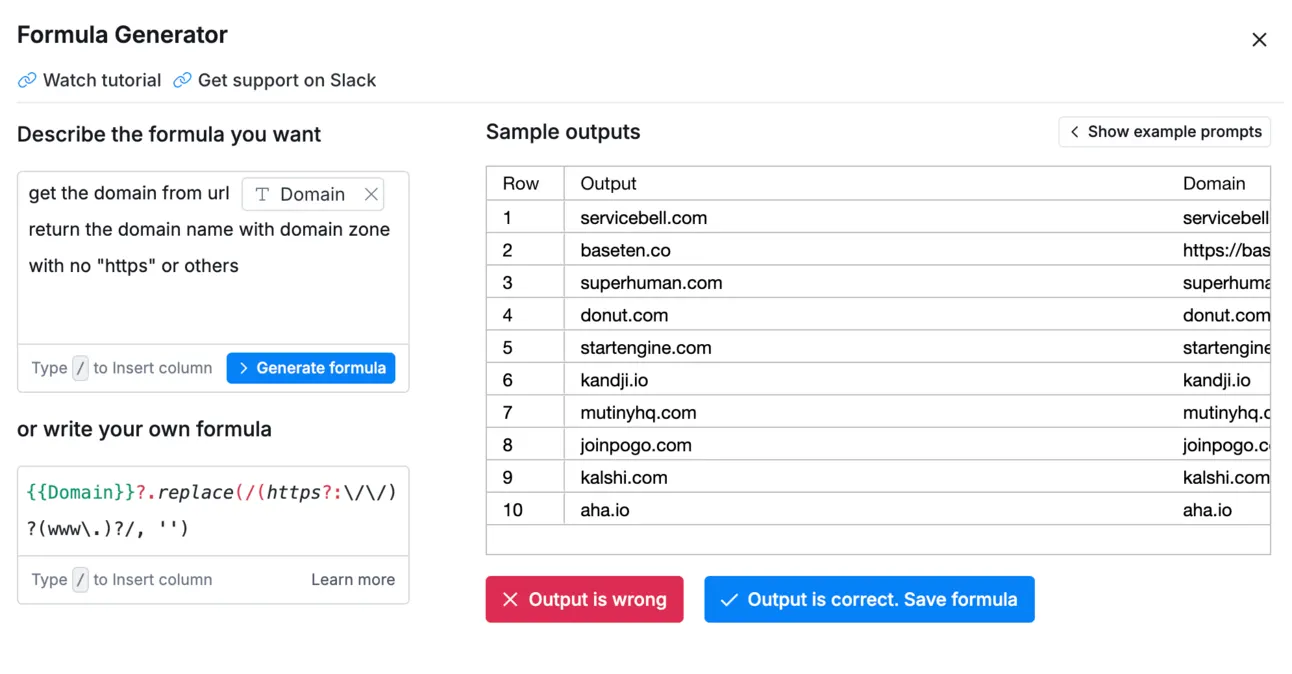
As a result, we have a list of clean domain names:
Step #2 - Find BuiltWith links based on domains
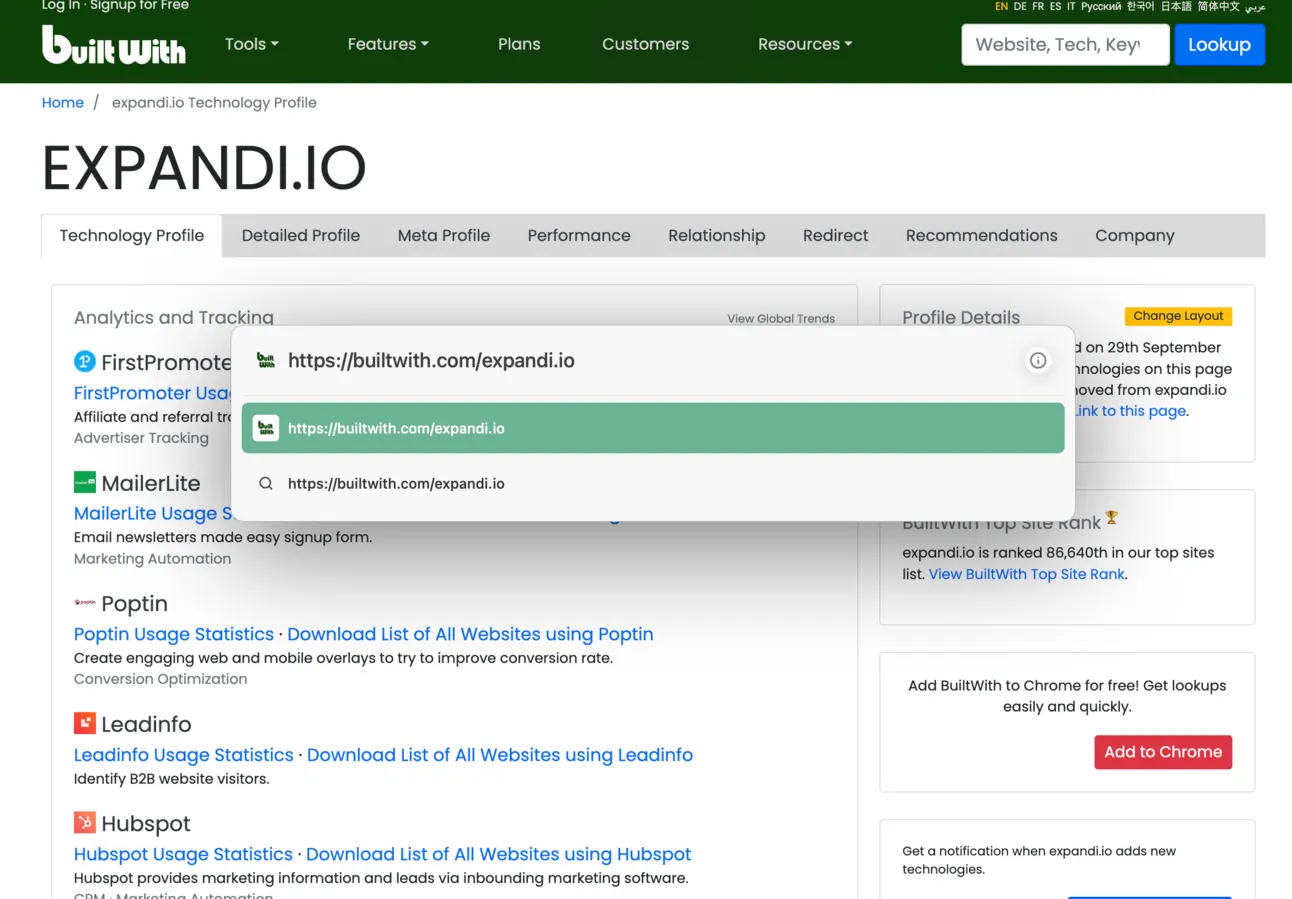
Basically you can find anyone’s public BuiltWith page with the list of technologies this domain is using.
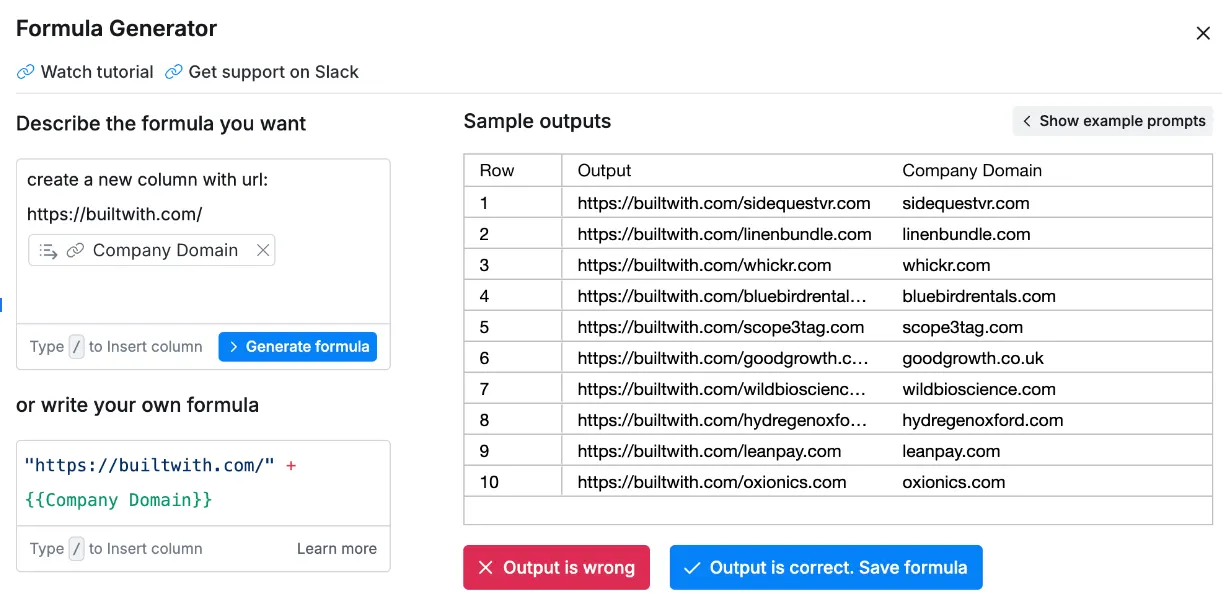
And the format of this public page is always the same: “https://builtwith.com/domain.com”
So we use AI formula to create the list of BuiltWith public pages per each domain:
Step #3 - Extract BuiltWith data on a scale
For this, we’ll be using Claygent (it’s a web scraping bot with AI in-built).
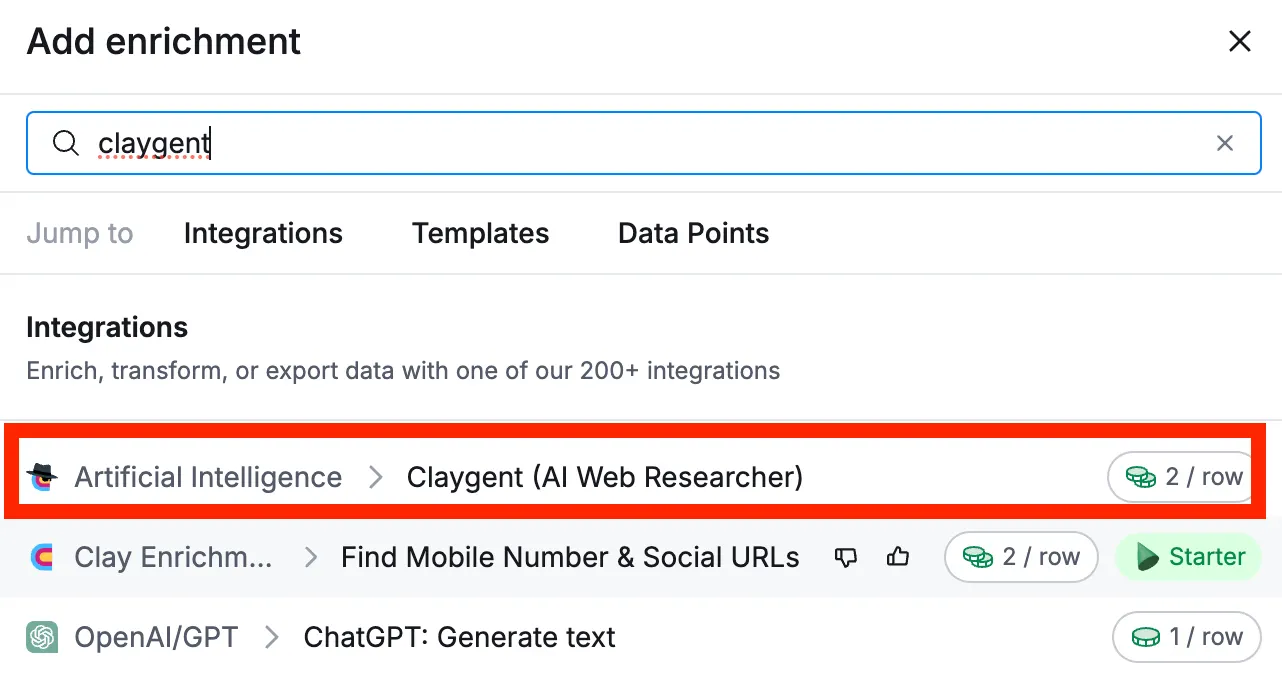
Since it’s advanced scraping, we can explain in a human way what we need to get and Claygent will do this for us!
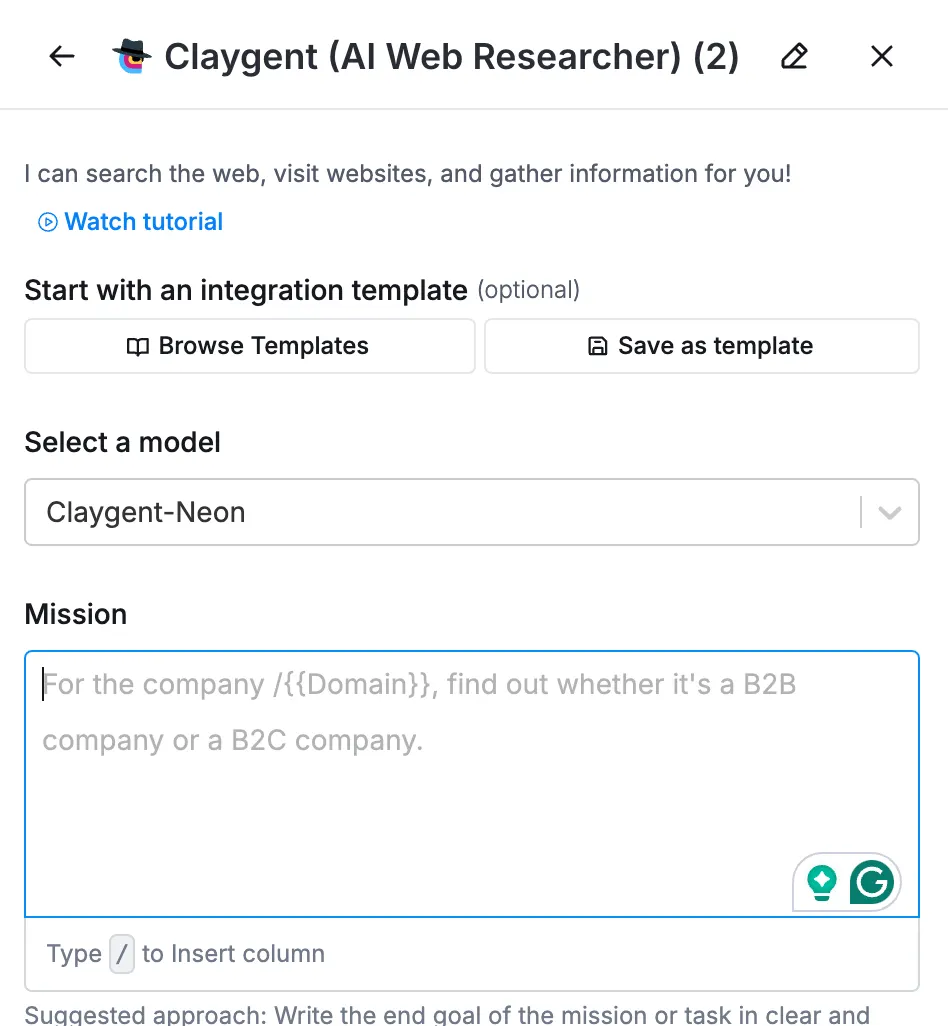
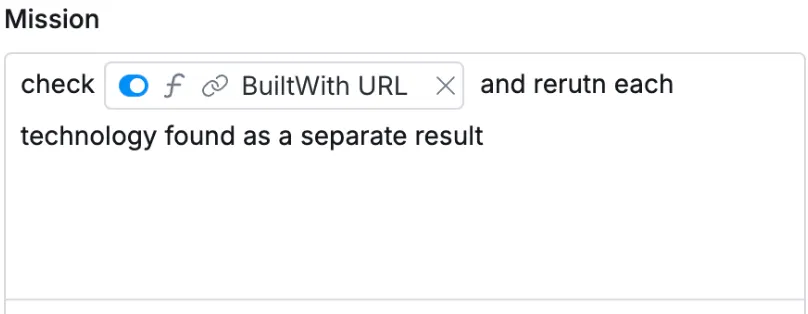
In this case, we just need to do a simple thing:
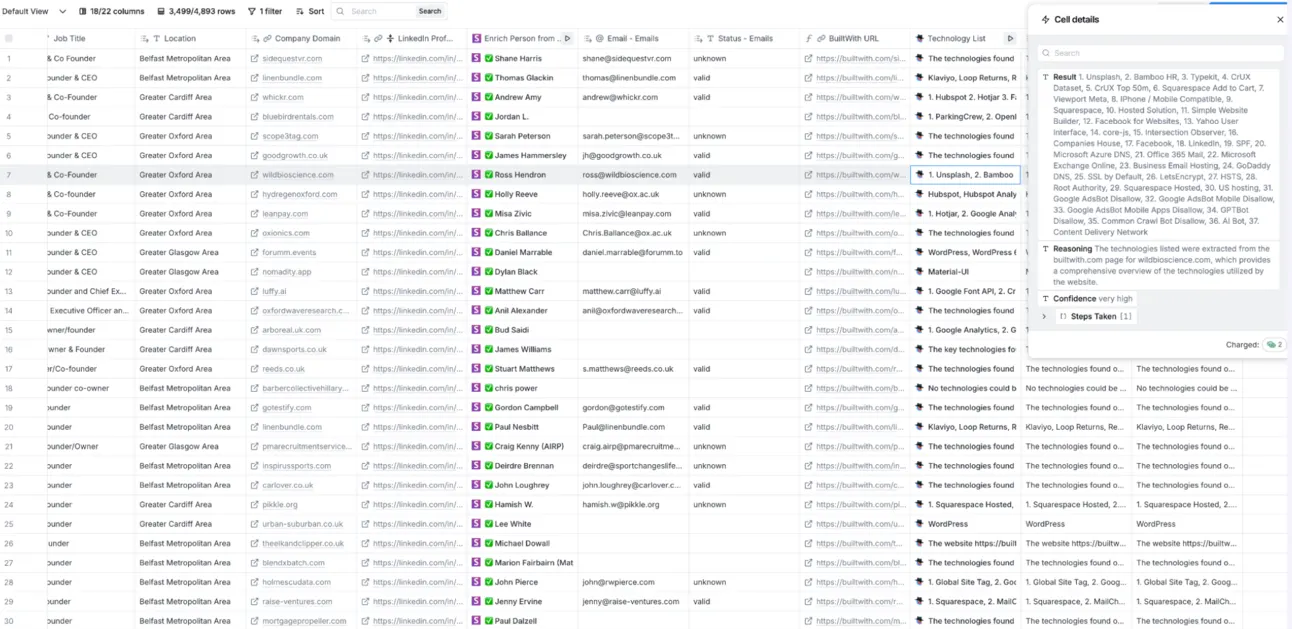
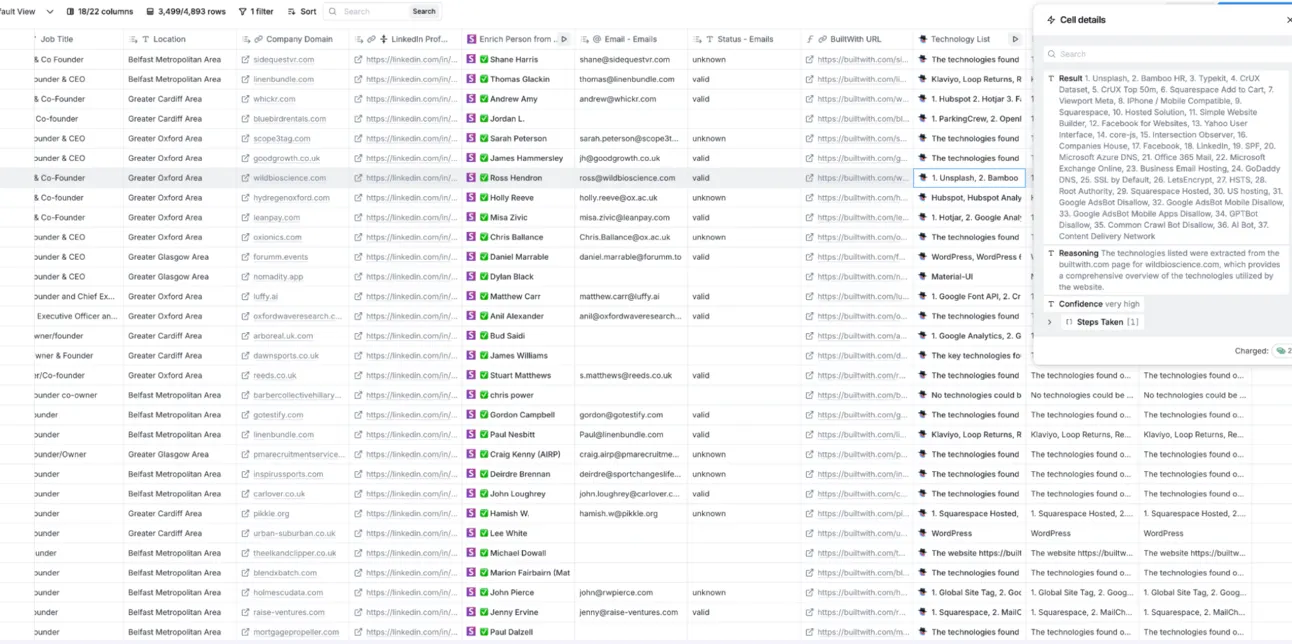
As a result, Claygent will return us the list of technologies each domain is using:
But Claygent also costs credits?!
So, on every Clay plan, you can add your API keys to any tool Clay has an integration with. In this case, you can add your own OpenAI API key and Clay will NOT charge you any credits/money for that!
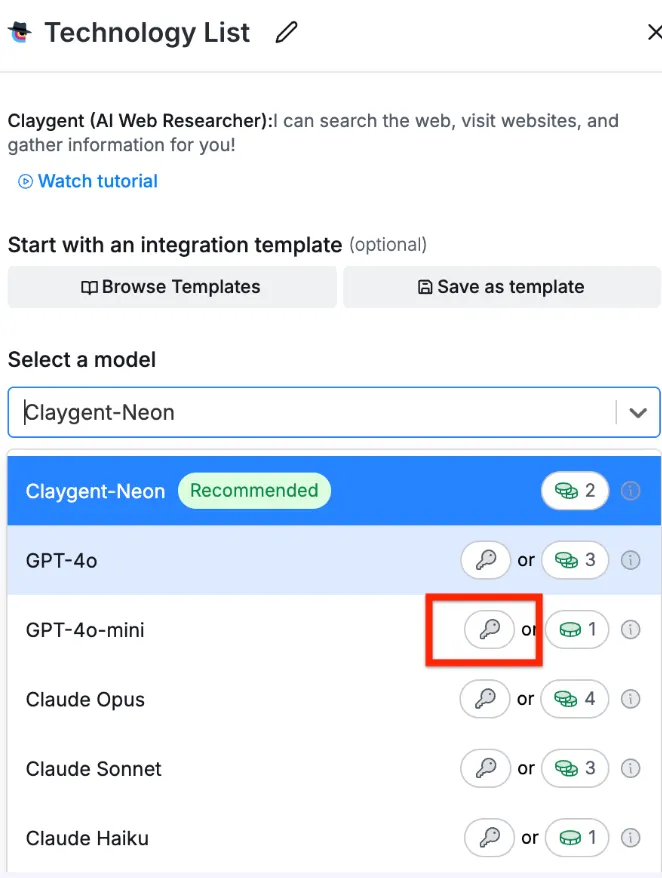
As a result, on a huge scale, you can save hundreds or even thousands of dollars on it!
And spend just a few buck:
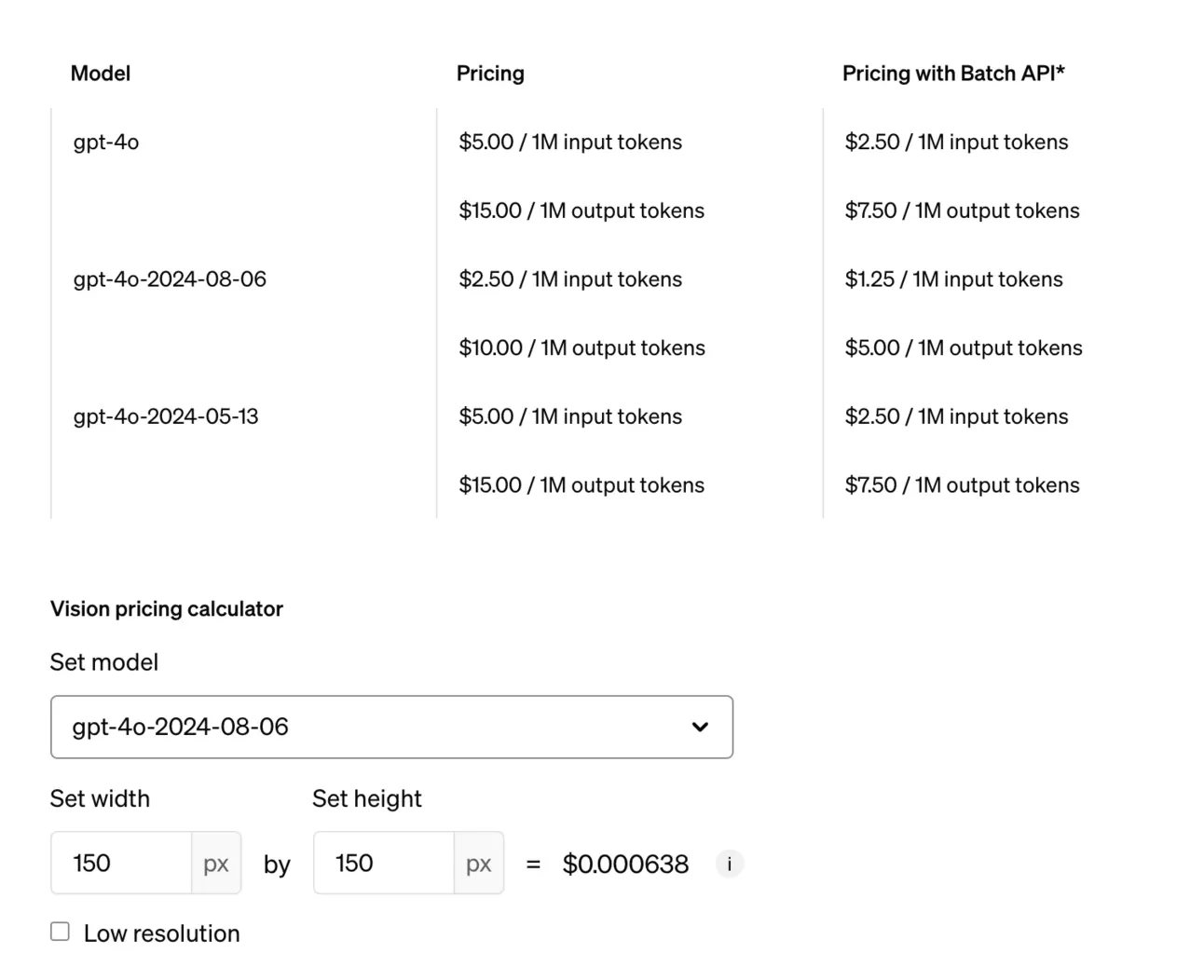
How to use it?
Now we know what tool stack companies are using, it’s time to personalize our outreach!
Here is the list of examples how you can use Tech look-up results:
| If you're selling | Whether company is using | How to personalize email outreach |
|---|---|---|
| SEO services | Google Analytics | “I see you’re using Google Analytics, but have you considered optimizing your data tracking for better SEO insights?” |
| Hosting services | AWS or Cloudflare | “As you’re using AWS for hosting, we can help you optimize server costs while improving scalability.” |
| Marketing automation | HubSpot or Marketo | “With HubSpot already in place, we can show you advanced automation tactics to increase lead conversions.” |
| CRM solutions | Salesforce | “We specialize in Salesforce integrations that can enhance your sales pipeline management.” |
| Payment processing | Stripe or PayPal | “Since you’re using Stripe, we can offer additional payment gateway solutions to reduce transaction fees.” |
| Cybersecurity | Cloudflare | “We noticed your site uses Cloudflare. Our cybersecurity solution can further safeguard your customer data.” |
| E-commerce tools | Shopify or Magento | “As a Shopify user, we offer plugins that can help boost your store's conversion rates.” |
| Customer support tools | Zendesk or Intercom | “You’re using Intercom for customer support, and we can help you scale your customer service with AI-driven chat solutions.” |
| Advertising services | Google Ads | “We see you’re running Google Ads—our team can help you maximize ad ROI with advanced targeting strategies.” |
| Video hosting | Wistia or Vimeo | “Using Wistia for video hosting? We can enhance your video marketing strategy with personalized video funnels.” |
| Email marketing | Mailchimp or ActiveCampaign | “We noticed you’re using Mailchimp. Let us help you create highly targeted email campaigns that convert better.” |
| Web design | WordPress or Squarespace | “As a WordPress user, we offer custom themes and speed optimization services that can enhance user experience.” |
| A/B testing services | Optimizely | “We noticed you’re using Optimizely for A/B testing—let us help you design more impactful experiments for higher conversion rates.” |
With 🫰 to your Growth,
Ilya (let’s connect on LinkedIn)
Talk to the team that runs this every day
Book a 30-minute call. We look at your outbound and tell you what we would change first.

Ilya AzovtsevCo-founder
Co-founder of GrowthBand. Helped scale lemlist from $20k MRR to $10M ARR and built automation at Expandi; now runs the cold email infrastructure behind 32,000+ mailboxes.