Breaking news!
Now you can track your website visitors → identify who exactly (on a person-level 🔥) visited your website → segment them → send cold emails!
Instantly https://instantly.ai/ just released their new “Website tracking” feature!
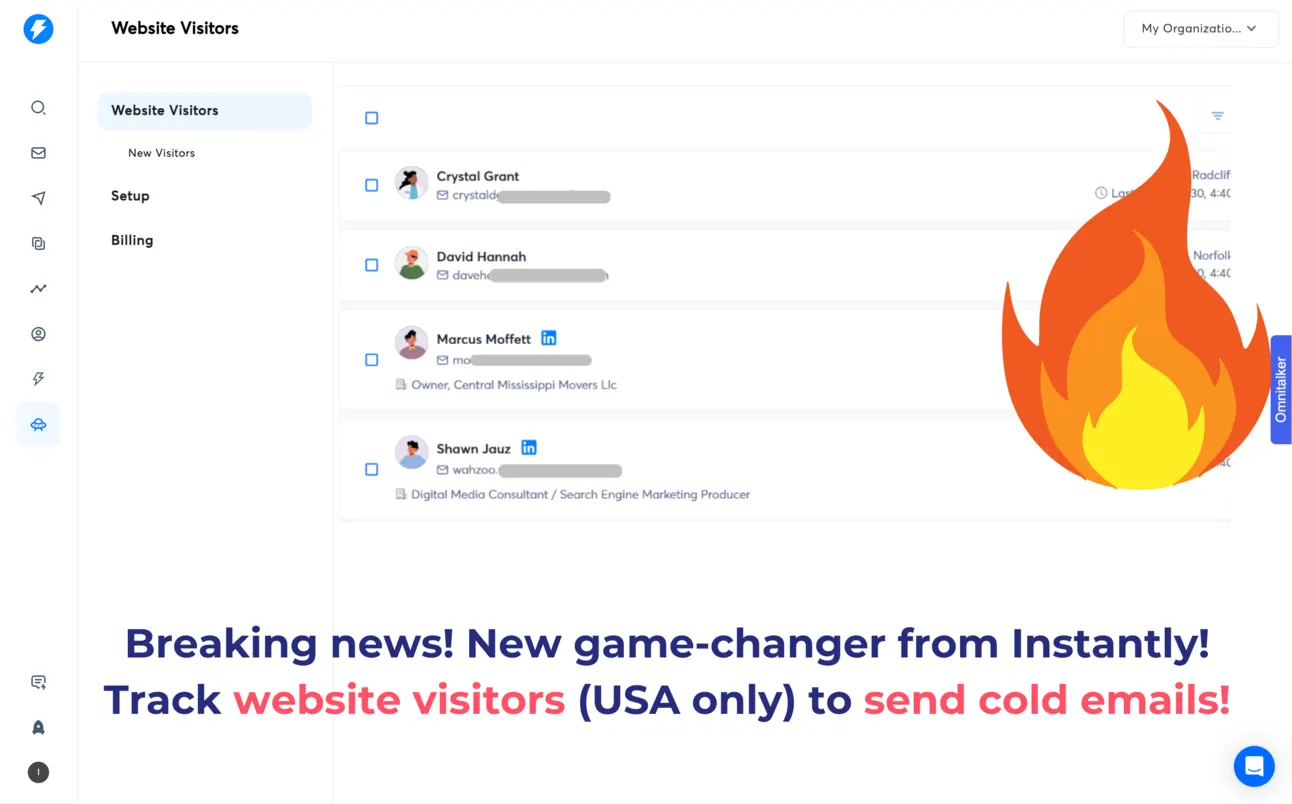
Important: It’s only working with USA visitors 🇺🇸
Let’s see how to set it up:
How to set-up website tracking
First things first → sign up at Instantly → https://instantly.ai
This is not a tool for website tracking only (initially it’s a powerful cold email automation software).
Once you do that.
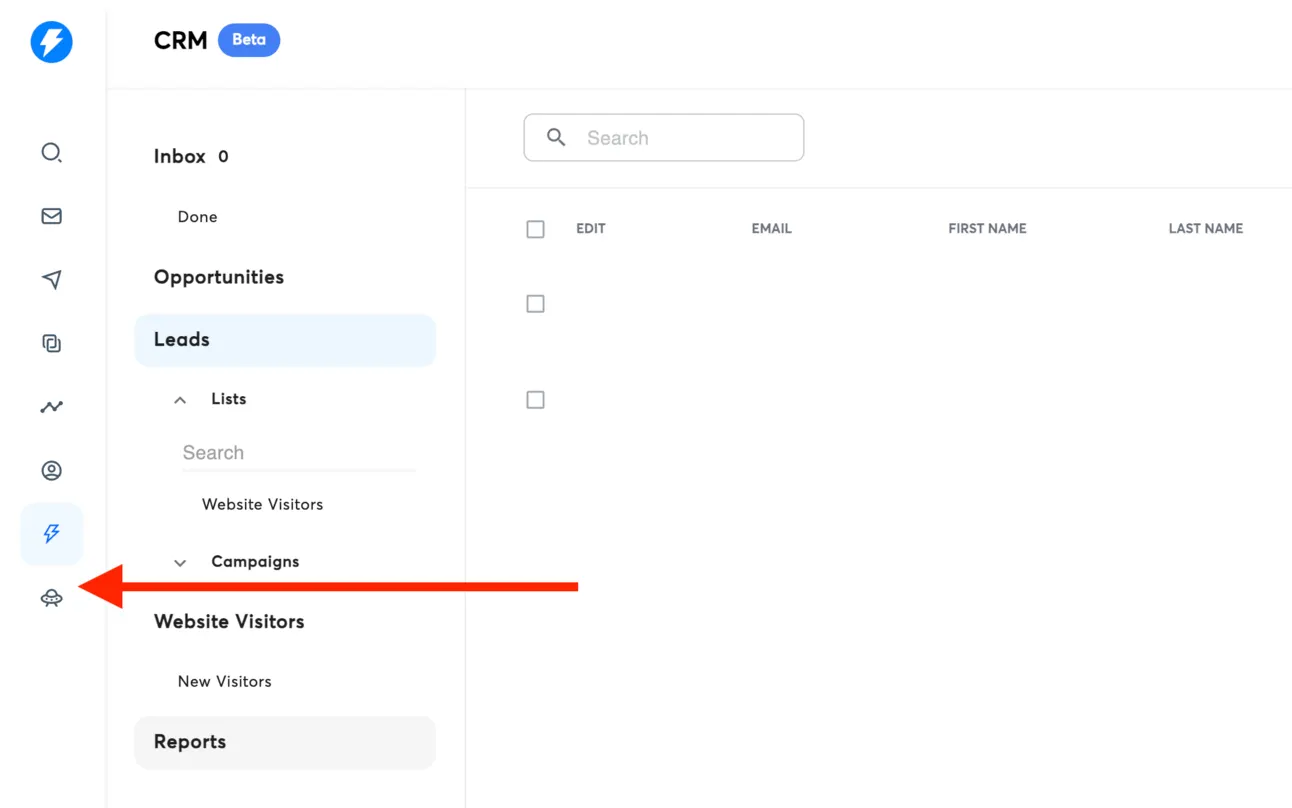
Go to the website visitors (the last button on the left bar):
Enter your domain:
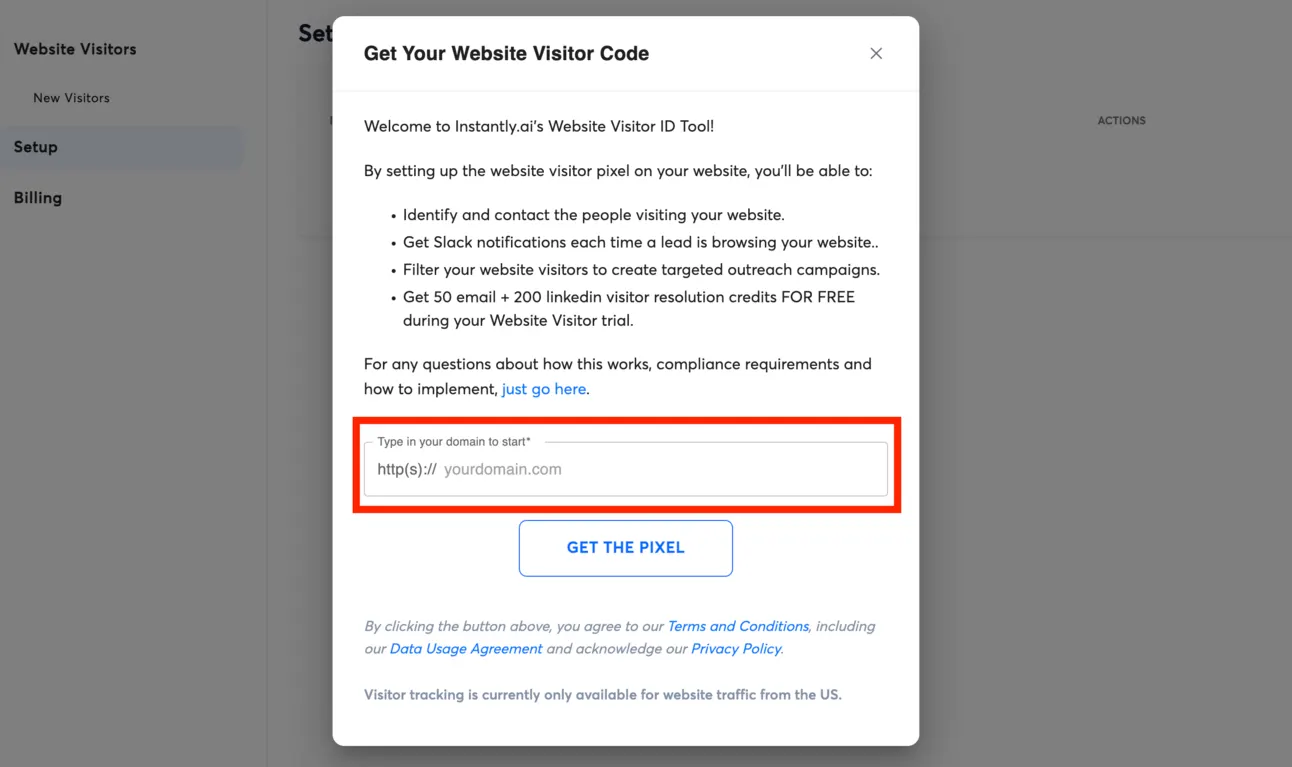
And get the pixel.
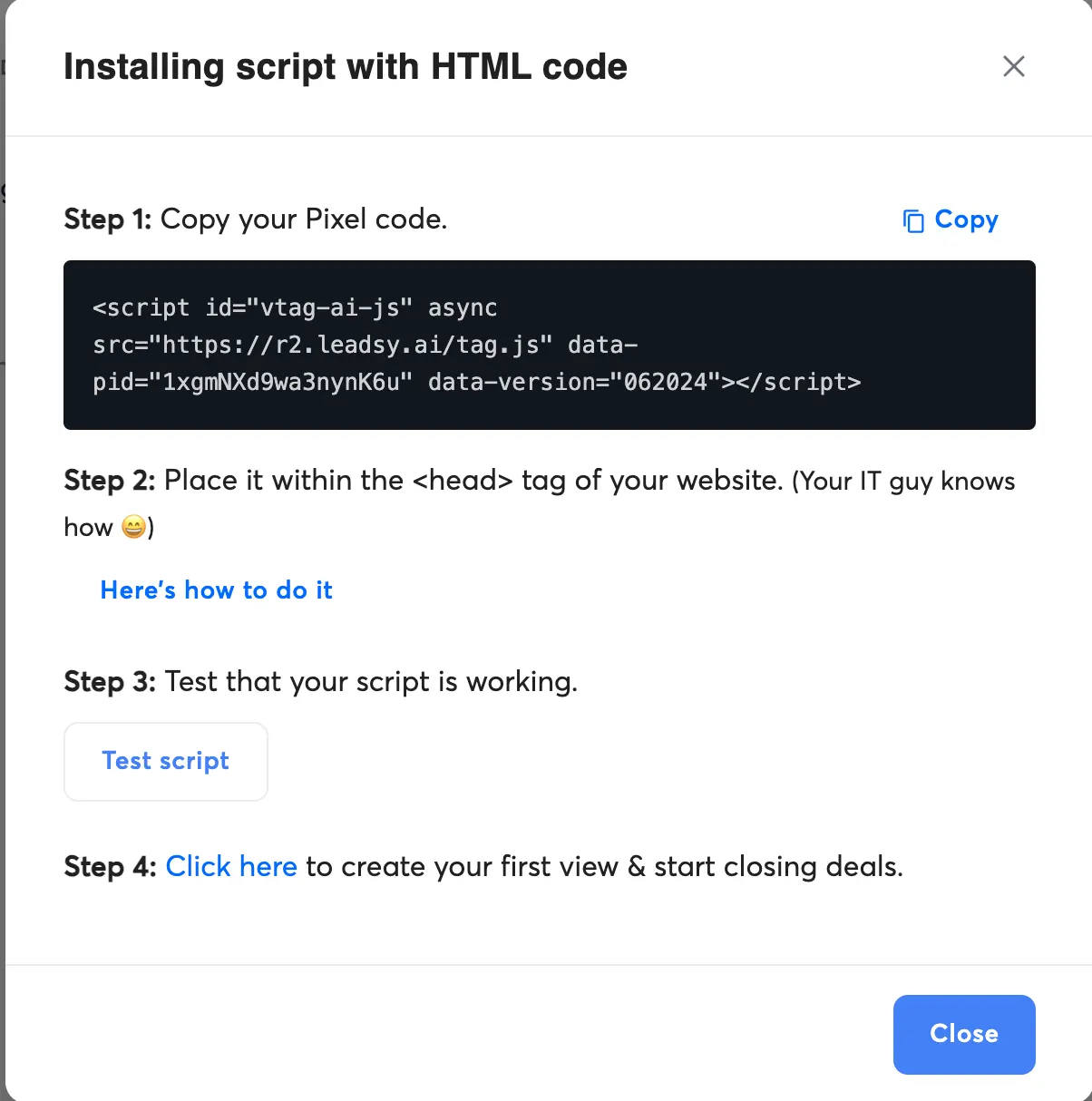
Now you need to copy the pixel you got and embed it on your website:
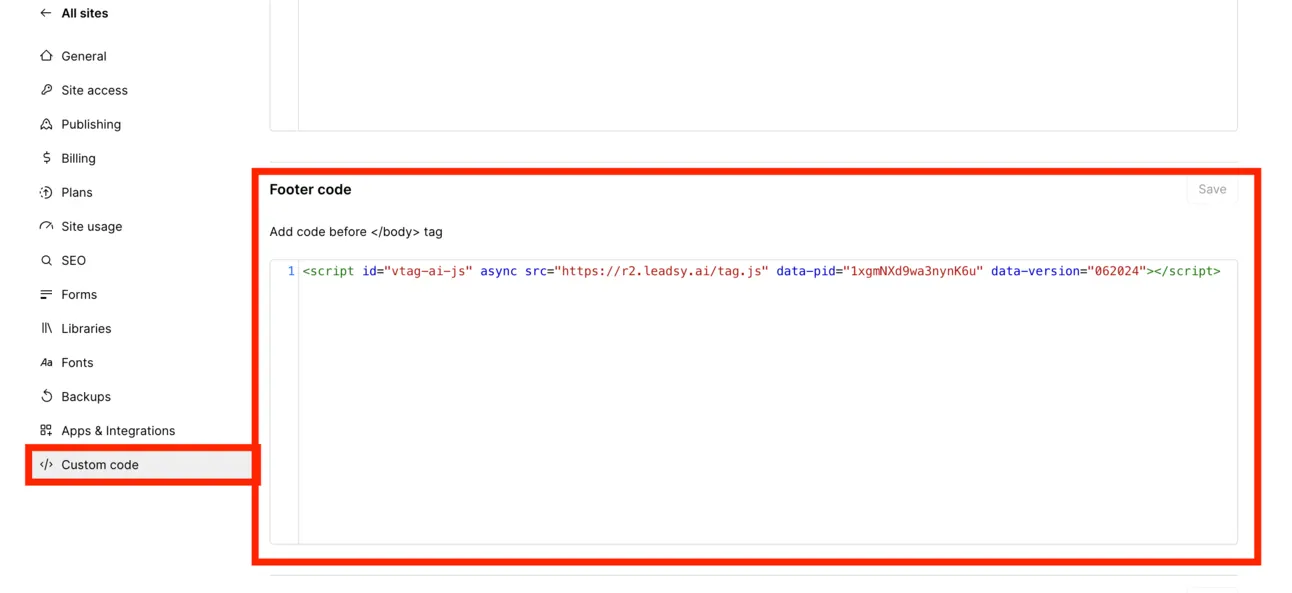
For example, if you use Webflow go to the settings → Custom code and inject this pixel:
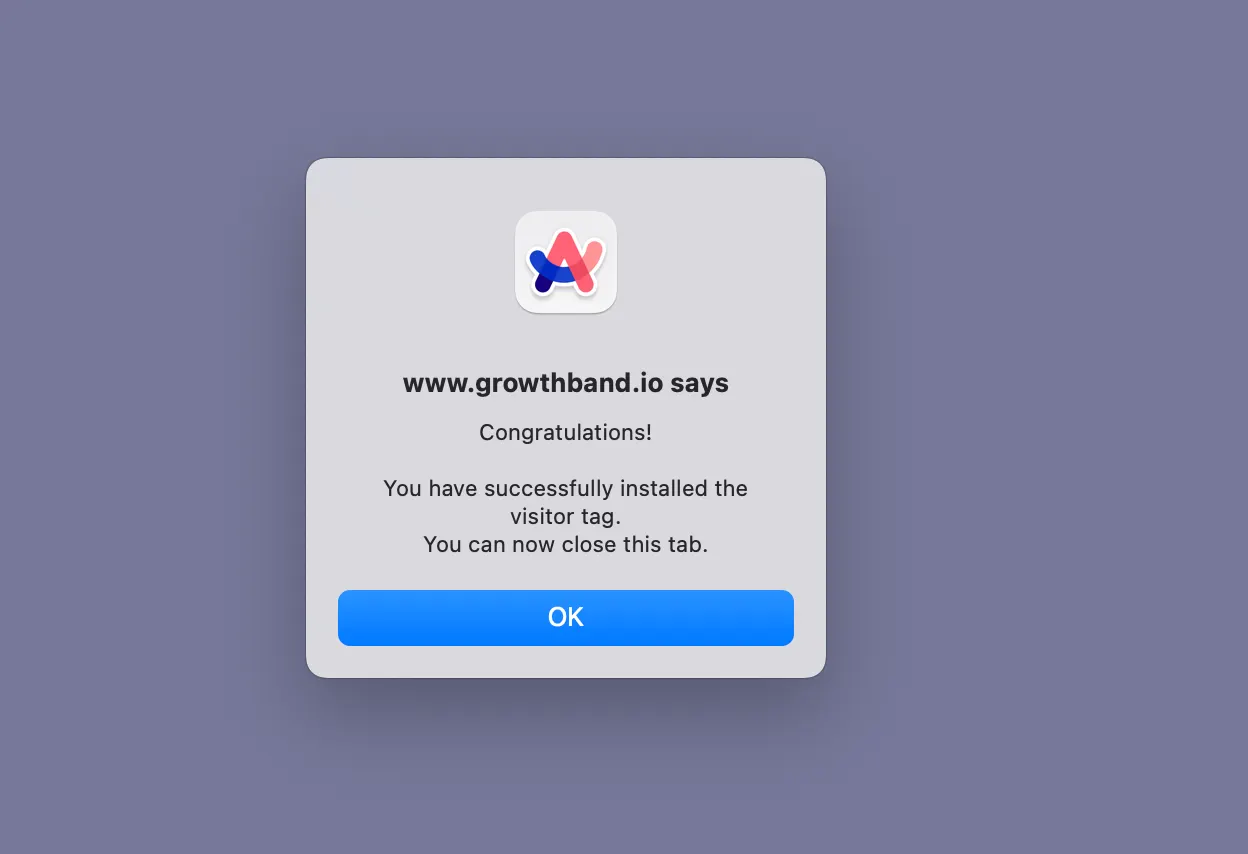
Once you do that, go back to https://instantly.ai/ and test your Pixel. It’ll show whether it’s installed or not.
How to segment people
Now https://instantly.ai/ will let you create a dedicated segment. The thing is, you don’t need to reach out to everyone, you need to reach out only to those visitors who actually fit your Ideal Customer Profile.
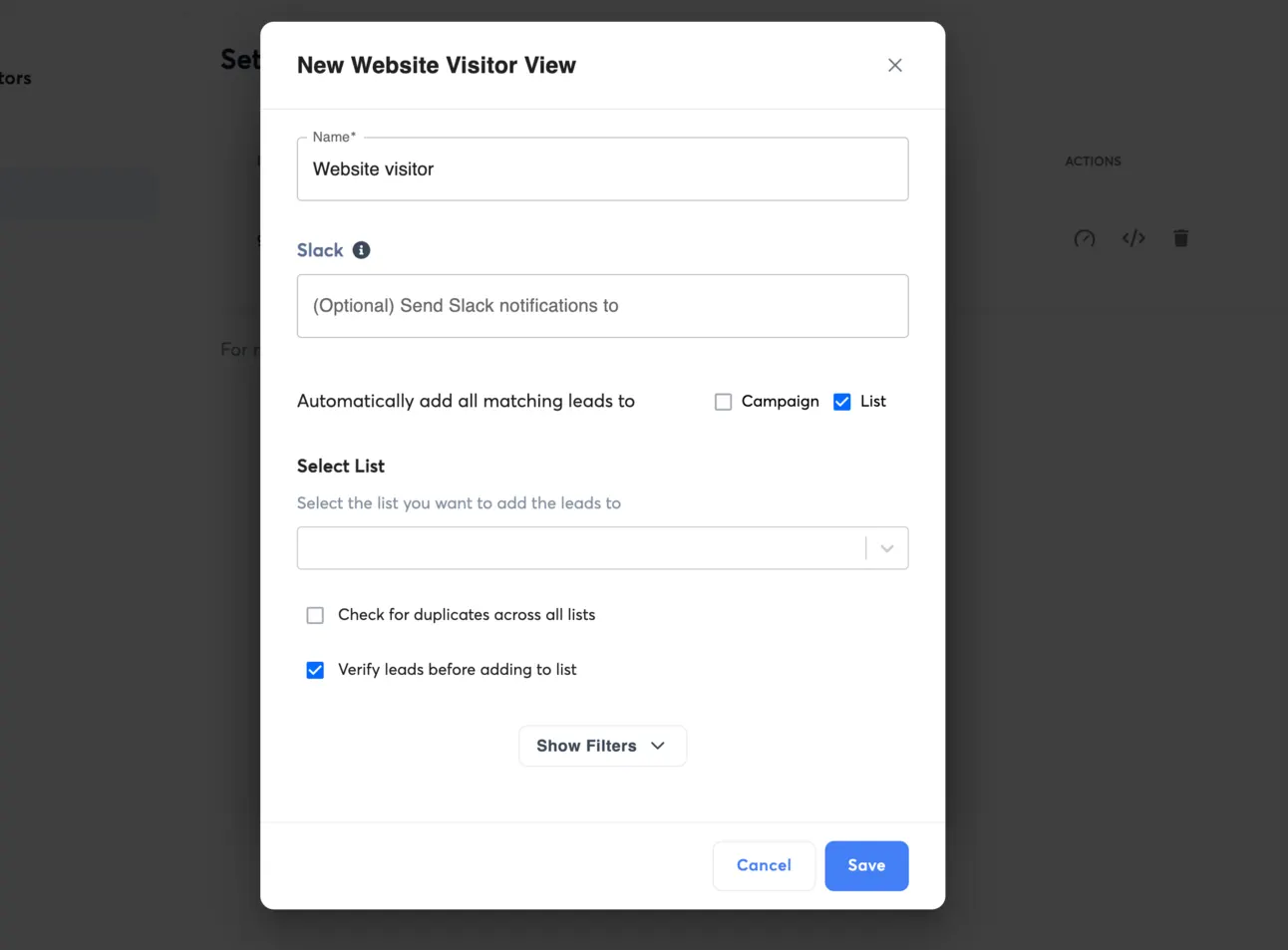
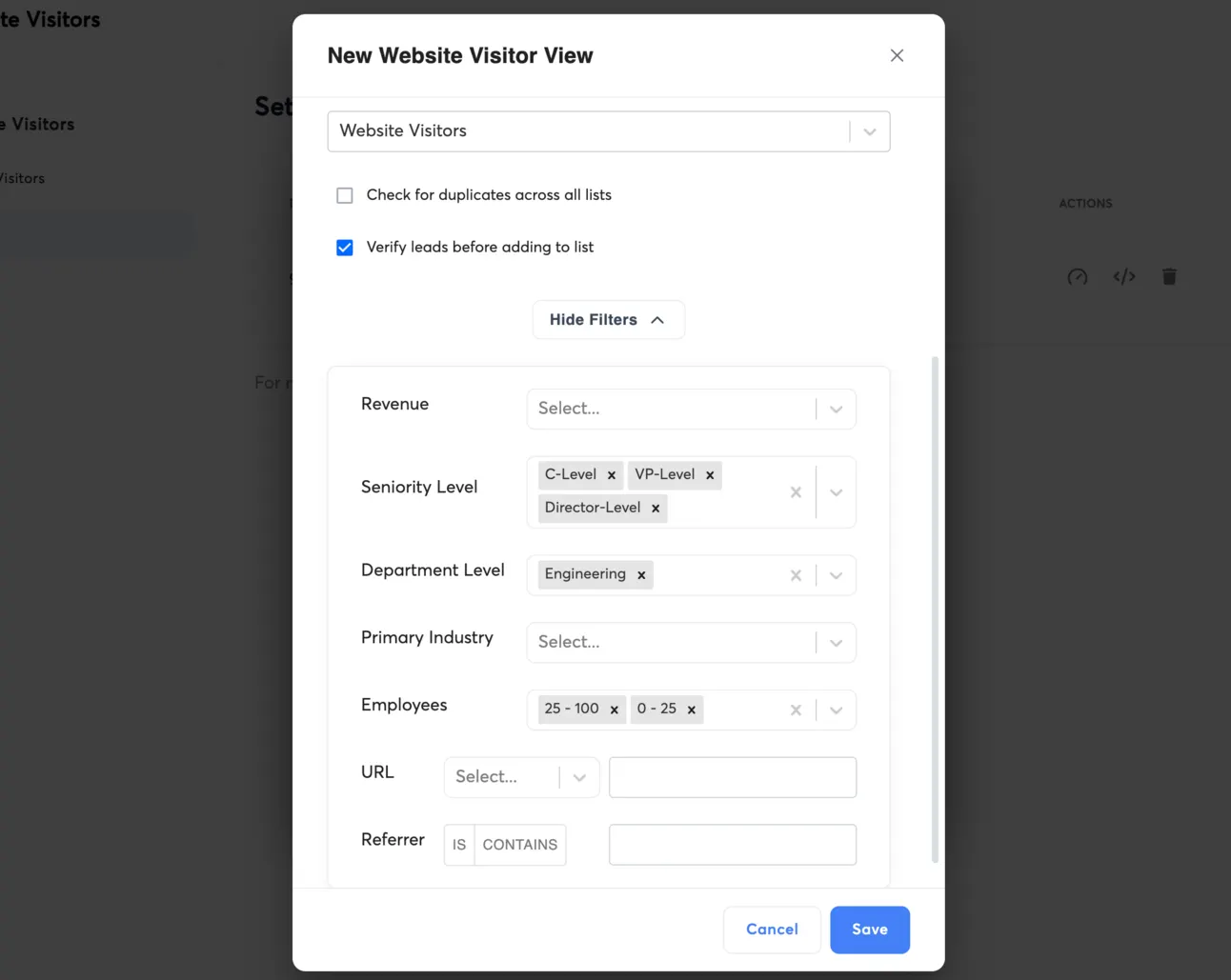
So in this case, we need to choose the parameters that https://instantly.ai/ will use as filters.
For example, if you’re a Software Development Agency you need to filter people by:
- Seniority level = VP, Director, C-level
- Department = Engineering
- Company size = 0-100
You can choose your own filtering approaches:
Once you do that, all your new website visitors who match with your ICP will be shown in the list:
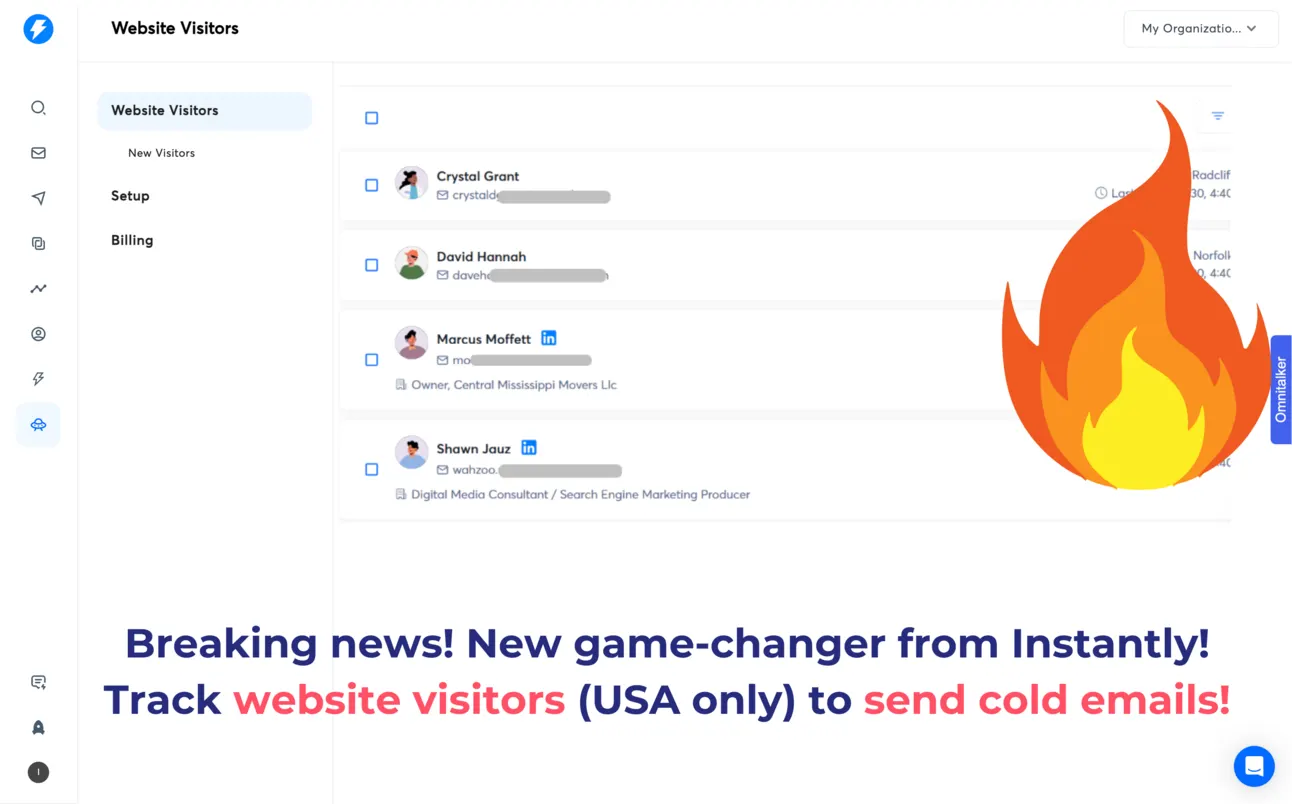
Now it’s time to reach out to them!
Outreach strategy
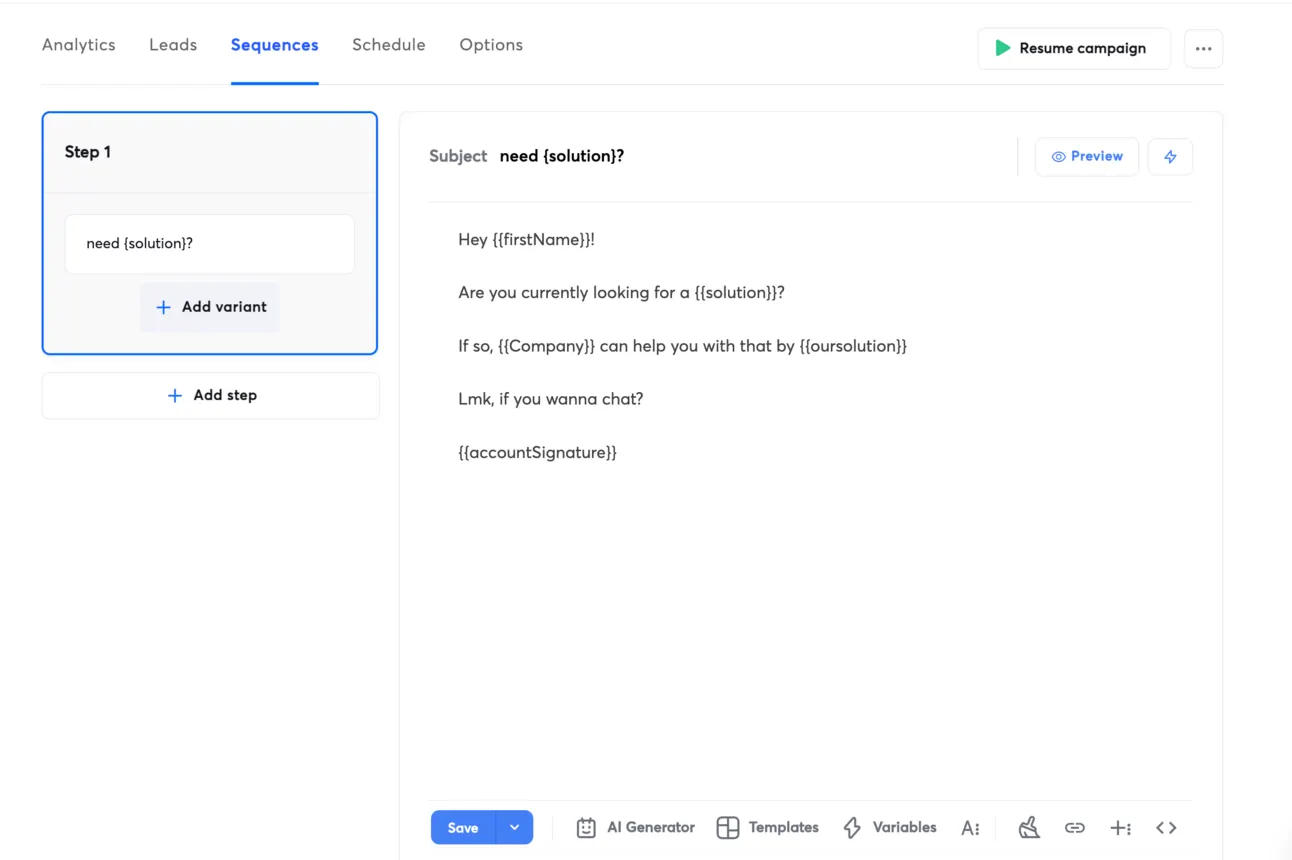
The best thing that you can do - is to reach out to relevant people who just visited your website and offer your solution. So for this, we recommend you use a simple but timely temapate:
As a follow-up you can go even further and send a personalised video to these people to catch their attention even more!
For this, you can use https://sendspark.com
Here is the full guide → https://growth.band/blog/video-personalisation
Basically people will get the email with a personalised loom-type video (with their website as a background):
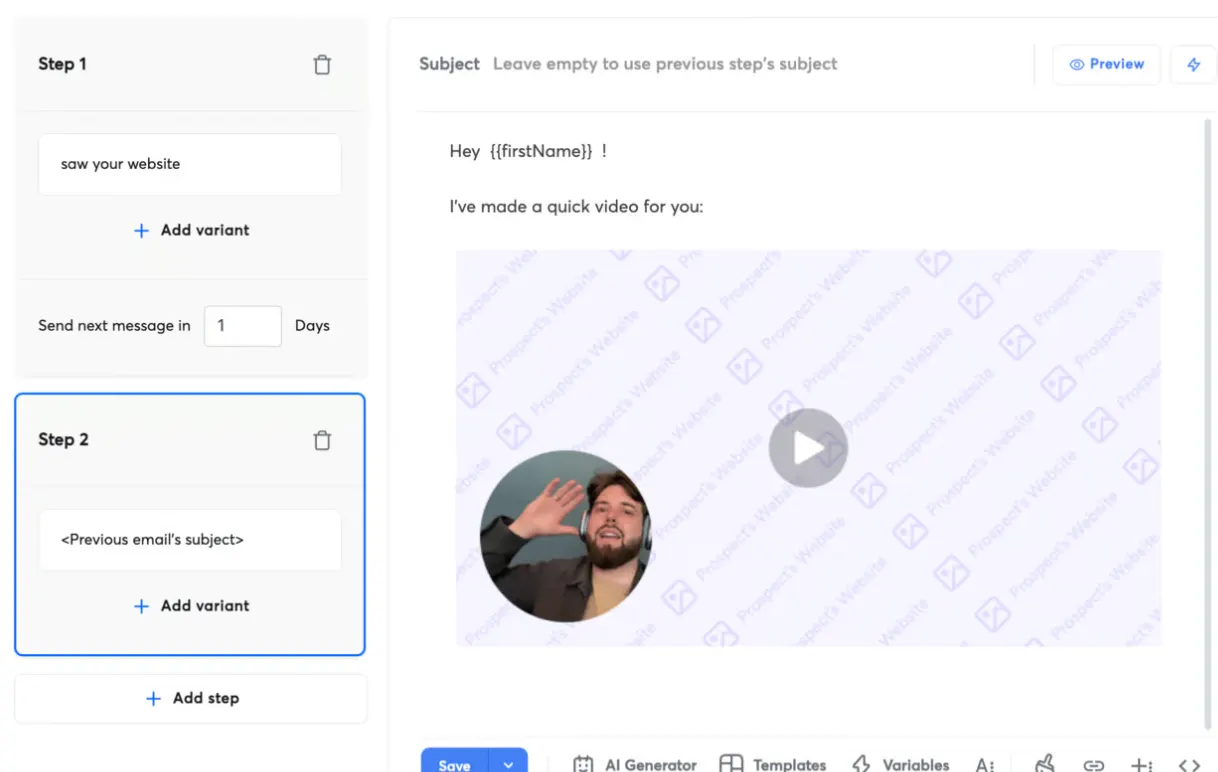
With https://sendspark.com you can personalise:
- the background of your video (so it’ll be their website)
- say their “firstName” in the video
- add your calendar link directly
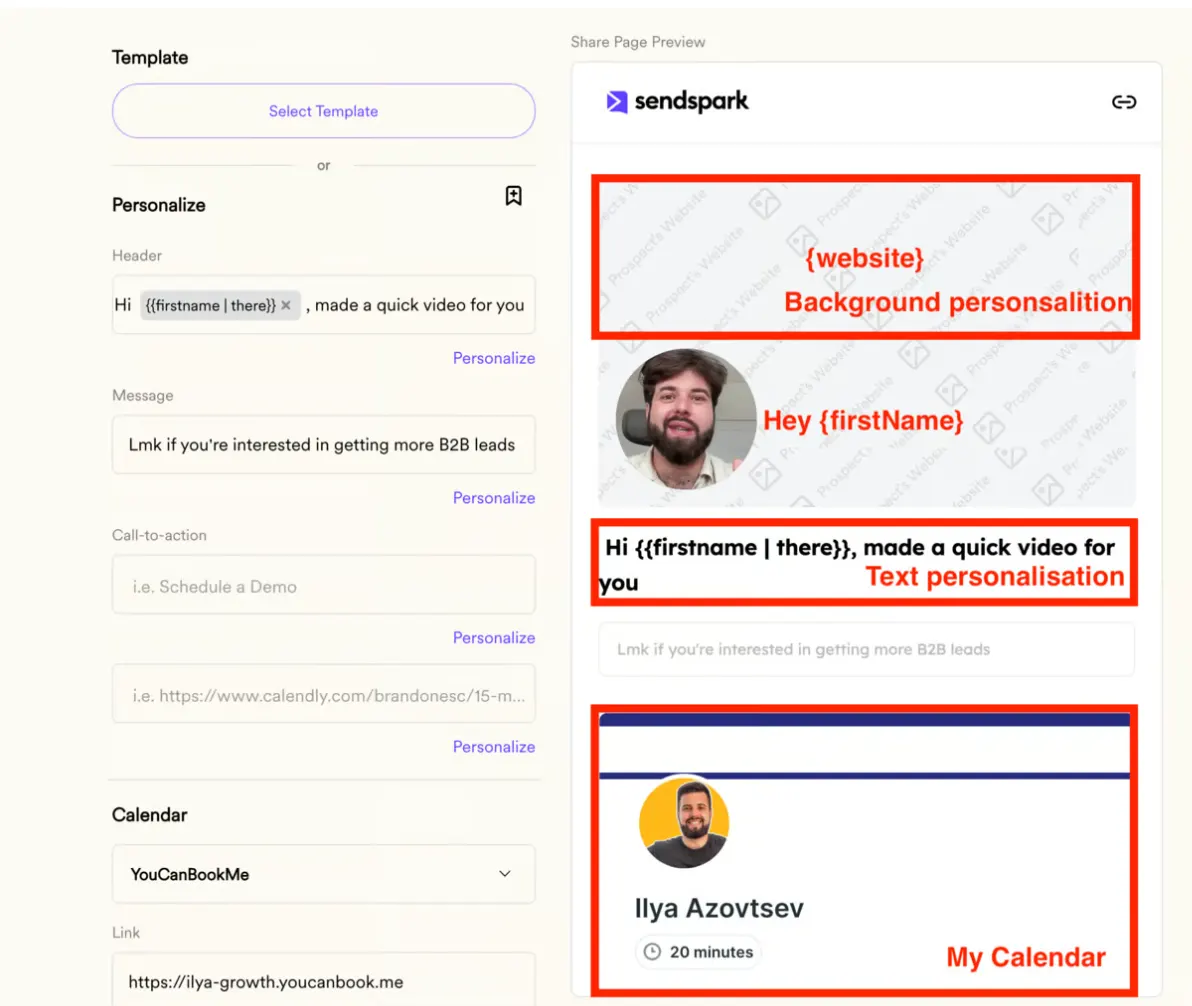
Here is how to implement it - https://growth.band/blog/video-personalisation
Important note
This is the newest feature on the market!
So there are 2 reasons why you need to implement it right now:
- The earlier you insert website tracking → the earlier you’ll collect the website visitors and generate actual leads
- Not a lot of companies are using this approach right now, so if you implement it right now, you’ll take the FULL advantage of this growth hack!
Tools:
Website tracking & Email outreach → https://instantly.ai/
Extra personalisation → https://sendspark.com
Talk to the team that runs this every day
Book a 30-minute call. We look at your outbound and tell you what we would change first.

Ilya AzovtsevCo-founder
Co-founder of GrowthBand. Helped scale lemlist from $20k MRR to $10M ARR and built automation at Expandi; now runs the cold email infrastructure behind 32,000+ mailboxes.